
1. Introduction
Thank you for choosing the Bellemave Full Size Murphy Cabinet Bed. This manual provides essential information for the safe assembly, operation, and maintenance of your new furniture. Please read all instructions carefully before beginning assembly and retain this manual for future reference.
Safety Information
- Always assemble with at least two adults. Assembly can take 2-3 hours.
- Ensure all parts are present and undamaged before assembly. Do not use damaged parts.
- Follow all assembly steps in the provided order.
- Keep small parts and packaging materials away from children.
- This product includes an anti-tipping device. Ensure it is properly installed to prevent accidental tipping.
- Do not exceed the maximum weight capacity of 700 lbs.
- Ensure the area around the bed is clear before converting between cabinet and bed forms.
2. Package Contents
Please verify that all components listed in the separate assembly guide are present and accounted for. Each part is numbered for easy identification during the assembly process.
3. Setup and Assembly Instructions
Assembly of the Bellemave Murphy Cabinet Bed requires careful attention to detail. It is recommended that two adults perform the assembly, which typically takes 2-3 hours. Refer to the detailed assembly manual included in your package for step-by-step instructions and diagrams. All parts are numbered to facilitate the process.
Key assembly considerations include:
- Identifying all hardware and wooden components using their corresponding numbers.
- Securing all connections firmly, especially those involving the folding mechanism and anti-tipping device.
- Ensuring the smooth operation of the drawer slides and bed panel hinges.

Image: Step-by-step visual guide for converting the cabinet to a bed. This image illustrates the sequence of opening the bottom drawer, lifting the top cover, pressing the release button, and unfolding the bed board.
4. Operating Instructions
Converting from Cabinet to Bed
- Step 1: Open the Bottom Drawer. Gently pull out the large storage drawer located at the base of the cabinet.
- Step 2: Open the Top Cover. Lift the top panel of the cabinet, which is hinged and will reveal the folded bed frame.
- Step 3: Press the Release Button. Locate and press the safety release button, typically found on the side or inside the cabinet, to unlock the bed mechanism.
- Step 4: Unfold the Bed Board. Carefully pull the bed frame downwards and outwards until it fully extends into the bed position. Ensure it is securely locked in place.
- Step 5: Complete. The bed is now ready for use.
Converting from Bed to Cabinet
- Clear all items from the bed surface.
- Carefully lift the bed frame upwards, folding it back into the cabinet. Ensure the safety mechanism engages.
- Lower the top cover until it is flush with the cabinet.
- Push the bottom storage drawer back into its closed position.

Image: The Murphy Cabinet Bed fully extended as a bed, showcasing its functional sleeping arrangement.
Using the Charging Station
The cabinet bed is equipped with an integrated charging station. This station includes two 125V/12A AC outlets, one 5V/2A USB port, and one Type-C port. To use, simply plug the bed's power cord into a wall outlet. You can then connect your electronic devices to the available ports for charging.
Utilizing the Storage Drawer
The large storage drawer at the base of the unit provides additional space for bedding, pillows, or other items. It operates on smooth rails for easy access.
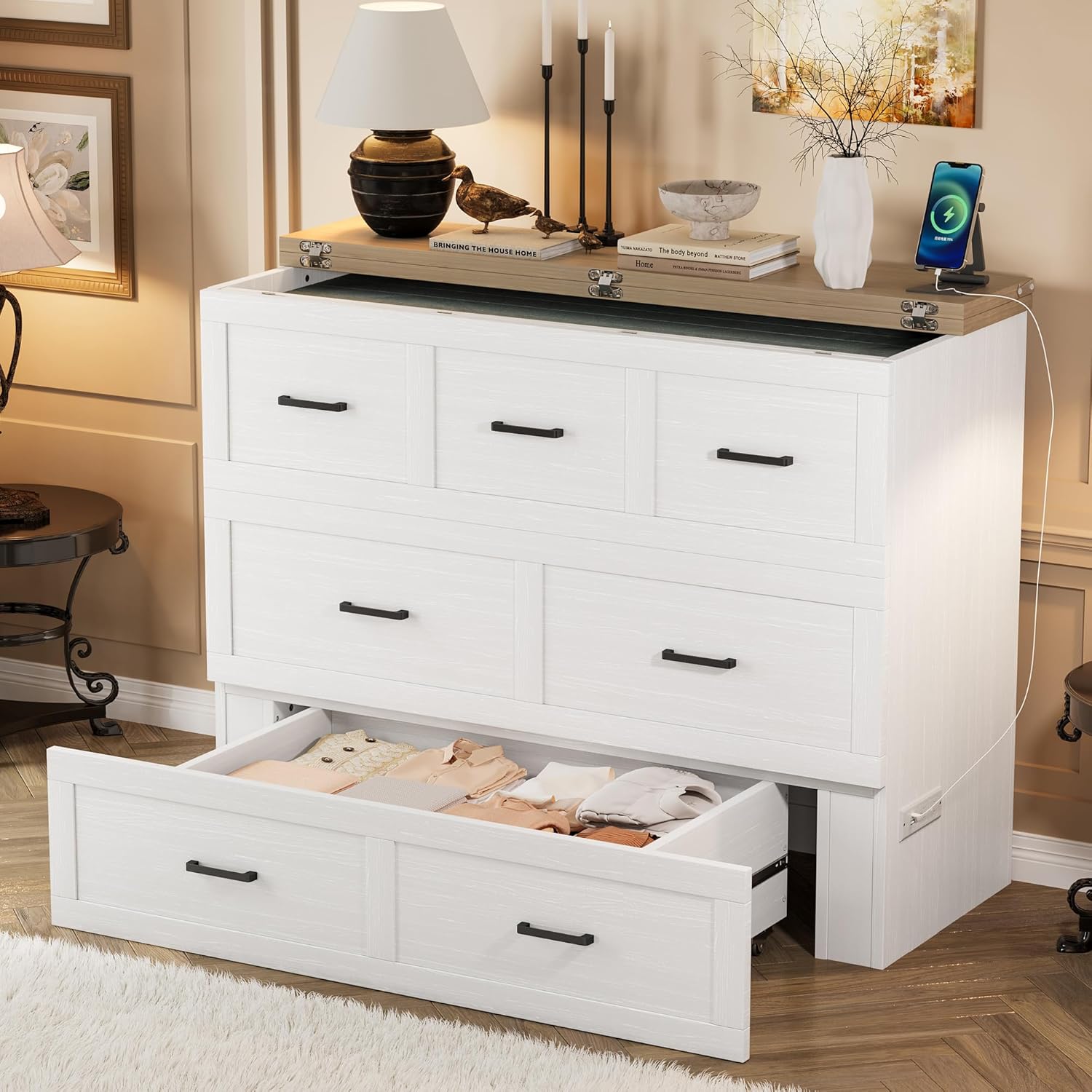
Image: The Murphy Cabinet Bed in its compact cabinet form, with the large storage drawer open, demonstrating its storage capacity.
5. Maintenance
- Cleaning: Wipe surfaces with a soft, damp cloth. Avoid using harsh chemicals or abrasive cleaners, as these can damage the finish.
- Hardware Check: Periodically inspect all screws, bolts, and connectors to ensure they are tight. Re-tighten if necessary.
- Mechanism Care: Keep the folding mechanism and drawer slides free of dust and debris to ensure smooth operation.
6. Troubleshooting
- Assembly Time: If assembly is taking longer than expected, ensure you are following the numbered steps in the manual. It is a multi-part assembly that benefits from patience.
- Drawer Difficulty: If the large storage drawer is difficult to open or close, check for obstructions on the slides. On carpeted surfaces, the drawer may require more effort to move due to friction.
- Bed Not Unfolding/Folding Smoothly: Ensure the safety release button is fully engaged/disengaged. Check that no items are obstructing the bed's movement path.
7. Specifications
| Brand | Bellemave |
| Model Number | FST00196-FB-AA1 |
| Size | Full |
| Color | White With 1 Large Drawer |
| Material | Wood |
| Product Dimensions (L x W x H) | 75.5 x 55 x 41 inches |
| Item Weight | 92 pounds |
| Weight Capacity | 700 lbs |
| Charging Station | 2 AC Outlets (125V/12A), 1 USB Port (5V/2A), 1 Type-C Port |
| Special Features | Foldable Panel, Large Storage Drawer, Anti-Tipping Device, Zinc Alloy Connectors |

Image: Detailed dimensions of the Murphy Cabinet Bed, illustrating its measurements in both cabinet and extended drawer configurations.
8. Warranty and Support
For warranty information or assistance with your Bellemave Murphy Cabinet Bed, please refer to the warranty card included with your purchase or contact Bellemave customer service directly. Contact details can typically be found on the manufacturer's website or on your purchase receipt.


