
1. Introduction
The Elitech DIT-220 is a high-precision, non-contact infrared thermometer designed for safe and accurate temperature measurement across various applications. This device utilizes laser targeting for precise aim and features adjustable emissivity to ensure accurate readings on different surface types. It is suitable for use by professionals, DIY enthusiasts, and in household settings for monitoring temperatures in industrial, commercial, and domestic environments.
2. Safety Information
Please read all safety warnings and instructions carefully before using this product. Failure to follow these instructions may result in injury or damage to the device.
- Laser Safety: Do not look directly into the laser beam or point it at people or animals. The laser is used for targeting only and should be used with caution.
- Non-Contact Measurement: This thermometer measures surface temperature. It is not intended for measuring body temperature.
- Electrical Safety: Do not use the device near strong electromagnetic fields. Keep the device dry and avoid exposure to moisture or extreme temperatures.
- Battery Safety: Use only the specified battery type (2x AAA). Ensure correct polarity when installing batteries. Remove batteries if the device will not be used for an extended period. Do not mix old and new batteries or different types of batteries.
- Maintenance: Do not attempt to disassemble or modify the device. Refer all servicing to qualified personnel.
3. Package Contents
Verify that all items are present in the package:
- Elitech DIT-220 Infrared Thermometer
- 2 x AAA Batteries
- User Manual (this document)
4. Product Features
- Wide Temperature Range: Measures from -50°C to 530°C (-58°F to 986°F).
- Fast Response Time: Provides readings in approximately 0.5 seconds.
- High Accuracy: ±1.5°C (±2.7°F) or ±1.5% for temperatures between -50°C and 50°C.
- Laser Targeting: Integrated laser pointer for precise aiming at the target surface.
- Adjustable Emissivity: User-adjustable emissivity from 0.10 to 1.00 for accurate readings on various materials.
- Distance-to-Spot Ratio (D:S): 12:1, ensuring accurate measurement from a safe distance.
- MAX/MIN/AVG Mode: Automatically tracks maximum, minimum, and average temperatures during a measurement session.
- Backlit LCD Display: Provides clear visibility of readings in various lighting conditions.
- Auto Shut-off: Conserves battery life by automatically turning off after a period of inactivity.
- Low Battery Reminder: Indicates when batteries need replacement.
- °C/°F Switch: Easily switch between Celsius and Fahrenheit units.

Figure 1: Elitech DIT-220 Infrared Thermometer highlighting its main features.
5. Setup
5.1 Battery Installation
- Locate the battery compartment cover on the handle of the thermometer.
- Open the battery compartment cover.
- Insert two AAA batteries, ensuring correct polarity (+ and -) as indicated inside the compartment.
- Close the battery compartment cover securely.

Figure 2: Elitech DIT-220 components and battery compartment location.
5.2 Powering On/Off
To power on the device, simply press the measurement trigger. The device will automatically power off after a period of inactivity to conserve battery life.
6. Operating Instructions
6.1 Taking a Measurement
- Point the thermometer at the target surface. Ensure the laser pointer (if activated) is aimed at the center of the area you wish to measure.
- Press and hold the measurement trigger. The laser will activate, and the current temperature will be displayed on the LCD screen.
- Release the trigger to hold the measurement on the display. The 'HOLD' icon will appear.
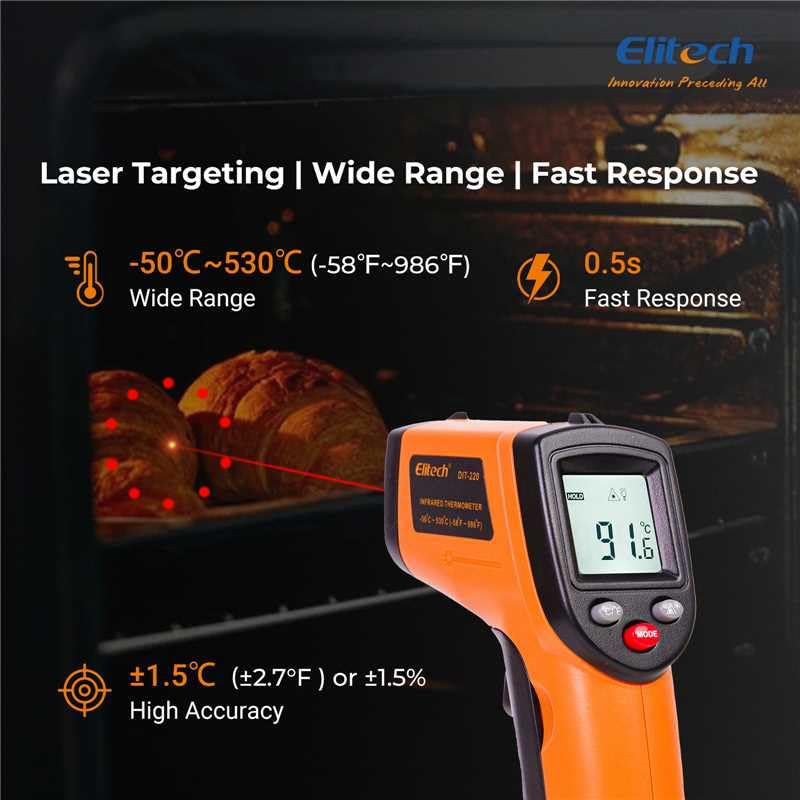
Figure 3: Using the DIT-220 for non-contact temperature measurement with laser targeting.
6.2 Understanding Distance-to-Spot Ratio (D:S)
The DIT-220 has a Distance-to-Spot ratio of 12:1. This means that as you move further from the target, the area being measured (spot size) increases. For accurate readings, ensure the target area is larger than the spot size. For example, at a distance of 12 inches, the measurement spot will be 1 inch in diameter.

Figure 4: Illustration of the 12:1 Distance-to-Spot ratio.

Figure 5: Visual guide for maintaining correct measurement distance.
6.3 Adjusting Emissivity
Different materials emit infrared energy differently. The DIT-220 allows you to adjust the emissivity (ε) from 0.10 to 1.00 to compensate for this and achieve more accurate readings. Refer to a standard emissivity table for common materials or adjust empirically.
- Press the MODE button to cycle through settings until 'EMS' (Emissivity) is displayed.
- Use the Up/Down arrow buttons to adjust the emissivity value.
- Press the MODE button again to confirm and exit.
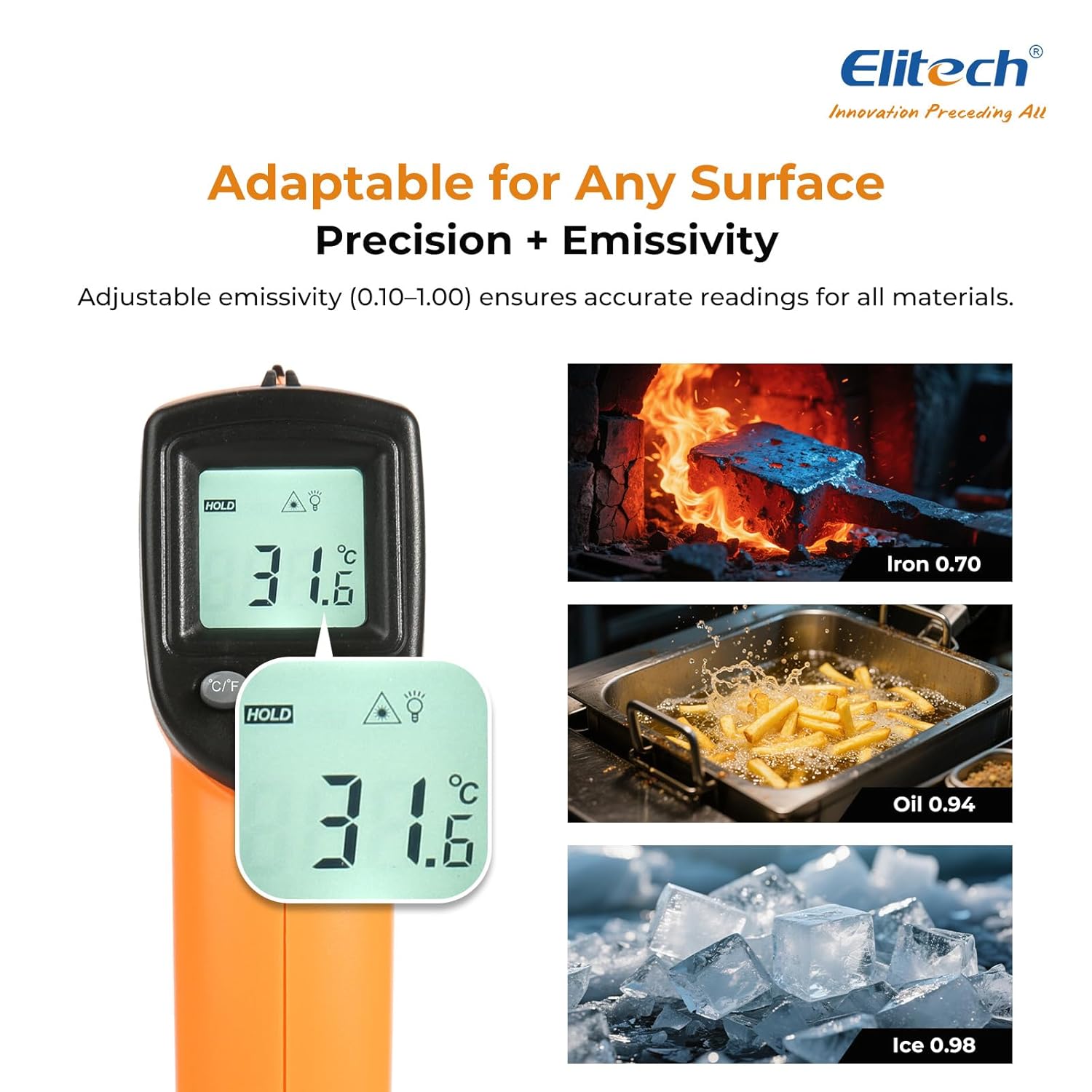
Figure 6: Adjustable emissivity feature and examples for different materials.
6.4 Using MAX/MIN/AVG Modes
These modes are useful for monitoring temperature fluctuations over time.
- While holding the measurement trigger, press the MODE button repeatedly to cycle through MAX (Maximum), MIN (Minimum), and AVG (Average) display modes.
- The corresponding icon will appear on the screen, showing the respective temperature value recorded during the current measurement session.
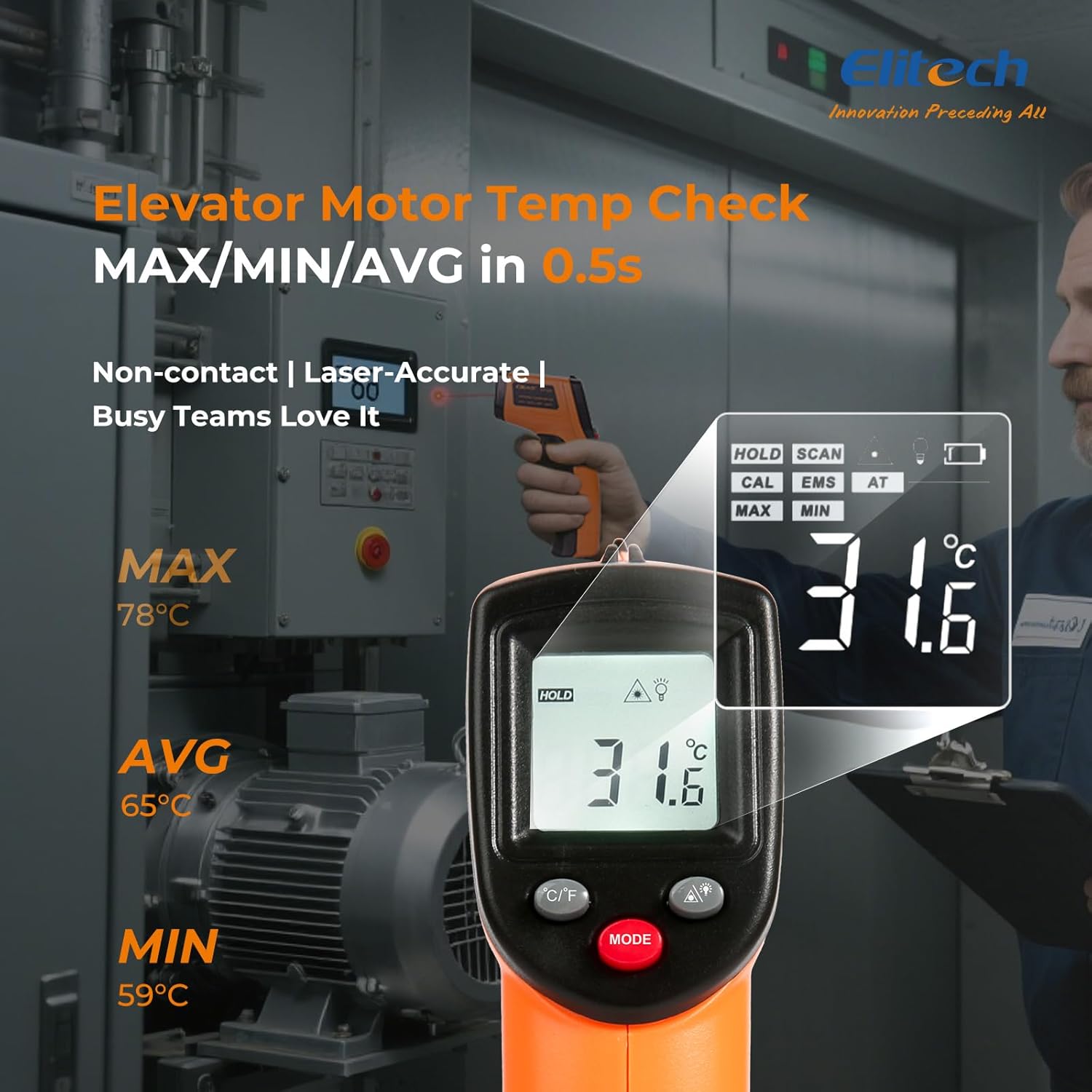
Figure 7: Displaying MAX, MIN, and AVG temperature readings.
6.5 Switching Temperature Units (°C/°F)
To switch between Celsius and Fahrenheit, press the °C/°F button located on the device.
7. Maintenance
7.1 Cleaning
- Clean the lens with a soft, damp cloth or cotton swab. Do not use abrasive cleaners or solvents.
- Wipe the device casing with a soft, dry cloth.
7.2 Battery Replacement
When the low battery indicator appears on the display, replace the two AAA batteries as described in the Setup section (5.1 Battery Installation).
7.3 Storage
Store the thermometer in a cool, dry place, away from direct sunlight and extreme temperatures. Remove batteries if storing for extended periods.
8. Troubleshooting
| Problem | Possible Cause | Solution |
|---|---|---|
| Display shows 'Lo' or 'Hi' | Temperature is outside the measurement range. | Ensure the target temperature is within -50°C to 530°C (-58°F to 986°F). |
| Inaccurate readings | Incorrect emissivity setting; measurement distance too far/close; lens dirty. | Adjust emissivity for the target material. Maintain appropriate D:S ratio. Clean the lens. |
| Device does not power on | Batteries are dead or incorrectly installed. | Replace batteries with new AAA batteries. Check battery polarity. |
| Laser not working | Laser may be disabled or faulty. | Check if the laser function is enabled via the MODE button. If not, contact support. |
9. Specifications
| Feature | Specification |
|---|---|
| Model | DIT-220 (EU-DIT-220) |
| Temperature Range | -50°C to 530°C (-58°F to 986°F) |
| Accuracy | ±1.5°C (±2.7°F) or ±1.5% (for -50°C to 50°C) |
| Response Time | 500 milliseconds (0.5 seconds) |
| Distance-to-Spot Ratio (D:S) | 12:1 |
| Emissivity | Adjustable 0.10 - 1.00 |
| Power Source | 2 x AAA batteries (included) |
| Display Type | Digital, Backlit LCD |
| Special Features | Non-contact, Laser Target, MAX/MIN Mode, Auto Calibration |
| Material | Plastic |
| Item Weight | 30 Grams |
| Package Dimensions | 18.7 x 9.7 x 3.6 cm |
10. Warranty and Support
Elitech products are designed for reliability and performance. For warranty information, technical support, or service inquiries, please contact Elitech customer support through their official website or the retailer where the product was purchased. Please have your model number (DIT-220) and purchase date available when contacting support.