
1. Introduction
Welcome to the user manual for your YunLone FW920 AI Voice Recorder. This device is designed to enhance your audio capture and processing experience with advanced artificial intelligence capabilities. It features 64GB of internal storage, multi-language transcription, and summarization functions, all controllable via a dedicated smartphone application. This manual provides essential information for setting up, operating, maintaining, and troubleshooting your device to ensure optimal performance.
2. Product Overview
The YunLone FW920 is a compact and powerful AI voice recorder. Its key features include:
- AI Technology: Advanced AI-powered transcription and summarization for efficient note-taking.
- Language Support: Compatible with 112 different languages for transcription.
- Storage Capacity: 64GB built-in memory for extensive audio recording.
- App Control: Convenient smartphone app integration for managing recordings.
- Complete Package: Includes a protective case for portability and safety.
Device Components
The device consists of the main recorder unit and its accompanying smartphone application. The recorder features intuitive controls for recording and playback, while the app provides advanced functionalities.


3. Setup
3.1 Initial Charging
Before first use, fully charge your YunLone FW920 AI Voice Recorder. Connect the device to a power source using the provided USB cable. The charging indicator will show the charging status and turn off or change color once fully charged.
3.2 App Installation
To utilize the full capabilities of your recorder, download the official YunLone companion app from your smartphone's app store (iOS App Store or Google Play Store). Search for "YunLone AI Voice Recorder" or refer to the QR code in the packaging for direct access.
3.3 Device Pairing
- Ensure your recorder is powered on and within Bluetooth range of your smartphone.
- Open the YunLone app on your smartphone.
- Follow the on-screen instructions within the app to search for and pair with your FW920 device. The app will guide you through the Bluetooth connection process.
- Once paired, the app will display a confirmation, and you can begin managing your recordings.
4. Operating Instructions
4.1 Basic Recording
To start a recording, press the designated record button on the device. The indicator light will confirm recording is active. Press the button again to stop and save the recording. Recordings are automatically saved to the device's 64GB internal memory.
4.2 App Control and Management
The YunLone app provides comprehensive control over your recordings:
- Playback: Access and play back recorded audio files directly from the app.
- Organization: Categorize, rename, and delete recordings.
- Transfer: Transfer recordings to your smartphone or cloud storage.
- Settings: Adjust device settings, recording quality, and AI preferences.

4.3 Transcription and Summarization
Leverage the AI features through the app:
- Select Recording: Choose a recorded audio file from your library within the app.
- Initiate Transcription: Tap the 'Transcribe' option. The app will process the audio and convert speech to text. The device supports transcription in 112 languages.
- Generate Summary: After transcription, select the 'Summarize' option to generate a concise overview of the recording's key points.
- Mind Map: Some versions of the app may offer a 'Mind Map' feature to visually organize transcribed content.

4.4 Call Recording
The device supports call capture. Refer to the app's specific instructions for enabling and managing call recordings, ensuring compliance with local regulations regarding call recording.
4.5 Multi-Language Support
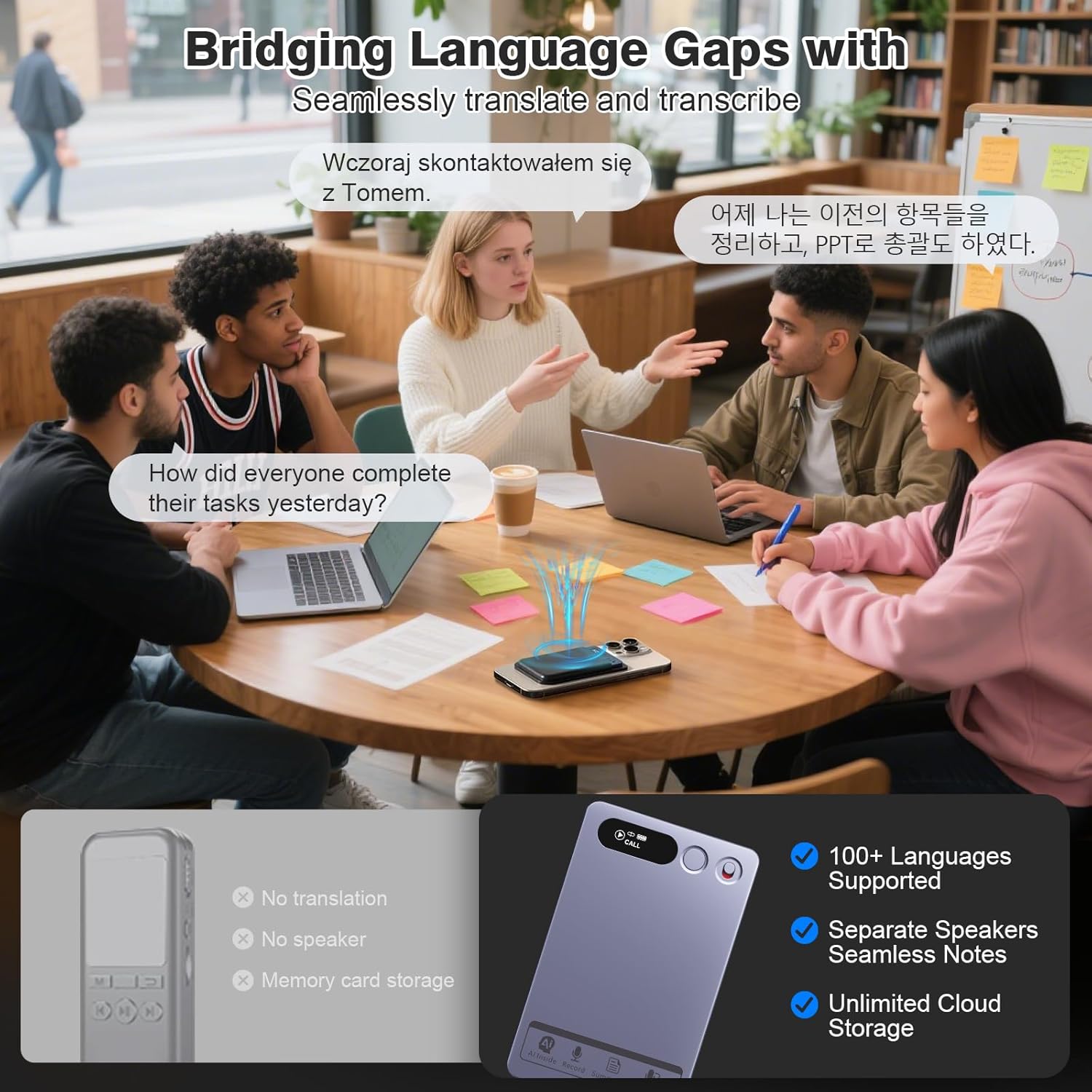
The YunLone FW920 supports transcription and translation across more than 100 languages. This feature allows for seamless communication and documentation in diverse linguistic environments.
5. Maintenance
5.1 Cleaning
Wipe the device with a soft, dry cloth. Do not use liquid cleaners or abrasive materials, as they may damage the device's surface or internal components.
5.2 Storage
Store the recorder in a cool, dry place, away from direct sunlight and extreme temperatures. Use the provided protective case for safe transport and storage.
5.3 Battery Care
To prolong battery life, avoid fully discharging the device frequently. Charge the device regularly, even if not in use for extended periods.
6. Troubleshooting
If you encounter issues with your YunLone FW920, please refer to the following common problems and solutions:
- Device Not Turning On: Ensure the device is fully charged. If the issue persists, try connecting it to a different power source or USB port.
- Recording Quality Issues: Ensure the microphone is not obstructed. Record in a quiet environment. Check app settings for recording quality options.
- App Connectivity Problems: Verify Bluetooth is enabled on your smartphone and the recorder. Ensure the app is updated to the latest version. Try unpairing and re-pairing the device.
- Transcription Inaccuracies: Speak clearly and at a moderate pace. Minimize background noise during recording. Ensure the correct language is selected in the app for transcription.
- Storage Full: Transfer recordings to your computer or cloud storage via the app to free up space.
For further assistance, please contact YunLone customer support.
7. Specifications
| Brand | YunLone |
| Model Number | FW920 |
| Memory Storage Capacity | 64 GB |
| Product Dimensions | 0.3D x 5.3W x 8.4H centimetres |
| Compatible Devices | Computer, Smartphone, Tablet |
| Hardware Interface | Bluetooth 5 |
| Microphone Form Factor | Handheld |
| Headphone Jack | 3.5 millimeters |
| Number of Batteries | 1 AAA batteries required |
| Screen Size | 1.5 Inches |
| Microphone Operation Mode | Voice Activated |
8. Warranty and Support
8.1 Warranty Information
Please refer to the warranty card included with your product or visit the official YunLone website for detailed warranty terms and conditions. Warranty coverage typically includes manufacturing defects for a specified period from the date of purchase.
8.2 Customer Support
For technical support, product inquiries, or service requests, please contact YunLone customer support through the contact information provided on the official website or your purchase platform. Have your model number (FW920) and purchase details ready when contacting support.
