
PINDOWS PDS-652
PINDOWS Slim Minimalist Quartz Analog Watch User Manual
Model: PDS-652
Introduction
Thank you for choosing the PINDOWS Slim Minimalist Quartz Analog Watch. This manual provides essential information for the proper setup, operation, and maintenance of your new timepiece. Designed for elegance and everyday wear, this watch features a reliable Japanese quartz movement and a comfortable leather strap. Please read this manual thoroughly to ensure optimal performance and longevity of your watch.
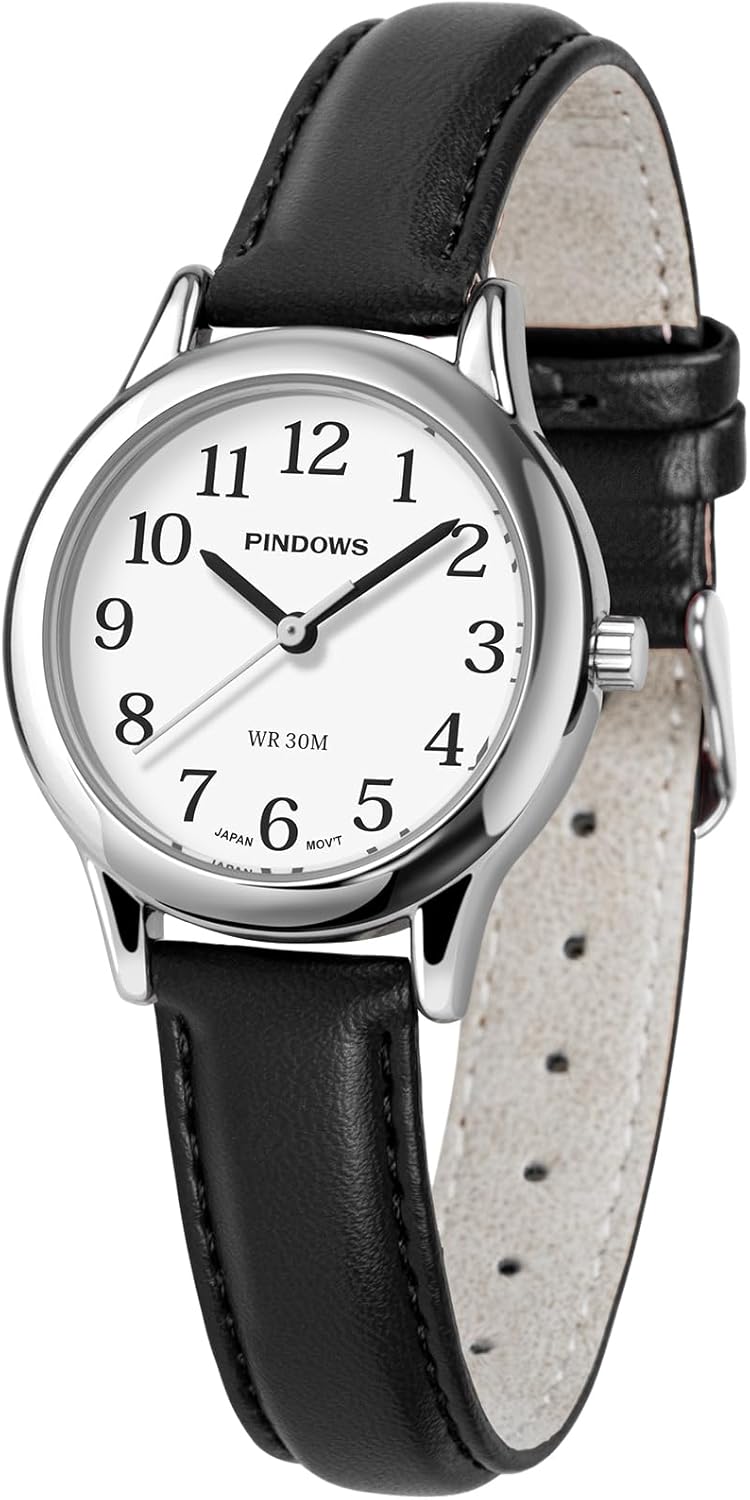
Image: Front view of the PINDOWS Slim Minimalist Quartz Analog Watch with a gold-tone case and black leather strap.
Setup
Setting the Time
Your PINDOWS watch is equipped with a single crown for time adjustment. Follow these steps to set the correct time:
- Gently pull the crown located on the side of the watch case outwards to the first position. You may feel a slight click.
- Rotate the crown clockwise or counter-clockwise to move the hour and minute hands until the desired time is displayed.
- Once the time is set, push the crown back into its original position against the watch case. This will start the watch movement.

Image: A close-up view of the watch case highlighting the crown and an arrow indicating to pull it out for time adjustment.
Adjusting the Strap
The black leather strap is designed for comfort and adjustability. To ensure a proper fit:
- Unbuckle the strap and place the watch on your wrist.
- Thread the end of the strap through the buckle and select a hole that provides a snug yet comfortable fit. The watch should not slide freely on your wrist but also not feel too tight.
- Secure the strap by inserting the buckle pin into the chosen hole. Use the two strap loops to secure the excess strap end.

Image: A PINDOWS watch with a black leather strap worn on a wrist, demonstrating a comfortable fit.
Operating
Timekeeping
Your PINDOWS watch utilizes a precise Japanese quartz movement to provide accurate timekeeping. Once the time is set, the watch will continuously display the current hour, minute, and second.
Luminous Dial Function
The watch features a full luminous dial, allowing for clear visibility in low-light conditions. To activate the luminosity:
- Expose the watch dial to a bright light source, such as sunlight or strong indoor lighting, for at least 30 minutes.
- The luminous material on the dial will absorb the light energy and glow in the dark, providing temporary illumination. The duration and intensity of the glow depend on the exposure time and intensity of the light source.

Image: The PINDOWS watch dial illuminated with a green glow in a dark environment, demonstrating its luminous feature.

Image: A split image showing the watch near water with a "30M Water Resistant" label and the luminous dial glowing in the dark with a "Luminous Dial" label.
Maintenance
Water Resistance
This watch is rated for 30 meters (3 ATM) of water resistance. This means it is suitable for daily use and can withstand splashes, rain, and hand washing. It is not suitable for swimming, diving, showering, or any activities involving prolonged water immersion or high-pressure water exposure.
- Do not operate the crown while the watch is wet or submerged in water.
- If the watch comes into contact with saltwater, rinse it gently with fresh water and dry it thoroughly with a soft cloth.
Cleaning
To maintain the appearance of your watch:
- Wipe the watch case and crystal with a soft, dry, lint-free cloth.
- For the leather strap, avoid prolonged exposure to direct sunlight, extreme temperatures, and moisture, as these can cause the leather to dry out, crack, or discolor. Clean the strap with a slightly damp cloth and allow it to air dry completely.
- Avoid using chemical cleaners, solvents, or abrasive materials on any part of the watch.
Battery Replacement
The watch is powered by a long-lasting quartz battery. When the watch stops running, it indicates that the battery needs to be replaced. Battery replacement should be performed by a qualified watch technician to ensure the water resistance seal is maintained and to prevent damage to the movement.
Troubleshooting
| Problem | Possible Cause | Solution |
|---|---|---|
| Watch is not running. | Battery depleted. Crown is pulled out. | Have the battery replaced by a professional. Push the crown back into its normal position. |
| Time is inaccurate. | Time not set correctly. Exposure to strong magnetic fields. Low battery. | Reset the time as per "Setting the Time" section. Move the watch away from magnetic sources. Replace the battery. |
| Luminous dial not glowing. | Insufficient light exposure. | Expose the watch to a bright light source for at least 30 minutes. |
Specifications
| Feature | Detail |
|---|---|
| Model Number | PDS-652 |
| Movement | Japanese Quartz |
| Case Material | Gold-Tone (Metal) |
| Strap Material | Black Leather |
| Mirror Material | Mineral Glass |
| Water Resistance | 30M (3 ATM) - Splash Resistant |
| Case Size | 32mm |
| Case Thickness | 8mm |
| Strap/Lug Width | 14mm |
| Weight | 27.5g / 0.97oz |
| Adjustable Strap Accommodates | 6.0" (153+2mm) to 8.3" (210+2mm) wrist circumference |

Image: A detailed diagram illustrating the dimensions of the PINDOWS watch, including case size (32mm), strap/lug width (14mm), case thickness (8mm), and the adjustable wrist circumference range.

Image: A side profile view of the PINDOWS watch, emphasizing its slim 8mm case thickness compared to a phone.

Image: The rear view of the PINDOWS watch, displaying the stainless steel back cover which is corrosion-resistant and tightly sealed, along with the model number PDS-652.
Warranty and Support
PINDOWS watches are manufactured with attention to quality and detail. For specific warranty terms and conditions, please refer to the warranty card or documentation included with your purchase. In most cases, warranty coverage addresses manufacturing defects.
For technical support, service, or warranty claims, please contact PINDOWS customer service through the retailer where the product was purchased or visit the official PINDOWS website for contact information. Please have your model number (PDS-652) and proof of purchase ready when contacting support.
Note: Unauthorized repairs or modifications may void your warranty.
Related Documents - PDS-652
 |
PINDOWS Instruction Manual (A) - Watch Operation Guide Comprehensive guide to operating your PINDOWS watch, covering button functions, time setting, alarm, stopwatch, backlight, and after-sales service. |
 |
VoiceBuddy Waist Band Voice Amplifier Instruction Manual Comprehensive instruction manual for the VoiceBuddy Waist Band Voice Amplifier by ALDS, detailing features, operation, maintenance, and warranty information. Includes product specifications and microphone options. |
 |
Mercury IMS Series Modified Sine Wave Inverter User Manual | Installation & Operation Guide Official user manual for Mercury IMS Series Modified Sine Wave Inverters (IMS150-IMS2500, 12V/24V). Get detailed information on installation, safety, troubleshooting, and product specifications. |
 |
Tchibo Modular Storage Unit Assembly Instructions Comprehensive assembly instructions for the Tchibo modular storage unit (models 652 251, 652 252, 652 253). Includes safety warnings, parts list, step-by-step assembly guide, and care information. |
 |
Tchibo Modular Storage Unit Assembly Instructions Comprehensive assembly instructions for the Tchibo modular storage unit, including safety guidelines, parts list, step-by-step assembly, and care information. Model numbers: 652 251, 652 252, 652 253. |