
1. Introduction
Thank you for choosing the BETMI Wireless Controller. This manual provides detailed instructions for setting up, operating, and maintaining your controller to ensure an optimal gaming experience across multiple platforms. Please read this manual thoroughly before use.
2. Package Contents
- BETMI Wireless Controller
- USB-C Charging Cable
- User Manual (this document)
3. Product Overview
Familiarize yourself with the layout of your BETMI Wireless Controller.

Image: Front view of the BETMI Wireless Controller, showcasing its transparent black casing and vibrant blue LED lighting.

Image: Rear view of the BETMI Wireless Controller, highlighting the programmable MR and ML back buttons, along with the SR and SL buttons.
4. Setup and Connection
4.1 Initial Pairing (PS5)
- Connect the controller to your PS5 console using the included USB-C cable.
- Press the Home button on the controller to activate it.
- Once activated, the controller will pair with your PS5.
- After initial pairing, you can simply press the Home button to wake and reconnect wirelessly.
4.2 Multi-Platform Compatibility
The BETMI Wireless Controller supports various platforms:
- PS5, PS5 Pro/Slim
- Mac
- Android devices
- Steam Deck
- Windows 10+ PC (wired connection only)
Note: This controller is not compatible with PS4.

Image: The controller shown with a laptop and a PS5 console, illustrating its multi-platform support.
4.3 Connection Modes
The controller offers flexible connection options:
- Bluetooth 5.3: For wireless connection to compatible devices.
- Wired USB-C: Connects to PC (Windows 10+) and allows playing while charging.
- X-input: For Xbox compatibility (specific details not provided, refer to device instructions).
- Wireless for PS5: After initial pairing, reconnect wirelessly.
5. Operating Instructions
5.1 Programmable Buttons & Turbo Mode
The controller features M1/M2 back buttons that can be programmed for custom macros.
- Assign 1 to 16 button functions to M1/M2 using the SR button. This reduces wear on main buttons and allows for complex actions.
- Turbo Mode: Supports two modes (Auto & Manual) with three adjustable speeds (4/8/16Hz) for 16 keys. Ideal for FPS and action games requiring rapid input.
5.2 Customizable RGB Lighting
Personalize your gaming experience with adjustable LED lighting.
- Choose from 9 distinct colors.
- Select from 4 dynamic lighting effects: Breathing, Fast Flash, Slow Flash, and Gradient.
- The controller remembers your last lighting setting.
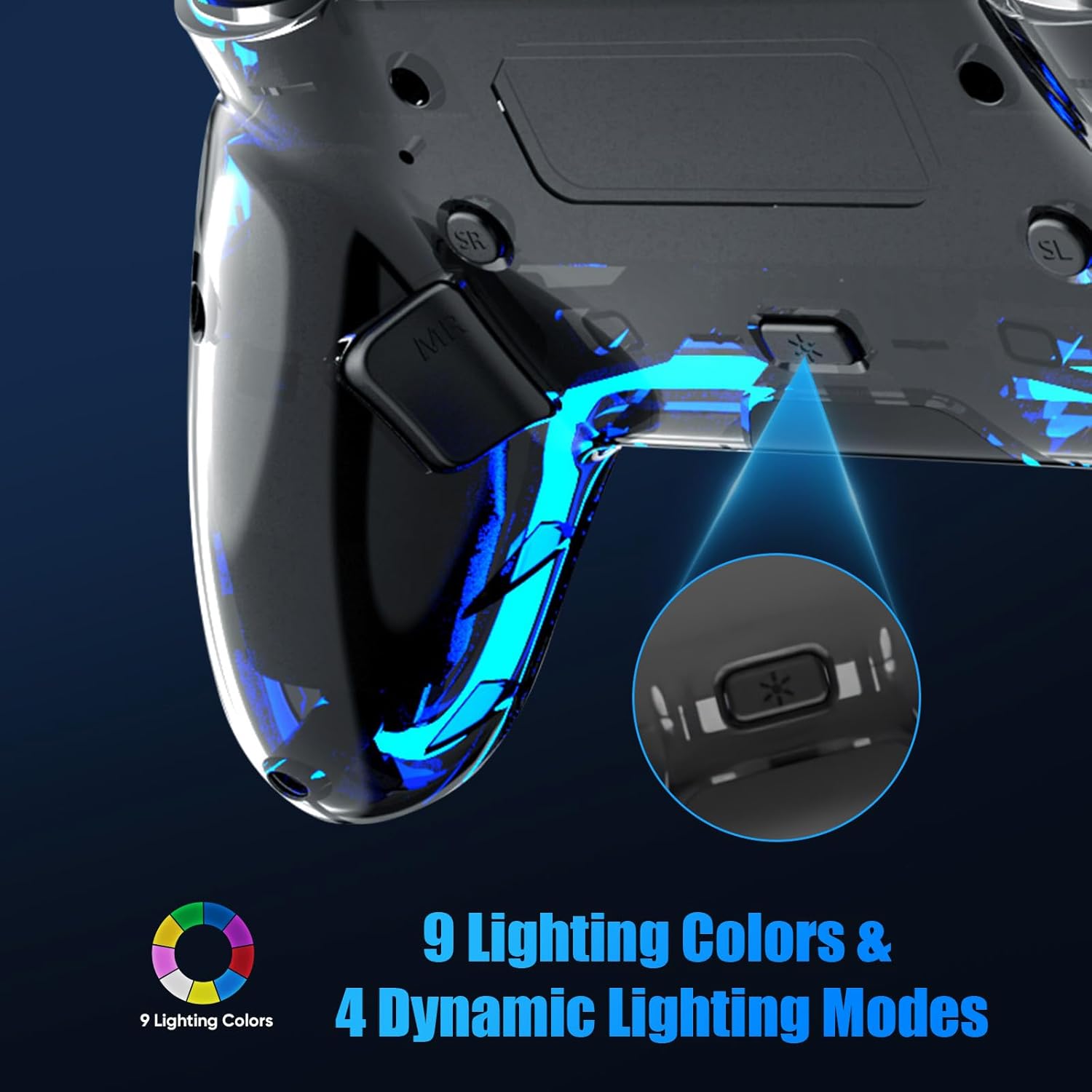
Image: An illustration demonstrating the 9 available lighting colors and 4 dynamic lighting modes for the controller's LED lights.
5.3 Dual Vibration Motors
Experience immersive feedback during gameplay.
- The dual vibration motors deliver responsive and nuanced haptic feedback.
- Vibration Control: Vibration can be disabled by pressing the mute button if desired.

Image: A visual representation of the dual motor vibration feedback system within the controller, indicating smooth and precise vibration.
5.4 6-Axis Gyro Sensor
Enhance your control with motion sensing capabilities.
- Equipped with a built-in 3D accelerometer and gyroscope for 6-axis motion sensing.
- Provides precise motion control, beneficial for games requiring quick responses.

Image: A diagram showing the integration of the 3D accelerometer and gyroscope within the controller, enabling 6-axis motion sensing.
5.5 Speaker & 3.5mm TRRS Stereo Audio Jack
Enjoy in-game audio and communication.
- Features an immersive in-game audio experience through the built-in speaker.
- Note: This controller does not include a built-in microphone. For voice chat, use external headsets connected via the 3.5mm TRRS stereo audio jack.

Image: The controller with a sound icon emanating from its center, indicating the presence of a built-in speaker.
5.6 Multi-Touch Touchpad
Navigate and interact with games using the responsive touchpad.
- The touchpad detects swipes, taps, and presses.
- Ideal for gestures, menu navigation, and zooming in maps within compatible games.
6. Maintenance
- Keep the controller clean by wiping it with a soft, dry cloth.
- Avoid exposing the controller to extreme temperatures, direct sunlight, or moisture.
- Store the controller in a safe place when not in use to prevent damage.
- Use only the provided USB-C cable or a certified equivalent for charging.
7. Specifications
| Feature | Detail |
|---|---|
| Model | Wireless Controller |
| Connectivity | Bluetooth 5.3, USB-C (wired) |
| Compatibility | PS5, PS5 Pro/Slim, Mac, Android, Steam Deck, Windows 10+ (PC wired) |
| Vibration | Dual Vibration Motors |
| Motion Sensing | 6-Axis Gyro Sensor (3D Accelerometer + Gyroscope) |
| Audio | Built-in Speaker, 3.5mm TRRS Stereo Audio Jack |
| Programmable Buttons | M1/M2 (up to 16 functions) |
| Turbo Mode | Auto & Manual, 3 speeds (4/8/16Hz) for 16 keys |
| Lighting | 9 Colors, 4 Dynamic Effects (Breathing, Fast Flash, Slow Flash, Gradient) |
| Touchpad | Multi-Touch Touchpad |
| Item Weight | 9.6 ounces |
| Package Dimensions | 6.61 x 5 x 2.8 inches |
8. Troubleshooting
8.1 Controller Not Connecting/Pairing
- Ensure the controller is charged.
- For initial PS5 pairing, always use the USB-C cable and press the Home button.
- Verify Bluetooth is enabled on your device for wireless connections.
- For PC, ensure it's Windows 10+ and connected via USB-C cable.
- Restart both the controller and the device you are trying to connect to.
8.2 Vibration Issues
- If vibration is unwanted, press the mute button on the controller to disable it.
- If vibration is not working, ensure it is enabled in your game settings and that the controller's mute function is not active.
8.3 Firmware Updates
If you experience persistent issues or require a firmware update, please contact BETMI customer support via email for assistance. They will respond within 24 hours.
9. Support & Warranty
9.1 Customer Support
For any questions, technical support, or firmware upgrade inquiries, please contact BETMI customer service. Refer to your product packaging or the BETMI official website for contact details.
9.2 Warranty Information
Please refer to the warranty card included with your product or visit the BETMI official website for detailed warranty terms and conditions. Keep your proof of purchase for warranty claims.