
1. Overview
Thank you for choosing the ESR Cyber Series FlickLock Magnetic Case for your AirPods Pro 3 (2025). This case is engineered to provide robust 360° protection, effortless MagSafe compatibility, and convenient access to your earbuds. Its innovative FlickLock mechanism ensures your AirPods remain securely enclosed, safeguarding them from drops and impacts.
2. Compatibility
This case is only compatible with the AirPods Pro 3 (2025) charging case, which features a USB-C port. It is not compatible with AirPods Pro 2nd/1st Generation (2023/2022/2019) or any other AirPods models.
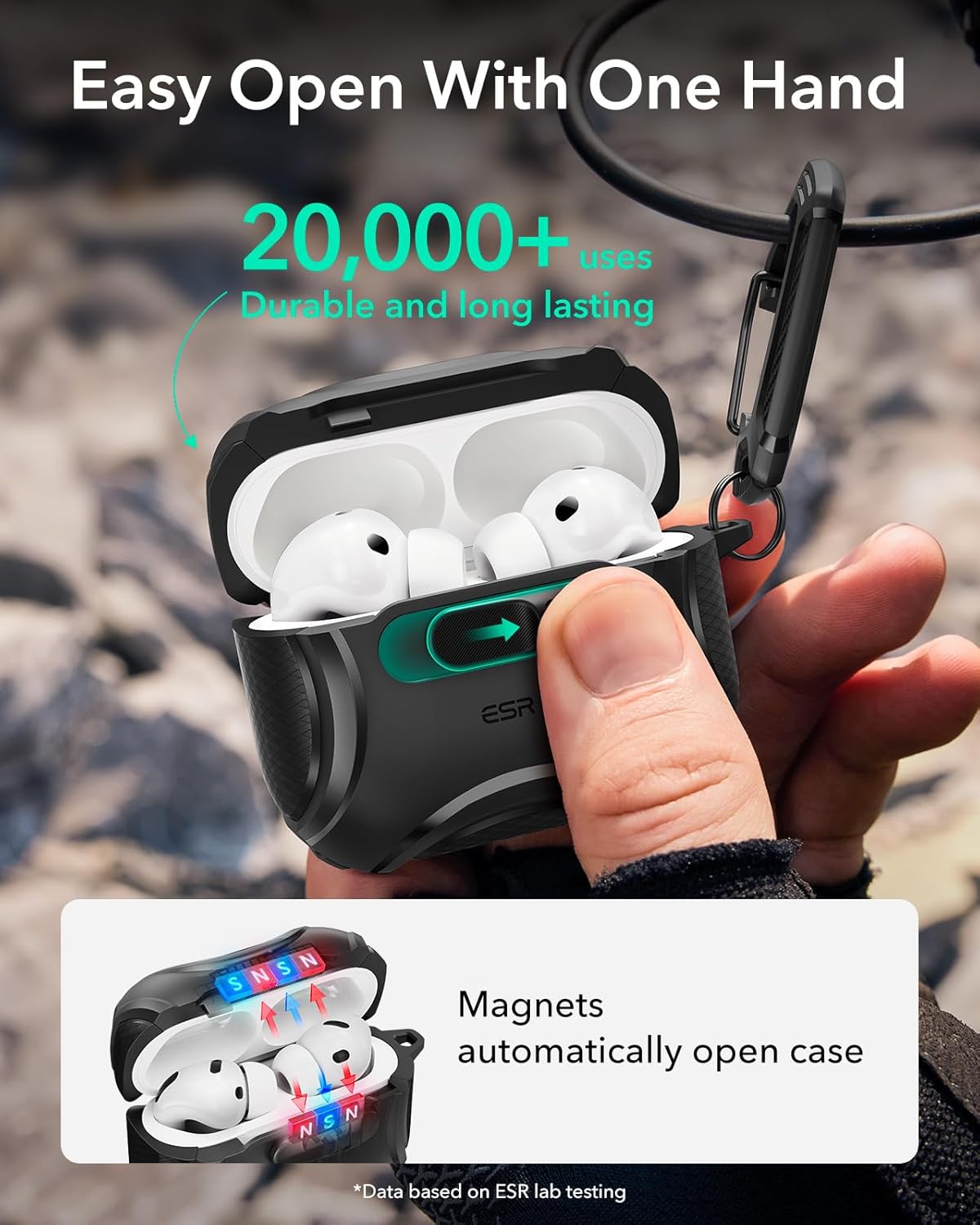
Image: Visual guide illustrating the compatibility of the ESR Cyber Series case specifically with AirPods Pro 3 (2025) and its incompatibility with previous AirPods models.
3. Key Features
- Secure FlickLock: Strong magnets with a 750g holding force and an internal latch keep your AirPods securely inside, preventing accidental opening upon drops.
- Easy One-Hand Open: A convenient slide latch on the front allows for quick, one-handed access to your earbuds.
- MagSafe Ready: Built-in magnets with a 260g holding force ensure a secure connection to MagSafe chargers for seamless wireless charging.
- Powerful 360° Protection: Constructed from shock-absorbing polymer with Air Guard corners to protect your charging case from drops and impacts.
- Easy to Carry: Includes a durable carabiner to hook your AirPods case anywhere for convenient portability.
- User-Friendly Design: Features a visible status light cutout for charging indication and precise speaker cutouts for clear Find My alerts.

Image: The case demonstrating its easy one-hand open feature, revealing the AirPods Pro 3 charging case within.
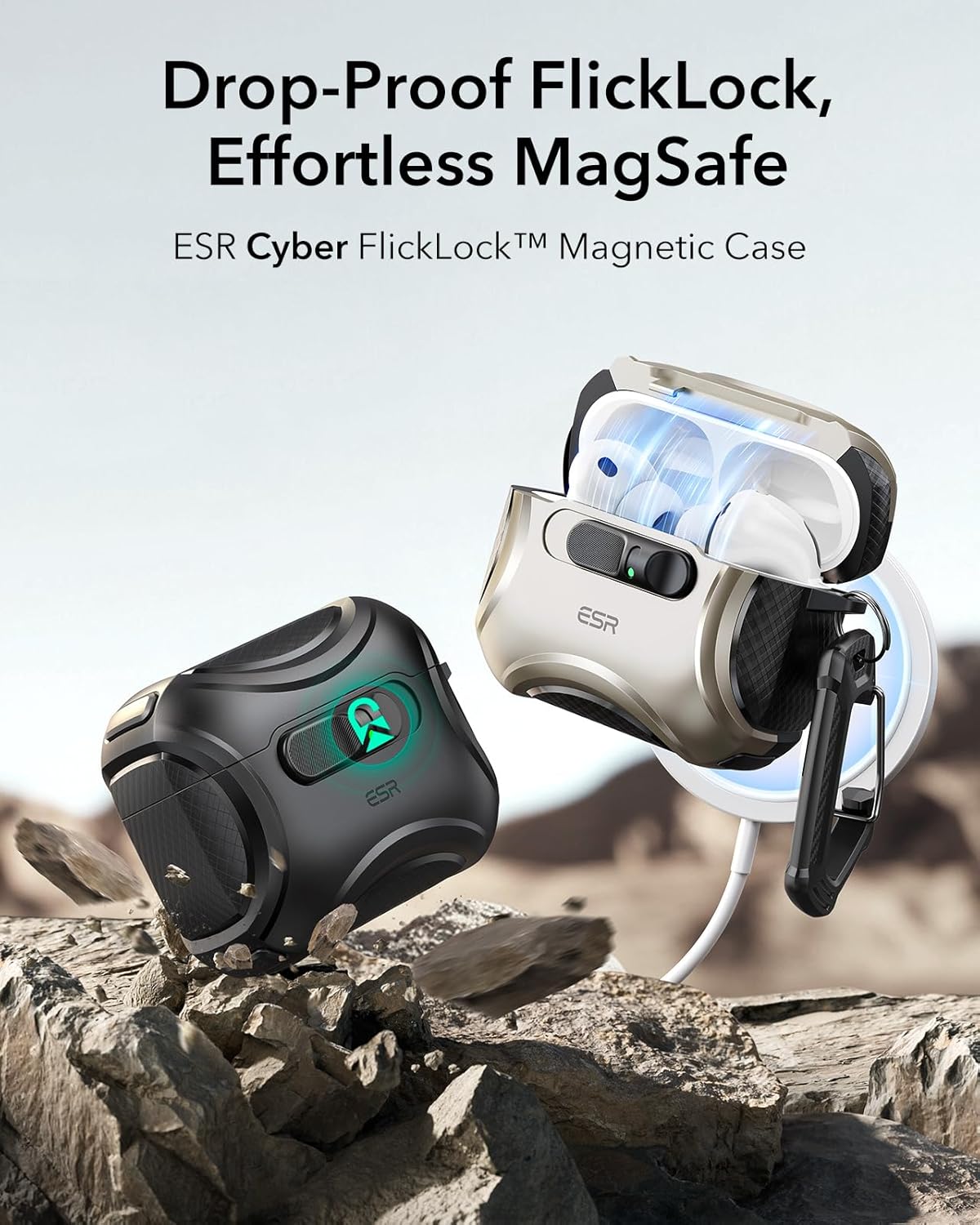
Image: The ESR case for AirPods Pro 3 securely attached to a MagSafe wireless charger, highlighting its magnetic charging capability.
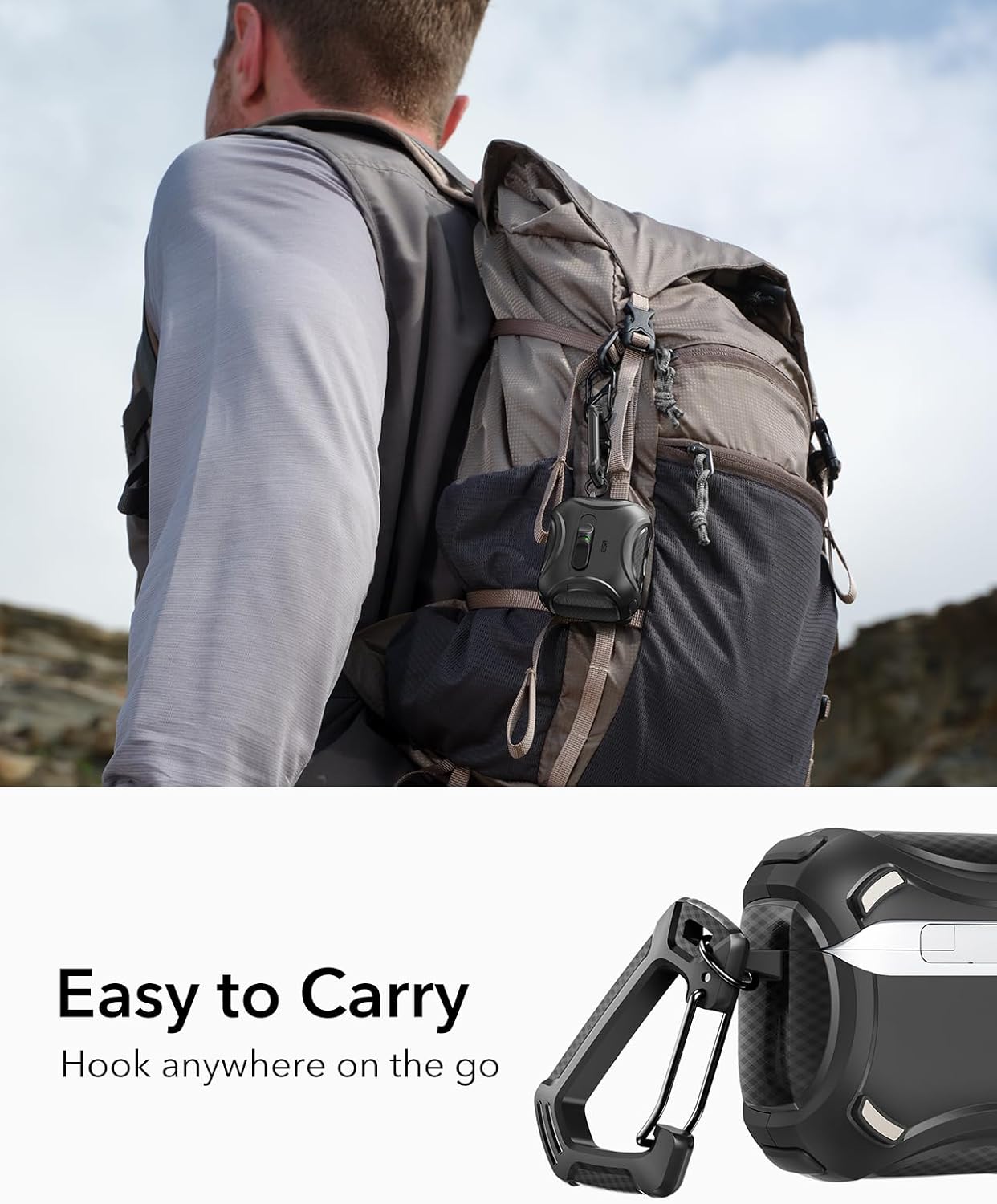
Image: A detailed view of the ESR case, pointing out the visible LED status light and the precise speaker cutouts for enhanced functionality.
4. Setup
4.1 Installing Your AirPods Pro 3 Case
- Ensure your AirPods Pro 3 charging case is clean and free of debris.
- Align the bottom part of your AirPods Pro 3 charging case with the bottom section of the ESR case. Gently push the AirPods case into the bottom section until it sits snugly.
- Align the top part of your AirPods Pro 3 charging case with the top section of the ESR case. The top section has an adhesive strip on the inside to ensure a secure fit. Press firmly to secure the top cover.
4.2 Attaching the Carabiner
Attach the included carabiner to the designated loop on the side of the ESR case. This allows you to easily clip your AirPods to a backpack, belt loop, or keys.

Image: A visual guide detailing the installation process of the AirPods Pro 3 charging case into the ESR Cyber Series case, including the use of the easy-removal tool and the carabiner attachment.
5. Operating Instructions
5.1 Opening and Closing the Case
- To open: Slide the latch on the front of the case to release the FlickLock mechanism. The lid will spring open, providing instant access to your earbuds.
- To close: Simply push the lid down until you hear a click, indicating the FlickLock has engaged and secured your AirPods.
5.2 Charging Your AirPods Pro 3
- Wireless Charging (MagSafe): Place the back of the ESR case onto a MagSafe compatible wireless charger. The strong magnets will align the case for optimal charging. The visible status light will indicate charging status.
- Wired Charging (USB-C): Connect a USB-C cable to the charging port at the bottom of the ESR case. The case is designed with precise cutouts for easy access to the port.
5.3 Pairing Your AirPods Pro 3
To pair your AirPods Pro 3 with a new device, open the ESR case and press and hold the pairing button on the back of your AirPods charging case until the status light flashes white. Follow the pairing instructions on your device.
Video: An official product video from ESR demonstrating the FlickLock mechanism, MagSafe charging, and overall durability of the Cyber Series case for AirPods Pro 3.
6. Maintenance
- Cleaning: Use a soft, damp cloth to wipe down the exterior of the case. For hard-to-reach areas or debris, use the included cleaning brush. Avoid harsh chemicals or abrasive materials.
- General Care: While the case offers robust protection, avoid exposing it to extreme temperatures or prolonged direct sunlight to maintain its material integrity and color.
7. Troubleshooting
- Case Lid Not Closing Securely: Check for any debris or obstructions around the FlickLock mechanism or the edges of the AirPods charging case. Ensure the AirPods case is properly seated within the ESR case.
- Wireless Charging Not Working: Verify that your wireless charger is MagSafe compatible and properly powered. Ensure the ESR case is correctly aligned on the charger. The status light on the AirPods case should illuminate to confirm charging.
- Difficulty Pairing AirPods: If you experience issues pressing the pairing button through the case, you may temporarily remove the AirPods charging case from the ESR case to access the button directly for pairing.
8. Specifications
| Brand | ESR |
| Compatible Devices | AirPods Pro 3 (2025) (USB-C Cable) |
| Material | Polycarbonate, Thermoplastic Polyurethane |
| Item Dimensions | 2.6 x 2.12 x 1.32 inches |
| Item Weight | 33.7 Grams |
| Additional Features | Heavy Duty Protection, MagSafe Compatible, Drop-Proof Lock |
9. Warranty & Support
ESR provides comprehensive customer support for your product, including:
- Detailed setup videos and FAQs.
- A comprehensive 12-month protection plan.
- Unlimited support and personalized help.
For further assistance, please visit the official ESR support website or contact their customer service team directly. You can find more information at www.esrgear.com/support.