
1. Product Overview
The Aiandcc M8 MP3 Player is a compact and portable device designed for high-fidelity music playback. It features a 1.77-inch TFT color screen for clear content display and comes with a built-in 32GB memory, expandable via a TF card. Equipped with Bluetooth 5.3, it offers stable and low-latency wireless audio. Its durable design includes a sports clip and an armband, making it suitable for various activities.
- Compact Design: Measuring 2.32 x 1.56 x 0.67 inches and weighing 31g, it is highly portable.
- Display: 1.77-inch TFT color screen for easy navigation.
- Storage: 32GB internal memory, supporting over 1,000 songs. Expandable up to 128GB with a TF card (not included).
- Bluetooth 5.3: Provides a stable connection up to 20 meters with low interference, ideal for wireless headphones and speakers.
- Extended Battery Life: Up to 34 hours with wired headphones, approximately 11 hours in Bluetooth mode. Charges fully in 2.5 hours.
- Sports-Ready: Features a secure built-in clip and includes an armband for active use.
- Wide File Support: Compatible with mainstream audio formats including MP3, WMA, and APE.
- Customizable Audio: Built-in professional equalizer with multiple sound modes.
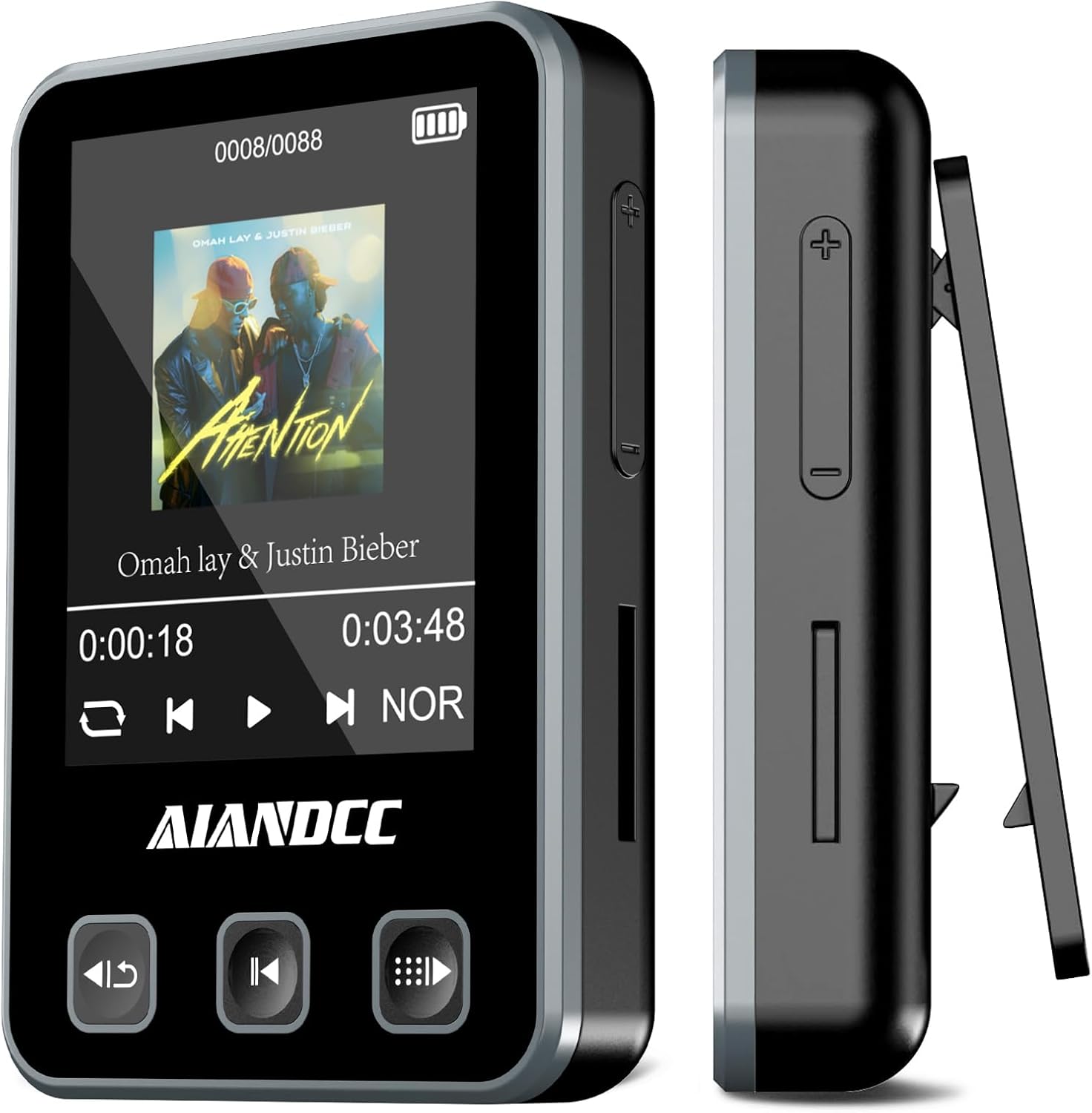
Image: Front and side view of the Aiandcc M8 MP3 Player, highlighting its compact size and integrated clip.
2. What's Included
Please check the package contents to ensure all items are present:
- Aiandcc M8 MP3 Player
- Wired Headphones
- Type-C USB Cable
- Armband

Image: All components included in the Aiandcc M8 MP3 Player package.
3. Device Layout and Controls
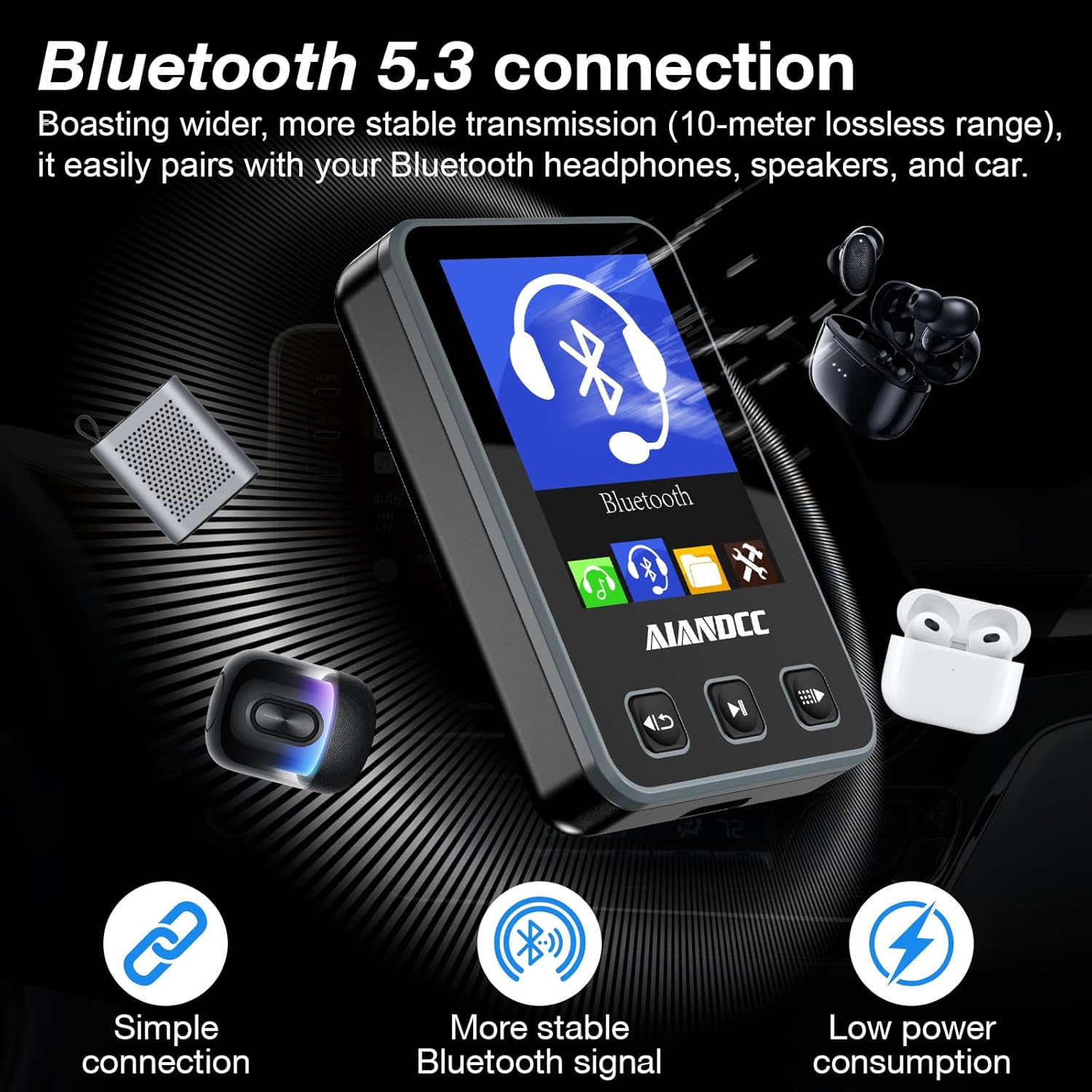
Image: Detailed diagram of the MP3 player's buttons and ports.
Button Functions:
- Left Button: Short press for previous song; long press to return to the previous menu.
- Center Button: Integrates Play/Pause functionality and confirms selections.
- Right Button: Short press for next song; long press to access the submenu.
- Side '+' Button: Short press to increase volume; long press for fast forward during playback.
- Side '-' Button: Short press to decrease volume; long press for fast rewind during playback.
Ports and Features:
- Headphone Jack: Standard 3.5mm port for wired headphones.
- Power On/Off Button: Located on the side for device power control.
- USB C Charging Port: For charging and data transfer.
- TF Card Slot: For expanding storage with a Micro SD card.
- Built-in Clip: For attaching the player to clothing or the armband.
4. Setup Guide
4.1 Charging the Device
Before first use, fully charge your MP3 player. Connect the included Type-C USB cable to the player's charging port and plug the other end into a USB power adapter (not included) or a computer's USB port. The device will fully charge in approximately 2.5 hours.

Image: The MP3 player connected for Type-C charging.
4.2 Power On/Off
To power on the device, press and hold the Power On/Off button located on the side. To power off, press and hold the same button until the screen shuts down.
4.3 Language Selection
Upon first startup or after a factory reset, you may be prompted to select a language. Use the navigation buttons to scroll through the options and the center button to confirm your selection.
4.4 Transferring Music Files
Connect the MP3 player to your computer using the provided USB cable. The device will be recognized as a removable storage drive. You can then drag and drop your compatible audio files (MP3, WMA, APE) directly into the player's internal storage or onto an inserted TF card. No special software is required for file transfer.
5. Operating Instructions
5.1 Basic Music Playback
- From the main menu, navigate to the 'Music' icon and press the center button to enter.
- Select 'All songs' or browse by 'Artists', 'Albums', 'Genres', or 'Playlists'.
- Use the navigation buttons to select a song and press the center button to play.
- During playback, use the left button for the previous track and the right button for the next track.
- Press the center button to pause or resume playback.
5.2 Volume Adjustment
Use the side '+' button to increase the volume and the side '-' button to decrease it.
5.3 Bluetooth Pairing
- From the main menu, select the 'Bluetooth' icon.
- Ensure your Bluetooth headphones or speaker are in pairing mode.
- The player will scan for available devices. Select your device from the list and confirm to pair.
- Once paired, audio will be routed wirelessly to your connected device.
5.4 Equalizer Settings
The player includes a professional equalizer. Access it through the settings or submenu during playback to choose from various sound modes or customize your audio experience.
5.5 Using the Sports Clip and Armband
The built-in clip allows you to securely attach the MP3 player to your clothing, such as a collar, sleeve, or waistband. For more active use, slide the player into the included armband and wear it on your arm. This ensures the device stays secure during activities like jogging, training, or cycling.

Image: Examples of wearing the MP3 player using its clip and armband during physical activity.
6. Maintenance
To ensure the longevity and optimal performance of your Aiandcc M8 MP3 Player, please follow these maintenance guidelines:
- Keep Dry: Avoid exposing the device to water or excessive moisture.
- Cleaning: Use a soft, dry cloth to clean the exterior of the player. Do not use harsh chemicals or abrasive materials.
- Temperature: Store and operate the device within recommended temperature ranges. Avoid extreme heat or cold.
- Handling: Handle the player with care to prevent drops or impacts.
- Disassembly: Do not attempt to disassemble or repair the device yourself, as this will void the warranty.
7. Troubleshooting
If you encounter any issues with your Aiandcc M8 MP3 Player, please refer to the following common problems and solutions:
- Device Not Turning On: Ensure the battery is sufficiently charged. Connect the player to a power source using the USB-C cable and allow it to charge for at least 15 minutes before attempting to power it on again.
- Cannot Transfer Files: Verify that the USB cable is securely connected to both the player and your computer. Ensure the audio files you are attempting to transfer are in a compatible format (MP3, WMA, APE). Try restarting both the player and your computer.
- Bluetooth Connection Issues: Make sure both the MP3 player and your Bluetooth headphones/speaker are in pairing mode and within the effective range (up to 20 meters without obstructions). Try unpairing and re-pairing the devices.
- Poor Sound Quality: Check if your wired headphones are fully plugged into the 3.5mm jack. If using Bluetooth, ensure a stable connection. Adjust the equalizer settings on the player to optimize sound.
- Difficulty Navigating Menus: Refer to the 'Device Layout and Controls' section (Section 3) for a detailed explanation of each button's function. Practice navigating through the menus to become familiar with the interface.
8. Specifications
| Feature | Specification |
|---|---|
| Product Dimensions | 2.4 x 0.69 x 1.6 inches |
| Item Weight | 1.09 ounces (31g) |
| Screen Size | 1.77 Inches TFT Color Screen |
| Memory Storage Capacity | 32 GB (expandable up to 128GB via TF Card) |
| Connectivity Technology | Bluetooth 5.3 |
| Special Feature | Built-In Clip |
| Compatible Devices | Headphones |
| Media Type | Micro SD |
| Battery Life (Wired) | Up to 34 hours |
| Battery Life (Bluetooth) | Approximately 11 hours |
| Charging Time | Approximately 2.5 hours |

Image: Key specifications including storage capacity and battery performance.
9. Warranty and Support
For warranty information or technical support, please refer to the documentation provided with your purchase or contact Aiandcc customer service through the retailer's platform. Keep your proof of purchase for warranty claims.