
1. Introduction
This instruction manual provides comprehensive guidance for installing and operating your BRIKSMAX LED light kit, specifically designed for the LEGO 10375 How to Train Your Dragon: Toothless building set. This kit enhances your LEGO model with dynamic lighting effects, bringing it to life.
Important Note: This product is an LED light kit only. The LEGO 10375 How to Train Your Dragon: Toothless building set is not included and must be purchased separately.

Image 1.1: Illustration emphasizing that only the light kit is included, not the LEGO model.
2. Package Contents
Please verify that all components listed below are present in your package:
- LED Light Kit components
- Paper Instructions
- User Guide
- AA Battery Box (batteries not included)
- USB Power Cable

Image 2.1: Overview of the items included in the BRIKSMAX light kit package.
3. Setup and Installation
The installation process involves integrating the LED components into your existing LEGO 10375 model. This typically requires partial disassembly of the LEGO set to properly route and secure the wires and lights. Follow the step-by-step paper instructions provided in your package for detailed guidance.
3.1 General Installation Tips:
- Preparation: Ensure your LEGO model is clean and free of dust. Have a clear workspace.
- Disassembly: Carefully disassemble only the necessary sections of your LEGO model as indicated in the instructions. Keep disassembled parts organized.
- Wire Management: Route wires discreetly between LEGO bricks to avoid pinching or damage. Use the provided adhesive squares or small LEGO elements to secure wires where necessary.
- Component Placement: Position LED lights and other components precisely according to the instructions to achieve the intended lighting effects.
- Testing: Periodically test the lights during installation to ensure proper function before fully reassembling the model.
3.2 Installation Video Guide:
For visual assistance, an official installation video is available. This video demonstrates the process of integrating the light kit with the LEGO 10375 model.
Video 3.1: Official BRIKSMAX installation and demonstration video for the LEGO 10375 Toothless light kit.

Image 3.2: The completed LEGO 10375 Toothless model with the BRIKSMAX light kit fully installed and illuminated.
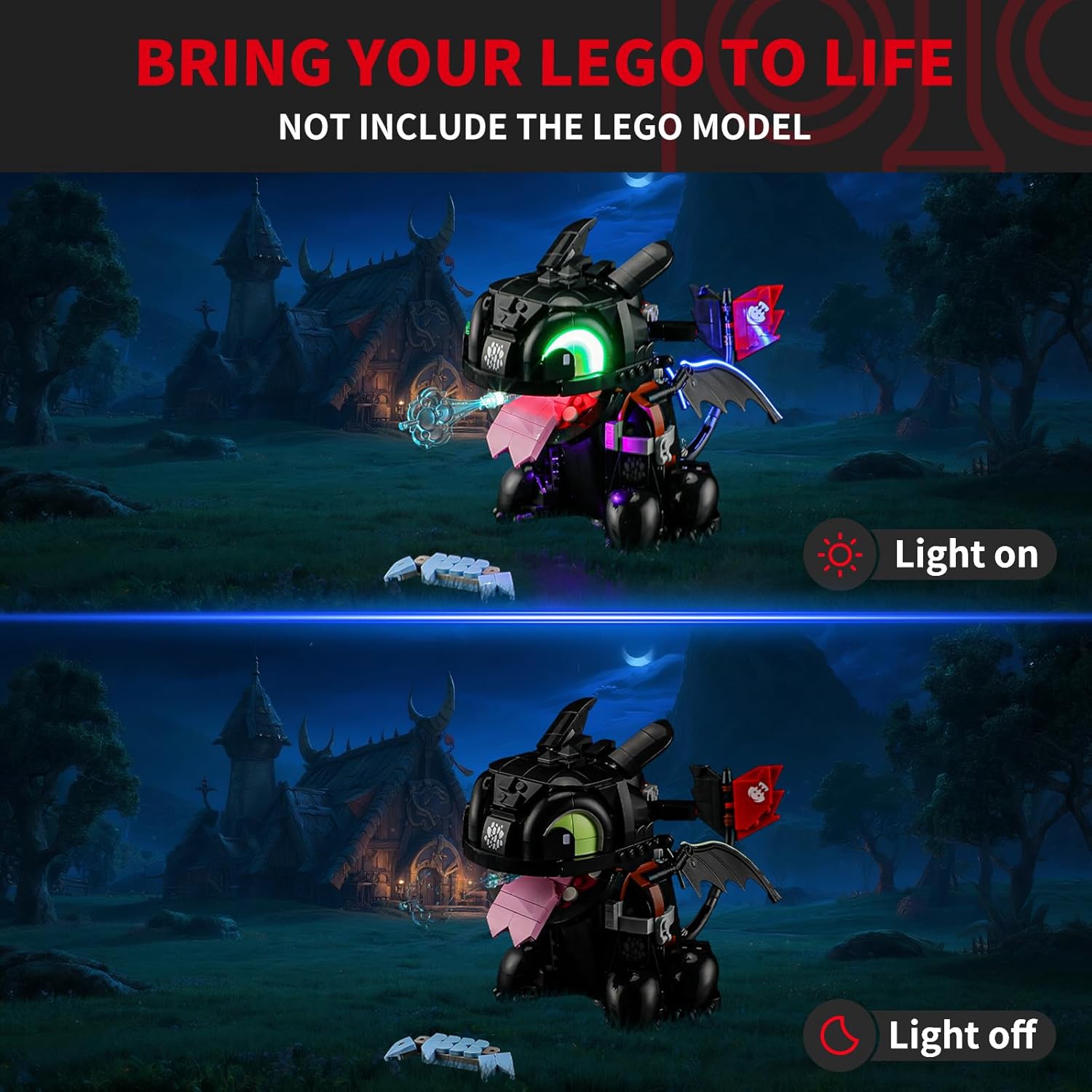
Image 3.3: A visual comparison showing the LEGO Toothless model with the light kit turned on versus turned off.

Image 3.4: Four detailed views highlighting various illuminated sections of the LEGO Toothless model.

Image 3.5: Close-up images showcasing the intricate lighting details on the eyes, mouth, and wings of the LEGO Toothless model.

Image 3.6: The illuminated LEGO Toothless model displayed on a table in a room, demonstrating its visual impact.
4. Operating Instructions
Your BRIKSMAX light kit can be powered using the included AA Battery Box or via the USB power cable.
4.1 Powering the Light Kit:
- Using the AA Battery Box: Insert the required number of AA batteries (not included) into the battery box, observing correct polarity. Connect the battery box to the main power input of the light kit. Use the switch on the battery box to turn the lights on or off.
- Using the USB Power Cable: Connect the USB cable to the main power input of the light kit and plug the other end into a compatible USB power source (e.g., a USB wall adapter, power bank, or computer USB port). The lights will typically illuminate automatically when power is supplied.
Ensure the power source provides stable voltage to prevent damage to the LED components.
5. Maintenance
Proper maintenance ensures the longevity and optimal performance of your light kit.
- Cleaning: Gently dust the LED components and wires with a soft, dry cloth. Avoid using liquid cleaners directly on the lights or wiring.
- Handling: Always handle the light kit components and wires with care to prevent bending, breaking, or disconnecting.
- Storage: If disassembling the light kit for storage, carefully coil wires and store components in a dry, cool place away from direct sunlight.
- Power Source: When not in use for extended periods, disconnect the power source (remove batteries or unplug the USB cable) to conserve power and prevent potential issues.
6. Troubleshooting
If you encounter issues with your BRIKSMAX light kit, please refer to the following common solutions:
| Problem | Possible Cause | Solution |
|---|---|---|
| Lights do not turn on. | No power, loose connection, faulty component. | Ensure batteries are correctly inserted or USB cable is securely connected to a working power source. Check all wire connections. If problem persists, contact support. |
| Some lights are not working. | Damaged wire, loose connection, faulty LED. | Inspect wires for kinks or breaks. Re-seat connections. If a specific LED is faulty, contact support for replacement options. |
| Lights flicker or dim. | Low battery power, unstable power source, loose connection. | Replace batteries or try a different USB power source. Check all connections for tightness. |
| Wires or components do not fit properly. | Incorrect placement, tight space. | Refer to the detailed paper instructions and installation video. Gently adjust LEGO bricks to create space for wires. Avoid forcing components. |
| Wing strips or other flexible lights detach easily. | Insufficient securing, movement. | Ensure the strips are firmly pressed into place. If possible, use small, clear adhesive dots or additional small LEGO elements to secure them without obstructing light. |
If you encounter an issue not listed here or require further assistance, please contact BRIKSMAX customer support.
7. Specifications
- Brand: BRIKSMAX
- Model Number: 10375
- Part Number: BX773
- Item Weight: 5.6 ounces
- Product Dimensions: 6.5 x 4.72 x 1.57 inches (packaging)
- Material: Plastic
- Power Source: AA Battery Box (batteries not included) or USB cable
- Special Features: Battery Operated
- Included Components: Light Kit, Instructions, USB cable
- Manufacturer Recommended Age: 8 months and up (Note: This age recommendation typically refers to the LEGO set, not the light kit installation process which may require adult supervision.)
8. Warranty and Support
BRIKSMAX is committed to providing high-quality products and excellent customer service. If you experience any difficulties with your light kit, have questions regarding installation, or require technical support, please do not hesitate to contact us.
For assistance, please send us an email. Our support team will endeavor to help you resolve any issues in a timely manner.
Please refer to the contact information provided in your product packaging or visit the official BRIKSMAX website for the most current support details.