
Introduction
This manual provides detailed instructions for the safe and effective use of your BEISAR AI Sync Prostate Massager Anal Toy. Please read this manual thoroughly before first use and retain it for future reference.
The device is designed to offer multiple functions including anal expansion, thrusting, vibrating, penis training, prostate massage, and testicular massage. It features app-controlled remote functionality for enhanced interaction.
Safety Information
- Consult a healthcare professional before use if you have any pre-existing medical conditions or concerns.
- Always use a generous amount of water-based lubricant for comfortable insertion and use.
- Clean the device thoroughly before and after each use as described in the "Maintenance and Cleaning" section.
- Discontinue use immediately if you experience any pain, discomfort, or irritation.
- This product is for adult use only. Keep out of reach of children.
- Do not use if the device appears damaged or defective.
- Do not submerge the remote control in water.
Package Contents
Verify that all items are present in the package:
- BEISAR AI Sync Prostate Massager Anal Toy (1)
- Remote Control (1)
- USB Magnetic Charging Cable (1)
- User Manual (1)
- Lubricant Sample (1)
The image displays the complete contents of the product package, including the main device, remote, charging cable, user manual, and a small tube of lubricant. All items are presented within a discreet black box.
Product Overview
The BEISAR AI Sync Prostate Massager Anal Toy is designed with multiple features for a comprehensive experience. Key components include:
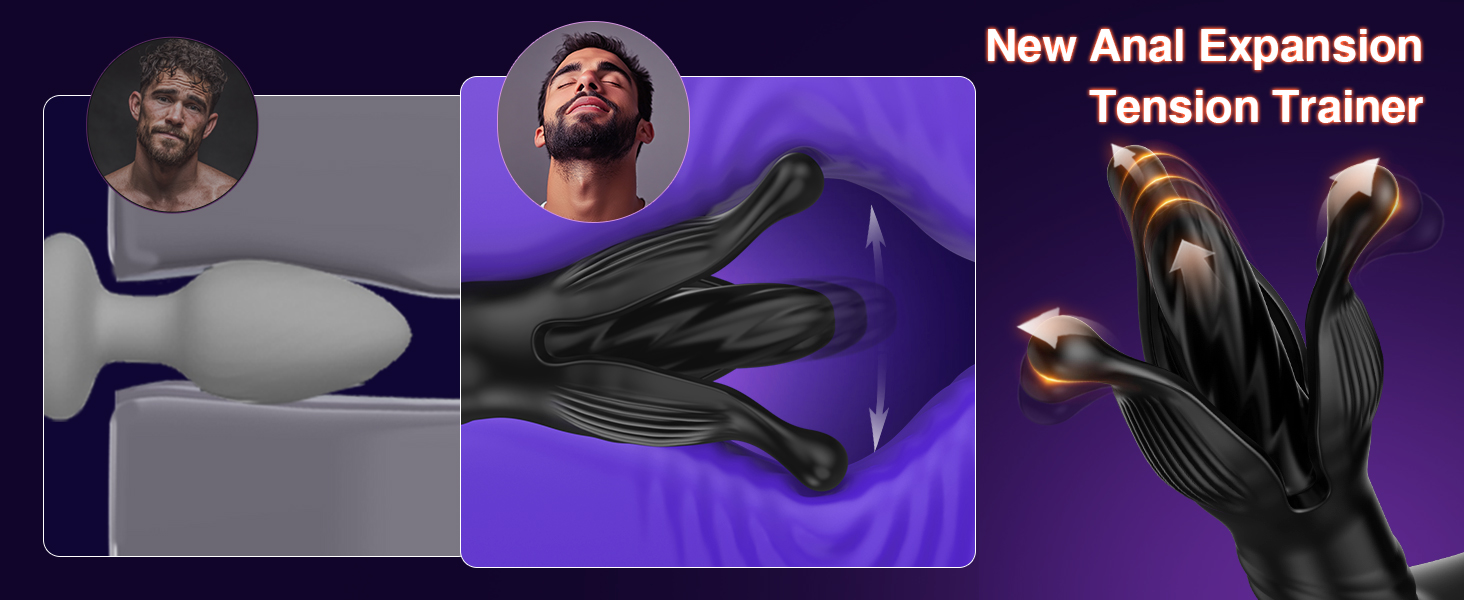
- Anal Expansion Petals: Flexible petals designed for anal stretching and stimulation.
- Thrusting Mechanism: Internal components providing thrusting motions.
- Vibrating Elements: Multiple points for vibration.
- Penis Training Ring: A flexible ring for glans stimulation and endurance training.
- Testicular Massager: A fully enclosed design for 360° testicular vibration.
- Remote Control: For wireless operation of the device.
- USB Magnetic Charging Port: For convenient recharging.

Setup
1. Initial Charging
Before first use, fully charge the device. Connect the USB magnetic charging cable to the charging port on the device and a USB power source (e.g., computer, wall adapter). The charging indicator light will show charging status. A full charge takes approximately 2 hours.

The image illustrates the magnetic USB charging connection point on the device, along with indicators for working time (1 hour) and charging time (2 hours).
2. App Installation (Optional for AI Sync Features)
To utilize the AI Sync and remote control features, download the companion application from your device's app store. Follow the on-screen instructions to pair your device with the app via Bluetooth.

Operating Instructions
1. Basic Operation (Device & Remote)
- Power On/Off: Press and hold the power button on the device or remote control for 2-3 seconds.
- Cycle Modes: Short press the mode button on the device or remote to cycle through the various vibration, thrusting, and expansion modes.
- Adjust Intensity: Use the intensity buttons on the remote control to increase or decrease the strength of the selected mode.

2. App Control and Advanced Features
Once connected to the app, you can access advanced features:
- Customization: Create and save personalized patterns and intensity levels.
- AI Lover Mode: Experience patterns generated by AI based on learned preferences.
- Remote Control: Allow a partner to control the device from a distance.
- Community Features: Share experiences and discover new patterns within the app community.
- Multiplayer Games: Engage in interactive games with others via the app.

Maintenance and Cleaning
Proper cleaning and maintenance ensure hygiene and prolong the lifespan of your device.
- Cleaning: Wash the device thoroughly with warm water and a mild, toy-safe soap before and after each use. Rinse completely to remove all soap residue.
- Drying: Pat dry with a lint-free cloth or allow to air dry completely before storing.
- Storage: Store the device in a clean, dry place, away from direct sunlight and extreme temperatures. Keep it separate from other toys made of different materials to prevent material degradation.
- Lubricant Compatibility: Only use water-based lubricants with this silicone device. Oil-based lubricants can damage silicone.
Troubleshooting
| Problem | Possible Cause | Solution |
|---|---|---|
| Device does not turn on. | Low battery or no charge. | Charge the device fully (approx. 2 hours). |
| Device not responding to remote/app. | Device is off, remote battery low, or not paired. | Ensure device is on. Check remote battery. Re-pair device with app/remote. |
| Weak vibrations/thrusting. | Low battery. | Recharge the device. |
| App connection issues. | Bluetooth off, app not updated, or interference. | Ensure Bluetooth is enabled. Update the app. Move closer to the device. |
Specifications
- Model Number: hfjdcehnyf
- Brand: BEISAR
- Material: Silicone
- Color: Black
- Package Dimensions: 7.68 x 7.28 x 2.64 inches
- Weight: 15.52 ounces
- Working Time: Approximately 1 hour (on a full charge)
- Charging Time: Approximately 2 hours
- Noise Level: Under 45dB

Warranty and Support
BEISAR offers a 1-year warranty for this product, covering manufacturing defects from the date of purchase.
For technical support, warranty claims, or any questions regarding your device, please contact BEISAR customer service. Inquiries are typically responded to within 24 hours.
You can usually find contact information on the product packaging or through the retailer where you purchased the item.
