
1. Introduction
This manual provides essential information for the installation, maintenance, and replacement of the AirheadStorm 11-Pack Replacement Parts Kit designed for BPMIO B12 and BPMIO B12 NEW Robot Vacuums. Regular replacement of these components ensures optimal performance and extends the lifespan of your robot vacuum cleaner.
2. Product Overview
The AirheadStorm replacement kit includes a comprehensive set of parts to maintain your BPMIO B12 / B12 NEW robot vacuum's cleaning efficiency. The kit contains:
- 1 Main Brush: Designed to effectively pick up dirt, debris, and hair from various floor surfaces.
- 4 Side Brushes: Engineered to reach and clean corners and edges, sweeping away dust and dirt from hard-to-reach areas.
- 3 Filters: Captures small particles and reduces dust circulation, improving air quality.
- 3 Mop Pads: Efficiently pick up dirt and dust, leaving floors clean during mopping cycles.
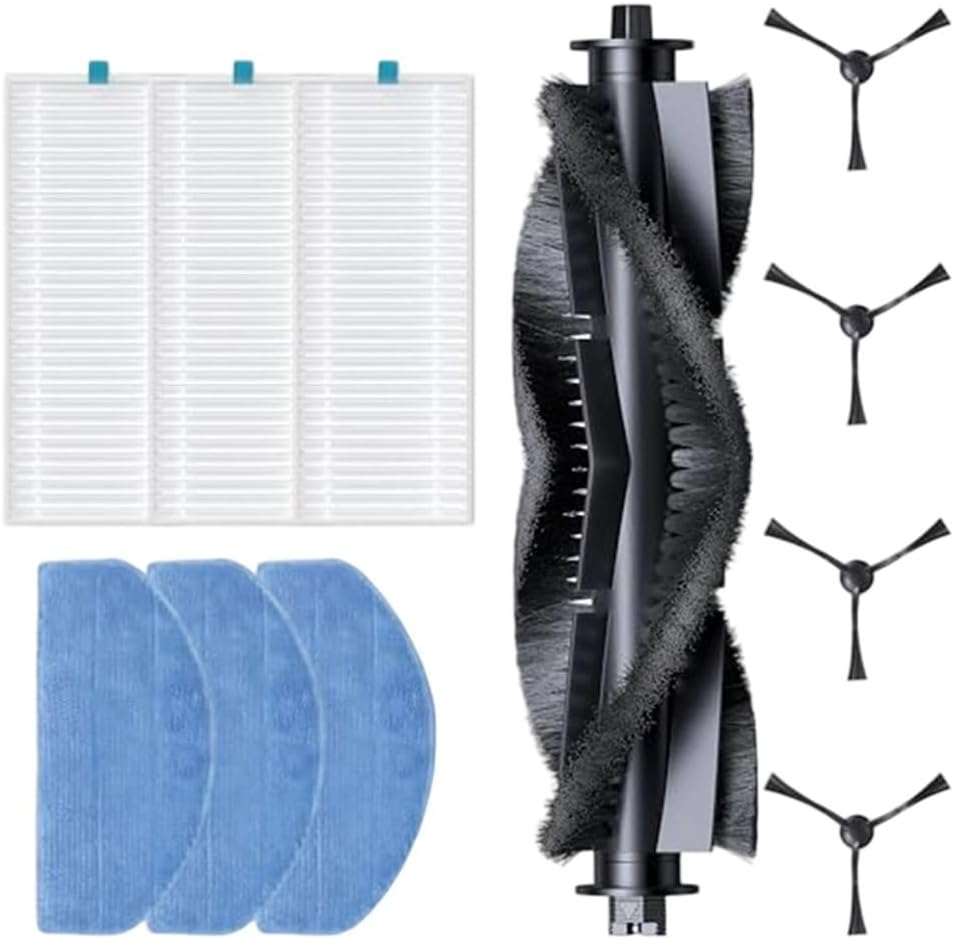
Image 1: Overview of the AirheadStorm 11-Pack Replacement Parts Kit, showing the main brush, side brushes, filters, and mop pads.
3. Installation Instructions
Before installing any replacement parts, ensure your robot vacuum is powered off and disconnected from its charging base. Refer to your robot vacuum's original manual for specific compartment access instructions.
3.1. Main Brush Installation
- Locate the main brush compartment, usually on the underside of the robot vacuum.
- Open the main brush cover or guard, typically by pressing release tabs.
- Remove the old main brush. Clean any debris from the compartment.
- Insert the new main brush, ensuring the ends align with the slots in the vacuum.
- Close the main brush cover until it clicks securely into place.
3.2. Side Brush Installation
- Turn the robot vacuum upside down.
- Locate the side brushes. Depending on your model, they may be secured by a screw or simply snap into place.
- If applicable, use a screwdriver to remove the screw holding the old side brush. Remove the old brush.
- Align the new side brush with the post and press it down firmly or secure it with the screw.
3.3. Filter Installation
- Open the dustbin compartment and remove the dustbin from the robot vacuum.
- Locate the filter housing within the dustbin.
- Remove the old filter. Dispose of it properly.
- Insert the new filter into the housing, ensuring it sits flush.
- Close the dustbin and reinsert it into the robot vacuum.
3.4. Mop Pad Installation
- Locate the mop pad attachment area on your robot vacuum, typically on the underside or a dedicated water tank.
- Remove the used mop pad.
- Attach the new mop pad, ensuring it is securely fastened (e.g., via Velcro or clips).

Image 2: Close-up view of the replacement filters and mop pads.
4. Maintenance and Replacement Schedule
To maintain optimal cleaning performance, it is recommended to replace parts according to the following schedule. Actual replacement frequency may vary based on usage and environment.
- Main Brush: Replace every 6-12 months. Inspect monthly for tangled hair or debris.
- Side Brushes: Replace every 3-6 months. Inspect monthly for wear or bending.
- Filters: Replace every 2-3 months. Clean weekly by tapping out dust.
- Mop Pads: Replace every 1-3 months, or as needed based on wear. Wash after each use.

Image 3: Close-up view of the replacement main brush and side brushes.
5. Troubleshooting
If you encounter issues after replacing parts, consider the following:
- Parts not fitting: Ensure you have the correct replacement kit for your specific BPMIO B12 or B12 NEW model. Double-check alignment during installation.
- Reduced cleaning performance: Verify all parts are installed correctly and securely. Check for any remaining debris in the vacuum's compartments. Ensure filters are not clogged.
- Unusual noises: Re-check the main brush and side brushes for proper installation. Ensure no hair or debris is caught in the brush mechanisms.
6. Specifications
| Product Name | Vacuum Cleaner Replacement Parts Kit |
| Compatibility | BPMIO B12 / B12 NEW Robot Vacuum Accessories |
| Materials | ABS+nylon, Plastic + Filter Paper, Non-woven fabric |
| Kit Contents | 1 Main Brush, 4 Side Brushes, 3 Filters, 3 Mop Pads |
| Item Weight | 7.4 ounces |
| Product Dimensions | 7.87 x 3.94 x 3.94 inches |
7. Warranty and Support
Specific warranty information for this replacement parts kit is not provided in the product details. For any support inquiries or questions regarding the AirheadStorm replacement parts, please refer to the seller's contact information on the platform where the purchase was made.