
1. Important Safety Information
Read this user manual carefully before using the appliance and save it for future reference. Always follow basic safety precautions when using electrical appliances.
- This appliance is not intended for use by persons (including children) with reduced physical, sensory or mental capabilities, or lack of experience and knowledge, unless they have been given supervision or instruction concerning use of the appliance by a person responsible for their safety.
- Children should be supervised to ensure that they do not play with the appliance.
- Do not use the appliance if it is damaged. Always check the appliance before use.
- Do not immerse the charging cable or adapter in water.
- Only use the original USB-A charging cable provided with the shaver. A power adapter is not included and must be purchased separately.
- The shaver is suitable for cleaning under running tap water and for use in the shower. For hygiene reasons, do not share the shaver with other persons.
2. Product Overview
The Philips Shaver 1000 Series S1882/00 is designed for an efficient and comfortable shaving experience. It features advanced technology for both wet and dry use.
Key Features:
- PowerCut Technology: Equipped with 27 self-sharpening blades, delivering 3,500,000 cutting motions per minute for precise and efficient shaving.
- 3D Floating Heads: The advanced head design moves freely in three directions, adapting to your facial contours for a closer and more comfortable shave.
- Versatile Wet/Dry Use: Fully waterproof design allows for convenient shaving with gel, foam, or dry, even while showering.
- Quick Charging: A 1-hour charge provides 35 minutes of cordless runtime, ideal for daily use and travel.
- Easy Maintenance: Features a one-touch open system for simple and quick cleaning under running water.

Image: The shaver's PowerCut blades, featuring 27 self-sharpening elements for efficient cutting.

Image: The 3D floating heads of the shaver, designed to adapt to facial contours.
Included Components:
- Philips Shaver 1000 Series unit
- Protective cap
- USB-A charging cable (power adapter not included)

Image: The shaver with its protective cap, useful for keeping the head safe and clean during travel.
3. Setup
Charging the Shaver:
- Ensure the shaver is switched off.
- Insert the small plug of the USB-A charging cable into the shaver's charging socket.
- Plug the USB-A connector into a compatible USB power adapter (not included) or a powered USB port.
- The battery indicator light on the shaver will illuminate, indicating that it is charging. A full charge takes approximately 1 hour and provides up to 35 minutes of cordless shaving time.
- Unplug the shaver once fully charged or when the indicator shows a full battery.

Image: Close-up of the shaver's battery indicator light, showing charging status.
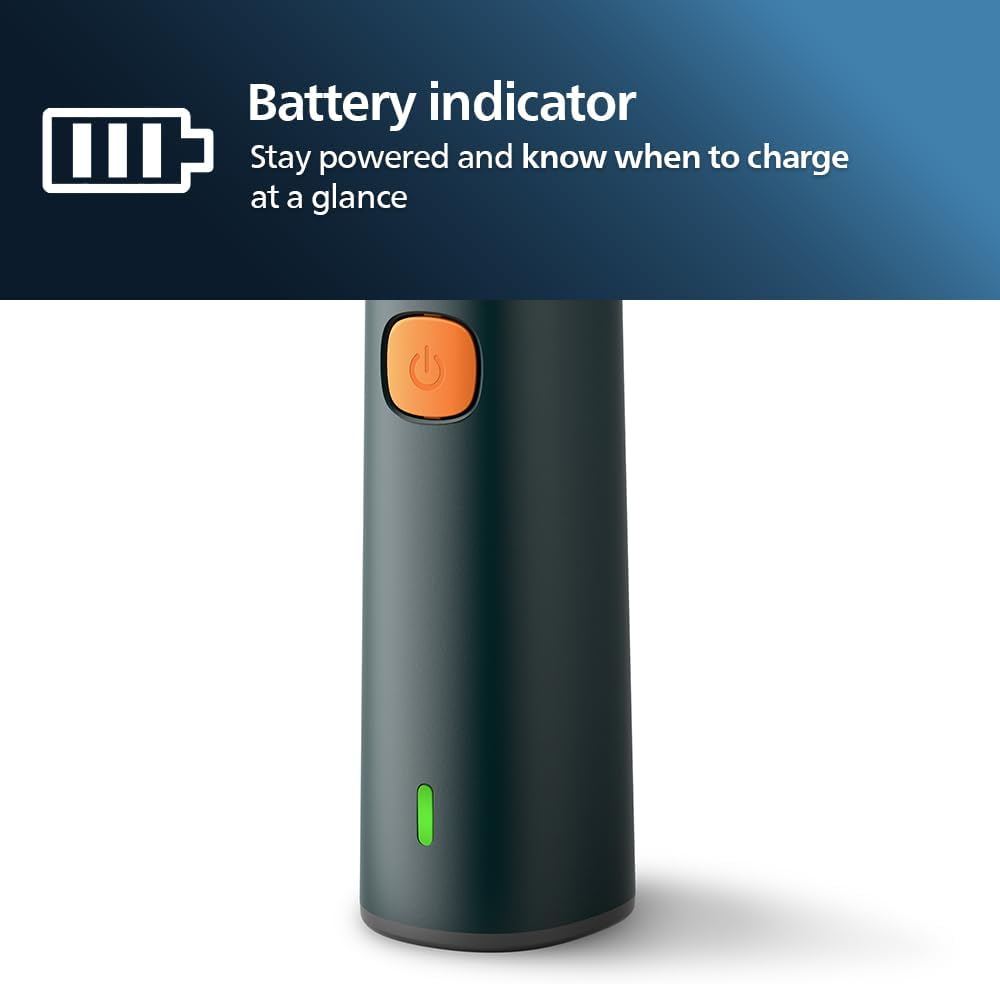
Image: A hand holding the shaver and the USB-A charging cable, demonstrating the charging connection.
4. Operating the Shaver
General Shaving Tips:
- For best results, ensure your skin is clean before shaving.
- Move the shaver in small, circular motions over your skin.
- Apply gentle pressure. Do not press too hard, as this can cause irritation.
- Stretch your skin with your free hand to make hairs stand upright, especially in difficult areas.
Dry Shaving:
For a quick and convenient shave, use the shaver on dry skin. Ensure your skin is completely dry before starting.
Wet Shaving (with foam or gel):
For a more comfortable and refreshing shave, you can use the shaver with shaving foam or gel. This is particularly recommended for sensitive skin.
- Wet your face with warm water.
- Apply a small amount of shaving foam or gel to your face.
- Shave as usual, moving the shaver in circular motions.
- Rinse the shaver head under running water during and after shaving to prevent clogging.

Image: A man demonstrating both dry shaving and wet shaving with the Philips Shaver.
5. Maintenance
Regular cleaning ensures optimal performance and extends the lifespan of your shaver.
Cleaning After Each Use:
- Switch off the shaver.
- Press the release button to open the shaver head unit (one-touch open system).
- Rinse the shaver head thoroughly under warm running tap water until all hair clippings are removed.
- Shake off excess water and allow the shaver head to air dry before closing it.
- Close the shaver head unit securely.

Image: The shaver head being rinsed under running water, demonstrating the easy cleaning process.
Replacing Shaving Heads:
For optimal shaving performance, it is recommended to replace the shaving heads approximately every 12 months. Replacement heads can be purchased from authorized Philips retailers or the Philips website.
6. Troubleshooting
| Problem | Possible Cause | Solution |
|---|---|---|
| Shaver does not turn on. | Battery is empty. | Charge the shaver for at least 1 hour. |
| Shaver does not charge. | Charging cable or adapter is faulty. | Ensure the USB-A cable is properly connected. Try a different USB power adapter. |
| Poor shaving performance. | Shaver heads are dirty or worn out. | Clean the shaver heads thoroughly. If performance does not improve, replace the shaving heads. |
| Skin irritation after shaving. | Incorrect shaving technique or sensitive skin. | Ensure you are using gentle, circular motions. Consider wet shaving with foam/gel. Allow skin to adapt. |
7. Specifications
| Feature | Detail |
|---|---|
| Model Name | S1882/00 |
| Brand | Philips |
| Shaving System | PowerCut Blades, 27 Cutting Elements |
| Head Type | 3D Floating Heads |
| Operation | Wet/Dry (Shower Shaving, Dry Shaving, Facial Hair Trimming) |
| Power Source | Cordless, Rechargeable Battery |
| Battery Type | Lithium-ion (estimated) |
| Charging Time | 1 hour for full charge |
| Runtime | 35 minutes |
| Included Components | Electric Shaver, Protective Cap, USB-A Charging Cable |
| Item Weight | 200 Grams |
| Blade Material | Stainless Steel |
| Waterproof Level | IPX7 (Washable under running water, suitable for shower use) |
8. Warranty and Support
Philips offers a manufacturer's warranty for this product. The specific terms and duration of the warranty may vary by region. Please retain your proof of purchase for warranty claims.
For Support:
- Visit the official Philips website for your region for product registration, FAQs, and support contact information.
- Refer to the warranty card included in your product packaging for detailed warranty terms.


