
1. Introduction
This manual provides detailed instructions for the installation, operation, and maintenance of your DEATTI Q30S PTZ Outdoor Surveillance Camera. Designed for robust outdoor use, this camera offers 1080P resolution, Wi-Fi connectivity, two-way audio, and advanced motion detection features to enhance your security.
Please read this manual thoroughly before using the product to ensure proper setup and to maximize its functionality and lifespan.

Figure 1.1: DEATTI Q30S PTZ Outdoor Surveillance Camera and App Interface
The DEATTI Q30S camera is shown alongside a smartphone displaying its live 2K video feed, demonstrating its remote viewing capability.
2. Setup
2.1 What's in the Box
Verify that all components are present in the package:
- DEATTI Q30S PTZ Outdoor Surveillance Camera
- Power Adapter
- Mounting Screws and Wall Plugs
- Instruction Manual

Figure 2.1: Package Contents
This image displays all items included in the DEATTI Q30S camera package: the camera unit, power adapter, mounting hardware, and the user manual.
2.2 Physical Installation
The DEATTI Q30S camera is designed for wall mount installation. Choose a location that provides optimal viewing coverage and is within range of your Wi-Fi network and a power outlet.
- Mark the drilling points on the wall using the camera's mounting bracket as a template.
- Drill holes and insert the wall plugs.
- Secure the mounting bracket to the wall using the provided screws.
- Attach the camera to the mounted bracket, ensuring it is firmly in place.

Figure 2.2: Camera Mounted Outdoors
The camera is shown securely mounted on an exterior wall, illustrating a typical installation scenario for outdoor surveillance.
2.3 Power Connection
Connect the power adapter to the camera's power input port and then plug it into a standard electrical outlet. Ensure the connection is secure to prevent power interruptions.
2.4 App Installation and Initial Setup
The DEATTI Q30S camera is controlled via a dedicated mobile application. Download the app from your device's app store (iOS or Android).
- Open the app and create an account or log in.
- Follow the in-app instructions to add your new camera. This typically involves scanning a QR code on the camera or connecting to its temporary Wi-Fi hotspot.
- Connect the camera to your home 2.4GHz Wi-Fi network. (Note: 5GHz Wi-Fi is not supported).
- Complete the setup process, including setting a secure password for your camera.
3. Operating the Camera
3.1 Pan and Tilt Functionality
The camera features Pan-Tilt-Zoom (PTZ) capabilities, allowing for a 360-degree field of view. You can remotely control the camera's horizontal (pan) and vertical (tilt) movement through the mobile app.
- Pan: 355 degrees horizontal rotation.
- Tilt: 90 degrees vertical rotation.

Figure 3.1: Pan and Tilt Capabilities
This image illustrates the camera's ability to pan 355 degrees horizontally and tilt 90 degrees vertically, providing comprehensive area coverage.
3.2 PIR Motion Detection and Auto Tracking
The camera is equipped with a Passive Infrared (PIR) human motion sensor. When motion is detected, the camera can automatically track the moving object and send real-time alerts to your smartphone.
- PIR Sensor: Detects heat signatures from humans, reducing false alarms.
- Auto Tracking: The camera automatically follows detected motion within its field of view.
- Message Push: Receive instant notifications on your phone when motion is detected.

Figure 3.2: PIR Motion Detection and Auto Tracking
This image demonstrates the camera's PIR motion detection and auto-tracking feature, showing how it follows a person's movement.
3.3 Two-Way Audio
The built-in microphone and speaker allow for two-way communication. You can listen to what's happening around the camera and speak through the camera using your smartphone app.
- Communicate with visitors or delivery personnel.
- Deter intruders with a verbal warning.
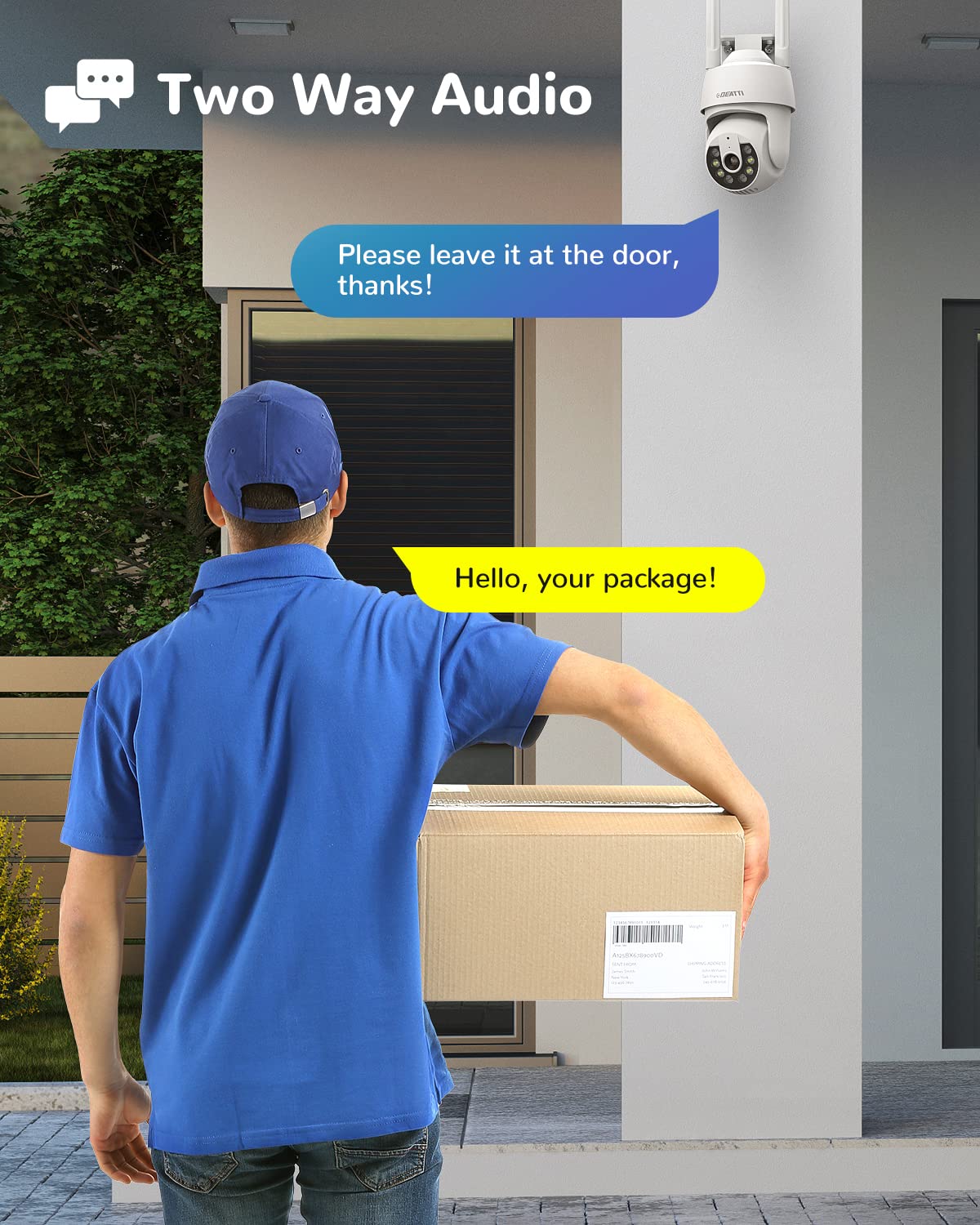
Figure 3.3: Two-Way Audio Functionality
This image illustrates the two-way audio feature, showing a user communicating with a delivery person through the camera.
3.4 Night Vision
The DEATTI Q30S provides clear night vision up to 20 meters, ensuring surveillance even in low-light or complete darkness. It features both infrared (IR) and spotlight-enhanced night vision modes.
- Infrared Night Vision: Provides black and white video in complete darkness.
- Color Night Vision (Spotlight On): Activates built-in spotlights to provide full-color video at night.

Figure 3.4: 2K Clear Night Vision
This image compares the camera's night vision capabilities, showing clear black-and-white infrared vision and enhanced color vision with spotlights activated.
3.5 24/7 Recording and Storage
The camera supports continuous 24/7 recording. Video footage can be stored in two ways:
- Cloud Storage: Subscribe to cloud storage services through the app for secure, remote access to your recordings.
- Local Storage: Insert a Micro SD card (up to 128GB, not included) into the camera's designated slot for local recording. The slot is typically located under a protective cover or near the reset button.

Figure 3.5: 24/7 Recording Options
This image highlights the camera's 24/7 recording capability, offering both cloud storage and local storage via a 128GB TF card (not included).
3.6 Motion Detection Alarm
Beyond simple notifications, the camera can trigger an alarm response upon detecting motion, enhancing security measures.
- Built-in Siren: An audible alarm can be activated to deter intruders.
- Spotlight: The camera's spotlights can illuminate the area, making intruders visible and potentially scaring them away.

Figure 3.6: Motion Detection Alarm
This image depicts the camera's motion detection alarm system, showing a spotlight illuminating an intruder and a notification on a smartphone.
4. Maintenance
4.1 Cleaning the Camera
To ensure optimal performance and clear image quality, periodically clean the camera lens and housing. Use a soft, dry cloth to wipe away dust and dirt. For stubborn marks, a slightly damp cloth can be used, followed by a dry wipe. Avoid abrasive cleaners or solvents.
4.2 Environmental Considerations (IP66 Weatherproof)
The DEATTI Q30S camera is rated IP66 weatherproof, meaning it is protected against dust ingress and powerful water jets. This makes it suitable for outdoor use in various weather conditions, including rain and snow. However, extreme temperatures outside its operating range should be avoided.

Figure 4.1: IP66 Weatherproof Design
This image emphasizes the camera's IP66 weatherproof rating, showing its resilience against sun, rain, and snow, making it ideal for outdoor environments.
5. Troubleshooting
5.1 Common Issues and Solutions
- Camera Offline:
- Check power connection.
- Ensure Wi-Fi signal strength is adequate at the camera's location.
- Restart the camera by unplugging and re-plugging the power.
- Verify your router is functioning correctly.
- No Motion Detection Alerts:
- Check app settings to ensure motion detection and notification alerts are enabled.
- Adjust motion sensitivity settings in the app.
- Ensure there are no obstructions blocking the camera's view.
- Poor Image Quality:
- Clean the camera lens.
- Ensure adequate lighting, especially at night (check night vision settings).
- Verify your internet connection speed is stable.
- SD Card Not Recording:
- Ensure the SD card is inserted correctly.
- Format the SD card through the app.
- Check if the SD card is faulty or has reached its capacity.
If issues persist, refer to the in-app help section or contact DEATTI customer support.
6. Specifications
Detailed technical specifications for the DEATTI Q30S PTZ Outdoor Surveillance Camera:
| Feature | Specification |
|---|---|
| Model Number | Q30S |
| Video Capture Resolution | 1080p |
| Effective Video Resolution | 1080 Pixels |
| Effective Still Resolution | 3 MP |
| Maximum Webcam Image Resolution | 3 MP |
| Connectivity Technology | Wireless (Wi-Fi) |
| Wireless Communication Technology | Wi-Fi (2.4GHz only) |
| Control Method | App |
| Pan Range | 355 Degrees |
| Tilt Range | 90 Degrees |
| Field Of View | 360 Degrees (combined PTZ) |
| Night Vision Range | 20 Metres |
| International Protection Rating | IP66 |
| Storage Support | Micro SD Card (up to 128GB), Cloud Storage |
| Two-Way Audio | Yes |
| Motion Detection | PIR Human Motion Sensor, Auto Tracking |
| Alert Type | Motion Only (with Message Push, Siren, Spotlight) |
| Power Source | Corded Electric (9 Watts) |
| Material | Plastic |
| Color | White |
| Item Dimensions L x W x H | 17 x 10 x 18 Centimeters |
| Item Weight | 330 Grams |
| Installation Type | Wall Mount |
7. Warranty and Support
For information regarding product warranty, please refer to the warranty card included with your purchase or visit the official DEATTI website. Warranty terms and conditions may vary by region.
For technical support, troubleshooting assistance beyond this manual, or general inquiries, please contact DEATTI customer service through the contact information provided on the official website or within the mobile application.
Online Resources:
- Official DEATTI Website: www.deatti.com (Please note: This is a placeholder URL. Refer to your product packaging for the correct website.)
- In-App Help Section