
Introduction
Thank you for choosing the TopMade MF108 MagSafe Wallet with Find My Tracker. This innovative wallet combines secure card storage with advanced tracking capabilities, ensuring your essentials are always within reach. Designed for seamless integration with Apple's Find My network, it offers peace of mind against loss. This manual provides detailed instructions for setup, operation, maintenance, and troubleshooting to help you get the most out of your new wallet.
Product Features
- Apple Find My Compatibility: Track your wallet globally via the encrypted Find My network, receive left-behind notifications, play sound alerts (100 dB), and use direction maps. Note: Android devices are not supported for Find My functionality.
- Strong Magnetic Attachment: Features built-in magnets with up to 4200Gs magnetic force, 5x stronger than official magnetic wallets, ensuring a secure attachment to your iPhone.
- 7-Card Capacity: Smart design with multiple slots to hold up to 7 cards, plus additional space for folded cash.
- RFID/NFC Protection: Advanced RFID shielding technology prevents privacy information theft and protects cards from demagnetization.
- Premium Vegan Leather: Crafted from high-quality faux leather with a natural texture and exquisite craftsmanship.
- Wireless Charging: The wallet's Find My function battery lasts up to 5 months on a single charge and supports wireless charging (wireless charger not included).
- Phone Stand Functionality: Foldable design allows the wallet to act as a stand for your iPhone in both landscape and portrait orientations.
What's in the Box
- TopMade for iPhone Magsafe Wallet
- Self-adhesive Metal Ring
- User Manual
Setup
1. Initial Power On and Pairing
To begin using your TopMade MF108 wallet's tracking features, you must first power it on and pair it with your Apple iPhone via the Find My app. Ensure your iPhone has Two-Factor Authentication enabled.

Image: Pairing the TopMade MF108 MagSafe Wallet with Apple Find My.
- Enable Two-Factor Authentication: On your iPhone, go to Settings and ensure Two-Factor Authentication is active for your Apple ID.
- Power On the Wallet: Locate the small power button inside the wallet (refer to the image above for location) and press it once to turn on the device.
- Enable Bluetooth and Find My: On your iPhone, ensure Bluetooth is turned on and the Apple Find My app is open.
- Connect in Find My App: In the Find My app, navigate to the 'Items' tab. Tap 'Add New Item', then select 'Other Supported Item', and follow the on-screen prompts to connect your TopMade wallet.
Video: An overview of the TopMade MF108 MagSafe Wallet, demonstrating its features and compatibility with Apple Find My.
2. Attaching to Your iPhone
The TopMade MF108 wallet features strong MagSafe magnets for secure attachment to compatible iPhones (iPhone 12 series and later) or MagSafe-enabled cases.
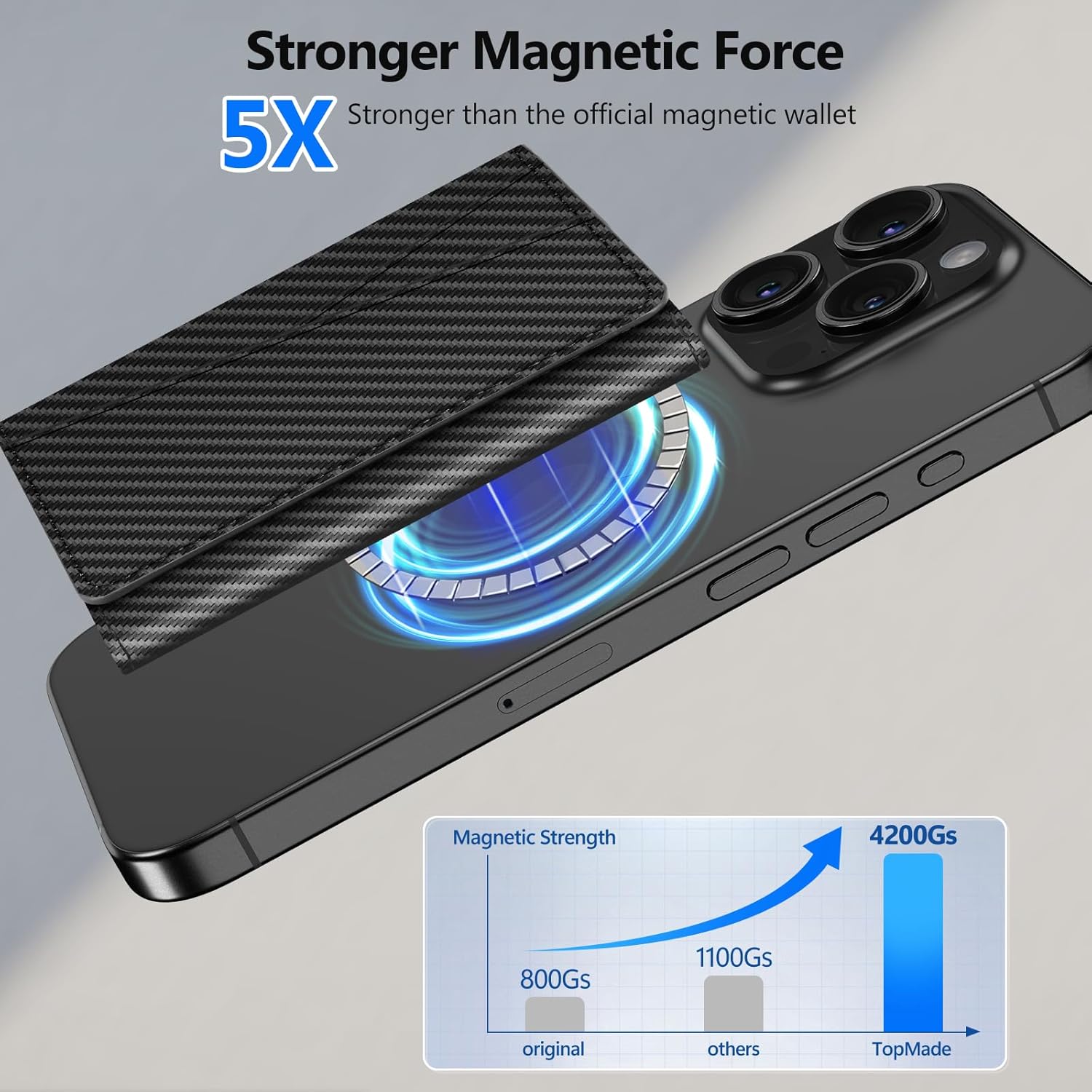
Image: Demonstrating the strong magnetic attachment of the wallet to an iPhone.
- Simply align the wallet with the MagSafe area on the back of your iPhone or MagSafe case.
- The magnets will snap the wallet securely into place.
3. Using the Self-adhesive Metal Ring (for non-MagSafe devices)
If your phone is not MagSafe compatible or you use a non-magnetic case, a self-adhesive metal ring is included to enable magnetic attachment.
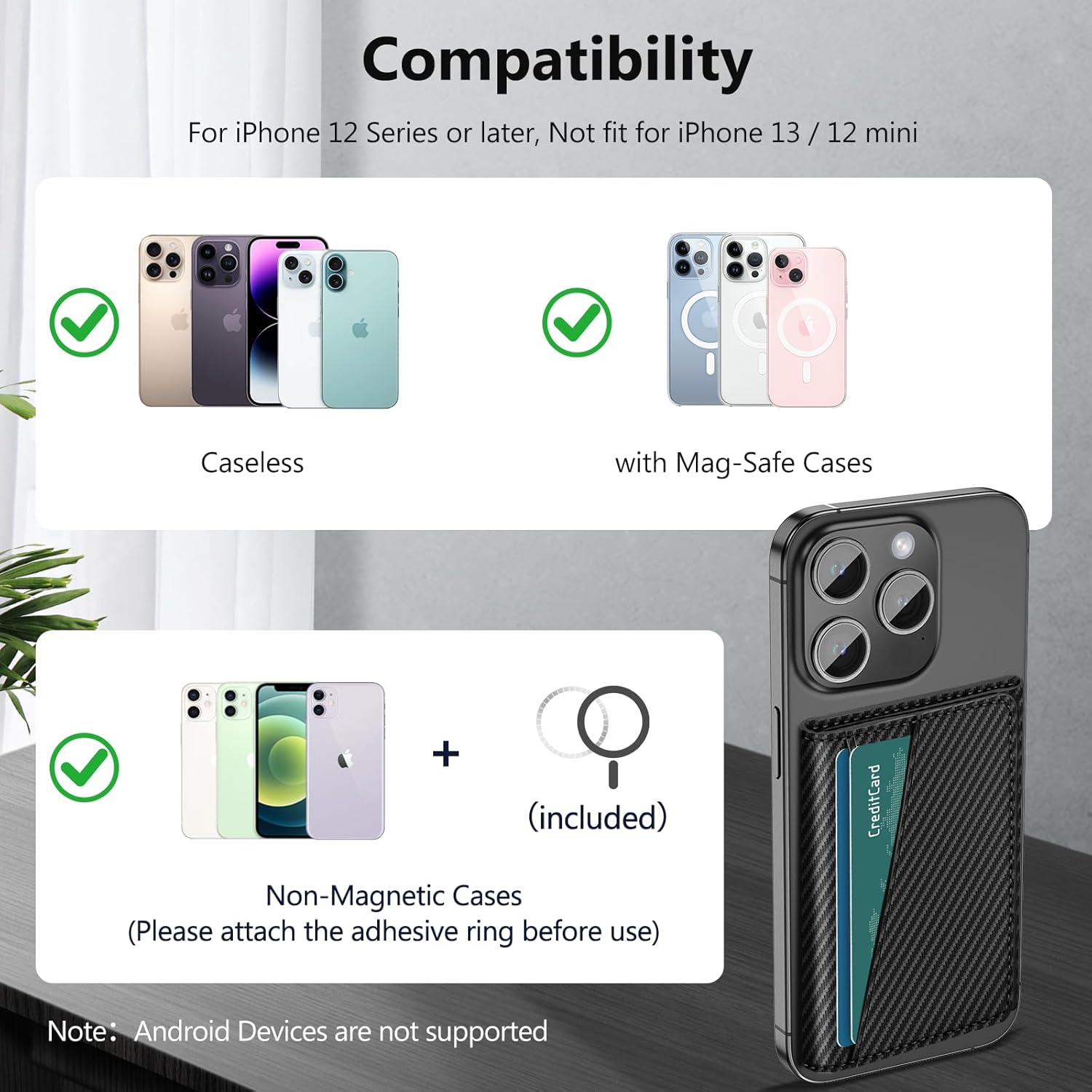
Image: Instructions for applying the self-adhesive metal ring to a non-magnetic phone case.
- Clean the back surface of your phone case thoroughly.
- Peel off the protective film from the adhesive side of the metal ring.
- Carefully center and press the metal ring onto the back of your phone case.
- Allow the adhesive to set for a few hours before attaching the wallet.
Operating Instructions
1. Card and Cash Storage
The TopMade MF108 wallet is designed to hold up to 7 cards and folded cash efficiently.
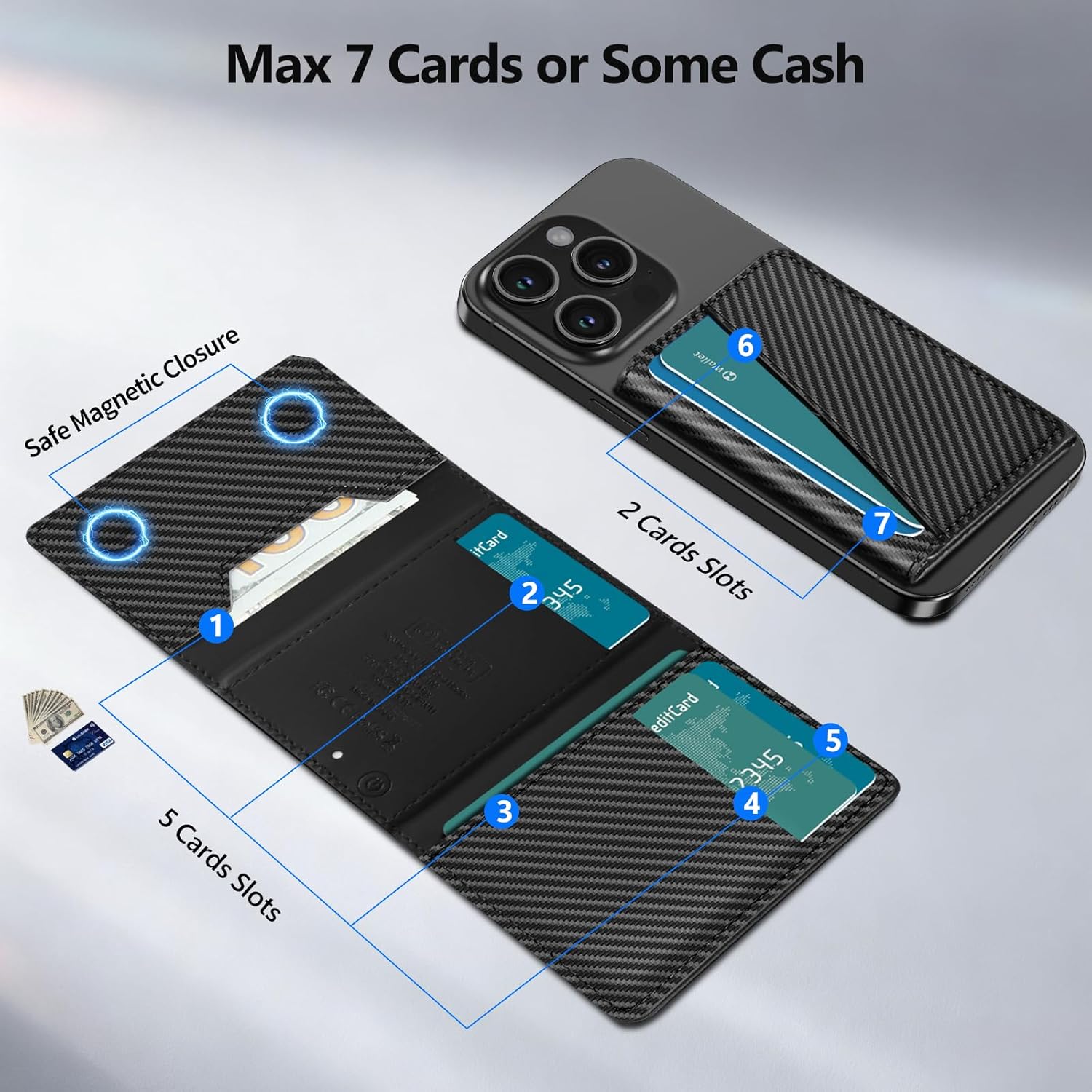
Image: Layout of card and cash slots in the wallet.
- Utilize the dedicated card slots for your ID, credit cards, debit cards, etc.
- Fold cash neatly and place it in the designated cash slot for secure storage.
2. Using Apple Find My Features
Locating Your Wallet
If you misplace your wallet, the Apple Find My app can help you locate it.

Image: Using the Find My app to get directions to your wallet.
- Open the Find My app on your iPhone.
- Select your TopMade wallet from the 'Items' list.
- Tap 'Directions' to get guided navigation to its last updated location.
- You can also use Siri by saying, "Hey Siri, where's my wallet?"
Left-Behind Notifications
Receive alerts if you accidentally leave your wallet behind.

Image: Example of a 'Left Behind' notification from the Find My app.
- Enable 'Left Behind Reminder' in the Find My app settings for your wallet.
- Your iPhone will notify you if the wallet is no longer detected near you.
Playing a Sound Alert
If your wallet is nearby but out of sight, you can make it play a sound.

Image: Activating a sound alert on the wallet via the Find My app.
- Within the Find My app, select your wallet and tap 'Play Sound'.
- The wallet will emit a 100 dB sound, helping you pinpoint its exact location within a Bluetooth range of 160ft/50m.
3. Phone Stand Functionality
The wallet's trifold design allows it to double as a convenient phone stand.

Image: Using the wallet as a phone stand for hands-free viewing.
- Fold the wallet into a triangular shape to create a stable base.
- Place your iPhone on the stand in either landscape or portrait orientation for comfortable viewing during video calls, media consumption, or browsing.
Maintenance
1. Charging the Wallet
The TopMade MF108 wallet supports wireless charging for its Find My tracking function.

Image: Wireless charging of the TopMade MF108 wallet.
- Place the wallet on any compatible wireless charging pad.
- The indicator light on the wallet will show its charging status (e.g., orange for charging, green for full charge).
- A single charge can power the Find My function for up to 5 months. The wallet does not function as a power bank for your phone.
2. RFID/NFC Protection
The wallet is equipped with RFID/NFC blocking technology to protect your card information.

Image: RFID blocking feature protecting cards from unauthorized scanning.
- The metal mesh lining within the wallet safeguards your cards from electronic pickpocketing and demagnetization.
- Ensure cards are fully inserted into the slots for optimal protection.
Troubleshooting
If you encounter any issues with your TopMade MF108 wallet, please refer to the following common solutions:
- Wallet not pairing with Find My: Ensure Two-Factor Authentication is enabled on your iPhone. Press the power button on the wallet to turn it on. Verify Bluetooth and the Find My app are active. Follow pairing steps: Find My app > Items > Add New Item > Other Supported Item > Connect.
- Magnetic attachment is weak: Ensure your iPhone is MagSafe compatible or you are using a MagSafe case. If using a non-magnetic case, ensure the self-adhesive metal ring is correctly applied to your phone case and allowed to set.
- Wallet not charging wirelessly: Ensure the wallet is placed correctly on a compatible wireless charger. The wallet's battery lasts up to 5 months on a single charge for the Find My function only; it does not act as a power bank for your phone.
- Find My sound alert is not loud enough: The sound alert is approximately 100 dB and has a Bluetooth range of 160ft/50m. Ensure you are within range for the sound to be effective. Obstructions can reduce sound perception.
Specifications
- Model Number: MF108
- Product Dimensions: 0.43 x 2.75 x 3.85 inches
- Item Weight: 2.24 ounces
- Material: Faux Leather
- Magnetic Strength: Up to 4200Gs
- Card Capacity: Up to 7 cards
- Battery Life (Find My function): Up to 5 months on a single charge
- Compatibility: iPhone 12 Series or later (not fit for iPhone 13/12 mini). Android devices are not supported for Find My functionality.
- Features: Apple Find My integration, Strong MagSafe magnets, RFID/NFC blocking, Wireless charging compatible, Foldable stand.
Warranty and Support
For warranty information and customer support regarding your TopMade MF108 MagSafe Wallet, please refer to the contact details provided with your purchase documentation or visit the official TopMade website. Keep your proof of purchase for any warranty claims.