
Introduction
Thank you for choosing the pTron Studio Evo Wireless Over-Ear Headphones. This manual provides essential information for setting up, operating, and maintaining your headphones to ensure optimal performance and longevity. Please read these instructions carefully before use.

Image: Overview of pTron Studio Evo features including sound quality, battery life, driver size, controls, charging, and connectivity modes.
Setup
1. Unboxing and Components
Carefully remove all items from the packaging. The box should contain:
- pTron Studio Evo Wireless Over-Ear Headphones
- USB Type-C Charging Cable
- 3.5mm Audio Cable (Aux-in)
- User Manual (this document)
2. Charging the Headphones
Before first use, fully charge your headphones. Connect the provided USB Type-C cable to the charging port on the headphones and the other end to a compatible USB power source (e.g., wall adapter, computer USB port).
- Charging Time: Approximately 2 hours for a full charge.
- Battery Life: Up to 70 hours of playtime on a single full charge.
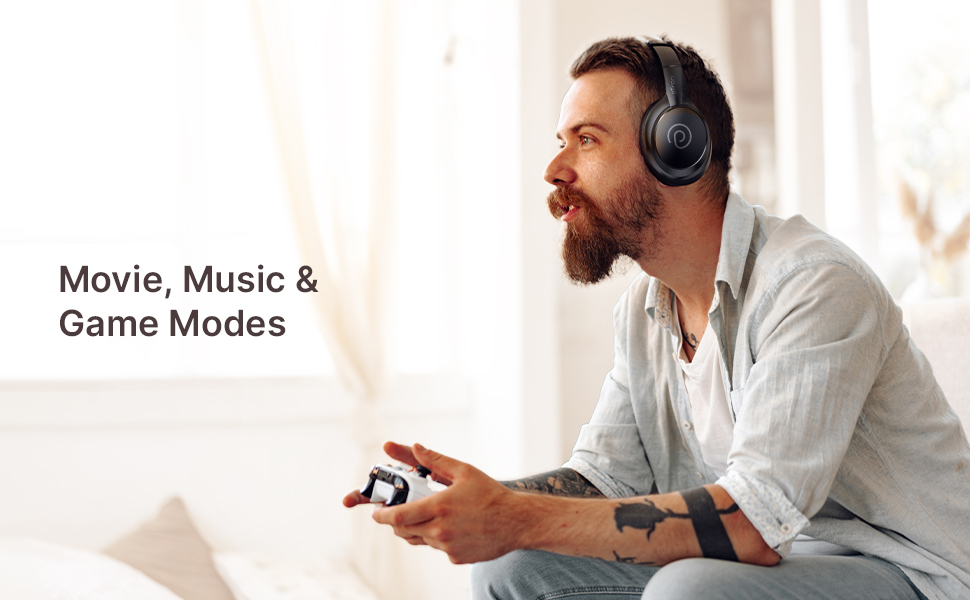
Image: pTron Studio Evo headphones highlighting 70 hours of playtime and Type-C fast charging.
3. Powering On/Off
- To Power On: Press and hold the Power button for approximately 3 seconds until the LED indicator lights up.
- To Power Off: Press and hold the Power button for approximately 3 seconds until the LED indicator turns off.
4. Bluetooth Pairing
The pTron Studio Evo headphones utilize Bluetooth 5.3 for stable wireless connectivity.
- Ensure the headphones are powered off.
- Press and hold the Power button for 5-7 seconds until the LED indicator flashes red and blue alternately, indicating pairing mode.
- On your device (smartphone, laptop, etc.), enable Bluetooth and search for available devices.
- Select "pTron Studio Evo" from the list of found devices.
- Once connected, the LED indicator will turn solid blue or flash blue slowly.
Dual Device Pairing: These headphones support connecting to two devices simultaneously. After pairing with the first device, disable Bluetooth on that device, then pair with the second device. Re-enable Bluetooth on the first device, and the headphones should connect to both. You can then switch audio playback between the two devices.

Image: Headphones connected to both a phone and a laptop, demonstrating Bluetooth 5.3 dual device pairing.
5. Wired Connection (Aux-in)
For a wired connection, use the provided 3.5mm audio cable. Plug one end into the headphone's 3.5mm jack and the other end into your audio source's auxiliary output. The headphones will automatically switch to wired mode when the cable is connected.
Operating Instructions
1. Controls Overview
The headphones feature integrated buttons for easy control of music, calls, and modes.
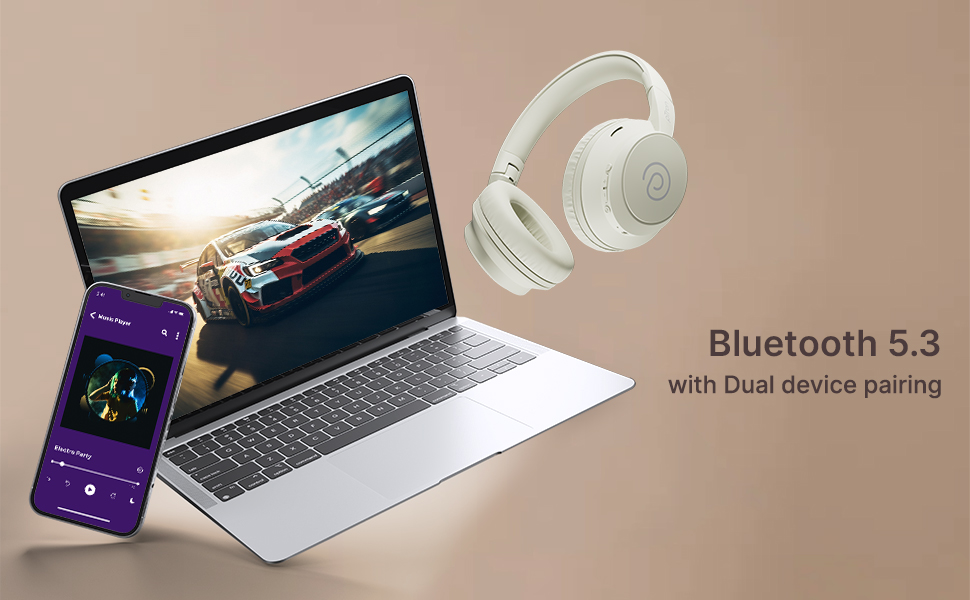
Image: Detailed view of the integrated control buttons on the pTron Studio Evo headphones.
- Power Button: Press and hold to power on/off. Short press to play/pause music or answer/end calls.
- Volume Up (+): Short press to increase volume. Long press for next track.
- Volume Down (-): Short press to decrease volume. Long press for previous track.
- EQ Button: Short press to cycle through EQ modes (Bass, Movie, Pop, Vocal).
2. EQ Modes
The pTron Studio Evo headphones offer multiple low-latency EQ modes optimized for different audio experiences:
- Game Mode: Reduces audio latency for a more synchronized gaming experience.
- Movie Mode: Enhances dialogue clarity and cinematic sound effects.
- Music Mode: Provides a balanced audio profile for general music listening.
- Bass Mode: Boosts low frequencies for a deeper bass response.
- Pop Mode: Optimized for pop music genres.
- Vocal Mode: Enhances vocal clarity, ideal for podcasts or audiobooks.
Press the EQ button to switch between these modes.
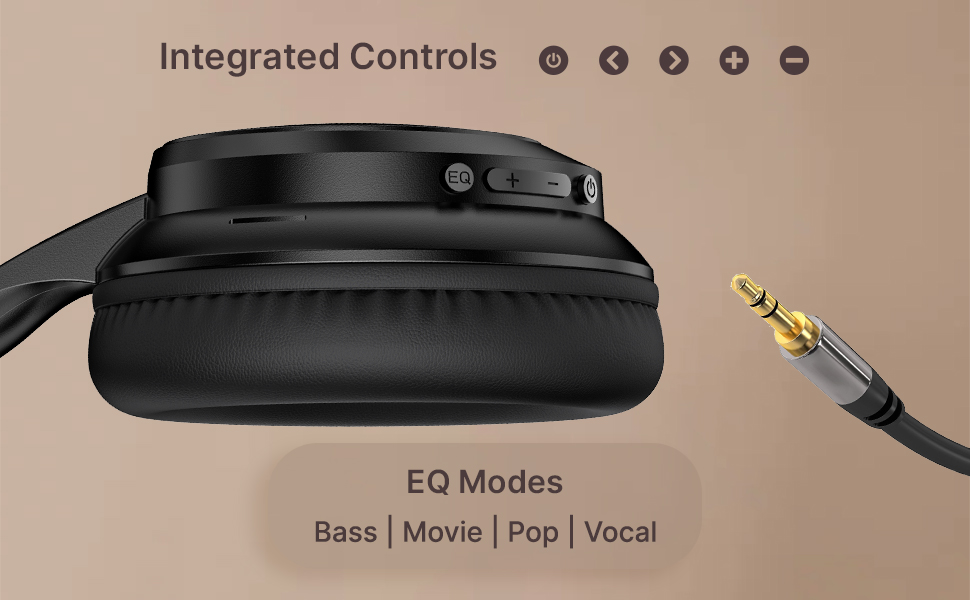
Image: User engaging in gaming with headphones, demonstrating low-latency sync for game mode.
3. Making and Receiving Calls
The headphones include a built-in HD microphone for hands-free calls.
- Answer/End Call: Short press the Power button.
- Reject Call: Press and hold the Power button for 2 seconds.
4. Voice Assistant
Access your device's voice assistant (e.g., Siri, Google Assistant) by double-pressing the Power button.
5. Wearing the Headphones
The pTron Studio Evo headphones feature an ergonomic design with soft earcups and an adjustable head beam for comfortable all-day listening. Adjust the head beam to position the earcups exactly over your ears for the best fit and sound isolation.
Maintenance
1. Cleaning
Regularly clean your headphones to maintain hygiene and performance.
- Use a soft, dry cloth to wipe the earcups and headband.
- Do not use abrasive cleaners or solvents.
- Avoid getting moisture into the charging port or audio jack.
2. Water Resistance
The headphones are IPX5 water-resistant, meaning they can withstand splashes and sweat. Do not submerge them in water or expose them to heavy rain.
3. Storage
The foldable design allows for easy storage. Fold the headphones when not in use to protect them from damage and save space. Store them in a cool, dry place away from direct sunlight and extreme temperatures.
Troubleshooting
- No Power: Ensure the headphones are fully charged. Connect to a power source and try again.
- Cannot Pair: Make sure Bluetooth is enabled on your device and the headphones are in pairing mode (flashing red and blue LED). Try restarting both devices.
- No Sound: Check the volume levels on both the headphones and your connected device. Ensure the correct audio output is selected on your device. If using a wired connection, ensure the 3.5mm cable is fully inserted.
- Poor Sound Quality: Ensure the headphones are within the Bluetooth range (up to 10 meters) of your device. Avoid obstacles that may interfere with the signal. Try switching EQ modes.
- Microphone Not Working: Ensure the headphones are properly connected and selected as the input device on your call application.
Specifications
| Feature | Specification |
|---|---|
| Model Name | Studio |
| Connectivity Technology | Wireless (Bluetooth) |
| Wireless Communication Technology | Bluetooth 5.3 |
| Bluetooth Range | 10 Metres |
| Audio Driver Size | 40 Millimetres |
| Battery Life | 70 Hours |
| Charging Time | 2 Hours |
| Headphones Jack | 3.5 mm Jack |
| Water Resistance Level | IPX5 Water Resistant |
| Control Method | Push Button, Voice |
| Noise Control | Sound Isolation |
| Material | Acrylonitrile Butadiene Styrene (ABS) |
| Item Weight | 157 Grams |
| Product Dimensions | 19.2 x 15.8 x 7.9 cm |
Warranty and Support
1. Manufacturer Warranty
The pTron Studio Evo headphones come with a 1-Year Manufacturer Warranty from the date of purchase. This warranty covers manufacturing defects only. Please retain your proof of purchase for warranty claims.
2. Customer Support
For any queries, technical assistance, or warranty claims, please contact pTron customer support:
- Email: support@ptron.in
- Phone: 040-67138888


