
1. Introduction
This manual provides detailed instructions for the safe and efficient installation, operation, and maintenance of your DINGLILIGHTING 20-inch flush mount ceiling fan with LED light. Please read this manual thoroughly before installation and retain it for future reference. This fan is designed for rooms with low ceilings, offering both illumination and air circulation with advanced control features.
2. Safety Information
Always follow basic safety precautions when installing and operating electrical appliances. Failure to do so may result in fire, electric shock, or personal injury.
- Ensure power is turned off at the circuit breaker before installation or maintenance.
- All wiring must be in accordance with national and local electrical codes.
- Consult a qualified electrician if you are unsure about wiring procedures.
- Mount the fan securely to a ceiling joist or a suitable support structure capable of supporting the fan's weight.
- Do not bend the fan blades during installation or cleaning.
- Keep hands clear of the fan blades when the fan is operating.
- This appliance is not intended for use by persons (including children) with reduced physical, sensory or mental capabilities, or lack of experience and knowledge, unless they have been given supervision or instruction concerning use of the appliance by a person responsible for their safety.
3. Package Contents
Verify that all components are present and undamaged before proceeding with installation. If any parts are missing or damaged, contact customer support.
- 20-inch Flush Mount Ceiling Fan with Integrated LED Light
- Remote Control
- Remote Control Wall Mount Bracket
- Installation Hardware (screws, wire nuts, anchors)
- User Manual
- Installation Gloves

Image: DINGLILIGHTING 20-inch flush mount ceiling fan with remote and app control.

Image: Product size and details of the DLLT 20-inch ceiling fan, showing dimensions and key features.
4. Specifications
| Feature | Specification |
|---|---|
| Brand | DINGLILIGHTING |
| Model Name | WS-FPZ195-20C |
| Size | 20 Inch |
| Color | White |
| Material | Acrylonitrile Butadiene Styrene |
| Light Source Type | LED |
| Wattage | 40 watts |
| Voltage | 120 Volts |
| Light Color | Warm White to Cool White (3000K-6500K) |
| Control Method | App, Remote |
| Fan Speeds | 6 Speeds |
| Motor Type | Quiet DC Motor |
| Special Features | Dimmable LED Light, Reversible Airflow, Timer |
| Sound Level | 30 Decibels |
| Product Dimensions | 20"L x 20"W x 5"H |
| Item Weight | 6.63 pounds |
5. Setup and Installation
Follow these steps for a quick and easy installation. It is recommended to have a second person assist during installation.
- Prepare for Installation: Turn off power at the main circuit breaker. Ensure the mounting location is suitable for a ceiling fan and can support its weight.
- Install Mounting Bracket: Secure the mounting bracket to the ceiling electrical box using the provided screws. Ensure it is firmly attached to a ceiling joist or a reinforced support.
- Connect Wiring: Carefully connect the fan's electrical wires to your household wiring (Live, Neutral, Ground) using the provided wire nuts. Match colors accordingly (typically black to black, white to white, green/bare copper to green/bare copper).
- Attach Fan Body: Lift the fan body and align it with the mounting bracket. Twist the fan body onto the bracket until it locks securely. Insert the three screws to fully secure the fan.
Video: Easy Installation Guide for DLLT Ceiling Fan with Light. This video demonstrates the step-by-step process of installing the ceiling fan, including mounting the bracket, connecting wires, and securing the fan body.

Image: This diagram illustrates the simplified installation process of the DLLT ceiling fan, highlighting its pre-assembled parts for quick setup.
6. Operating Instructions
Your DINGLILIGHTING ceiling fan can be controlled via the included remote control or a dedicated smartphone application.
6.1 Remote Control Functions
The remote control provides full functionality for your ceiling fan and light. Ensure batteries are installed correctly.
- ON/OFF (Light): Turns the LED light on or off.
- ALL OFF: Turns off both the fan and the light.
- Brightness +/-: Adjusts the brightness of the LED light (10%-100%).
- Color Temperature (K+/-): Changes the light color from warm white (3000K) to cool white (6500K).
- Fan Speed (1-6): Selects one of six fan speeds, from gentle breeze (1) to strong airflow (6).
- F/R (Forward/Reverse): Changes the direction of the fan blades for summer (forward, cooling) or winter (reverse, circulating warm air) modes.
- Timer (1H/2H): Sets the fan to automatically turn off after 1 or 2 hours.
- Night Light: Activates a low-brightness, warm light setting.
- Natural Wind: Simulates natural wind patterns by varying fan speeds.
- Pair Code/Fan OFF: Used for pairing the remote with the fan or turning the fan off.

Image: The remote control and smartphone app interface, illustrating the various functions such as fan speeds, dimmable light, and timer settings.
6.2 App Control
The fan supports control via a smartphone application. Scan the QR code in the included manual to download the app and register your device. The app provides all the functionalities available on the remote control, including fan speed, light brightness, color temperature, and timer settings.
6.3 Light Adjustment
The integrated LED light offers adjustable brightness and color temperature to suit your preference and mood. The fan features a memory function that remembers your last light settings.
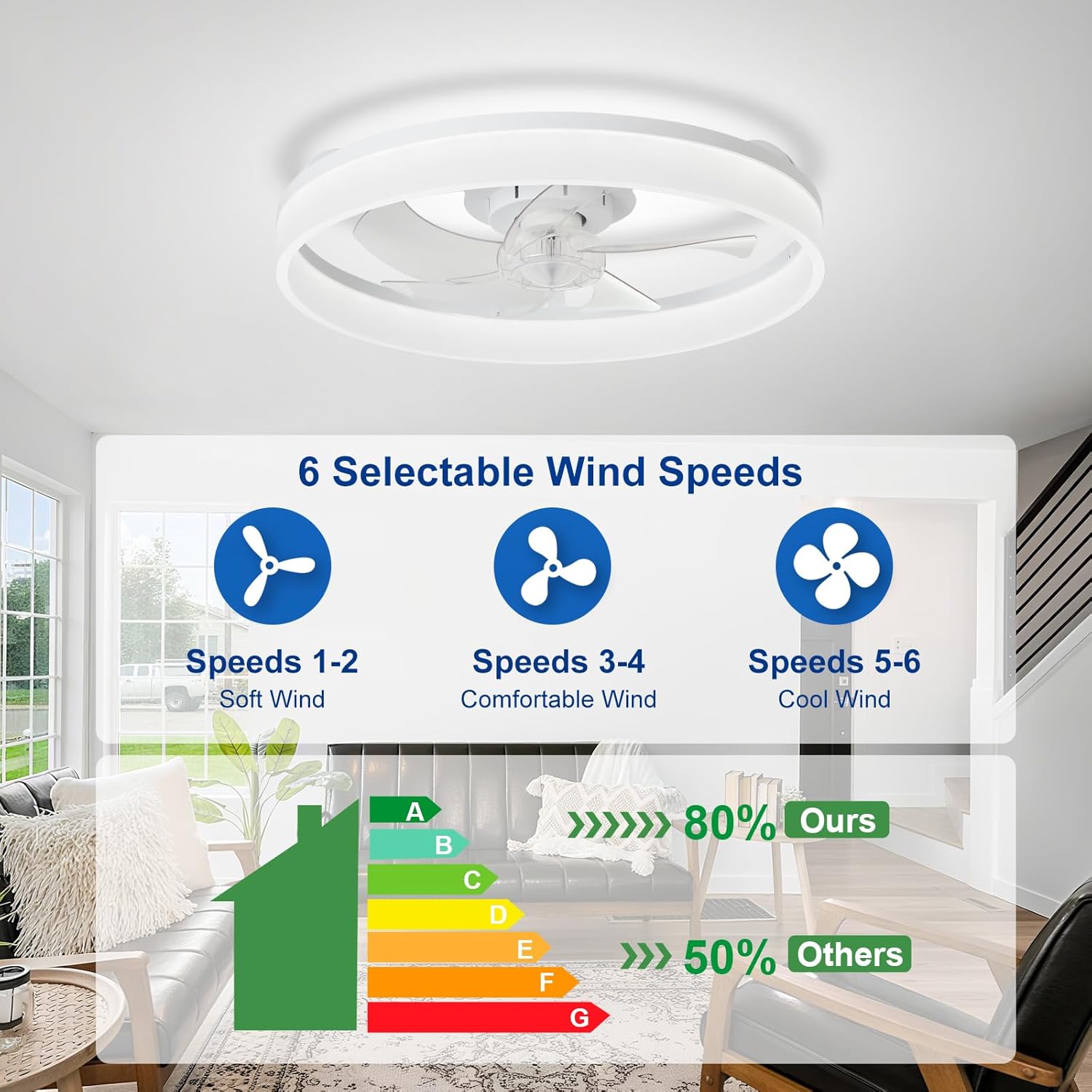
Image: This image displays the adjustable lighting capabilities of the fan, offering warm (3000K), neutral (4500K), and white (6000K) light options with dimmable brightness.
6.4 Fan Speed and Reversible Motor
The fan features 6 speed settings and a reversible DC motor for year-round comfort. The quiet DC motor ensures minimal noise even at higher speeds.
- Summer Mode: Set the fan to forward rotation to create a downward airflow, providing a cooling effect.
- Winter Mode: Set the fan to reverse rotation to create an upward airflow, circulating warm air trapped near the ceiling and distributing it throughout the room.
Video: Demonstration of the fan's quiet operation and various light settings. This video highlights the fan's powerful yet silent performance and its ability to change light colors.

Image: This graphic details the six selectable wind speeds, categorized as soft, comfortable, and cool wind, suitable for different preferences.

Image: This image visually explains the summer mode for forward cool airflow and winter mode for reverse warm airflow, demonstrating the fan's year-round utility.
7. Maintenance
Regular maintenance ensures the longevity and optimal performance of your ceiling fan.
- Cleaning: Use a soft, damp cloth to clean the fan's exterior. Do not use abrasive cleaners or solvents. Ensure power is off before cleaning.
- Blade Cleaning: The bladeless design simplifies cleaning. Gently wipe the interior fan blades with a soft cloth to remove dust.
- Light Source: The LED light source is integrated and not user-replaceable. If the light fails, contact customer support.
8. Troubleshooting
If you encounter any issues, refer to the following common problems and solutions:
| Problem | Possible Cause | Solution |
|---|---|---|
| Fan does not start | No power, loose wiring, remote battery dead | Check circuit breaker, ensure wiring is secure, replace remote batteries. |
| Light does not turn on | No power, loose wiring, LED failure | Check circuit breaker, ensure wiring is secure. If LED failure, contact support. |
| Remote not working | Dead batteries, remote not paired | Replace remote batteries. Refer to manual for remote pairing instructions. |
| Fan makes excessive noise | Loose screws, unbalanced fan | Check all mounting screws and ensure they are tight. Ensure fan is installed level. |
9. Warranty and Customer Support
Your DINGLILIGHTING ceiling fan comes with a 5-year motor warranty and a 2-year overall product warranty. For any questions during installation or use, our dedicated 24/7 customer support team is ready to assist you.
Contact Information:
- Email: support@depuley.com
- Phone: (001)201-365-0018
Please have your model number (WS-FPZ195-20C) and purchase information ready when contacting support.


