
1. Introduction
Thank you for choosing the Ntaanoo MP51 3-in-1 Magnetic Power Bank. This device is designed to provide convenient and efficient charging for your mobile devices, featuring magnetic wireless charging, a built-in USB-C cable, and an additional USB-C port, along with an integrated stand. Please read this manual thoroughly before use to ensure proper operation and to maximize the product's lifespan.
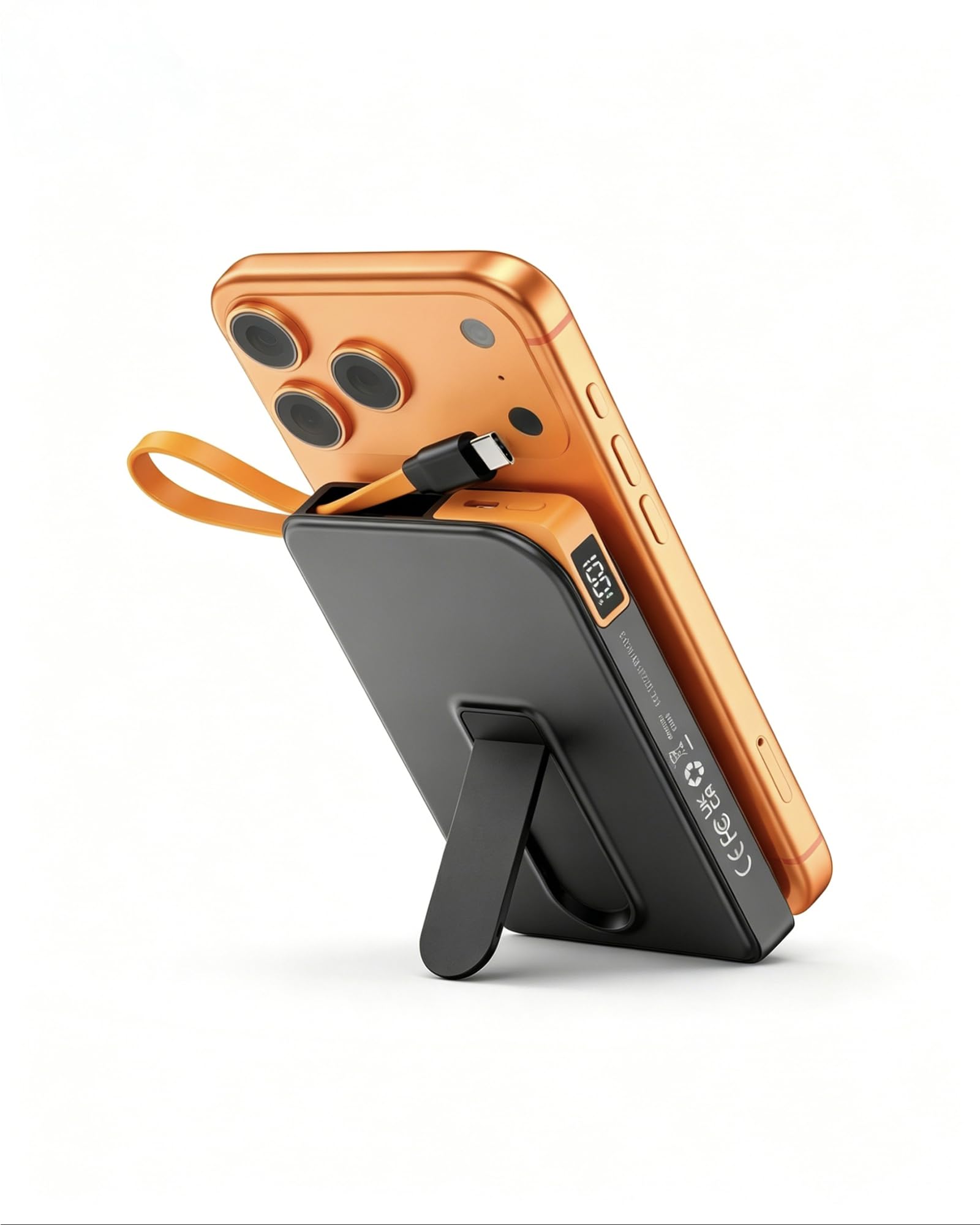
Image: The Ntaanoo MP51 3-in-1 Magnetic Power Bank, highlighting its sleek and portable form factor.
2. Product Overview
The Ntaanoo MP51 is a versatile 10000mAh power bank offering multiple charging solutions. It features a strong magnetic attachment for compatible devices, a built-in USB-C cable, and an additional USB-C port for simultaneous charging of up to three devices. The integrated foldable stand allows for hands-free viewing while charging.
Key Features:
- 10000mAh Capacity: Provides ample power for multiple charges.
- 3-in-1 Charging: Supports magnetic wireless charging, built-in USB-C cable charging, and external USB-C port charging.
- Fast Charging: Up to 22.5W wired charging and 5-15W magnetic wireless charging.
- Integrated Foldable Stand: For convenient hands-free use in portrait or landscape mode.
- LED Digital Display: Shows real-time battery percentage.
- Compact & Portable: Designed for easy carrying in pockets or bags.
- Multi-Protection Safety System: Includes temperature, overcharge, and short-circuit safeguards.

Image: Detailed view of the Ntaanoo MP51, illustrating its various components and features.
3. What's in the Box
- 1 x Ntaanoo 10000mAh Magnetic Power Bank (MP51)
- 1 x Built-in USB-C Cable
- 1 x User Manual
4. Setup
Charging the Power Bank
- Connect the power bank to a power adapter (not included) using the built-in USB-C cable or an external USB-C cable.
- The LED digital display will show the charging progress.
- Once the display shows "100%", the power bank is fully charged.
For optimal performance, fully charge the power bank before its first use.
5. Operating Instructions
5.1 Magnetic Wireless Charging
- Ensure your device is MagSafe compatible (e.g., iPhone 12/13/14/15/16/17 series).
- Align the power bank with the back of your MagSafe-compatible device. The magnets will snap into place, and charging will begin automatically.
- The LED display on the power bank will show its remaining charge, and your phone will indicate wireless charging.
Note: For best results, use without a case or with a MagSafe-compatible case. Non-MagSafe cases may prevent proper magnetic attachment and charging.

Image: Magnetic attachment of the power bank to an iPhone, showing the charging indicator on the phone screen.
5.2 Wired Charging (Built-in & External USB-C)
- Using the Built-in USB-C Cable: Pull out the integrated USB-C cable from the side of the power bank and plug it directly into your compatible device (e.g., iPhone 15/16/17, Samsung Galaxy, USB-C Android phones).
- Using the External USB-C Port: Connect your device's charging cable to the external USB-C port on the power bank.
- Charging will begin automatically. The power bank can charge up to three devices simultaneously (one wirelessly, one via built-in cable, one via external port).

Image: Illustrates the Ntaanoo MP51 charging three devices concurrently using its magnetic, built-in USB-C, and external USB-C connections.
5.3 Using the Integrated Stand
- Locate the foldable stand on the back of the power bank.
- Gently pull out the stand until it locks into an open position.
- Attach your phone magnetically to the power bank.
- Place the power bank with your attached phone on a flat surface. The stand allows for both vertical and horizontal viewing angles while charging.

Image: The Ntaanoo MP51's foldable stand in use, supporting a phone for hands-free viewing during charging.
5.4 Checking Battery Level
Press the power button on the side of the power bank. The LED digital display will illuminate, showing the current battery percentage.
6. Safety Information
- Do not expose the power bank to extreme temperatures, direct sunlight, or fire.
- Avoid dropping, hitting, or disassembling the device.
- Keep away from water and other liquids.
- Do not use if the device is damaged or swollen.
- The power bank features built-in protections against overcharge, short-circuit, and high temperatures.
- A slight warming of the device during magnetic charging is normal and safe.
- Keep out of reach of children.

Image: Visual representation of the power bank's advanced safety mechanisms.
7. Maintenance
- Clean the power bank with a soft, dry cloth. Do not use harsh chemicals or abrasive materials.
- Store the device in a cool, dry place when not in use.
- Recharge the power bank at least once every three months to maintain battery health.
8. Troubleshooting
Device Not Charging:
- Ensure the power bank itself is charged. Check the LED display.
- For magnetic charging, verify your device is MagSafe compatible and that no non-MagSafe case is interfering.
- For wired charging, ensure cables are securely connected to both the power bank and your device.
- Try a different charging cable or power adapter.
Slow Charging:
- Ensure you are using a fast-charging compatible cable and adapter for the power bank.
- For wireless charging, ensure proper alignment and remove any non-MagSafe cases.
- Charging multiple devices simultaneously may reduce individual charging speeds.
Magnetic Attachment is Weak:
- Ensure your phone is MagSafe compatible.
- Remove any non-MagSafe cases or use a MagSafe-compatible case.
- Check for any foreign objects between the power bank and your phone.
9. Specifications
| Feature | Detail |
|---|---|
| Model Name | MP51 |
| Battery Capacity | 10000 Milliamp Hours |
| Connector Type | USB Type C, Wireless Magnetic |
| Rapid Charging Performance | USB-C Cable UP to 22.5W; Wireless Magnetic UP to 15W |
| Compatible Devices | Apple iPhone 12/13/14/15/16/17 series, Samsung Galaxy, most USB-C Android phones |
| Special Features | Built-in Cable, Built-in Stand, Digital Display, Lightweight, Over Charging Protection, Short Circuit Protection, Auto Shut-Off, Fast Charging, Wireless Charging |
| Item Dimensions L x W x Thickness | 4.31"L x 2.73"W x 0.69"Th |
| Battery Cell Type | Lithium Polymer |

Image: Compatibility and charge cycle information for different iPhone models.
10. Warranty and Customer Support
The Ntaanoo MP51 3-in-1 Magnetic Power Bank comes with a 2-year warranty. Ntaanoo is committed to delivering high-quality products and offers responsive 24/7 customer support for any inquiries, repairs, or replacements.
For assistance, please contact Ntaanoo customer support through the official website or your purchase platform.