
Introduction
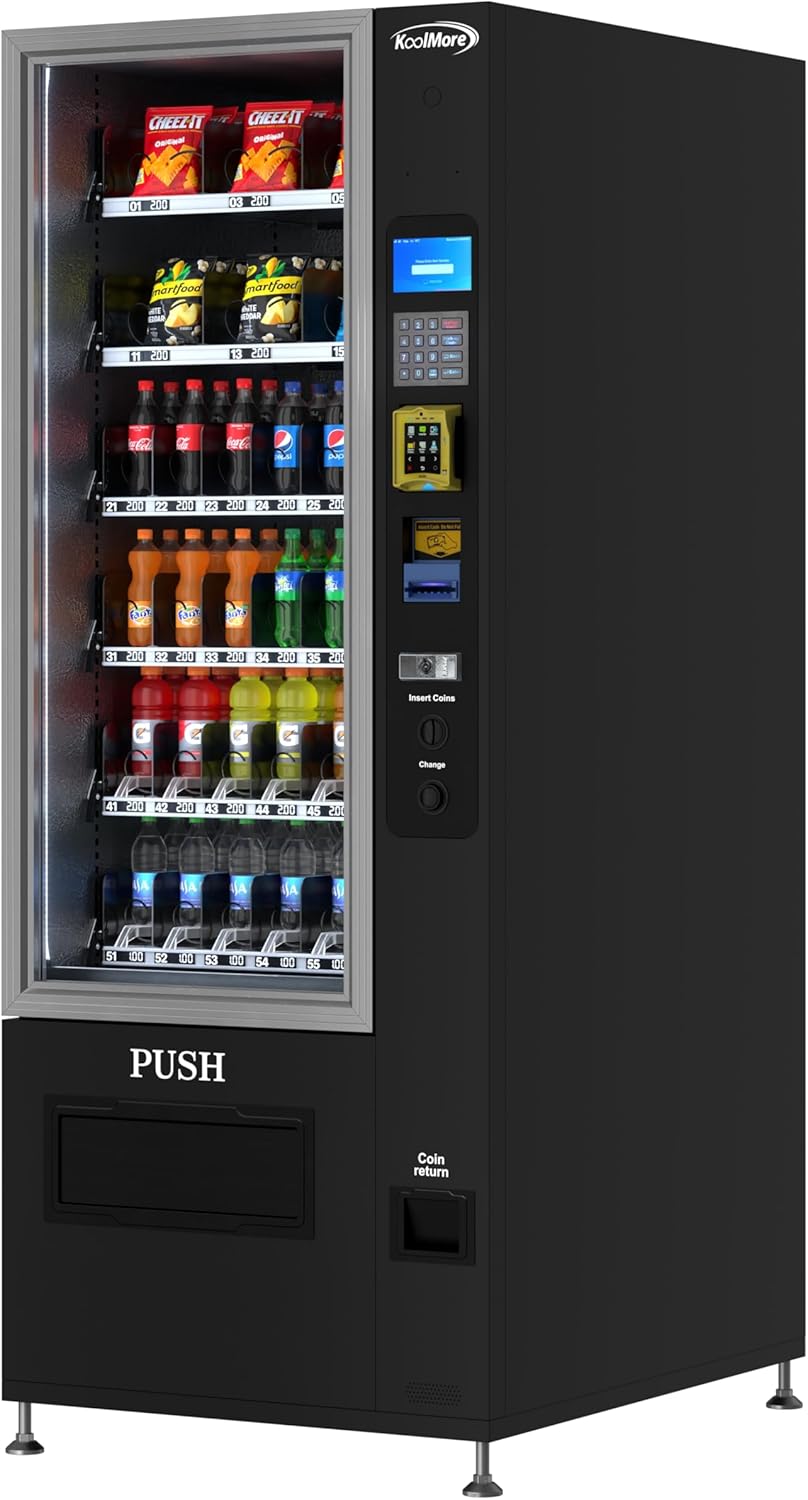
This manual provides essential instructions for the safe and efficient operation, installation, and maintenance of your KoolMore Refrigerated Snack Vending Machine, Model KM-VMR-30-B. This commercial vending unit is designed to store and dispense a variety of cold drinks, snacks, and other fresh items, featuring 36 slots and a bill acceptor for convenient transactions. Please read this manual thoroughly before operating the machine and retain it for future reference.
Safety Information
Always adhere to the following safety guidelines to prevent injury and damage to the machine:
- Ensure the machine is placed on a stable, level surface to prevent tipping.
- Do not block ventilation openings on the machine's exterior, especially at the rear, to ensure proper cooling and prevent overheating.
- Connect the machine to a grounded electrical outlet with the correct voltage as specified on the product label. Do not use extension cords.
- Keep hands and foreign objects away from moving parts during operation.
- Do not attempt to repair or modify the machine yourself. Refer all servicing to qualified personnel.
- Before cleaning or performing maintenance, always unplug the machine from the power source.
- This machine is heavy (approximately 529 pounds). Use appropriate lifting equipment and personnel when moving to prevent injury.
Setup
1. Unpacking and Inspection
Carefully remove all packaging materials. Inspect the machine for any signs of shipping damage. Report any damage to your carrier immediately.
2. Placement
Position the vending machine in a location with adequate space for ventilation and access for servicing. Ensure the floor is strong enough to support the machine's weight (529 lbs). The machine dimensions are approximately 31.2"D x 29.2"W x 76.25"H. Maintain a minimum of 4 inches of clearance from walls on all sides, especially the rear, for proper airflow.

3. Leveling
Use a level to ensure the machine is perfectly level. Adjust the adjustable feet at the bottom of the machine as needed. Proper leveling is crucial for correct product dispensing and door alignment.
4. Power Connection
Plug the machine into a dedicated, grounded electrical outlet. Refer to the machine's specification label for exact voltage and amperage requirements. Avoid sharing the outlet with other high-power appliances.
5. Initial Temperature Setting
After connecting power, allow the machine to run for at least 2-4 hours to reach its stable operating temperature before loading products. The digital temperature control allows settings between 4°F and 25°F. Adjust as necessary for the specific products being vended.
6. Loading Products
Open the main door and carefully load products into the 36 available slots. Ensure products are correctly seated in their coils or trays to prevent jams. The machine features metal plate-style shelves (6 total) for organized product display. Ensure products are within the machine's temperature range capabilities.

Operating Instructions
1. Product Selection
Customers select their desired product by entering the corresponding product code on the keypad. The keypad is illuminated for ease of use.

2. Payment Options
The KM-VMR-30-B model is equipped with a bill acceptor. Insert bills ($1, $5, $10, $20, $50, $100) into the designated slot. Ensure bills are flat and unfolded for proper acceptance.

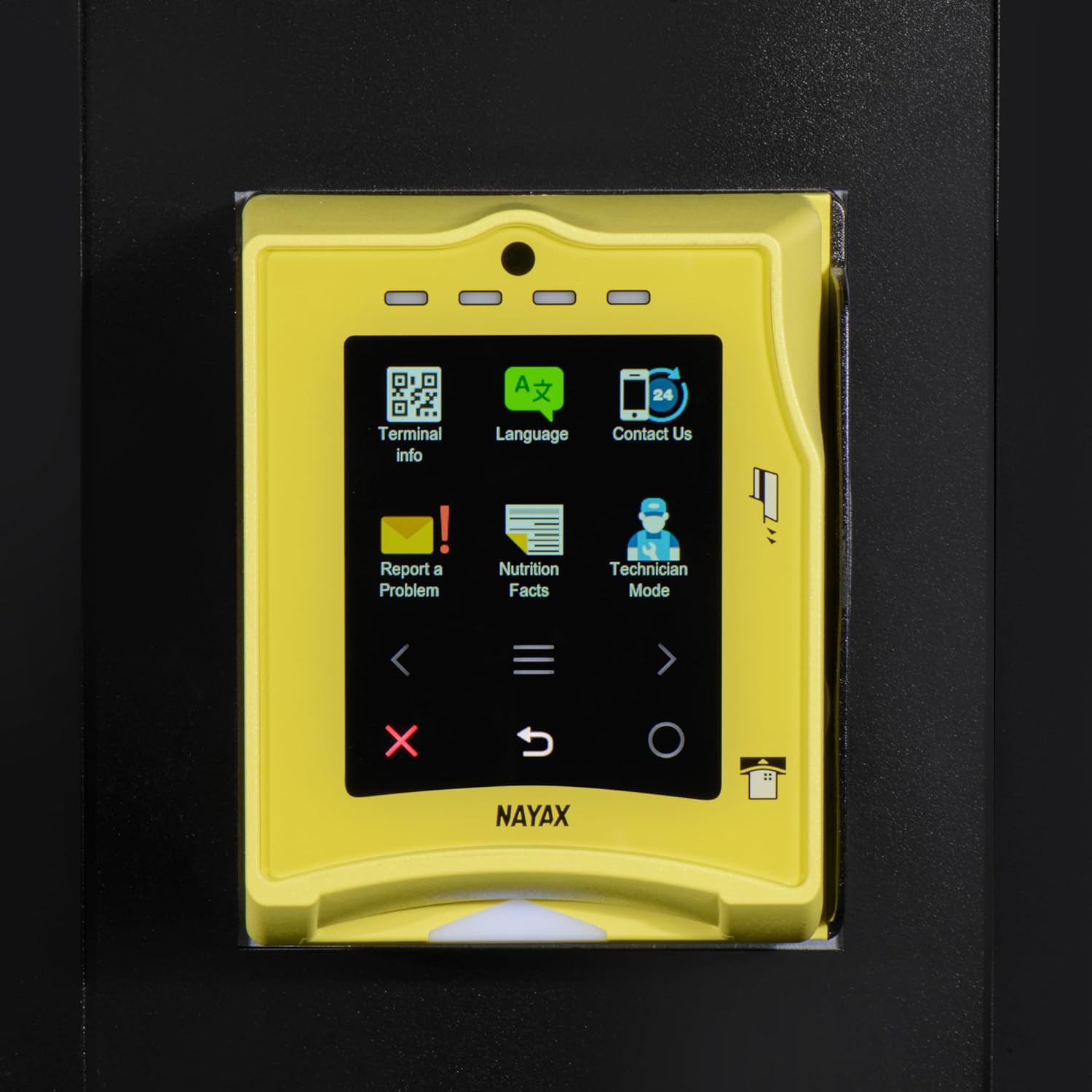
Note: For models with credit card or coin acceptors, refer to their specific instructions. The integrated Nayax payment terminal (if applicable to your specific configuration) provides additional payment options and features like language selection and technician mode. Setup for cashless payment systems may require coordination with the payment provider.
3. Product Dispensing
After successful payment and selection, the machine will dispense the product. The anti-theft drop sensor ensures that the product is delivered to the retrieval area. Retrieve your product from the "PUSH" door at the bottom of the machine.

4. Temperature Control
The machine features digital temperature control. Access the control panel (typically located behind the main door or via the payment terminal's technician mode) to adjust the internal temperature as needed. The recommended operating range is 4°F to 25°F for optimal product preservation.
5. LED Interior Lighting
The bright LED interior lighting enhances product visibility. This lighting is energy-efficient and typically operates automatically when the machine is powered on.
Maintenance
Regular maintenance ensures the longevity and optimal performance of your vending machine. Always unplug the machine before performing any cleaning or maintenance tasks.
1. Exterior Cleaning
Wipe down the exterior surfaces with a soft, damp cloth and mild detergent. Avoid abrasive cleaners or solvents that could damage the finish. Clean the anti-fog, double-paned front glass with a glass cleaner.
2. Interior Cleaning
Periodically clean the interior of the machine, including shelves and product coils. Remove any spills or debris promptly. Ensure all surfaces are dry before reloading products.
3. Condenser Coil Cleaning
The condenser coils, located at the rear bottom of the machine, should be cleaned regularly (e.g., monthly) to maintain cooling efficiency. Use a brush or vacuum cleaner to remove dust and lint. Warning: Ensure the machine is unplugged before accessing the condenser coils.

4. Automatic Defrost System
The machine is equipped with an automatic defrost system. No manual defrosting is required under normal operating conditions. If excessive ice buildup occurs, contact customer support.
5. Coil Adjustments
Depending on the size and shape of the products, you may need to adjust the product coils to ensure smooth dispensing. Refer to the machine's internal diagrams or contact customer support for guidance on adjusting coils for different item types.
Troubleshooting
Before contacting customer service, review the following common issues and solutions:
| Problem | Possible Cause | Solution |
|---|---|---|
| Machine not powering on. | No power supply; tripped circuit breaker. | Check power cord connection. Verify outlet functionality. Reset circuit breaker if tripped. |
| Product not dispensing. | Product jam; incorrect selection; insufficient payment; anti-theft sensor issue. | Ensure product is loaded correctly. Re-enter selection. Check payment. If persistent, contact support. |
| Bill acceptor not accepting money. | Bills are folded or damaged; acceptor mechanism dirty; currency not supported. | Ensure bills are flat and clean. Clean the bill acceptor slot. Verify supported denominations. |
| Machine not cooling properly. | Blocked ventilation; dirty condenser coils; door seal compromised; refrigerant issue. | Ensure adequate clearance around the machine. Clean condenser coils. Check door seal for damage. Contact service for refrigerant issues. |
| Unusual noises during operation. | Loose components; motor issue; product obstruction. | Inspect for loose parts. Check for product obstructions. If noise persists, contact customer support. |
If the problem persists after attempting these solutions, please contact KoolMore customer support for assistance.
Specifications
- Model: KM-VMR-30-B
- Brand: KoolMore
- Configuration: 36 Slots / Refrigerated / Bill Acceptor
- Dimensions (Product): 31.2"D x 29.2"W x 76.25"H
- Item Weight: 529 Pounds
- Installation Type: Freestanding
- Color: Black
- Racks/Shelves: 36 Slots / 6 Metal Plate-Style Shelves
- Defrost System: Automatic
- Door Material Type: Stainless Steel
- Special Features: Touchscreen (for payment terminal), LED Interior Lighting, Anti-theft Drop Sensor
- Refrigerant: R-290 or R-600A
- Certification: SGS Certification
- Included Components: Refrigerated Vending Machine
Warranty and Support
For warranty information, technical support, or to order replacement parts, please contact KoolMore customer service. Keep your purchase receipt and model number (KM-VMR-30-B) readily available when contacting support.
Customer Support: Refer to the contact information provided with your purchase or visit the official KoolMore website.
This product is from a small business brand. Your support is appreciated.