1. Product Overview
The Braun Series 9 PRO+ Electric Shaver is engineered for men seeking perfect closeness and skin protection. It features Ultra Thin Precision Blades and 5+1 Technology, which includes a Direct&Cut Blade, ProTrimmer, skin-skimming OptiFoil, protective SkinGuard, and a titanium-coated ProLift Blade. The Pro SensoAdapt technology intelligently analyzes beard density 300 times per second and automatically adjusts shaving power for maximum efficiency.
This shaver is 100% waterproof, allowing for wet or dry use. It also comes with a 6in1 SmartCare Center for automated cleaning, drying, charging, and maintenance, ensuring optimal shaver performance and blade longevity. A ProComfort Head attachment is included for pre-shave preparation.
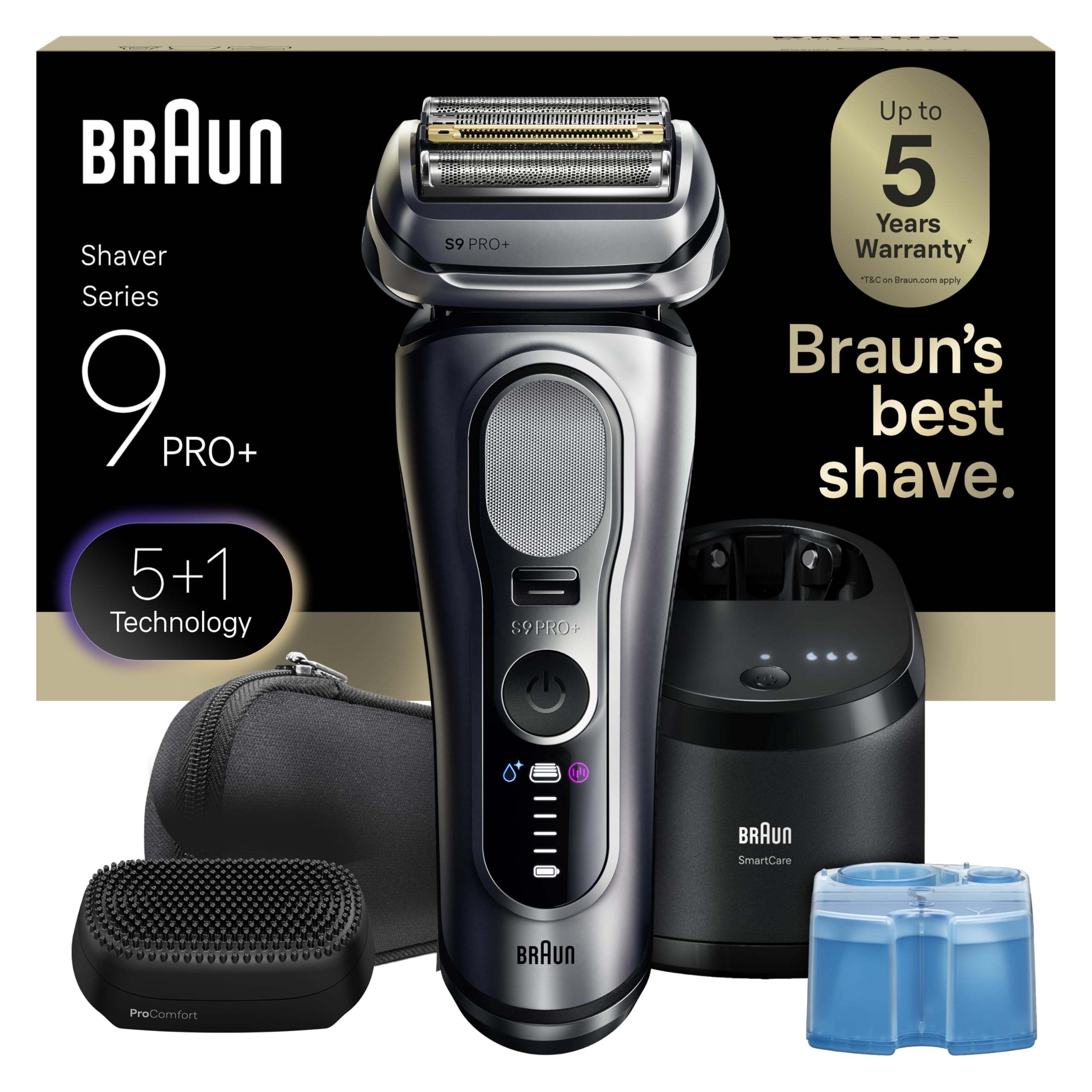
Image: Braun Series 9 PRO+ Electric Shaver, highlighting its 5+1 Technology, Pro SensoAdapt, 60 min run time, 5 min quick charge, 100% waterproof design, and Made in Germany quality.

Image: A man with a smooth face, indicating the superior shaving experience offered by the Braun Series 9 PRO+.
2. Setup and Initial Use
2.1 Charging the Shaver
Before first use, fully charge your shaver. The shaver can be charged using the provided power supply directly or via the SmartCare Center.
- Direct Charging: Connect the power supply to the shaver and a power outlet. A full charge takes approximately 1 hour, providing up to 60 minutes of shaving time. A 5-minute quick charge is sufficient for one shave.
- SmartCare Center Charging: Place the shaver head-down into the SmartCare Center. Ensure the shaver contacts align with the charging contacts in the station. The SmartCare Center will automatically charge the shaver.
Video: A short demonstration of the Braun Series 9 PRO+ shaver, showcasing its design and features. This video is provided by Procter & Gamble - Parent.
2.2 SmartCare Center Setup
The 6in1 SmartCare Center cleans, lubricates, dries, and charges your shaver. To set it up:
- Open the SmartCare Center by pressing the release button.
- Insert a Braun Clean & Renew Cartridge into the base until it clicks into place.
- Close the SmartCare Center.
- Connect the power supply to the SmartCare Center and a power outlet.
Video: A user demonstrates the unboxing and setup of the Braun Series 9 PRO+ SmartCare Center, including inserting the cleaning cartridge. This video is provided by Romina Reali.
3. Operating the Shaver
3.1 Shaving
For optimal results, shave before washing your face. Hold the shaver at a right angle (90°) to your skin and stretch your skin with your free hand. Shave against the direction of beard growth. The flexible head adapts to your facial contours, ensuring a close and comfortable shave.

Image: A man using the Braun Series 9 PRO+ electric shaver for a close shave.

Image: A man demonstrating the shaver's effectiveness on various beard densities, highlighting maximum efficiency.
3.2 ProTrimmer Use
The integrated Precision ProTrimmer is ideal for precise sideburns and mustache trimming. To activate, slide the trimmer release button upwards.

Image: A detailed view of the integrated Precision ProTrimmer, made from surgical-grade stainless steel.
3.3 ProComfort Head Attachment
The ProComfort Head with Hair Releasing Sonic Bristles lifts hairs for an even closer shave. Attach it to the shaver using the EasyClick system before shaving.

Image: The Braun Series 9 PRO+ shaver with the ProComfort head attached, illustrating the 2-in-1 shaving system.

Image: A close-up of the ProComfort head, showing its 387 soft silicone bristles and highlighting its power by 10,000 sonic vibrations for beard massage.
4. Maintenance and Cleaning
4.1 Manual Cleaning
For quick cleaning, rinse the shaver head under running warm water after each use. You can also use the included cleaning brush to remove loose hairs.
4.2 SmartCare Center Cleaning
The SmartCare Center provides thorough cleaning, lubrication, and drying. Simply place your shaver in the station and press the start button. The station will automatically select the appropriate cleaning program.
Video: A promotional video for the Braun Series 9, showcasing its features and the SmartCare Center. This video is provided by Procter & Gamble.
4.3 Replacing the Cleaning Cartridge
Replace the Clean & Renew Cartridge when the indicator light on the SmartCare Center signals it's empty (usually after about 30 cleaning cycles or 8 weeks). Press the release button to open the station, remove the old cartridge, and insert a new one.
5. Troubleshooting
- Shaver not turning on: Ensure the shaver is charged. If using the SmartCare Center, check if it's properly connected to power.
- Poor shaving performance: The shaving head might be worn. Replace the foil and cutter cassette (recommended every 18 months). Ensure the shaver is clean and free of debris.
- Skin irritation: Shave before washing your face. Ensure the shaver head is clean. Shave against the direction of hair growth. If irritation persists, consult a dermatologist.
- SmartCare Center not cleaning: Check the cleaning fluid level in the cartridge. Ensure the shaver is correctly placed in the station and the power supply is connected.
6. Specifications
- Model Name: Series 9 PRO+
- Item Model Number: P_12131
- Power Source: Battery Powered
- Special Feature: Waterproof
- Recommended Uses: Beard
- Product Dimensions: 7.67 x 4.56 x 9.44 inches
- Item Weight: 2.74 Pounds
- Manufacturer: Procter & Gamble
- GTIN/UPC: 047400707115
7. Safety Information
CAUTION: FLAMMABLE AND EYE IRRITANT. CONTAINS PRODUCTS THAT MAY BE HARMFUL. READ WARNINGS ON EACH CONTAINER.
DANGER: FLAMMABLE. CONTENTS MAY CATCH FIRE. Do not smoke. Use only in well-ventilated areas. Keep away from flames such as pilot light, and any object that sparks such as electric motor. Keep locked up. KEEP OUT OF REACH OF CHILDREN.
CAUTION: EYE IRRITANT. Do not get in eyes.
FIRST AID TREATMENT: Contains ethanol. If swallowed, call a Poison Control Centre or doctor immediately. Do not induce vomiting. If in eyes, rinse with water for 15 minutes.
8. Warranty and Support
The Braun Series 9 PRO+ Electric Shaver comes with a 2-year worldwide warranty. Additionally, Braun offers a 100-day money-back guarantee. For further support, product registration, or to claim your extended 5-year warranty (where applicable), please visit the official Braun website or contact customer service.
- Website: www.braun.com
- Customer Service (US): 1-800-BRAUN-11 (1-800-272-8611)


