
1. Introduction
This manual provides detailed instructions for the safe and effective use of your OLIGHT Olantern Classic 2 Pro Camping Lantern and OLIGHT Sphere C Smart Night Light. Please read this manual thoroughly before operation and retain it for future reference.
2. Safety Instructions
- Do not look directly into the light source when the device is active to avoid eye injury.
- Keep the devices away from water and moisture, unless specified otherwise (e.g., IPX5 rating for Olantern Classic 2 Pro).
- Do not disassemble, modify, or attempt to repair the devices. This may void the warranty and pose safety risks.
- Use only the recommended charging cables and adapters.
- Keep out of reach of children.
- Avoid exposing the devices to extreme temperatures or direct sunlight for prolonged periods.
3. Package Contents
Please check the contents of your package. If any items are missing or damaged, contact your retailer or OLIGHT customer service.
- OLIGHT Olantern Classic 2 Pro Camping Lantern
- OLIGHT Sphere C Smart Night Light
- USB-C Charging Cable (for Olantern Classic 2 Pro)
- User Manual
Note: A 18W power adapter and MCC (Magnetic Charging Cable) are not included for the Olantern Classic 2 Pro. A USB-C charging cable is not included for the Sphere C Smart Night Light.
4. Product Overview
4.1 OLIGHT Olantern Classic 2 Pro Camping Lantern
The Olantern Classic 2 Pro is a rechargeable camping lantern featuring a vintage design with modern functionality. It offers dual light sources (warm orange and white light) and stepless dimming.
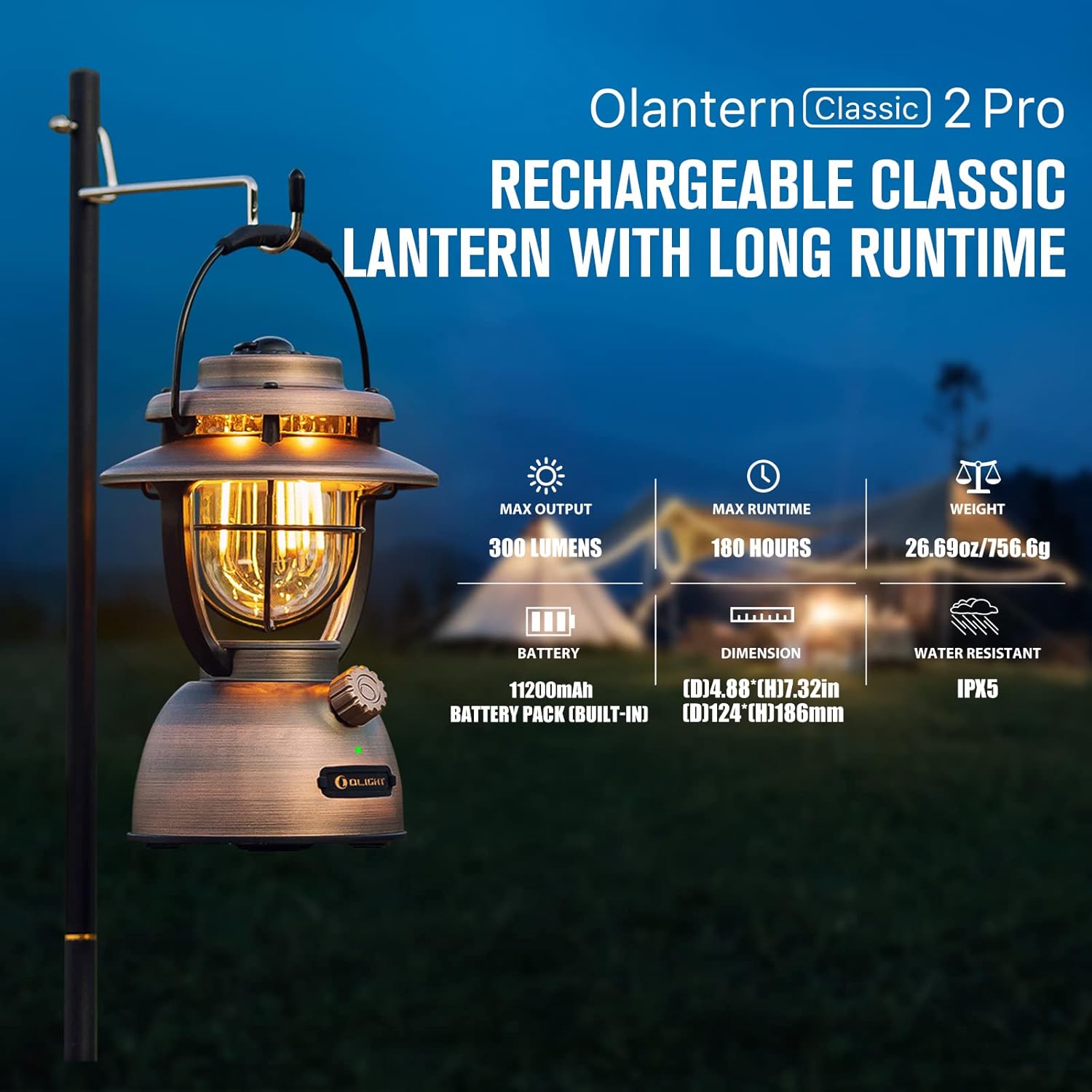
Image: OLIGHT Olantern Classic 2 Pro Camping Lantern displaying its maximum output of 300 lumens, maximum runtime of 180 hours, weight of 26.69 oz (756.6g), 11200mAh built-in battery, dimensions of 4.88 inches (D) by 7.32 inches (H), and IPX5 water resistance rating.
4.2 OLIGHT Sphere C Smart Night Light
The Sphere C is a portable, USB-C rechargeable smart night light with APP control, offering various lighting modes and ambient illumination.

Image: OLIGHT Sphere C Smart Night Light with icons indicating 20+ lighting modes, brightness adjustment, countdown timer, music rhythm, up to 40 hours of continuous use at low brightness, magnetic bottom, and USB-C charging.
5. Setup
5.1 Initial Charging
Before first use, fully charge both devices.
- Olantern Classic 2 Pro: Connect the included USB-C charging cable to the lantern's USB-C port and to a compatible USB power source (e.g., 18W adapter, not included). The lantern also supports magnetic charging with an optional MCC cable. A full charge takes approximately 4 hours with a high-powered adapter.
- Sphere C Smart Night Light: Connect a USB-C charging cable (not included) to the Sphere C's USB-C port and to a USB power source.
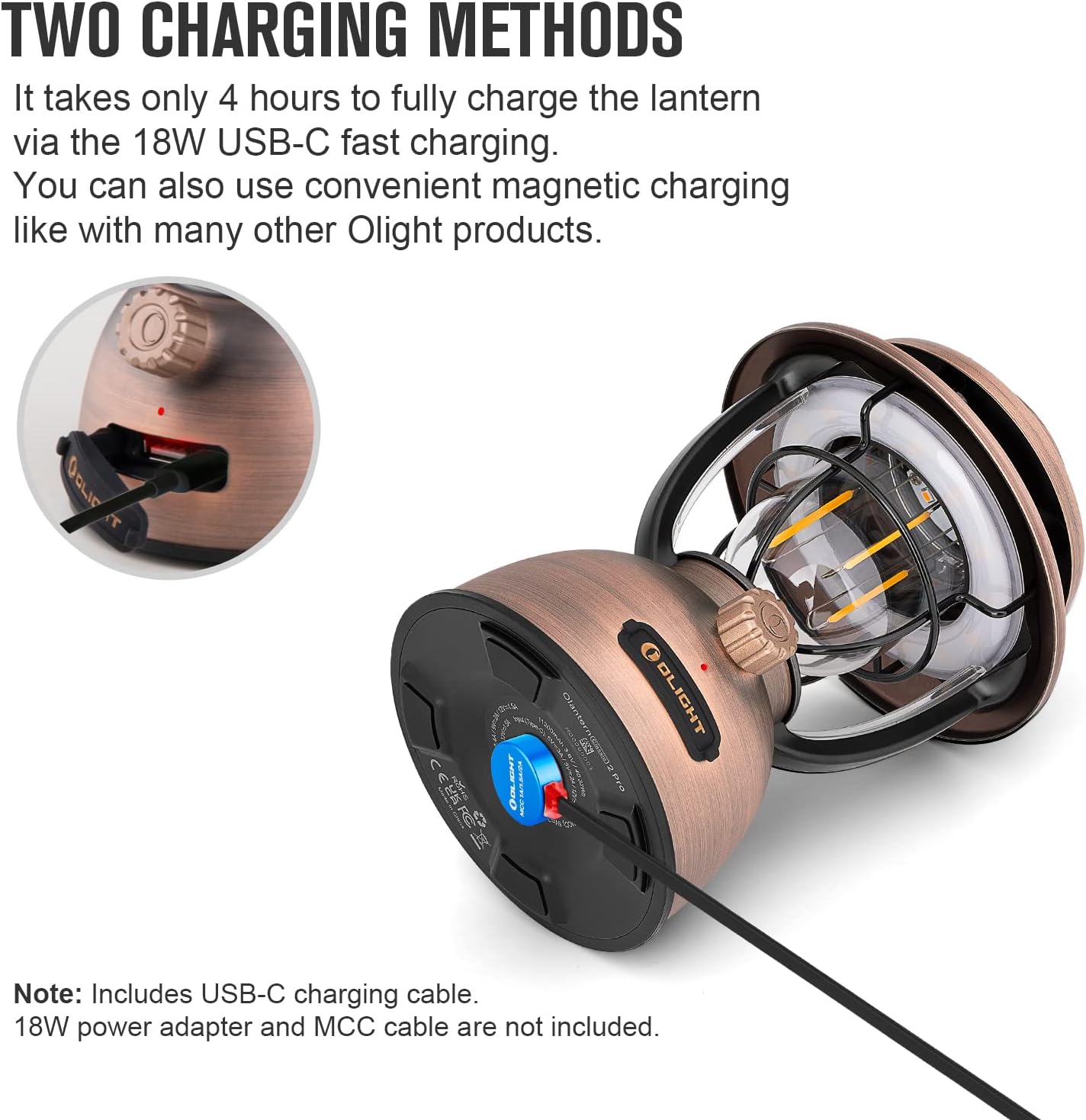
Image: OLIGHT Olantern Classic 2 Pro demonstrating its two charging methods: USB-C port and magnetic charging base.

Image: A hand plugging a USB-C cable into the OLIGHT Sphere C Smart Night Light for charging.
5.2 Sphere C App Pairing
To utilize the smart features of the Sphere C, download the OLIGHT app from your device's app store and follow the in-app instructions to pair your Sphere C.
6. Operating Instructions
6.1 OLIGHT Olantern Classic 2 Pro
- Power On/Off: Press and hold the rotary switch for approximately 1 second.
- Stepless Dimming: Rotate the switch clockwise to increase brightness and counter-clockwise to decrease brightness. The lantern offers 10-300 lumens.
- Switch Light Source: Double-press the rotary switch to toggle between warm orange light and white light.
- Emergency Power Bank: The Olantern Classic 2 Pro can charge other devices via its dual USB ports (one USB-A and one USB-C). Connect your device to the appropriate port. It supports 18W fast reverse charging.
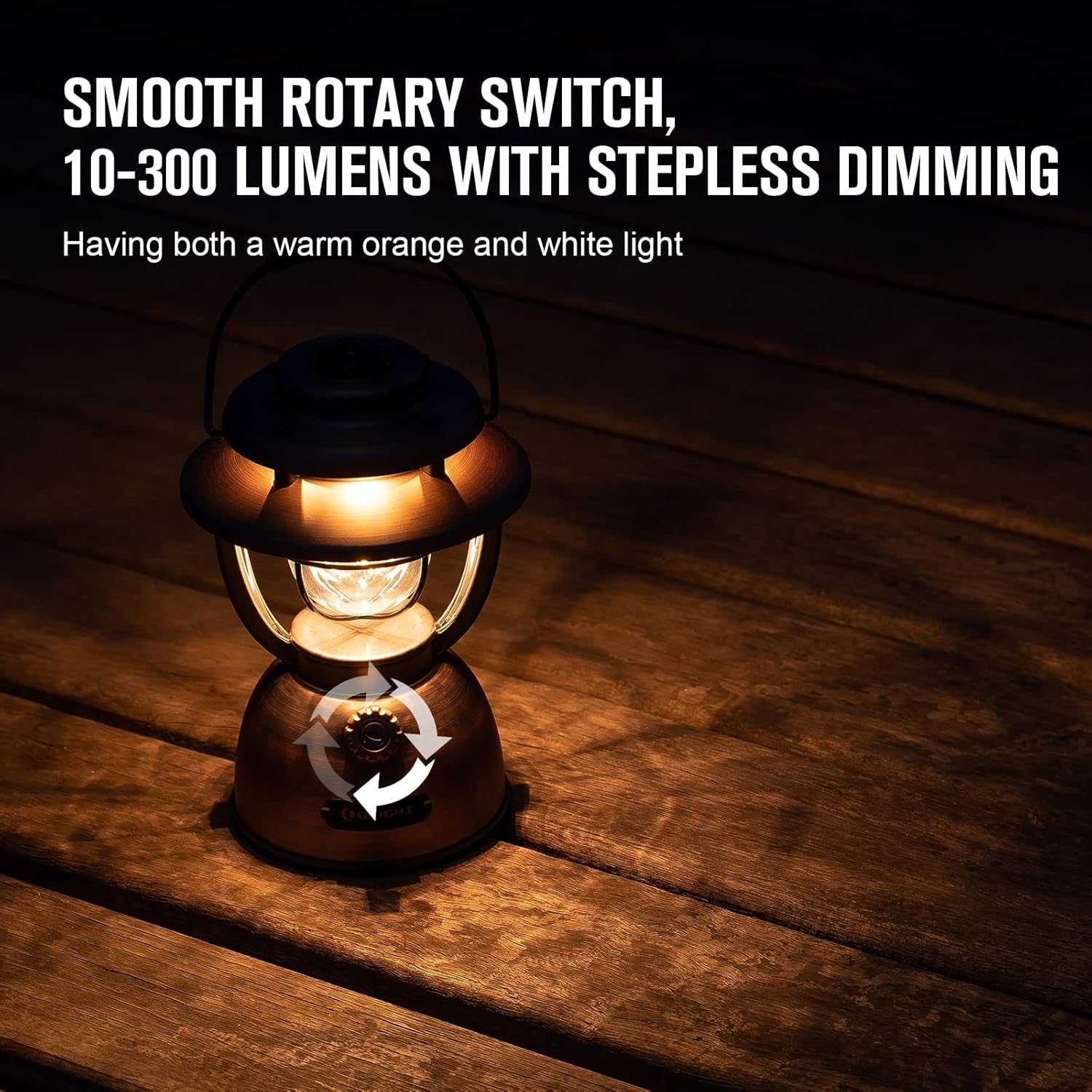
Image: OLIGHT Olantern Classic 2 Pro with arrows indicating the rotary switch for stepless dimming, offering both warm orange and white light.

Image: OLIGHT Olantern Classic 2 Pro acting as an emergency power bank, simultaneously charging a Sphere C night light and a smartphone via its USB-A and USB-C ports.
6.2 OLIGHT Sphere C Smart Night Light
- Manual Control: A button on the Sphere C allows for basic power on/off and cycling through preset modes.
- App Control: Use the OLIGHT app to access advanced features:
- Adjust brightness and choose from 20+ lighting modes.
- Set countdown timers and auto-off timers.
- Engage music rhythm mode for dynamic lighting.
- Utilize group control for multiple Sphere C devices.
- Monitor battery level.
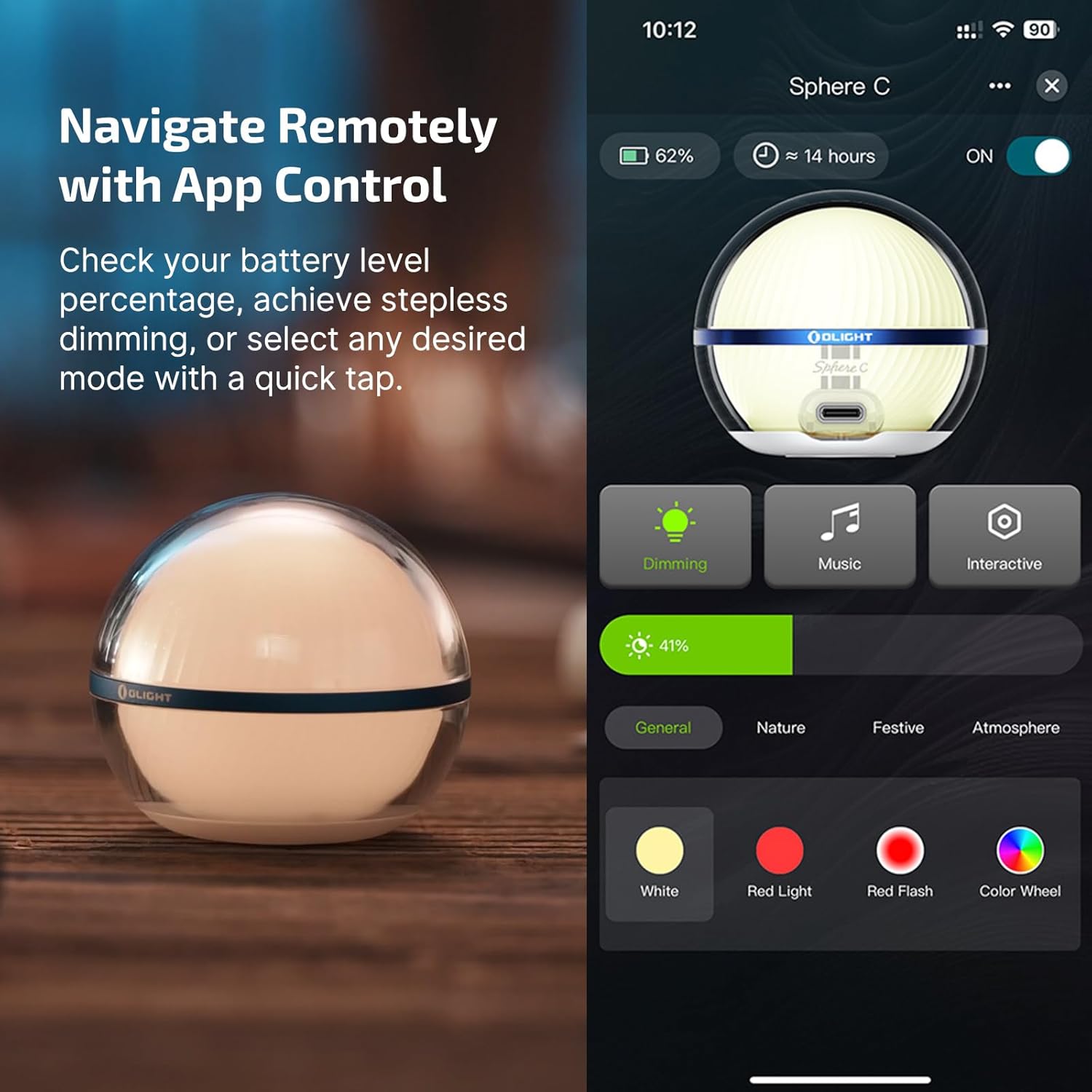
Image: OLIGHT Sphere C Smart Night Light displayed next to a smartphone screen showing the OLIGHT app interface for controlling the light, including dimming, music, interactive modes, and color selection.
7. Maintenance
- Cleaning: Wipe the devices with a soft, damp cloth. Do not use abrasive cleaners or solvents.
- Storage: Store the devices in a cool, dry place when not in use. For long-term storage, charge the batteries to approximately 50% every 3-6 months to maintain battery health.
- Battery Care: Avoid fully discharging the batteries frequently. Recharge promptly when the battery indicator shows low power.
8. Troubleshooting
- Device not turning on: Ensure the battery is charged. If the battery is low, connect to a power source and charge.
- Not charging: Check the charging cable and adapter for damage. Ensure connections are secure. Try a different cable or power source.
- Sphere C App connectivity issues: Ensure Bluetooth is enabled on your smartphone. Restart the Sphere C and the app. Try re-pairing the device through the app settings.
- Light output is dim: The battery might be low, or the brightness setting is too low. Adjust brightness via the rotary switch (Olantern) or app (Sphere C).
9. Specifications
9.1 OLIGHT Olantern Classic 2 Pro
| Feature | Specification |
|---|---|
| Max Output | 300 Lumens |
| Max Runtime | 180 Hours (7.5 days) |
| Weight | 26.69 oz / 756.6 g |
| Battery | 11200mAh (Built-in) |
| Dimensions (D x H) | 4.88 in x 7.32 in (124 mm x 186 mm) |
| Water Resistance | IPX5 |
| Charging Methods | USB-C, Magnetic Charging |
| Reverse Charging | 18W Fast Reverse Charging (USB-A, USB-C) |
9.2 OLIGHT Sphere C Smart Night Light
| Feature | Specification |
|---|---|
| Max Output | 75 Lumens |
| Max Runtime | Up to 40 Hours (at low brightness) |
| Charging | USB-C Rechargeable |
| Control | APP Control, Manual Button |
| Special Features | 20+ Lighting Modes, Brightness Adjustment, Countdown Timer, Music Rhythm, Magnetic Bottom |
10. Warranty
OLIGHT offers a lifetime warranty on its products, ensuring quality and customer satisfaction. For specific terms and conditions, please refer to the official OLIGHT website or contact customer support.

Image: Graphic indicating OLIGHT's Lifetime Warranty and recognition with a Design Award 2024.
11. Support
For further assistance, product information, or warranty claims, please visit the official OLIGHT website or contact their customer support team.
Official Website: www.olightworld.com


