
1. Introduction
Thank you for choosing the MZEIBO KY-Mini 50W Sound Bar. This manual provides detailed instructions for setting up, operating, and maintaining your new sound bar to ensure an optimal audio experience. Please read this manual thoroughly before use and retain it for future reference.

The MZEIBO KY-Mini Sound Bar enhances your home entertainment experience.
2. Product Overview
Key Features:
- Powerful 50W Audio Output: Delivers rich sound with deep bass and clear audio.
- 360° Surround Sound: Experience immersive audio from various angles.
- Compact & Portable Design: Easy to integrate into any setting, ideal for various uses.
- Bluetooth 5.3 Connectivity: Ensures stable and seamless wireless audio streaming.
- Multiple Connection Options: Supports ARC, Optical, AUX, and Bluetooth inputs.
What's in the Box:
- MZEIBO KY-Mini Sound Bar
- Power Cable
- Remote Control
- Quick Start Guide
- ARC/Optical/AUX Cables
- Wall Mount Screws
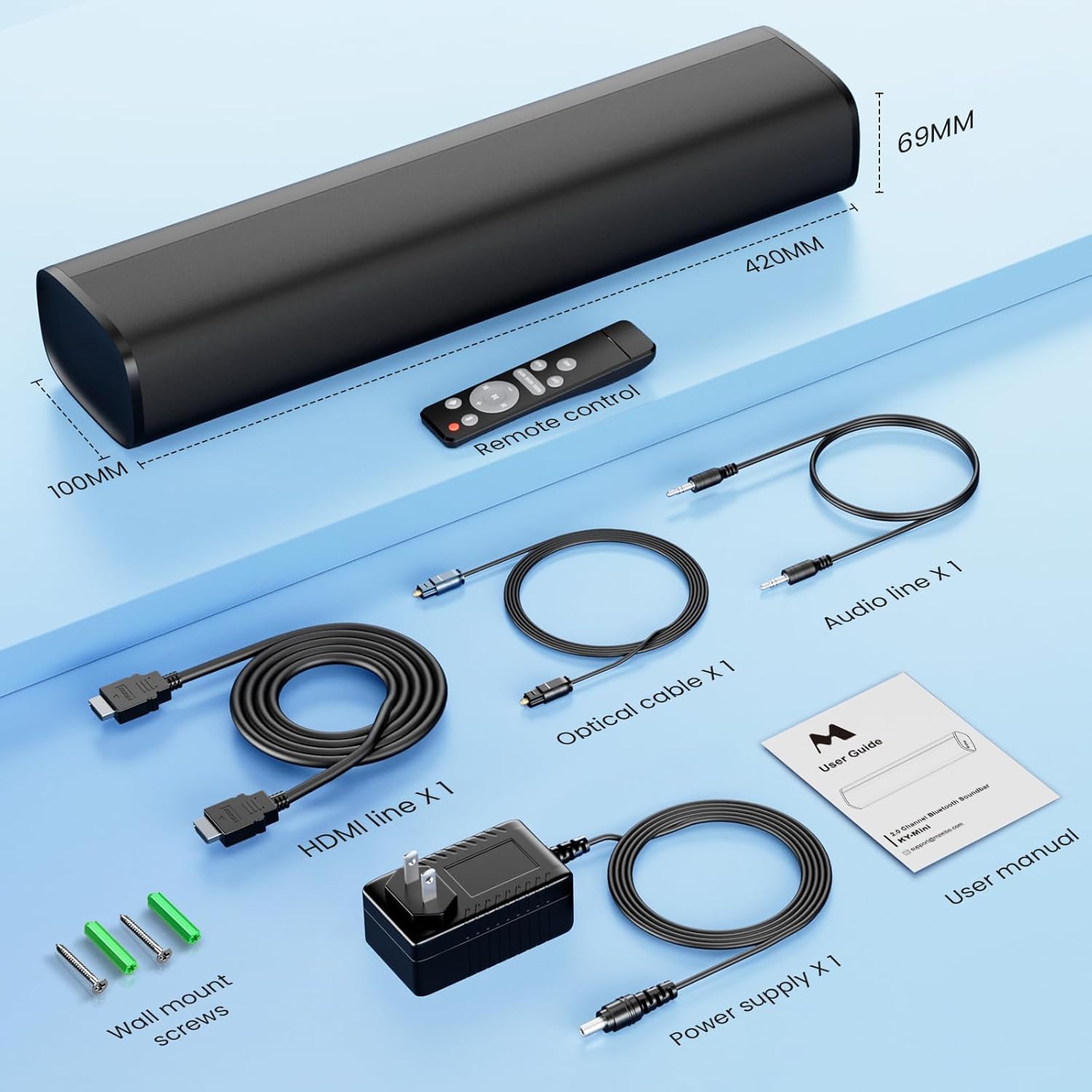
All components included with your MZEIBO KY-Mini Sound Bar.
3. Setup Instructions
Placement:
The MZEIBO KY-Mini Sound Bar can be placed on a tabletop or wall-mounted. Ensure it is positioned centrally in front of your TV or display for the best audio experience.
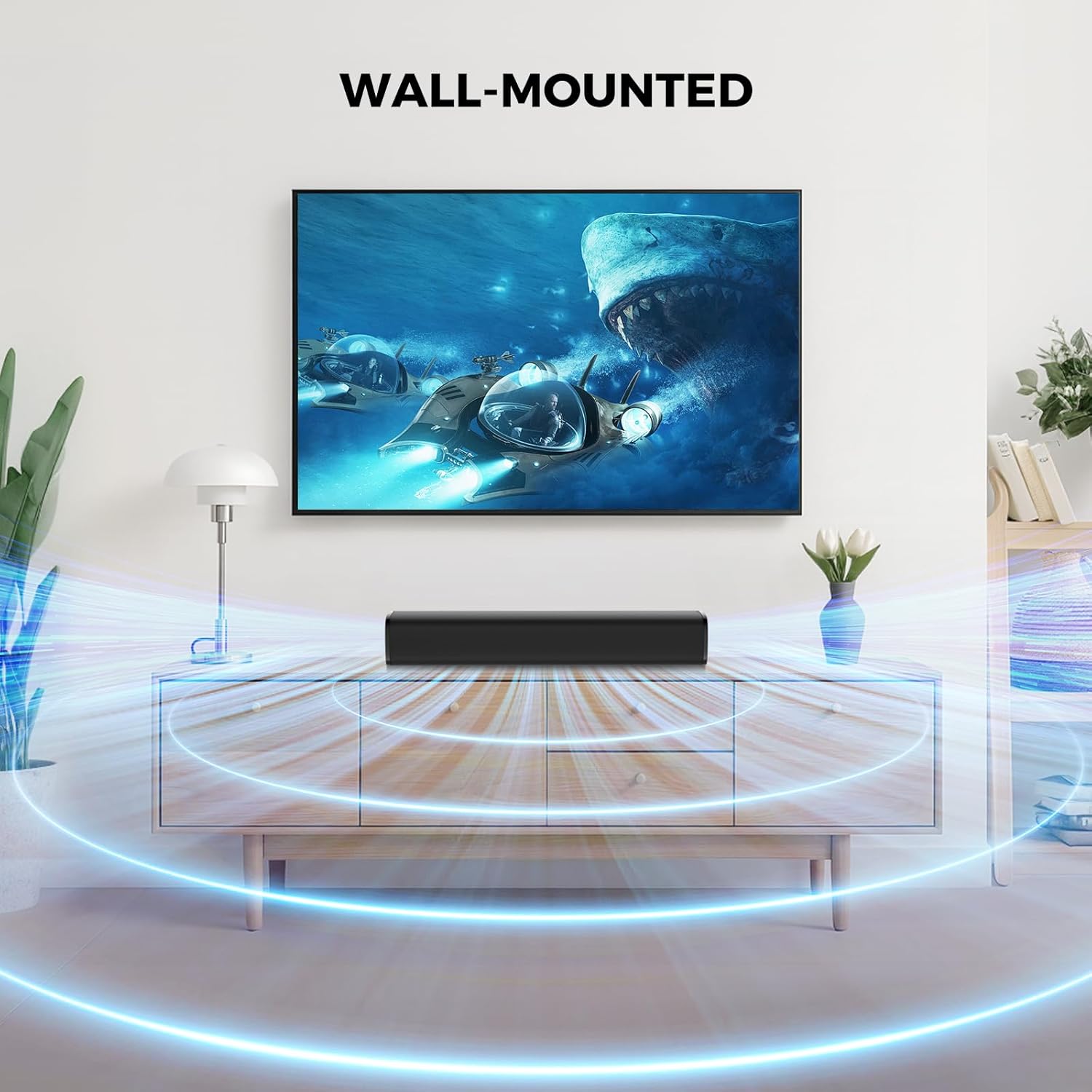
The sound bar can be placed on a surface or wall-mounted.
Connecting to Your Device:
The sound bar offers multiple connection options. Choose the method that best suits your device.
- HDMI ARC Connection:
Connect one end of the HDMI cable to the ARC port on your sound bar and the other end to the HDMI ARC port on your TV. This allows your TV remote to control the sound bar's volume. - Optical Connection:
Connect one end of the optical cable to the OPT port on your sound bar and the other end to the optical output port on your TV or audio source. - AUX Connection:
Connect one end of the 3.5mm AUX cable to the AUX port on your sound bar and the other end to the 3.5mm audio output port on your device. - Bluetooth Connection:
Power on the sound bar. Press the 'Mode' button on the remote or the sound bar until 'BT' appears on the display. On your device, search for 'KY-Mini' in the Bluetooth settings and pair.

Rear panel connections for the MZEIBO KY-Mini Sound Bar.
Powering On:
After connecting the power cable to the sound bar and a power outlet, press the power button on the sound bar or the remote control to turn it on.
4. Operating Instructions
Using the Remote Control:
The included remote control allows you to manage all functions of your sound bar.
- Power Button: Turns the sound bar on or off.
- Volume Up/Down: Adjusts the master volume level.
- Mode Button: Cycles through input sources (Bluetooth, ARC, Optical, AUX).
- EQ Modes: Selects between Music, Movie, and News sound modes.
- Play/Pause/Skip: Controls media playback in Bluetooth mode.
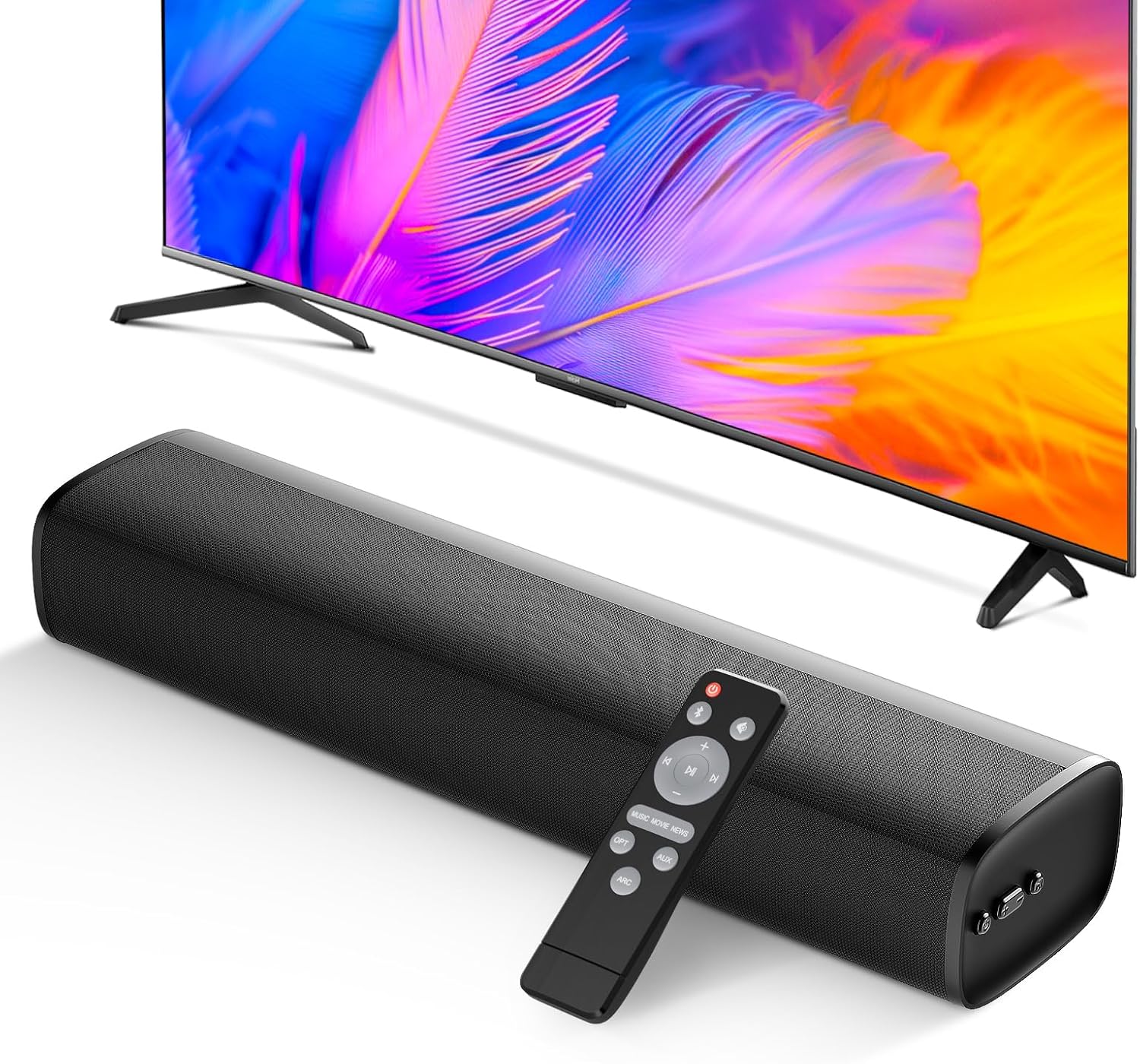
The remote control provides full command over your sound bar's features.
Sound Modes:
Optimize your audio experience with three distinct equalizer (EQ) modes:
- Music Mode: Enhances musical clarity and bass for a vibrant listening experience.
- Movie Mode: Provides dynamic and immersive sound for films, emphasizing dialogue and effects.
- News Mode: Optimizes vocal clarity, making spoken content easier to understand.

Switch between Movie, Music, and News modes for tailored audio.
5. Media Integration
Product Overview Video:
Watch this video for a comprehensive overview of the MZEIBO 50W Sound Bar's features and design.
6. Maintenance
To ensure the longevity and optimal performance of your MZEIBO KY-Mini Sound Bar, follow these maintenance guidelines:
- Cleaning: Use a soft, dry cloth to wipe the surface of the sound bar. Avoid using liquid cleaners or abrasive materials, as they may damage the finish.
- Storage: When not in use for extended periods, store the sound bar in a cool, dry place away from direct sunlight and extreme temperatures.
- Ventilation: Ensure the sound bar has adequate ventilation. Do not block any vents or place it in an enclosed space that could restrict airflow.
7. Troubleshooting
If you encounter any issues with your MZEIBO KY-Mini Sound Bar, please refer to the following table for common problems and solutions:
| Problem | Possible Cause | Solution |
|---|---|---|
| No power | Power cable not connected or power outlet not working. | Check power cable connection. Try a different power outlet. |
| No sound | Incorrect input source selected. Volume too low. Cable connection loose or faulty. | Press the 'Mode' button to select the correct input. Increase volume. Reconnect audio cables securely. Ensure TV audio output is set correctly. |
| Bluetooth pairing failed | Sound bar not in pairing mode. Device too far away. Interference. | Ensure sound bar is in BT mode and flashing. Move device closer. Turn off other Bluetooth devices. |
| Remote control not working | Batteries depleted. Obstruction between remote and sound bar. | Replace batteries. Remove any obstructions. Ensure remote is pointed at the sound bar's sensor. |
8. Specifications
| Feature | Detail |
|---|---|
| Model Name | KY-Mini |
| Speaker Type | Soundbar |
| Speaker Maximum Output Power | 50 Watts |
| Connectivity Technology | ARC, Auxiliary, Bluetooth, Optical |
| Bluetooth Version | 5.3 |
| Audio Output Mode | Stereo |
| Frequency Response | 20 KHz |
| Product Dimensions | 17"D x 3.9"W x 2.7"H |
| Item Weight | 4.09 pounds (1.86 Kilograms) |
| Mounting Type | Tabletop Mount |
| Control Method | Push Button, Remote |
| Compatible Devices | Gaming Console, Home Theater, Laptop, Smartphone, Television |
| Indoor/Outdoor Usage | Indoor, Outdoor |
9. Warranty and Support
The MZEIBO KY-Mini Sound Bar comes with a standard manufacturer's warranty. For specific warranty details, please refer to the warranty card included in your product packaging or contact MZEIBO customer support. If you require further assistance or have questions not covered in this manual, please reach out to MZEIBO customer service through their official website or contact information provided with your purchase.
