
Introduction
Thank you for choosing the PAXA 2-in-1 Ctbuds. This innovative audio solution offers the flexibility of both clip-on open-ear earbuds and traditional in-ear earbuds, designed to adapt to various scenarios from active workouts to focused work environments. Featuring Bluetooth 6.0 for stable connectivity and a unique 360° rotatable charging case, these earbuds provide a versatile and comfortable listening experience. This manual provides essential information on setting up, operating, and maintaining your PAXA Ctbuds to ensure optimal performance and longevity.
What's in the Box
Upon opening your PAXA Ctbuds package, please verify that all the following components are included:
- Clip-on Earbuds (x2)
- In-Ear Earbuds (x2)
- Charging Case (x1)
- User Manual (x1)
- Type-C Charging Cable (x1)

Image: All components included in the PAXA Ctbuds package.
Product Overview
The PAXA Ctbuds feature a unique design that allows you to switch between two distinct earbud types: clip-on open-ear for situational awareness and in-ear for immersive sound and privacy. The accompanying charging case is designed for convenience and includes a 360° rotatable metal ring for stress relief.

Image: Overview of the PAXA Ctbuds, highlighting the two earbud types and the charging case.

Image: The unique 360° rotatable charging case, designed for both charging and stress relief.
Setup
1. Charging the Earbuds and Case
Before first use, it is recommended to fully charge the charging case and earbuds. The first full charge requires 6-8 hours to activate the battery. Subsequent full charges typically take about 2.5 hours.
- Connect the provided Type-C charging cable to the charging port on the case and a compatible USB power source.
- During charging, the red light on the earbud case will flash.
- Once fully charged, the red light will become steady.
- Place the earbuds into the charging case to charge them. The earbuds will indicate their charging status (refer to earbud specific indicators if available, otherwise assume case indicators apply).
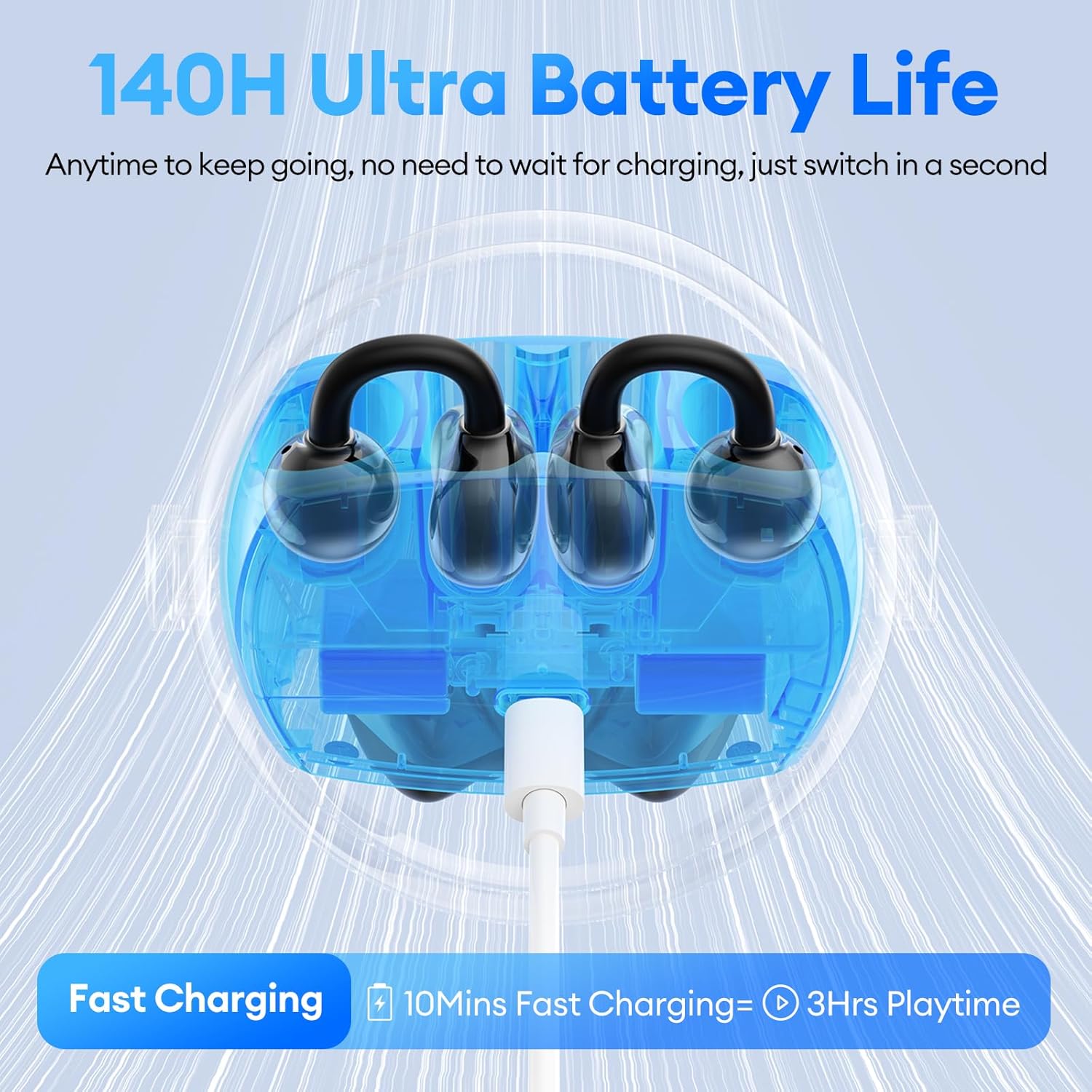
Image: Charging the PAXA Ctbuds case, which provides up to 140 hours of total playtime.
2. Bluetooth Pairing
The PAXA Ctbuds utilize Bluetooth 6.0 for ultra-stable and low-latency connections.
- Ensure the earbuds are charged and placed in the charging case.
- Open the charging case. The earbuds will automatically enter pairing mode (indicated by flashing lights on the earbuds).
- On your device (smartphone, tablet, computer), enable Bluetooth and search for available devices.
- Select "PAXA Ctbuds" from the list of found devices.
- Once connected, the earbud lights will stop flashing, indicating a successful pairing.
- The earbuds will automatically reconnect to the last paired device when taken out of the case, if Bluetooth is enabled on the device.

Image: The advanced Bluetooth 6.0 chip ensures a stable and efficient wireless connection.
Operating Instructions
1. Wearing the Earbuds
The PAXA Ctbuds offer two wearing styles for different needs:
- Clip-on Open-Ear Earbuds: These earbuds clip onto the outer ear, allowing you to hear your surroundings while enjoying audio. Ideal for outdoor activities, sports, or situations where situational awareness is crucial.
- In-Ear Earbuds: These earbuds fit directly into the ear canal, providing a more immersive audio experience and better noise isolation. Suitable for focused work, study, or private listening.

Image: Demonstrating the comfortable and ergonomic fit of the PAXA Ctbuds.
2. Basic Controls
The earbuds feature touch controls for easy management of calls and music playback:
| Action | Control |
|---|---|
| Power On | Press and hold for 3 seconds |
| Answer/End Call | Double click either earbud |
| Reject Call | Press and hold either earbud for 2 seconds |
| Play/Pause | Double click either earbud |
| Previous Song | Triple-click the left (L) earbud |
| Next Song | Triple-click the right (R) earbud |
| Voice Assistant | Hold both earbuds for 2 seconds |
| Factory Reset | Click left (L) or right (R) earbud 5 times |

Image: Detailed touch control guide for PAXA Ctbuds.
Maintenance
1. Cleaning
To maintain optimal sound quality and hygiene, regularly clean your earbuds:
- Gently wipe the earbuds and charging case with a soft, dry, lint-free cloth.
- For in-ear earbuds, remove any earwax buildup from the ear tips using a small brush or cotton swab.
- Avoid using abrasive materials, solvents, or harsh chemicals.
2. Storage
When not in use, always store the earbuds in their charging case to protect them from dust, damage, and to keep them charged.
3. Water Resistance (IPX5)
The PAXA Ctbuds are IPX5 water resistant, meaning they are protected against low-pressure water jets from any direction. This makes them suitable for workouts and light rain. However, they are not designed for submersion in water or exposure to high-pressure water jets.

Image: The IPX5 water resistance rating ensures durability during workouts and in light rain.
Troubleshooting
If you encounter issues with your PAXA Ctbuds, please refer to the following common solutions:
| Problem | Possible Solution |
|---|---|
| Earbuds not pairing/connecting |
|
| No sound or low volume |
|
| Intermittent connection/audio dropouts |
|
| Earbuds not charging |
|
Specifications
| Feature | Detail |
|---|---|
| Model Name | Ctbuds01 |
| Bluetooth Version | 6.0 |
| Connectivity Technology | Wireless |
| Ear Placement | Open Ear (Clip-on) / In-Ear |
| Form Factor | Over Ear (Clip-on) |
| Water Resistance Level | IPX5 |
| Control Type | App Control / Touch Control |
| Material | Metal, Plastic, Silicone |
| Item Weight | 5 Ounces (total package) |
| Product Dimensions | 3.05 x 0.98 x 2.78 inches (case) |
| Manufacturer | PAXA |
Warranty and Support
For warranty information and customer support, please refer to the warranty card included in your product packaging or visit the official PAXA website. You may also contact PAXA customer service directly for assistance with product issues or inquiries.
PAXA Official Store: Visit the PAXA Store on Amazon
