
Introduction
This manual provides detailed instructions for the Qecnato Military Smart Watch S10. Please read this manual carefully before using the device to ensure proper operation and to maximize its features. Keep this manual for future reference.
What's in the Box
Upon unboxing your Qecnato Military Smart Watch S10, please verify that all the following items are included:
- Qecnato Military Smart Watch S10 (Main Unit)
- Magnetic Charging Cable
- User Manual
- Additional Watch Strap (if applicable)

Image: Contents of the Qecnato Military Smart Watch S10 package.
Setup
1. Charging the Smart Watch
Before initial use, fully charge your smartwatch. Connect the magnetic charging cable to the charging contacts on the back of the watch and plug the USB end into a standard USB power adapter (not included) or a computer USB port. The watch display will indicate charging status.
- Charging Duration: Approximately 2 hours for a full charge.
- Battery Life: Up to 7 days of typical use, 30 days standby.

Image: Smartwatch charging via magnetic cable, displaying battery status.
2. App Download and Pairing
To unlock the full functionality of your smartwatch, download and install the companion app on your smartphone.
- Scan QR Code: Locate the QR code in the user manual or on the watch packaging. Scan it with your phone's camera to download the recommended app (e.g., Gloryfit).
- Install App: Follow the on-screen instructions to install the app on your Android (5.0 or above) or iOS (9.0 or above) device.
- Enable Bluetooth: Ensure Bluetooth is enabled on your smartphone.
- Pair Device: Open the app, navigate to the device pairing section, and search for your Qecnato S10 watch. Select the device (e.g., "S10") from the list to pair.
- Confirm Pairing: Accept any pairing requests on both your phone and the watch.

Image: Instructions for downloading and connecting the smartwatch with the companion app.
Operating Instructions
1. Basic Navigation
- Touch Screen: Swipe left/right, up/down to navigate through menus and features. Tap to select.
- Side Buttons: Use the physical buttons on the side for quick access to functions or to return to the home screen.
2. Bluetooth Calls & Notifications
The Qecnato S10 allows you to make and receive calls directly from your wrist when connected to your smartphone via Bluetooth.
- Making Calls: Access the call function on the watch to dial numbers or select contacts synced from your phone.
- Receiving Calls: Answer or reject incoming calls directly from the watch.
- Notifications: Receive alerts for messages, social media, and other app notifications. Ensure notification permissions are granted in the companion app.
- Voice Assistant: Activate your phone's voice assistant through the watch for hands-free commands.

Image: Bluetooth call, notification, and voice assistant features.
3. Health Monitoring
The watch continuously monitors various health metrics to help you track your well-being.
- Heart Rate Monitor: Provides 24/7 heart rate tracking. View real-time data and historical trends in the app.
- Sleep Monitor: Tracks sleep patterns, including deep sleep, light sleep, and wake times.
- Breathing Exercises: Guided breathing exercises to help reduce stress.
- Blood Oxygen (SpO2) Monitor: Measures blood oxygen levels.

Image: Health monitoring features including sleep, heart rate, and breathing.
4. Sports Modes
The Qecnato S10 supports over 110 sports modes to accurately track your activities.
- Activity Tracking: Records distance, steps, calories burned, and heart rate during workouts.
- Mode Selection: Select your desired sport mode (e.g., running, cycling, basketball, snowboarding) from the watch menu before starting an activity.
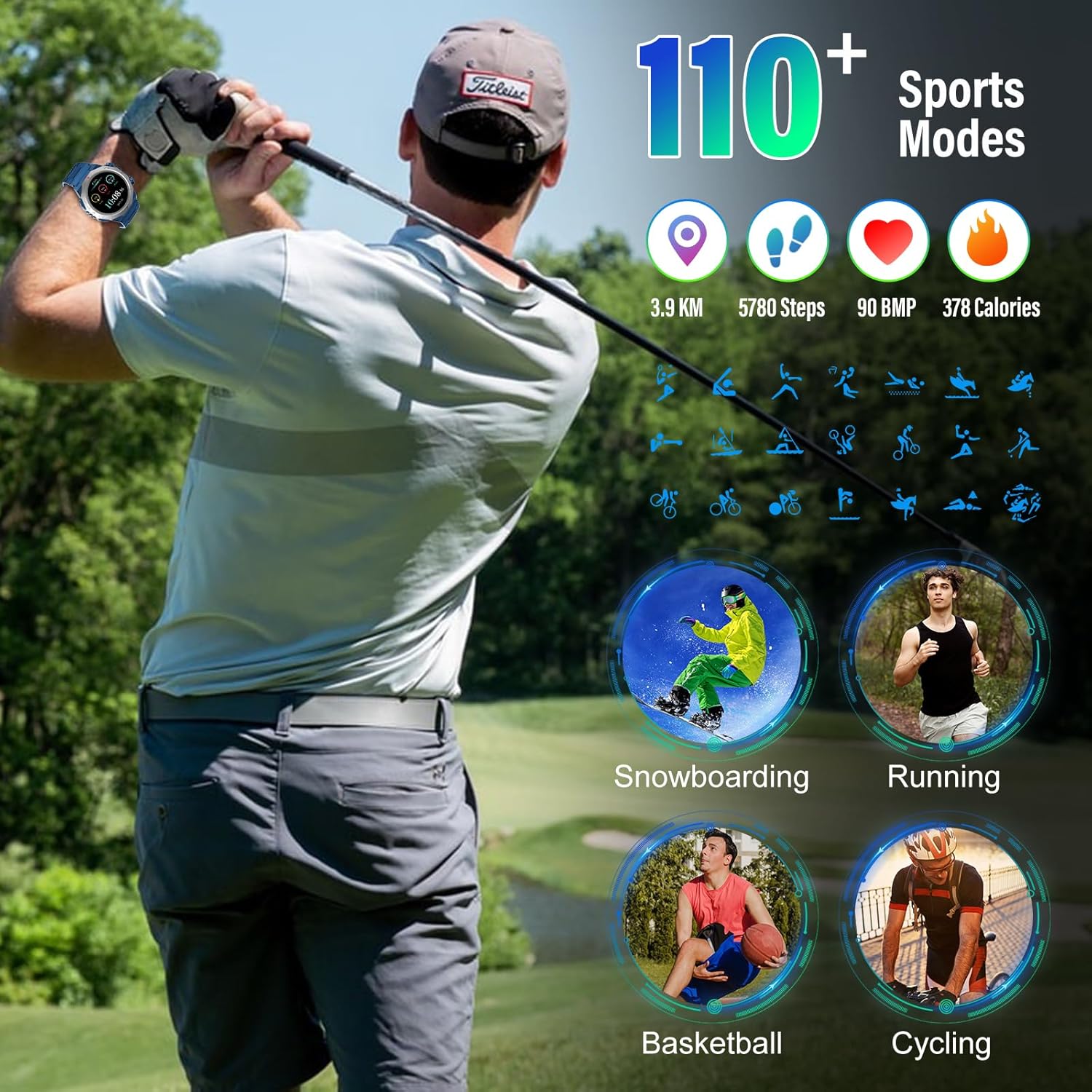
Image: Smartwatch displaying various sports modes and activity tracking metrics.
5. Other Practical Functions
The smartwatch offers a range of additional features for daily convenience:
- Music Control: Control music playback on your smartphone (play, pause, skip tracks).
- Camera Control: Use the watch as a remote shutter for your phone's camera.
- Weather Forecast: Get real-time weather updates.
- Alarm Clock: Set alarms directly from the watch.
- Sedentary Notification: Reminds you to move after periods of inactivity.
- Calculator: Basic calculator function.
- IP68 Waterproof: Suitable for daily use, including hand washing and light rain. Not recommended for hot water or diving.

Image: Overview of additional practical functions available on the smartwatch.
6. Watch Faces
Customize your watch's appearance with a variety of watch faces.
- Selection: Choose from over 300 dial wallpapers available through the companion app.
- Customization: Some watch faces allow for customization of displayed information.

Image: Smartwatch display and various watch face options.
Maintenance
- Cleaning: Regularly wipe the watch and strap with a soft, dry cloth. For stubborn dirt, use a slightly damp cloth and mild soap, then dry thoroughly.
- Water Resistance: The watch is IP68 waterproof. This means it is resistant to dust and can withstand immersion in water up to 1.5 meters for 30 minutes. Avoid hot water, steam, or prolonged submersion. Do not operate buttons underwater.
- Battery Care: Avoid fully discharging the battery frequently. Charge the watch regularly, even if not in constant use, to maintain battery health. Store in a cool, dry place.
- Avoid Extreme Temperatures: Do not expose the watch to extreme heat or cold, as this can damage the battery and internal components.
Troubleshooting
- Watch Not Turning On: Ensure the watch is fully charged. Connect it to the charger for at least 30 minutes.
- Cannot Pair with Phone:
- Ensure Bluetooth is enabled on your phone and the watch.
- Make sure the watch is within range of your phone.
- Restart both your phone and the watch.
- Clear the Bluetooth cache on your phone or forget the device, then try pairing again.
- Inaccurate Health Data: Ensure the watch is worn snugly on your wrist, not too tight or too loose. Clean the sensor on the back of the watch.
- Notifications Not Appearing:
- Check app notification permissions on your phone.
- Ensure the companion app is running in the background.
- Verify that the watch is connected via Bluetooth.
- Short Battery Life: Reduce screen brightness, disable unnecessary features, and ensure the watch is fully charged.
Specifications
| Feature | Specification |
|---|---|
| Model Number | S10 |
| Screen Size | 1.39 Inches |
| Display Type | TFT-LCD, 320x386 PPI |
| Connectivity | Bluetooth |
| Operating System | watchOS 2 (as per product data, may vary) |
| Battery Capacity | 300 mAh (estimated from battery life claims) |
| Charging Time | Approx. 2 hours |
| Battery Life (Typical Use) | Up to 7 days |
| Standby Time | Up to 30 days |
| Water Resistance | IP68 |
| Item Weight | 3.84 ounces (0.11 Kilograms) |
| Compatible OS | Android 5.0 or above, iOS 9.0 or above |
Warranty and Support
Your Qecnato Military Smart Watch S10 comes with a standard manufacturer's warranty. Please refer to the warranty card included in your package for specific terms and conditions.
For technical support, troubleshooting assistance, or warranty claims, please contact Qecnato customer service through the contact information provided on the product packaging or the official Qecnato website. When contacting support, please have your product model (S10) and purchase details ready.
