Product Overview
The Rolanstar Queen Size Bed Frame is designed for comfort and convenience, featuring a storage headboard with integrated charging capabilities and customizable LED lighting. Constructed with heavy-duty wood slats, this upholstered bed frame offers robust support without the need for a box spring, ensuring a noise-free and stable sleeping environment. Its modern design and practical features make it a versatile addition to any bedroom.
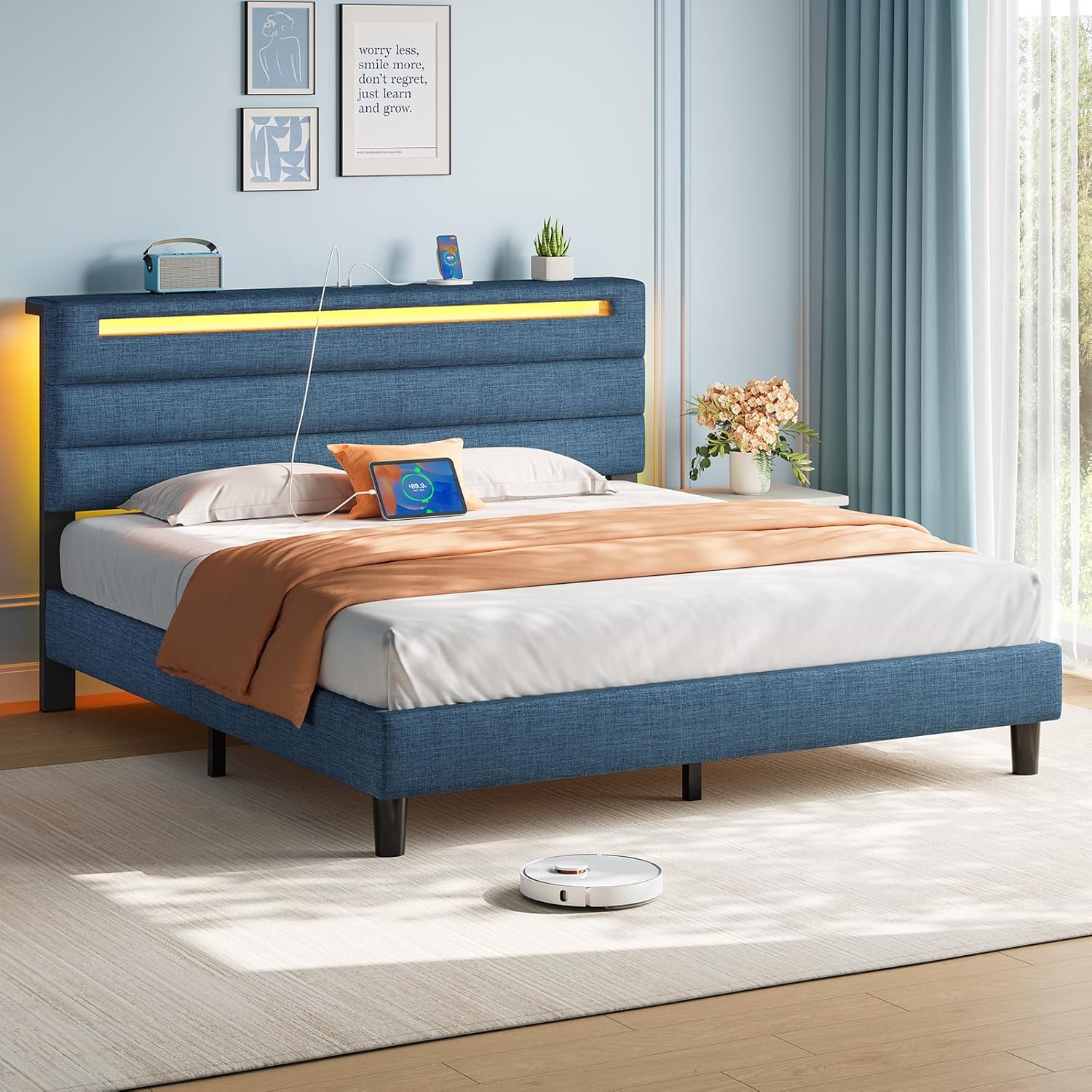
Image: Rolanstar Queen Size Bed Frame in blue, showcasing the storage headboard with LED lighting and charging station, with a robot vacuum cleaner visible underneath.
Safety Instructions
- Always follow assembly instructions carefully to ensure structural integrity.
- Do not exceed the maximum weight capacity of 1000 lbs (453 kg) for the bed frame.
- Ensure all electrical connections for the charging station and LED lights are secure and not pinched.
- Keep liquids away from the charging station and electrical components.
- Periodically check all bolts and screws to ensure they remain tightened.
- Keep small children and pets away from small parts during assembly.
Components and Parts
Before beginning assembly, verify that all components and hardware are present. Refer to the detailed parts list provided in your assembly guide. Key components include:
- Upholstered Headboard with integrated storage shelf
- Bed Frame Side Rails and Footboard
- Heavy-Duty Wood Slats with Velcro-secured design
- Charging Station (1 Type-C port, 2 USB ports)
- RGB LED Light Strip
- Support Legs and Hardware Pack

Image: Detailed diagram illustrating the dimensions of the Queen size bed frame, including the headboard height, under-bed clearance, and the integrated charging station module.
Setup and Assembly
The Rolanstar bed frame is designed for easy assembly. All necessary tools and clearly labeled parts are included. For detailed, step-by-step instructions, please refer to the separate assembly manual provided in the packaging. A general overview of the assembly process includes:
- Unpack all components and lay them out on a clean, soft surface to prevent scratches.
- Assemble the headboard, ensuring the charging station and LED light strip are correctly installed.
- Connect the side rails to the headboard and footboard.
- Install the central support beam and support legs.
- Lay out and secure the wood slats onto the frame. The slats are designed with Velcro for easy and secure placement.
- Ensure all bolts are tightened securely before placing your mattress on the frame.

Image: Close-up view of the bed frame's robust metal support structure and the innovative Velcro-secured wood slats, designed for stability and noise reduction.
Operating Instructions
Charging Station
The integrated power strip in the headboard provides convenient charging for your electronic devices. It includes:
- 1 x Type-C Port (5V/3A)
- 2 x USB Ports (5V/2.4A)
Simply plug your device's charging cable into the appropriate port. Ensure the bed frame's power cord is connected to a functional wall outlet.
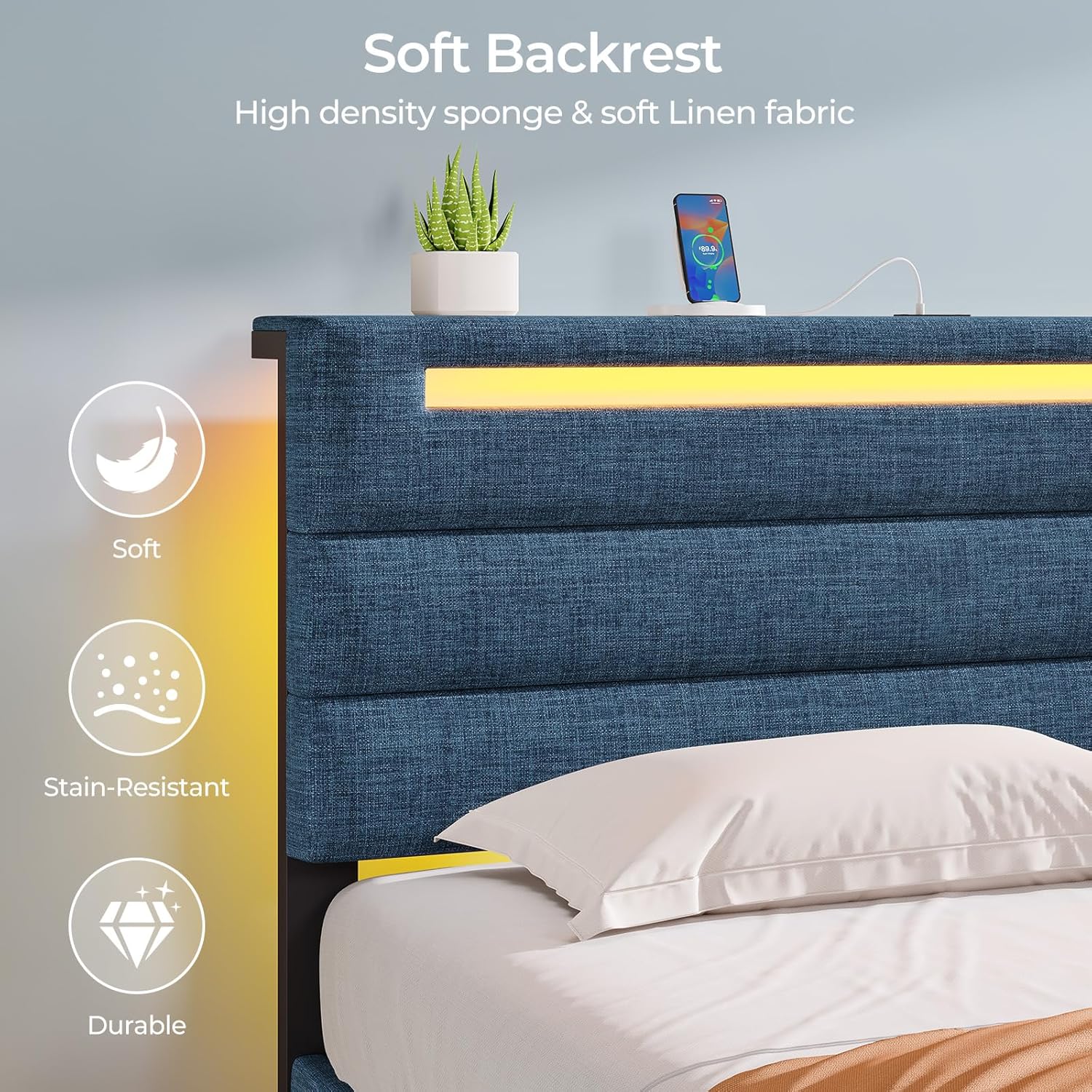
Image: Detailed view of the charging station module embedded in the headboard, showing the Type-C and dual USB ports for convenient device charging.
RGB LED Lights
The RGB LED light strip enhances your bedroom ambiance with various colors and modes. Control options include:
- Remote Control: Use the included remote to power on/off, change colors, adjust brightness, and select lighting modes.
- Smartphone App: Download the designated smartphone application (refer to the LED light manual for app name and QR code) to access advanced controls, including a wider range of colors, music sync mode, mic mode, and timing functions.

Image: The bed frame illuminated by its RGB LED lights, with icons depicting various control features such as remote control, over 60,000 colors, mic mode, music mode, timing mode, and app control.
Maintenance
- Upholstery Care: For general cleaning, gently vacuum the linen fabric to remove dust. For spills, blot immediately with a clean, damp cloth. Avoid harsh chemicals.
- Frame Stability: Periodically (e.g., every 3-6 months) check all assembly bolts and screws to ensure they are tight. Re-tighten if necessary to maintain stability and prevent noise.
- Electrical Components: Keep the charging station and LED light strip free of dust. Do not attempt to disassemble or repair electrical components yourself.
- Under-Bed Space: The 6.7-inch elevated space allows for easy cleaning underneath the bed, including robot vacuum access.
Troubleshooting
| Problem | Possible Cause | Solution |
|---|---|---|
| Bed frame is noisy/squeaks. | Loose bolts or connections; uneven floor. | Re-tighten all assembly bolts. Ensure the bed is on a level surface. |
| LED lights not working. | Power cord unplugged; remote battery dead; LED strip connection loose. | Check if the bed frame's power cord is plugged in. Replace remote batteries. Ensure LED strip is securely connected to its power source. |
| Charging station not providing power. | Bed frame power cord unplugged; device cable faulty; device not compatible. | Verify the bed frame's main power cord is connected. Try a different charging cable or device to rule out cable/device issues. |
| Slats shifting or falling out. | Slats not properly secured; excessive movement. | Ensure all Velcro strips on the slats are aligned and firmly pressed onto the frame. Avoid jumping on the bed. |
Specifications
| Feature | Detail |
|---|---|
| Brand | Rolanstar |
| Model Number | hq-chj036-12 |
| Size | Queen |
| Product Dimensions (L x W x H) | 83.4" x 60.2" x 41.1" |
| Color | Blue |
| Special Features | Lighted, No Box Spring Needed, USB Port, Storage Headboard |
| Material | Upholstered (Linen Fabric), Wood Slats, Metal Frame |
| Weight Capacity | 1000 lbs (approx.) |
| Item Weight | 59.5 pounds |
| Assembly Required | Yes |
| UPC | 840504700781 |
Warranty and Support
For information regarding product warranty, please refer to the warranty card included with your purchase or contact Rolanstar customer support directly. Warranty terms and conditions may vary.
If you encounter any issues or have questions not covered in this manual, please reach out to Rolanstar customer service for assistance. Contact details can typically be found on the product packaging or the official Rolanstar website.


