
Introduction
Welcome to your new HITRENDS Pink Tower Power Strip. This device is designed to provide convenient power distribution and surge protection for your electronic devices. Please read this manual carefully before use to ensure safe and optimal operation and to understand its features and functions.
Product Features
- 12 AC Outlets + 5 Smart USB Ports: Power multiple devices simultaneously. USB ports provide 5V/2.4A output per port.
- Space-Saving Tower Design: Vertical build with 360° outlet spacing prevents blocked outlets and fits efficiently in tight spaces.
- Advanced Safety Protections: Features 1050 Joules surge protection, overload protection, short-circuit protection, over-current protection, and fire-resistant casing.
- Integrated Power Switches: Two independent ON/OFF switches control different sections of AC outlets for energy saving and safety.
- Heavy-Duty Extension Cord: Equipped with a 16AWG, 10-foot (3-meter) extension cord designed to resist overheating.
- Wall-Mountable Base: Allows for secure, clutter-free installation.
- US Voltage Standards: Compatible with 110-125V, 13A, 1625W MAX electrical systems.

Figure 1: Overview of the HITRENDS Pink Tower Power Strip, highlighting its 12 AC outlets, 5 USB ports, two ON/OFF switches, and overall dimensions. The 10-foot power cord is also shown.
Important Safety Instructions
To reduce the risk of electric shock, fire, or injury, always follow these basic safety precautions:
- Do not exceed the maximum power rating of 1625W or 13A. Overloading the power strip can cause overheating and fire.
- This device is for indoor use only. Do not expose to moisture or use in wet environments.
- Do not disassemble or modify the power strip. Refer all servicing to qualified personnel.
- Keep children away from the power strip and connected devices.
- Ensure the power cord is fully extended and not coiled or covered when in use to prevent heat buildup.
- Do not plug one power strip into another.
- The red button on the bottom is an overload reset button, not an LED indicator. If the power strip stops working, press this button to reset after reducing the load.

Figure 2: Illustration of the multi-protection features including 1050J surge protection, overload protection, short-circuit protection, over-current protection, and over-heating protection. The bottom of the power strip with the reset button and model information is also visible.
Setup Guide
- Unpack: Carefully remove the power strip from its packaging.
- Placement: Choose a dry, indoor location for the power strip. Its compact tower design is ideal for desks, nightstands, or entertainment centers. Ensure adequate ventilation around the unit.
- Wall Mounting (Optional): The power strip features a wall-mountable base. Use appropriate screws (not included) to secure the base to a wall or desk underside, then attach the power strip.
- Connect to Power Source: Plug the power strip's 10-foot extension cord into a standard 3-prong 110-125V AC wall outlet.
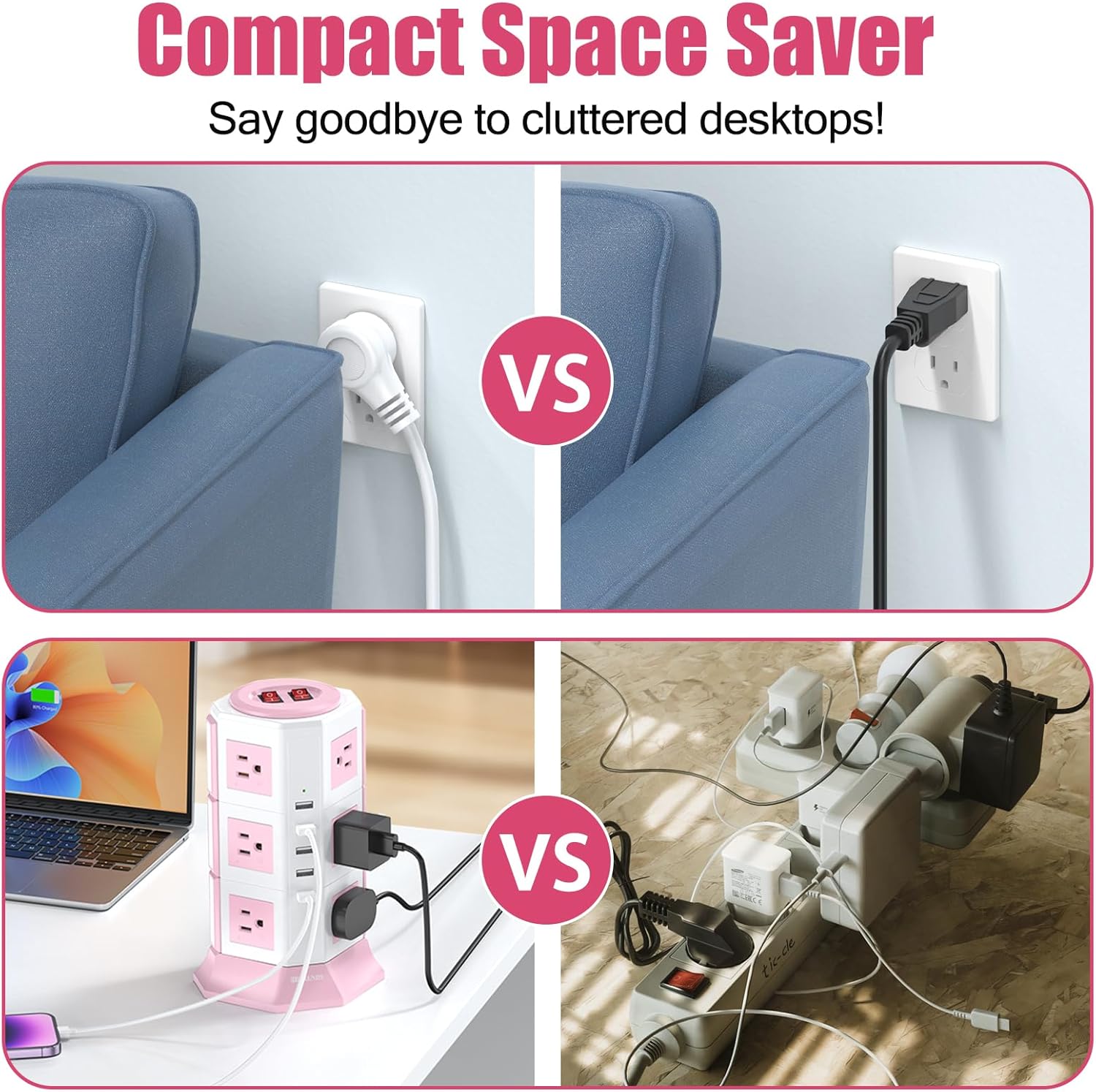
Figure 3: Visual comparison demonstrating how the tower power strip saves space compared to standard wall outlets and cluttered traditional power strips, making it suitable for various environments like offices and homes.
Operating Instructions
- Power On/Off: The power strip has two independent ON/OFF switches located on the top. Each switch controls a specific set of AC outlets. Press a switch to the 'ON' position to supply power to its corresponding outlets. The switch will illuminate when active.
- Connecting AC Devices: Plug your electronic devices into any of the 12 AC outlets. The wide spacing accommodates larger power adapters without blocking adjacent outlets.
- Connecting USB Devices: Plug your USB-powered devices (e.g., smartphones, tablets) into any of the 5 USB ports. The smart USB ports will automatically detect and deliver the optimal charging current up to 2.4A per port.
- Indicator Lights: Small green indicator lights near the USB ports confirm active USB power.

Figure 4: The power strip actively in use on a desk, demonstrating multiple devices such as a laptop, tablet, and phone charging simultaneously via AC outlets and USB ports.

Figure 5: Detailed views of key components: the overload protection reset button on the bottom, the indicator light for USB ports, the two main power switches, and the anti-slip pads on the base for stability.
Maintenance
- Cleaning: Disconnect the power strip from the wall outlet before cleaning. Use a soft, dry cloth to wipe the exterior. Do not use liquid cleaners or abrasive materials.
- Storage: When not in use for extended periods, store the power strip in a cool, dry place away from direct sunlight and moisture.
- Inspection: Periodically inspect the power cord and the power strip for any signs of damage, such as frayed wires or cracked casing. If damage is found, discontinue use and contact customer support.
Troubleshooting
- No Power to Outlets/USB Ports:
- Ensure the power strip is securely plugged into a working wall outlet.
- Check if the ON/OFF switches on the top of the power strip are pressed to the 'ON' position and illuminated.
- The power strip may have experienced an overload. Locate the red reset button on the bottom of the unit. Unplug some devices to reduce the load, then press the reset button firmly to restore power.
- Verify that the wall outlet itself is functioning by plugging in another device.
- Slow USB Charging:
- Ensure your USB cable is not damaged and is suitable for your device.
- Some devices may require higher charging currents than the 2.4A maximum per USB port.
- Surge Protection Indicator (if applicable): This model does not have a dedicated surge protection indicator light. If a major surge occurs, the internal protection may be compromised, and the unit may cease to function. In such a case, replace the power strip.
Technical Specifications
| Specification | Value |
|---|---|
| Model Number | TP-VA5U12S |
| AC Outlets | 12 |
| USB Ports | 5 |
| USB Output | 5V / 2.4A (per port, total 4.2A) |
| Voltage Rating | 110-125V~ |
| Maximum Current | 13 Amps |
| Maximum Power | 1625W |
| Surge Protection Rating | 1050 Joules |
| Cord Length | 10 ft (3 meters) |
| Cord Gauge | 16AWG |
| Plug Type | Type B - 3 pin (North American) |
| Enclosure Material | Acrylonitrile Butadiene Styrene, Rubber (Fire-resistant) |
| Special Features | Light Indicator, On And Off Switch, Surge Protection, Wide Spaced Outlet |

Figure 6: Technical parameters of the HITRENDS Pink Tower Power Strip, including material, current, voltage, power, frequency, USB output, product size, and safety protection details.
Warranty and Customer Support
This HITRENDS power strip is backed by a 1-Year Manufacturer Warranty from the date of purchase. This warranty covers defects in materials and workmanship under normal use.
For warranty claims, technical assistance, or any questions regarding your product, please contact HITRENDS customer support. Refer to the product packaging or the official HITRENDS website for the most current contact information.
Please have your model number (TP-VA5U12S) and purchase information ready when contacting support.


