
Introduction
This manual provides instructions for the setup, operation, and maintenance of your Accutime Super Mario Bros. Mario and Luigi LED Digital Wrist Watch. Please read this manual thoroughly before using your watch to ensure proper function and longevity.
Product Overview
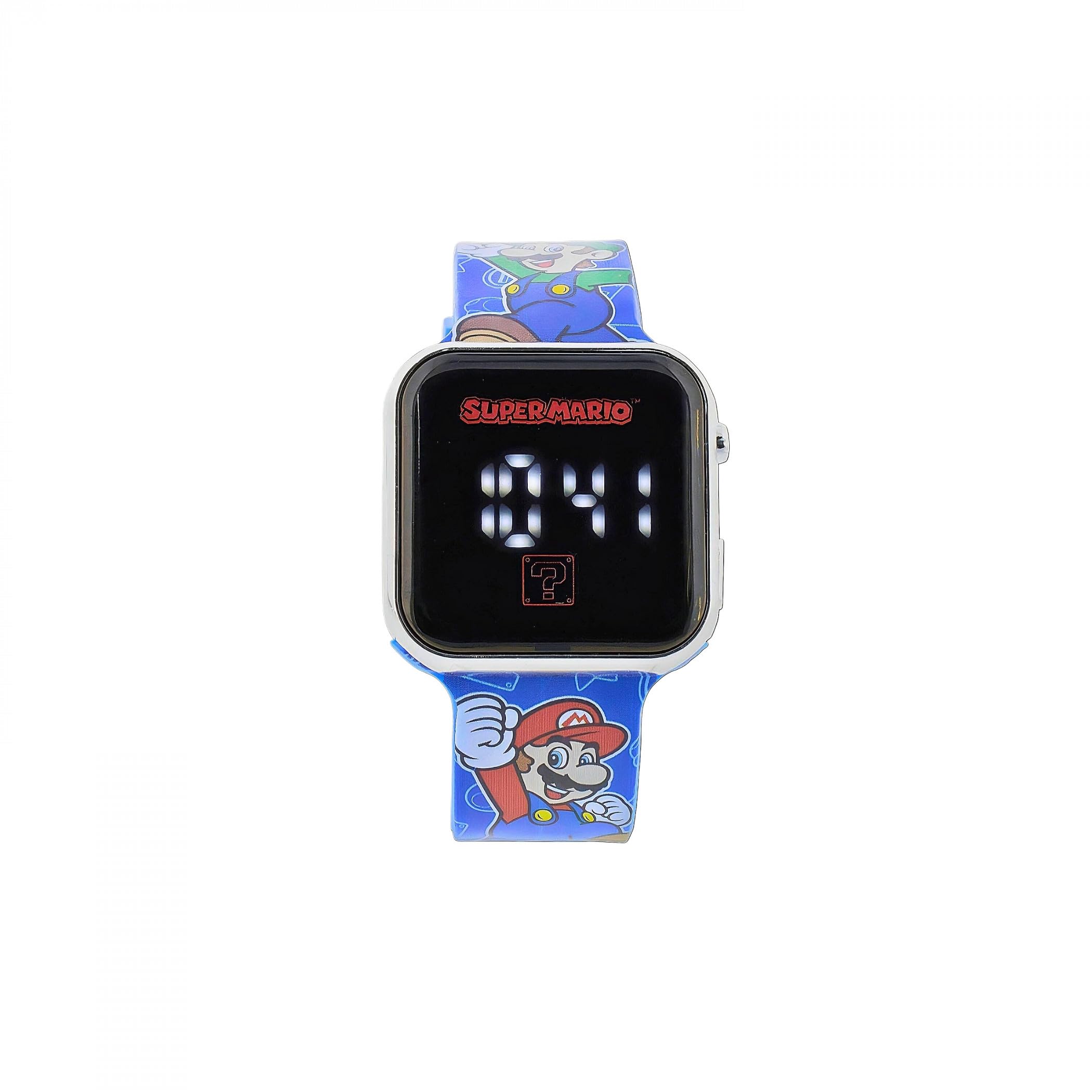
Image of the Accutime Super Mario Bros. Mario and Luigi LED Digital Wrist Watch. The watch features a blue plastic strap with pixel art of Mario and Luigi, and a digital display showing the time.
The Accutime Super Mario Bros. Mario and Luigi LED Digital Wrist Watch is designed for ease of use, featuring a clear LED display and a durable plastic construction. It displays time digitally and is suitable for everyday wear.
Setup
1. Initial Activation
Your watch may come with a plastic tab in the crown or button to preserve battery life. Remove this tab if present. Press any button to activate the display.
2. Setting the Time
- Locate the button(s) on the side of the watch. Typically, there is one main button for display and setting.
- Press the button once to display the time.
- Press and hold the button for approximately 3-5 seconds until the hour digit begins to flash.
- While the hour digit is flashing, press the button repeatedly to advance the hour. Ensure you set the correct AM/PM if applicable (some LED watches cycle through 12-hour format).
- Once the hour is set, press and hold the button again for 3-5 seconds until the minute digits begin to flash.
- Press the button repeatedly to advance the minutes.
- After setting the minutes, press and hold the button one last time to confirm and exit the setting mode. The display will stop flashing.
Note: Some models may have additional buttons or a different setting sequence. Refer to specific packaging inserts if available.
Operating the Watch
Displaying Time
To view the time, simply press the main button on the side of the watch. The LED display will illuminate for a few seconds, showing the current time, then turn off to conserve battery life.
Maintenance
Cleaning
- Wipe the watch case and strap with a soft, damp cloth.
- Avoid using harsh chemicals or abrasive cleaners, as these can damage the watch's finish or display.
- Ensure the watch is dry before wearing it again.
Water Resistance
This watch is generally designed for everyday wear and can withstand splashes or brief exposure to water (e.g., hand washing). It is not suitable for swimming, showering, or submersion in water. Avoid pressing buttons while the watch is wet.
Battery Replacement
When the display becomes dim or stops working, the battery may need replacement. This watch uses a standard watch battery (e.g., CR2016 or similar). Battery replacement should ideally be performed by a qualified watch technician to ensure proper sealing and function. If replacing yourself, carefully open the back cover, note the battery type and orientation, replace with a new battery, and securely close the cover.
Troubleshooting
- Display is blank or dim:
This usually indicates a low or depleted battery. Replace the battery as described in the Maintenance section.
- Time is incorrect:
The time may need to be reset. Follow the "Setting the Time" instructions in the Setup section. Ensure buttons are not accidentally pressed, which can alter settings.
- Buttons are unresponsive:
Check if the watch is wet. If not, a low battery can sometimes affect button responsiveness. If the issue persists after battery replacement, contact customer support.
Specifications
| Model Number | GSM4259 |
| Brand | Accutime |
| Display Type | Digital (LED) |
| Movement Type | Quartz |
| Band Material | Plastic |
| Case Material | Plastic |
| Clasp Type | Buckle |
| Water Resistance | Splash resistant (not for swimming or showering) |
Warranty Information
Accutime products are manufactured to high-quality standards. This watch is covered by a limited manufacturer's warranty against defects in materials and workmanship. The warranty period typically begins from the date of purchase. Please retain your proof of purchase for warranty claims. The warranty does not cover normal wear and tear, accidental damage, or damage caused by improper use or unauthorized repairs.
For specific warranty terms and conditions, please refer to any documentation included with your purchase or visit the official Accutime website.
Support
If you encounter any issues not covered in this manual or require further assistance, please contact Accutime customer support. Contact information can typically be found on the product packaging, the Accutime website, or through your retailer.
When contacting support, please have your watch model number (GSM4259) and proof of purchase readily available.