
1. Introduction
This manual provides instructions for the installation, operation, and maintenance of your INZIDOL 100FT Permanent Outdoor Lights. These smart RGB lights are designed for outdoor use, offering customizable lighting solutions for various occasions and daily illumination.
Key Features:
- Smart Lighting Modes: Sync with ambient sounds, dynamically shifting colors and rhythms.
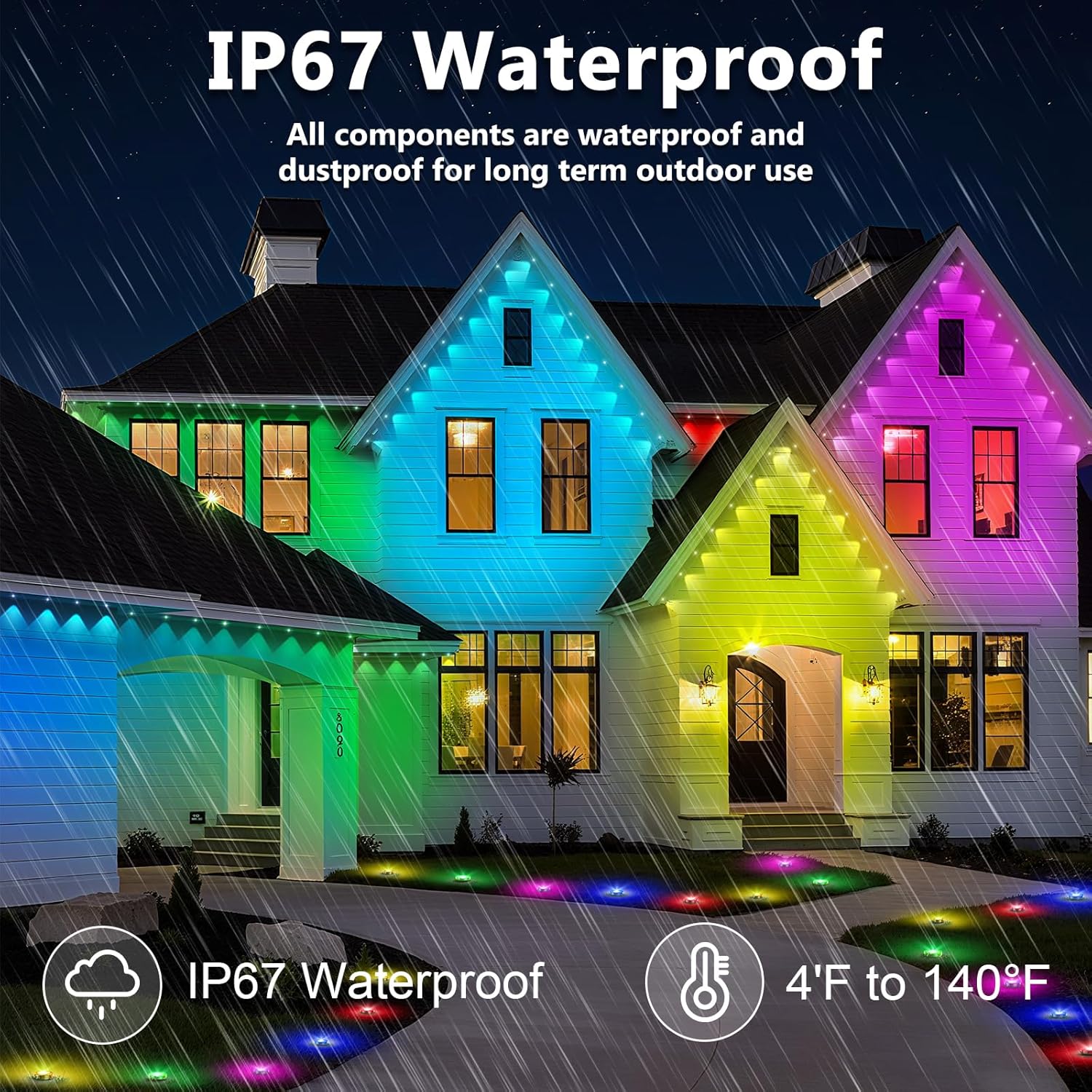
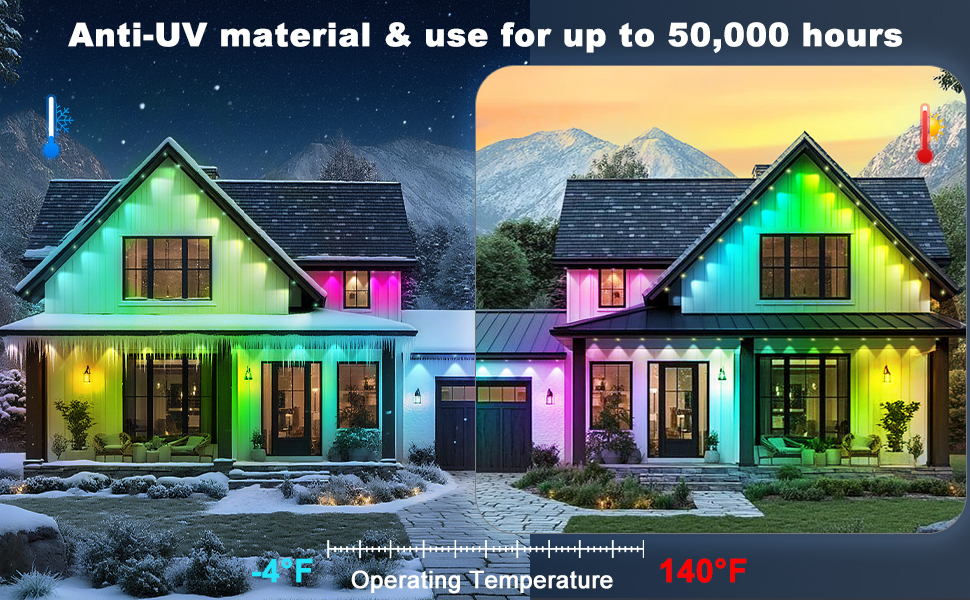
- Weatherproof & Long-Lasting: IP67 waterproof rating, resistant to fading and degradation, suitable for extreme temperatures (4°F to 140°F).
- Vibrant RGB Lighting: Offers a wide spectrum of colors for holidays, daily use, or accent lighting.
- Effortless Setup & Smart Control: Features peel-and-stick adhesive and screw mounting options. Controlled via the 'Lotus Lantern' app and remote control.
- Quality Assurance: Certified accessories and rigorous testing ensure safe and reliable operation.

Image 1.1: The INZIDOL 100FT Permanent Outdoor Lights installed on a house, displaying a vibrant array of colors.
2. What's in the Box
Verify that all components are present before beginning installation:
- 100ft LED strip
- Controller
- Remote control
- Instruction Manual (this document)
- Screws for mounting
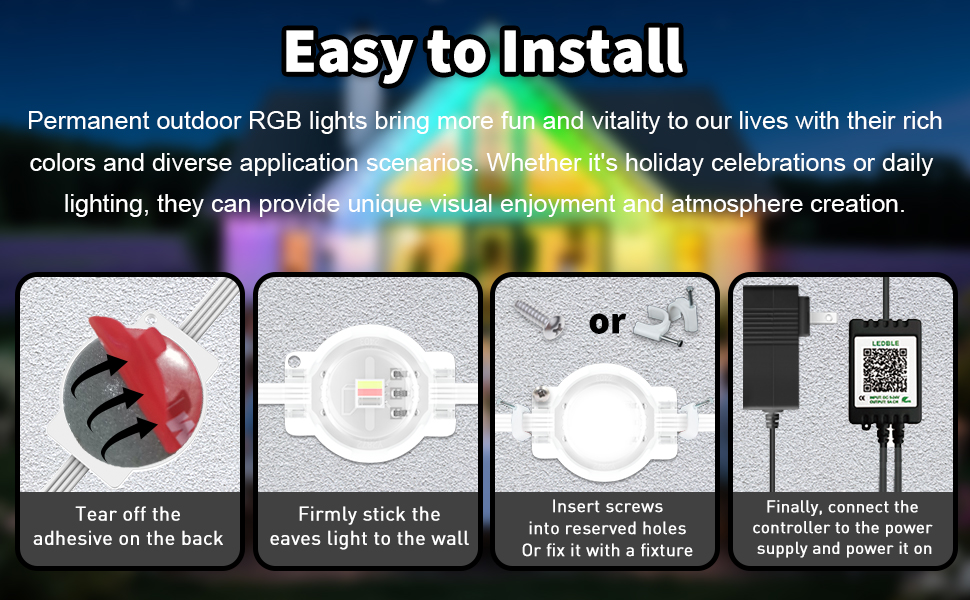
Image 2.1: Visual representation of the installation process and included components.
3. Setup and Installation
Follow these steps for proper installation of your outdoor lights. The low-voltage design ensures safety during setup and operation.
- Prepare the Surface: Ensure the installation surface is clean, dry, and smooth for optimal adhesion. For vinyl surfaces, clean thoroughly to remove dirt.
- Mounting Options:
- Adhesive Mounting: Peel off the protective film from the back of each light point and firmly stick it to the desired location on the wall or eaves.
- Screw Mounting: For enhanced security, insert screws into the reserved holes on each light point or use the provided fixtures to secure them.
- Connect the Controller: Connect the LED strip to the provided controller.
- Power Connection: Connect the certified power adapter to the controller, then plug the adapter into a standard outdoor power outlet.
- Initial Power On: Once connected, the lights should power on. If not, refer to the Troubleshooting section.
For optimal performance and longevity, ensure all connections are secure and protected from direct water exposure where possible, despite the IP67 rating.
4. Operating Instructions
Your INZIDOL Permanent Outdoor Lights offer multiple control methods and dynamic lighting options.
4.1. Smart App Control ('Lotus Lantern' App)
The 'Lotus Lantern' app provides comprehensive control over your lights:
- Download the App: Scan the QR code on the controller or packaging, or search for 'Lotus Lantern' in your device's app store.
- Pairing: Follow the in-app instructions to pair your lights with your smartphone via Bluetooth or Wi-Fi.
- Customization:
- Color Selection: Choose from 16 million colors.
- Brightness Adjustment: Customize the light intensity.
- DIY Scenes: Create and save personalized lighting effects and patterns.
- Preset Scenes: Access 58 pre-programmed lighting scenarios for various moods and occasions.
- Timing Function: Set schedules for automatic power on/off.
- Music and Mic Mode: The app allows the lights to sync with music or sounds detected by your phone's microphone, creating dynamic light shows.

Image 4.1: The 'Lotus Lantern' app interface for intelligent control of the lights.
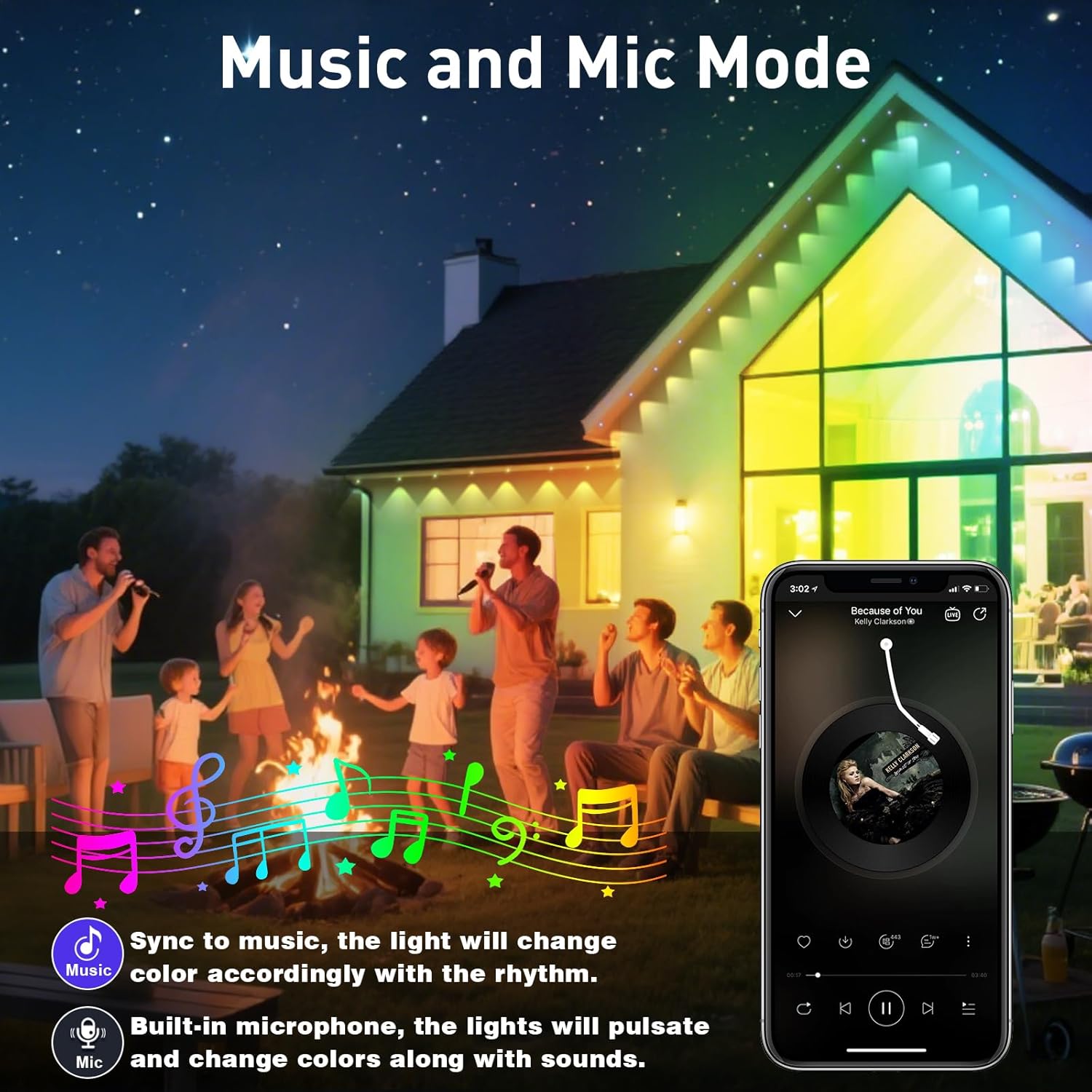
Image 4.2: Lights operating in Music and Mic Mode, synchronizing with sound.
4.2. Remote Control
Use the included remote control for basic functions:
- Power On/Off
- Color selection
- Brightness adjustment
- Mode switching
Ensure the remote is pointed towards the controller's sensor for effective operation.
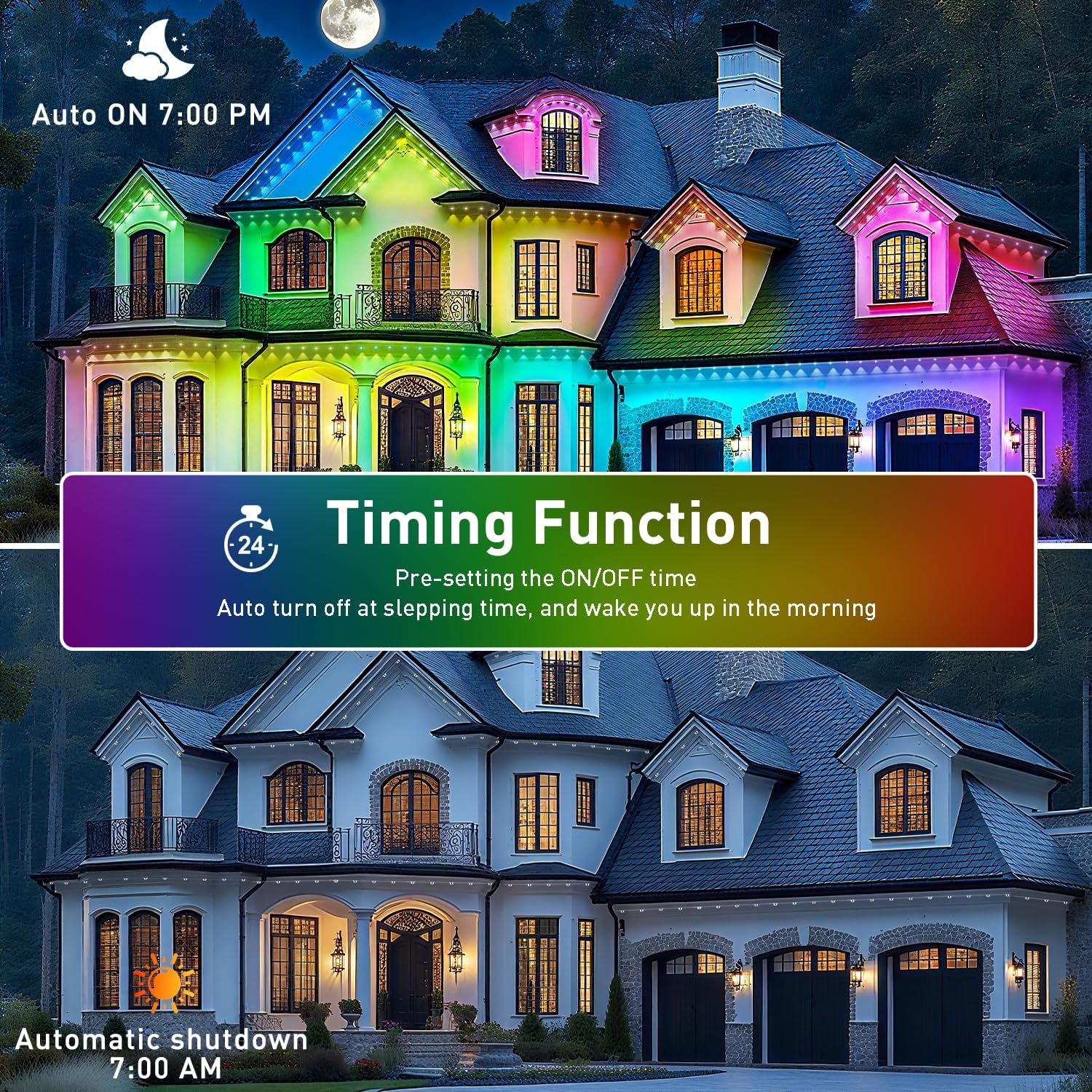
Image 4.3: Illustration of the timing function, allowing scheduled operation of the lights.
5. Maintenance
The INZIDOL Permanent Outdoor Lights are designed for durability and minimal maintenance.
- Weather Resistance: The lights feature an IP67 waterproof rating, making them resistant to rain, snow, and dust. They are designed to operate reliably in temperatures ranging from 4°F to 140°F.
- Material Durability: Constructed with anti-UV materials to resist fading and degradation from sun exposure.
- Longevity: Expected lifespan of up to 50,000 hours.
- Cleaning: Periodically wipe the light surfaces with a soft, damp cloth to remove dirt or debris. Avoid using harsh chemicals or abrasive cleaners.
- Inspection: Occasionally check the wiring and connections for any signs of wear or damage. Ensure all mounting points remain secure.


6. Troubleshooting
If you encounter issues with your INZIDOL Permanent Outdoor Lights, refer to the following common problems and solutions:
| Problem | Possible Cause | Solution |
|---|---|---|
| Lights do not turn on. | No power, loose connection, faulty adapter. | Check power outlet, ensure all cables are securely connected. Test with another power source if possible. |
| Remote control not working. | Battery depleted, remote not aimed at sensor, obstruction. | Replace remote battery. Ensure direct line of sight to the controller's IR sensor. Remove any obstructions. |
| App cannot connect to lights. | Bluetooth/Wi-Fi off, lights out of range, app not updated. | Ensure Bluetooth/Wi-Fi is enabled on your device. Move closer to the lights. Restart the app and lights. Check for app updates. |
| Lights flicker or display incorrect colors. | Loose connection, power fluctuation, controller issue. | Check all connections. Ensure power supply is stable. If problem persists, contact support. |
If these solutions do not resolve the issue, please contact customer support for further assistance.
7. Specifications
Detailed technical specifications for the INZIDOL 100FT Permanent Outdoor Lights:
| Feature | Specification |
|---|---|
| Model Number | 100FT Permanent Lights |
| Length | 100 feet |
| Color | RGB (Red, Green, Blue) |
| Indoor/Outdoor Usage | Outdoor |
| Special Features | Color Changing, Energy Efficient, Timer, Waterproof |
| Light Source Type | LED |
| Power Source | Corded Electric |
| Material | Acrylic |
| Wattage | 24 watts |
| Item Weight | 1.32 pounds (0.6 Kilograms) |
| Package Dimensions | 10.24 x 4.37 x 3.03 inches |
| Waterproof Rating | IP67 |
| Operating Temperature | 4°F to 140°F |
| Lifespan | Up to 50,000 hours |
| UPC | 658215725340 |
8. Warranty and Support
INZIDOL is committed to providing quality products and customer satisfaction.
8.1. Quality Assurance
All accessories included with your Permanent Outdoor RGB Lights are officially certified and rigorously tested to ensure safety and performance. The certified power adapter operates at a low temperature and consumes low energy.
8.2. Warranty Information
Specific warranty details are not provided in this manual. Please refer to your purchase documentation or the product listing for information regarding the warranty period and terms.
8.3. Customer Support
If you encounter any issues during installation, operation, or have questions about your product, please contact INZIDOL customer support directly. We aim to resolve all inquiries within 24 hours.
Contact Information:
- Refer to your product packaging or purchase platform for the most current contact details.
- You may also visit the official INZIDOL website for support resources.