
1. Introduction
The BY-J 360 Degree Bird View Surround System is an advanced automotive safety and recording solution designed to provide comprehensive situational awareness for drivers. This system integrates multiple cameras to create a seamless 360-degree panoramic view around your vehicle, enhancing safety during driving, parking, and maneuvering. Equipped with AI intelligence, it offers real-time risk warnings and high-definition recording capabilities, ensuring a safer and more informed driving experience for cars, SUVs, and van vehicles.
2. Safety Information
Please read and understand all safety instructions before installation and operation. Improper installation or use may result in damage to the product, vehicle, or personal injury. Always consult a professional for complex installations.
- Ensure the vehicle's power is disconnected before beginning installation to prevent electrical shock or damage.
- Route all cables carefully to avoid interference with vehicle controls, airbags, or moving parts.
- Do not obstruct the driver's view or interfere with safe driving practices.
- This system is an aid to driving and parking; it does not replace the driver's responsibility for safe operation of the vehicle.
3. What's in the Box
Verify that all components are present and in good condition before proceeding with installation.
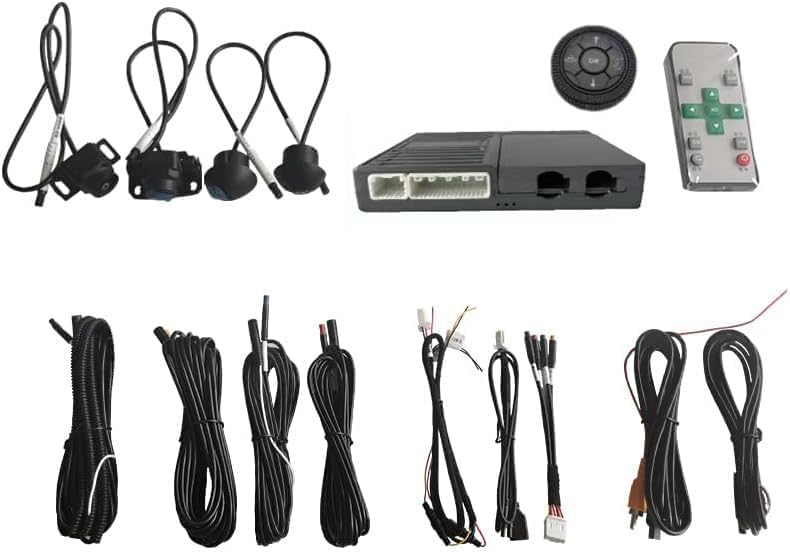
- Main Control Unit (DVR)
- Four 1/3CMOS Cameras (Front, Rear, Left, Right)
- Wiring Harnesses (Power, Video, Trigger Lines)
- Knob Controller
- Installation Tools (Pry tool, Screws)
- User Manual
4. Setup and Installation
Professional installation is recommended. Ensure all connections are secure and properly insulated.
4.1 Power Supply Connection
Connect the power supply to the main control unit. The system requires constant power and an ignition-switched power source. Use a test light to identify the correct wires in your vehicle's fuse box.
Video: Demonstrates the trigger line connection method for the backup camera and 4-channel dash cam, showing how to connect power wires to the vehicle's fuse box.
4.2 Camera Installation
Install the four cameras (front, rear, left, right) in their designated positions. The cameras are designed for easy, non-drilling installation in most vehicles.
Video: Shows the installation process for a 4-channel mirror dash cam, including mounting the dashcam and routing cables.
4.3 Wiring and Cable Management
Carefully route and conceal all wiring to maintain a neat and safe vehicle interior. Use the provided pry tool to tuck wires under trim panels.
Video: Demonstrates the connection of a video switcher, which is crucial for managing multiple camera inputs in the system.
5. Operating Instructions
Familiarize yourself with the system's interface and features for optimal use.
5.1 360-Degree Panoramic View
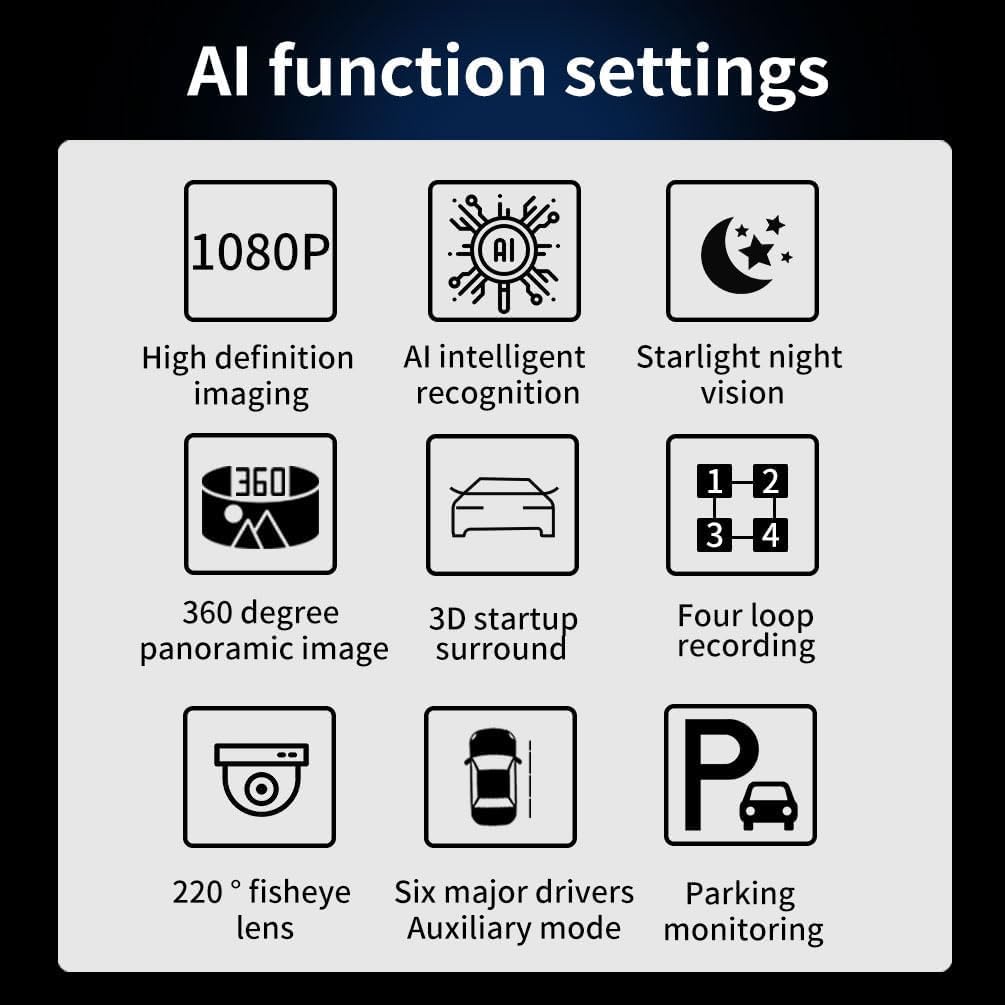
The system automatically activates the 360-degree panoramic view through AI to display the environment around the car, enhancing driving safety.
Video: A demonstration of the 360-degree panorama function, showcasing its real-time capabilities.

5.2 AI Intelligent Identification & Real-time Risk Warning
The system is equipped with a HiSilicon 3520 V500 chip + dual-core 1.3G A7 CPU for advanced AI detection. It identifies pedestrians, vehicles, and obstacles, providing real-time warnings and accurately displaying distances to front vehicles.

5.3 Driving Modes
The system supports various driving modes for enhanced safety and convenience:
- Side Parking Mode: Assists with parallel parking.
- Three-dimensional Near-field Mode: Provides a close-up 3D view of immediate surroundings.
- Front Parking Mode: Aids in parking forward into spaces.
- Reverse Parking Mode: Guides during backing up with dynamic guidelines.
- Parking Near the Curb Mode: Helps maintain safe distance from curbs.
- Three-dimensional Width Limitation Mode: Assists in navigating narrow spaces.

Video: A demonstration of the 4-channel function, showcasing how the system displays multiple camera views simultaneously.
5.4 1080P Ultra-clear Night Vision
The GC V200+6048 sensor ensures crisp license plate recognition even in darkness. The 1/3CMOS camera provides better image quality and resolution than 1/4CMOS cameras. Supports HDR anti-backlight for clear images in strong light or tunnel environments.

5.5 4-Channel Synchronous Recording & Parking Monitoring
The system captures front, rear, left, and right views simultaneously with 360° seamless stitching. It features 24/7 parking guard with time-lapse recording and impact detection (G-Sensor collision lock) to protect your car. Emergency videos are encrypted to prevent overwriting. Maximum supported storage is a 64G USB flash drive.

Video: A general demonstration of the 360 bird view system in action, showing various perspectives.
6. Maintenance
- Cleaning: Regularly clean camera lenses with a soft, damp cloth to ensure clear visibility. Avoid abrasive cleaners.
- Cable Inspection: Periodically check all wiring connections for looseness or damage. Secure any loose connections.
- Software Updates: Check the manufacturer's website for any available firmware updates to ensure optimal performance and new features.
- Storage Management: Regularly back up important recordings and format the USB flash drive to maintain recording efficiency.
7. Troubleshooting
- No Power: Check all power connections, especially the fuse box connections for the constant and ignition wires. Ensure the vehicle's battery is charged.
- No Camera Display: Verify that all camera cables are securely connected to the main control unit. Check the display settings on the monitor.
- Distorted Image: Ensure camera lenses are clean and free from obstructions. Check video cable connections for any damage or interference.
- Recording Issues: Check if the USB flash drive is properly inserted and has sufficient storage space. Format the drive if necessary. Ensure G-Sensor settings are appropriate.
- Inaccurate AI Warnings: Ensure cameras are correctly calibrated and free from obstructions. Environmental factors like heavy rain or fog can affect AI performance.
8. Specifications
| Feature | Detail |
|---|---|
| Product Dimensions | 10 x 5 x 3 inches |
| Item Weight | 2 pounds |
| Item Model Number | 360 Bird View + AI-4CH |
| Compatible Devices | SUV, Car, Commercial vehicle |
| Installation Type | Aftermarket |
| Voltage | 12 Volts |
| Optical Sensor Technology | CMOS |
| Lens Type | Wide Angle |
| Real Angle of View | 360 Degrees |
| Connector Type | AHD, AV, TVI, VGA |
| Optical Sensor Size | 1/3 inch |
| Waterproof Rating | IP67 (for lenses) |
| Max Storage Support | 64G USB flash drive |
9. Warranty and Support
For any installation issues or product inquiries, please contact BY-J customer service. We are committed to providing professional support.
Please refer to your purchase documentation for specific warranty details.
Contact Information: Refer to the contact details provided with your product packaging or on the official BY-J website.