
1. Introduction
Thank you for choosing the SCS Sentinel Wireless Key Selector. This manual provides essential information for the safe and efficient installation, operation, and maintenance of your device. Please read these instructions carefully before use and retain them for future reference.
This wireless key selector is designed to provide secure and convenient access control for your gate system, offering both full and pedestrian opening options via a physical key.
2. Safety Information
- General Safety: Always follow local safety regulations and guidelines during installation and operation.
- Electrical Safety: This device operates on battery power. Ensure correct battery polarity during installation.
- Installation: Installation should be performed by a qualified individual if you are unsure about any steps. Ensure the mounting surface is stable and secure.
- Children: Keep keys and the device out of reach of children to prevent unauthorized access or injury.
- Maintenance: Disconnect power (remove battery) before performing any maintenance.
3. Package Contents
Verify that all components are present in the package:
- SCS Sentinel Wireless Key Selector Unit
- Mounting Hardware (screws, wall plugs)
- Keys (2 or more, depending on model)
- CR2032 Battery (may be pre-installed or separate)
- Instruction Manual (this document)
4. Product Overview
The SCS Sentinel Wireless Key Selector is a robust and compact device designed for outdoor use. Its IP55 rating ensures protection against dust and water splashes.
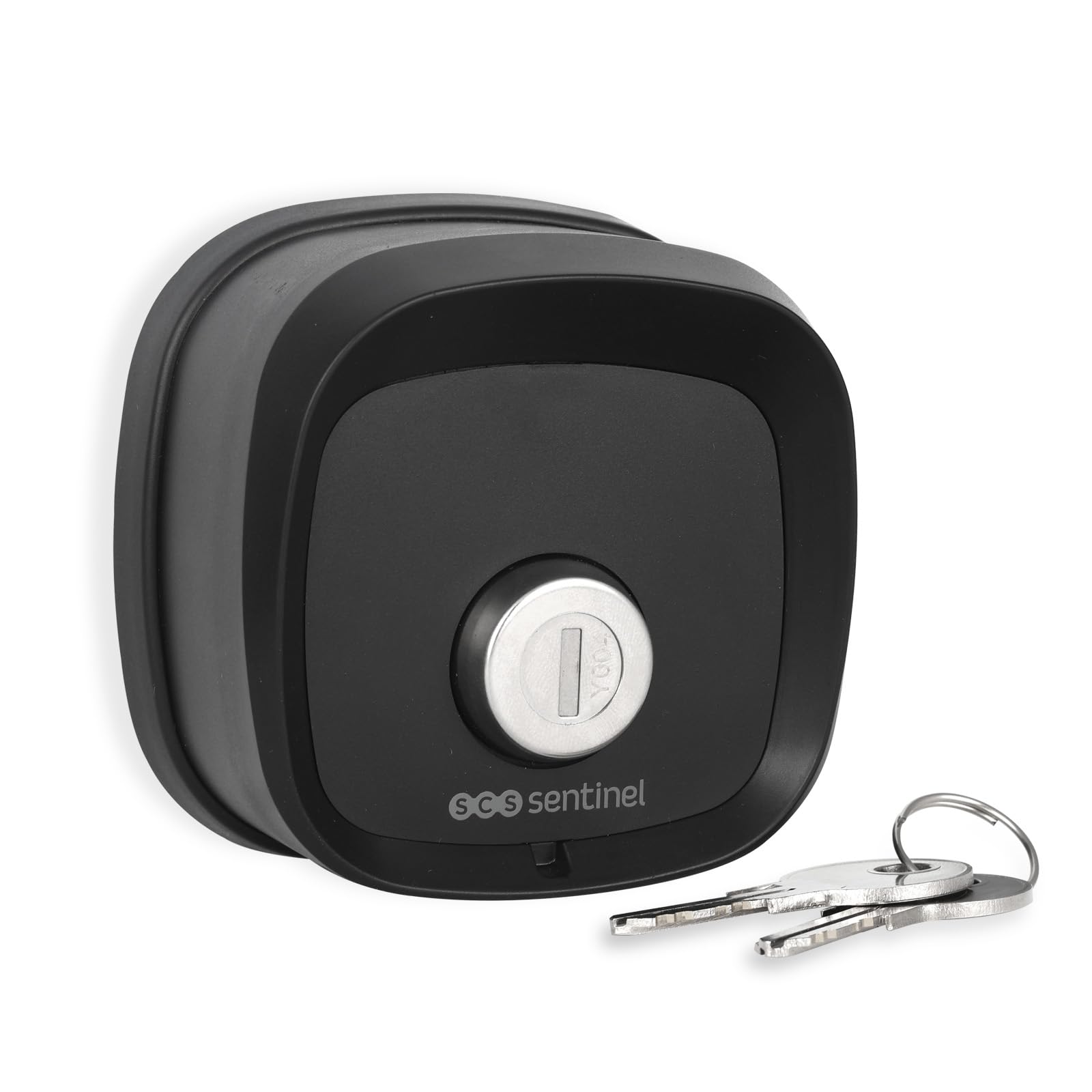
Figure 4.1: Front view of the key selector with a key. This shows the key cylinder and the SCS Sentinel logo.

Figure 4.2: Back view of the key selector. The label indicates model number AAA0054, power supply 3V (1 x CR2032), and an IP44 rating (note: product is rated IP55 for general use).

Figure 4.3: The key selector mounted on a wall next to a gate, demonstrating its discreet and integrated appearance.
5. Setup and Installation
5.1. Battery Installation
- Carefully open the back cover of the key selector unit.
- Insert one CR2032 3V battery, ensuring correct polarity (+/-).
- Close the back cover securely.
5.2. Mounting the Unit
- Choose a suitable location near your gate, ensuring it is easily accessible but protected from direct impact.
- Mark the drilling points on the wall using the key selector as a template.
- Drill holes and insert the provided wall plugs.
- Secure the key selector unit to the wall using the provided screws. Ensure it is firmly attached.
5.3. Pairing with Your Gate System
The wireless key selector must be paired with your existing SCS Sentinel gate automation system. Refer to your gate system's instruction manual for specific pairing procedures. Generally, the process involves:
- Activating the learning mode on your gate control unit.
- Activating the key selector by turning the key to send a signal.
- Confirming successful pairing on your gate control unit.
6. Operating Instructions
The SCS Sentinel Wireless Key Selector offers dual opening functionality:
- Full Opening: Insert the key and turn it to the designated position (e.g., clockwise) to activate the full gate opening.
- Pedestrian Opening: Insert the key and turn it to an alternative designated position (e.g., counter-clockwise) to activate the pedestrian gate opening.
The key selector sends a wireless signal to your gate automation system upon key activation. The specific key turns for full and pedestrian access are typically configured during the pairing process with your gate system.
7. Maintenance
7.1. Cleaning
Clean the exterior of the key selector with a soft, damp cloth. Do not use abrasive cleaners or solvents, as these can damage the finish or internal components.
7.2. Battery Replacement
When the battery is low, the signal range may decrease, or the gate system may not respond reliably. Replace the CR2032 battery as follows:
- Open the back cover of the unit.
- Remove the old CR2032 battery.
- Insert a new CR2032 3V battery, observing correct polarity.
- Close the back cover securely.
- Dispose of the old battery according to local regulations.
8. Troubleshooting
| Problem | Possible Cause | Solution |
|---|---|---|
| Gate does not open/close when key is turned. | Low or dead battery. Key selector not paired with gate system. Obstruction in gate path. Range issue. | Replace the CR2032 battery. Refer to Section 5.3 to re-pair the device. Check for and remove any obstructions. Ensure the key selector is within range of the gate receiver. |
| Key is difficult to turn. | Dirt or debris in the key cylinder. Mechanical issue. | Apply a small amount of graphite lubricant to the key and insert it into the cylinder. Do not force the key. Contact support if the issue persists. |
| Unit is not securely mounted. | Loose screws or improper installation. | Tighten mounting screws. If necessary, re-install using appropriate wall plugs for your surface type. |
9. Specifications
| Feature | Specification |
|---|---|
| Model Number | AAA0054 |
| Brand | SCS Sentinel |
| Dimensions (LxWxH) | 7.8 x 4.2 x 7.8 cm (approx. 78 x 42 x 78 mm) |
| Material | Steel |
| Color | Black |
| Power Supply | 1 x CR2032 3V Battery |
| Protection Rating | IP55 (Dust protected, protected against low-pressure water jets from any direction) |
| Control Method | Physical Key (activates wireless signal) |
| Recommended Use | Home security, garden security, gate access control |
| Country of Origin | China |
10. Warranty
This product is covered by a manufacturer's warranty. Please refer to the warranty documentation provided with your purchase or contact SCS Sentinel customer support for details regarding warranty terms and conditions.
11. Support
For technical assistance, troubleshooting beyond this manual, or warranty claims, please contact SCS Sentinel customer support. Contact information can typically be found on the manufacturer's website or on your product packaging.
Online Resources: Visit the official SCS Sentinel website for FAQs, additional product information, and support resources.