
Product Overview
The EVIDA EV08 is a compact and professional 64GB digital voice recorder designed for crystal-clear audio capture in various environments. Featuring advanced AI noise reduction and 360° stereo recording, it ensures high-quality sound for lectures, meetings, interviews, and personal notes. Its user-friendly design includes one-key operation, voice-activated recording, and easy file transfer capabilities.
What's in the Box
- EVIDA EV08 64GB Digital Voice Recorder
- USB-C Charging/Data Cable
- Headphones
- USB-A Adapter
- Lightning Adapter (for iPhone connectivity)
- Lanyard
- User Manual
Key Features
- 360° All-Direction Stereo Recording: Equipped with a professional recording chip and upgraded noise-canceling microphone, offering 512kbps high-definition recording quality.
- 64GB Large Internal Memory: Stores up to 288 hours of 512Kbps recording files or 10,000 songs.
- Easy File Transfer: OTG function allows seamless transfer to Windows, iOS computers, Android phones, and iPhones (OTG converter for phones may require separate purchase).
- Voice Activated Recording (VAR): Intelligent voice control starts recording when sound is detected and pauses during silence, optimizing memory usage and playback time.
- Fast Charging & Long Battery Life: Built-in 3.7V/110mAh battery provides up to 13 hours of continuous recording on a 2-hour charge. Indicator lights display battery status.
- Unique & Compact Design: Durable alloy body, one-key start/save operation, and a small lanyard for portable carry.
- Auto-Save Function: Automatically saves files before power is exhausted to prevent data loss.
Setup & Controls
The EVIDA EV08 recorder features a minimalist design for ease of use. Familiarize yourself with the device's physical components and controls:
- Power/Record Switch: A sliding switch on the side to turn the device On/Off and initiate recording.
- USB Port: Located at one end for charging and connecting to a computer or phone for file transfer.
- Indicator Light: A small LED that indicates device status (e.g., recording, charging, low battery).
- Microphone: Integrated for 360° audio capture.
- Reset Hole: A small pinhole for resetting the device if needed.

Figure 1: EVIDA EV08 Digital Voice Recorder with its USB connector.
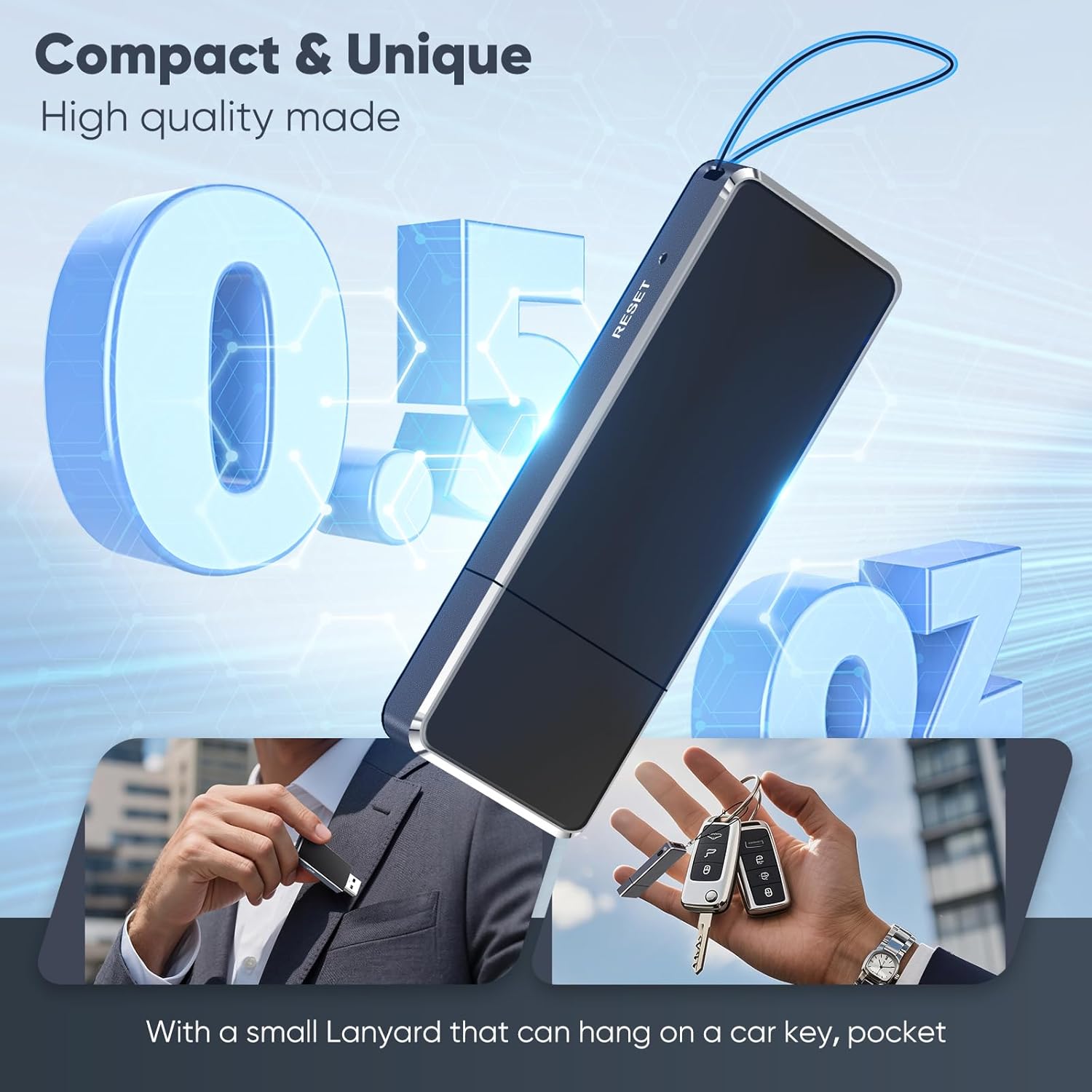
Figure 2: The compact design of the EVIDA EV08, highlighting its portability and lanyard attachment point.
Operating Instructions
1. Power On/Off & Recording
- To Power On & Start Recording: Slide the power/record switch to the 'ON' position. The indicator light will flash briefly, then turn off, signifying that recording has begun.
- To Stop Recording & Power Off: Slide the power/record switch to the 'OFF' position. The device will automatically save the current recording and power off.
- Voice Activated Recording (VAR): To enable VAR, slide the switch to the 'VA' position. The recorder will automatically start recording when sound is detected and pause when there is no sound, conserving battery and storage.
2. Playback
To listen to your recordings directly from the device, you will need to connect the included headphones via the USB port using the provided adapter cable. Alternatively, you can transfer files to a computer or smartphone for playback.
3. Transferring Files
- To Computer: Connect the recorder to your computer using the provided USB-C to USB-A cable. The device will appear as a removable drive. You can then drag and drop files to transfer them.
- To Smartphone (Android/iPhone): Use the appropriate OTG adapter (USB-A to USB-C or USB-A to Lightning) to connect the recorder to your phone. The device should appear as external storage, allowing you to manage files.

Figure 3: The EVIDA EV08 offers 64GB of storage and broad compatibility for file transfer.
Media Gallery
Product Images
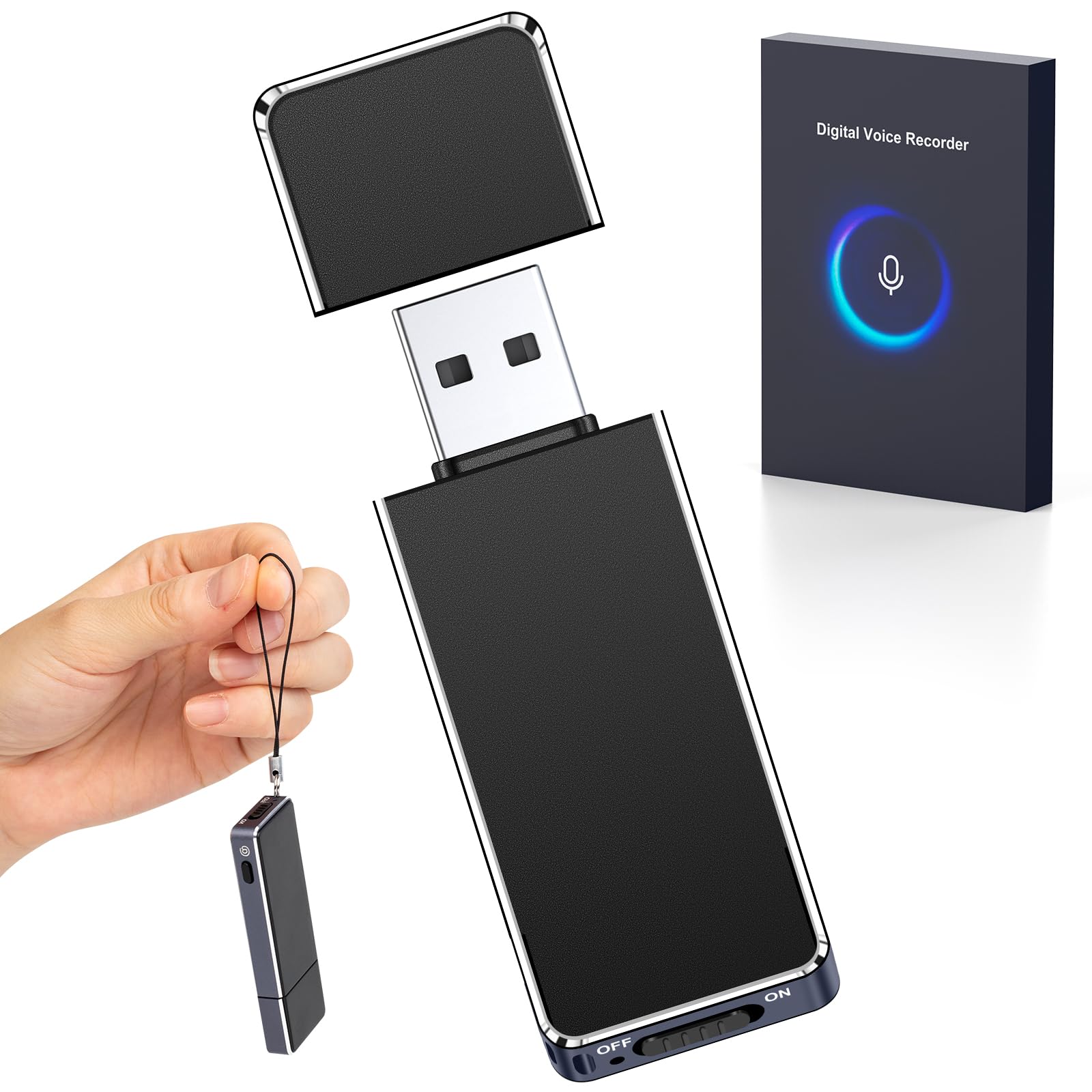
Image 1: The EVIDA EV08 Digital Voice Recorder, highlighting its AI Sound Processing Chip and DSP DeNoise technology for clear audio.

Image 2: Visual representation of the EVIDA EV08's intelligent voice control function, showing different decibel levels for recording activation.

Image 3: The EVIDA EV08 connected for charging, with battery indicator lights showing charge levels (25%, 50%, 75%, 100%).

Image 4: The EVIDA EV08 in use for recording classes, interviews, meetings, and daily inspirations, emphasizing its simple one-key operation.
Official Product Videos
Video 1: An unboxing and quick demonstration of the 64GB Voice Recorder Digital USB Recording Device, showing its compact size and basic operation.
Video 2: A detailed look at the 64GB Digital Voice Recorder, covering its features, controls, and how to access recorded files on a computer.
Specifications
| Feature | Detail |
|---|---|
| Product Dimensions | 2.59 x 0.41 x 0.77 inches |
| Item Weight | 0.5 ounces |
| Item Model Number | EV08 |
| Batteries | 1 C batteries required (included) |
| Compatible Devices | Personal Computer |
| Brand | EVIDA |
| Hardware Interface | USB 2.0 |
| Microphone Form Factor | Built-In |
| Headphones Jack | No (requires adapter for playback) |
| Memory Storage Capacity | 64 GB |
Troubleshooting
- Device not recognized by computer: Ensure the recorder is powered off before connecting. Try different USB ports or cables.
- Cannot play recordings: Ensure the device is not in recording mode. Connect headphones via the adapter or transfer files to a compatible device for playback.
- Poor recording quality: Check the recording environment for excessive background noise. Ensure the microphone is not obstructed.
- Battery not charging: Verify the USB cable is securely connected to both the recorder and a power source. Check the indicator light for charging status.
- Device unresponsive: Use a small pin to press the 'RESET' button located on the device.
Warranty & Support
The EVIDA EV08 Digital Voice Recorder comes with an 18-month worry-free warranty. For any questions, technical assistance, or support, please contact the seller directly. Our customer service team is available 24 hours to help ensure your satisfaction.
Contact Support: Please refer to the contact information provided with your purchase or on the product packaging.