
Important Safety Information
Always follow the assembly instructions carefully. Keep electrical components dry and do not overload outlets. This vanity has a weight limit of 30 pounds. Do not place heavy objects on the mirror to avoid breakage. Keep the vanity away from heat sources and flammable materials.
Product Overview
The Hogxp Vanity Desk Model A-1 is designed to provide a functional and elegant space for your beauty routine. It features integrated lighting, ample storage, and convenient power access.
- Dimmable LED Lighting: Adjustable LED lighting with 3 customizable modes for optimal illumination.
- Sliding Mirror: A built-in mirror that slides to reveal hidden storage compartments.
- Ample Storage: Includes 1 top shelf, 4 open shelves, 2 drawers (1 large, 1 small), and 1 storage cabinet to organize beauty essentials.
- Integrated Power Outlets: Features 2 standard power outlets and 2 USB connections for charging devices and powering styling tools.
- Padded Stool: A stylish upholstered stool with hidden storage for additional organization.
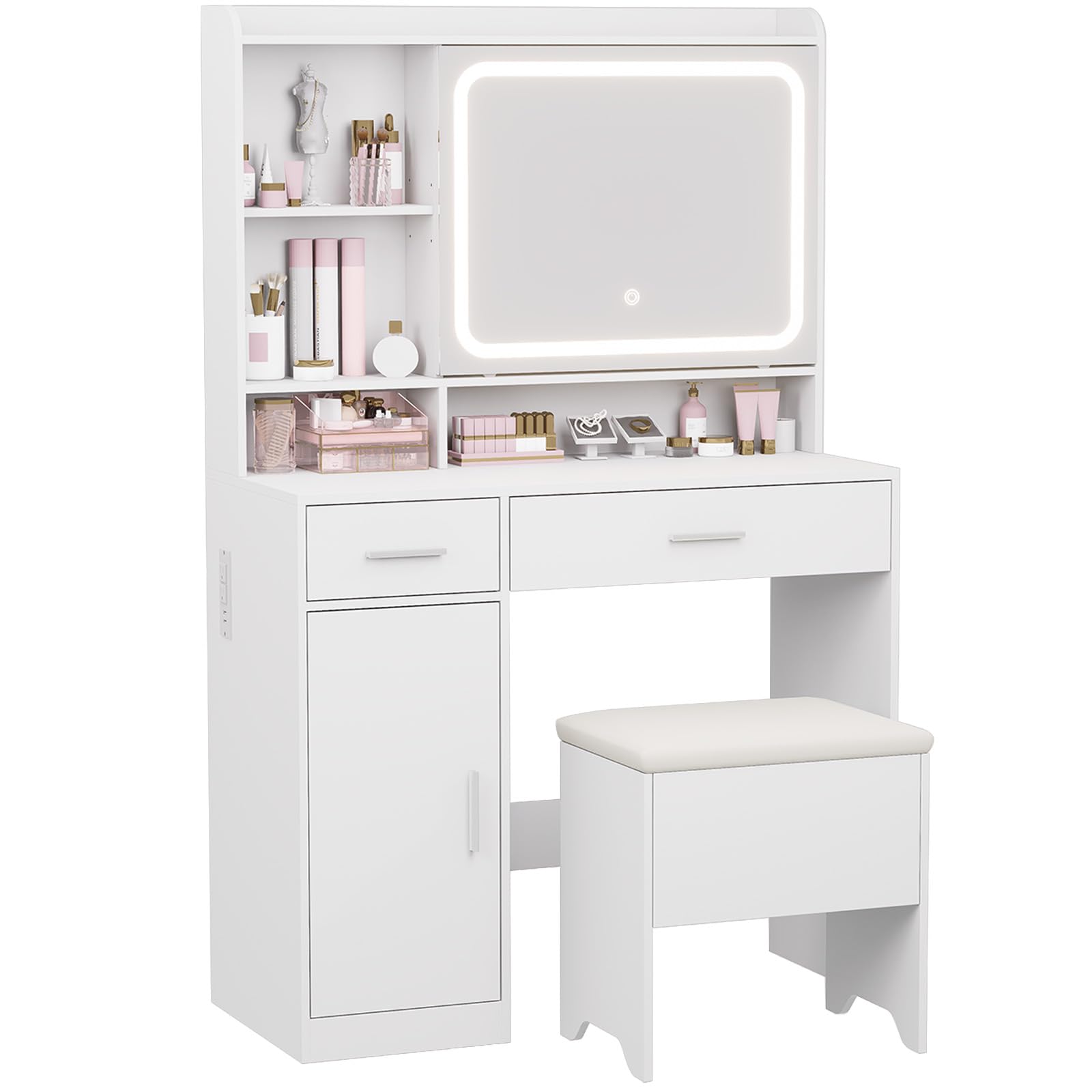
Figure 1: Hogxp Vanity Desk Model A-1 (White) with included stool.

Figure 2: Detailed view of the vanity desk's storage compartments, including the top shelf, open shelves, drawers, and enclosed cabinet.

Figure 3: Illustration of the adjustable LED lighting with 3 color hues (Cool Light, Natural Light, Warm Light) and touch control for brightness.

Figure 4: Close-up of the built-in power outlet panel, featuring 2 standard 120V/12A outlets and 2 5V/2A USB ports.
Setup and Assembly
Assembly is required for this vanity desk. Please follow the step-by-step instructions provided in the video below for a smooth setup process. Ensure all parts are present before beginning assembly.
Video 1: Detailed installation guide for the Hogxp Vanity Desk. This video demonstrates the assembly process from unpacking to final setup, including attaching components and installing the mirror and power outlets.
Operating Instructions
LED Mirror Lighting
- Power On/Off: Gently tap the touch control button on the mirror to turn the LED lighting on or off.
- Adjust Brightness: Touch and hold the control button to dim or brighten the lights to your desired level.
- Change Color Hue: Tap the control button repeatedly to cycle through the 3 available color modes: Cool Light (6000K), Natural Light (4000K), and Warm Light (3000K).
Power Outlets and USB Connections
- Plug in your hair dryer, curling iron, or other electronic devices into the 2 standard 120V/12A outlets.
- Use the 2 5V/2A USB connections to charge your mobile phone, tablet, or other USB-powered devices.
- Ensure devices are compatible with the provided power specifications to prevent damage.
Maintenance
- Cleaning: Wipe down all surfaces with a soft, damp cloth. Avoid abrasive cleaners that may damage the finish.
- Mirror Care: Use a glass cleaner and a soft, lint-free cloth to clean the mirror. Do not spray cleaner directly onto the mirror; apply it to the cloth first.
- Electrical Components: Keep the power outlets and USB connections dry. Disconnect power before cleaning.
- Wood Surfaces: Avoid prolonged exposure to direct sunlight or extreme temperatures to prevent warping or discoloration.
Troubleshooting
- LED Lights Not Working: Check if the power cord is securely plugged into a functional wall outlet. Ensure the mirror's touch control is clean and free from obstructions.
- Power Outlets/USB Not Functioning: Verify the vanity's main power cord is connected. Test the outlets with another device to confirm functionality.
- Drawers Sticking: Ensure the drawer slides are properly aligned and free of debris. Apply a silicone-based lubricant if necessary.
- Sliding Mirror Difficulty: Check the mirror track for any obstructions. Ensure the track is clean and lubricated if needed.
Specifications
| Feature | Detail |
|---|---|
| Brand | Hogxp |
| Model Number | A-1 |
| Color | White |
| Material | Wood |
| Product Dimensions | 37"D x 27"W x 8"H |
| Item Weight | 30 pounds |
| Assembly Required | Yes |
| UPC | 692090368971 |
| Style | Modern |
Warranty and Support
For warranty information or customer support, please refer to the product packaging or contact Hogxp customer service directly. Keep your purchase receipt for any warranty claims.