
Moondrop Space Travel 2
Moondrop Space Travel 2 Wireless Earphones User Manual
Model: Space Travel 2 | Brand: Moondrop
Introduction
The Moondrop Space Travel 2 are advanced True Wireless Stereo (TWS) earphones designed to deliver high-fidelity audio with active noise cancellation (ANC) and a low-latency game mode. Equipped with a 13mm dynamic driver and a Beryllium-plated dome diaphragm, these earphones provide exceptional sound clarity and powerful bass. This manual will guide you through the features, setup, operation, and maintenance of your Space Travel 2 earphones.
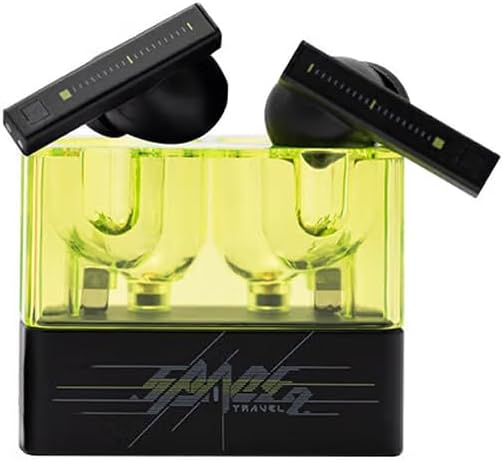
Key Features
- Larger Dynamic Lower Distortion: Features a 13mm dynamic driver with a Beryllium-plated dome for excellent treble extension, fine detail, and superior low distortion.
- Wide-band ANC: Utilizes a single feedforward noise cancellation solution for natural, in-depth wide-band ANC without affecting sound quality.
- Built-in NPU Hardware-level AI Noise Canceling: Equipped with an AI ENC algorithm for effective noise elimination and enhanced vocal clarity during calls.
- 55ms Low-latency Game Mode: Allows quick switching to a dedicated game mode with a signal transmission delay as low as 55ms for an optimized gaming experience.
- One-button EQ Setting: Simplifies sound customization through the MOONDROP Link APP with preset EQ options.
- Custom Touch Operation & ANC Switch: Personalize touch controls and switch between ANC, transparency, and standard modes via the MOONDROP Link APP.
- Dual-Device Connectivity: Seamlessly switch between two connected devices simultaneously.
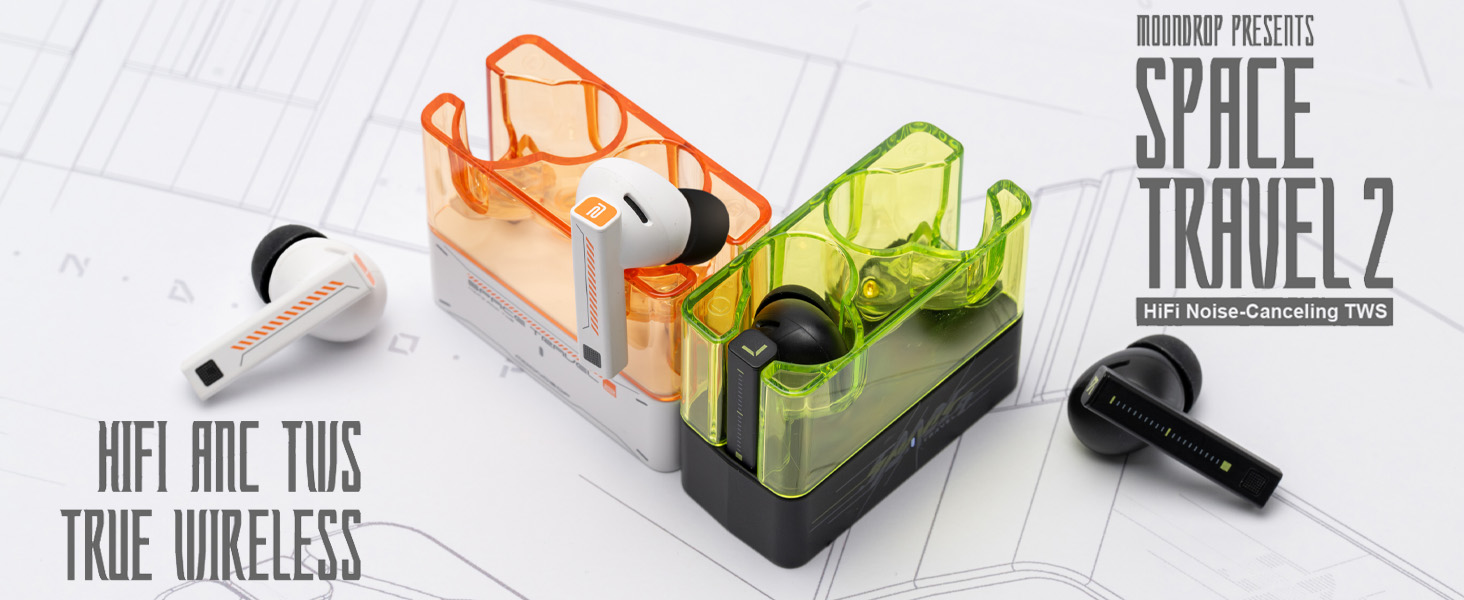
What's in the Box
Your Moondrop Space Travel 2 package includes the following items:
- SPACE TRAVEL 2 Earphones
- Charging Cable (USB-C)
- Eartips (S, M, L sizes)
- User Manual
- After-service Card
- Guidance Card
- Service Card
- Certificate
Setup
Initial Charging
Before first use, fully charge your Space Travel 2 earphones and charging case. Connect the provided USB-C cable to the charging port on the case and to a power source. The indicator light on the case will show charging status.
Pairing with Your Device
- Ensure the earphones are in the charging case and the case has sufficient battery.
- Open the charging case lid. The earphones will automatically enter pairing mode, indicated by a flashing light on the earbuds.
- On your device (smartphone, tablet, etc.), go to Bluetooth settings and turn Bluetooth on.
- Search for available devices and select "Moondrop Space Travel 2" from the list.
- Once connected, the indicator light on the earphones will stop flashing.

Operating Instructions
Power On/Off
- Power On: Open the charging case lid, and the earphones will automatically power on.
- Power Off: Place the earphones back into the charging case and close the lid. They will automatically power off and begin charging.
Touch Controls
The Space Travel 2 earphones feature intuitive touch controls on the stem of each earbud. You can customize these controls further using the MOONDROP Link APP.
| Action | Left Earbud | Right Earbud |
|---|---|---|
| Play/Pause | Single Tap | Single Tap |
| Next Track | Double Tap | Double Tap |
| Previous Track | Triple Tap | Triple Tap |
| Answer/End Call | Single Tap | Single Tap |
| Reject Call | Long Press (2s) | Long Press (2s) |
| Switch ANC/Transparency/Standard Mode | Long Press (2s) | Long Press (2s) |
| Activate Game Mode | Quadruple Tap | Quadruple Tap |
ANC and Transparency Modes
The Space Travel 2 offers Active Noise Cancellation (ANC) to reduce ambient noise, and a Transparency Mode to allow you to hear your surroundings without removing the earphones. Long press either earbud (default setting) to cycle through ANC, Transparency, and Standard (ANC off) modes. You can customize this function in the MOONDROP Link APP.

Game Mode
For an optimized gaming experience, activate the low-latency Game Mode by tapping the touch faceplate four times. This reduces audio delay to as low as 55ms, providing better synchronization between audio and video.

MOONDROP Link APP
Enhance your experience by downloading the MOONDROP Link APP. The app allows you to:
- Customize touch operations.
- Adjust ANC, transparency, and standard modes.
- Utilize the one-button EQ setting for quick sound adjustments.
- Access advanced DSP graphic interface for precise tuning.
- Manage dual-device connectivity.


Maintenance
Cleaning
- Regularly clean the eartips with a soft, dry cloth.
- Gently wipe the earbud stems and charging contacts with a clean, dry cotton swab.
- Do not use harsh chemicals or abrasive materials.
Storage
When not in use, always store the earphones in their charging case to protect them from dust, damage, and to keep them charged.
Battery Care
- Avoid fully depleting the battery frequently.
- Charge the earphones regularly, even if not used for extended periods, to maintain battery health.
- Use only the provided charging cable or a certified USB-C cable.
Troubleshooting
If you encounter any issues with your Moondrop Space Travel 2 earphones, please refer to the following table for common problems and solutions:
| Problem | Possible Cause | Solution |
|---|---|---|
| Earphones not pairing | Bluetooth off, out of range, low battery, already paired to another device. | Ensure Bluetooth is on, earphones are charged, and within range. Disconnect from other devices. Try re-pairing. |
| No sound from one earbud | Low battery, earbud not properly seated in case, connection issue. | Place both earbuds back in the case, close the lid, then open again. Ensure both are charged. Re-pair if necessary. |
| ANC not working effectively | Improper fit, earbud not in ANC mode. | Ensure a snug fit with appropriate eartip size. Cycle through modes to confirm ANC is active. |
| Earphones not charging | Charging cable issue, dirty contacts, power source problem. | Check cable and power adapter. Clean charging contacts on earbuds and case. |
| Touch controls unresponsive | Temporary software glitch, dirty touch surface. | Clean the touch surface. Place earbuds back in case, close and open lid to reset. |
Specifications
| Feature | Detail |
|---|---|
| Model Name | Space Travel 2 |
| Connectivity Technology | Wireless (Bluetooth 6.0) |
| Driver Type | 13mm Dynamic Driver with Beryllium-plated Dome Diaphragm |
| Noise Cancellation | Single Feedforward Wide-band ANC |
| Call Noise Cancellation | Built-in NPU Hardware-level AI ENC |
| Low-latency Mode | 55ms Game Mode |
| Audio Codecs | SBC/AAC |
| App Support | MOONDROP Link APP (Custom EQ, Touch Controls, ANC Switch) |
| Dual-Device Connectivity | Supported |
| Ear Placement | In Ear |
| Form Factor | In Ear |
| Color | Black |
| Item Weight | 0.24 Kilograms (8.4 ounces) |
| Package Dimensions | 4.13 x 2.87 x 1.46 inches |
Warranty and Support
Moondrop products are manufactured to the highest quality standards. For information regarding warranty coverage, technical support, or service inquiries, please refer to the After-service Card included in your product packaging or visit the official Moondrop website. Please retain your proof of purchase for warranty claims.
Ask a question about this manual
Ask about setup, troubleshooting, compatibility, parts, safety, or missing instructions. Manuals+ will review the question and use this page’s manual context to help answer it.