
1. Introduction
This manual provides comprehensive instructions for the setup, operation, and maintenance of your Thunelec U9 Wireless Earbuds. These earbuds feature advanced Bluetooth 5.4 connectivity, multifunctional touch screen controls, Active Noise Cancellation (ANC), Environmental Noise Cancellation (ENC), Transparency Mode, and five distinct equalization (EQ) modes for an optimized audio experience.
2. What's in the Box
- U9 Wireless Earbuds (2 units)
- Multifunctional Touch Charging Case (1 unit)
- USB-C Charging Cable (1 unit)
- User Manual (1 unit)
- Ear Tips (3 pairs: S/M/L)

Image: Thunelec U9 Wireless Earbuds and their multifunctional touch charging case.
3. Product Features Overview
3.1. ANC & ENC Noise Cancelling
The earbuds incorporate advanced Active Noise Cancellation (ANC) technology to reduce environmental noise by up to 45dB, ideal for noisy environments. Upgraded Environmental Noise Cancellation (ENC) technology ensures clear call quality by minimizing background noise during conversations.

Image: Illustration of ANC and ENC noise cancellation in action, showing reduced external noise.
3.2. Bluetooth 5.4 & Transparency Mode
Equipped with Bluetooth 5.4, these headphones offer improved speed, efficiency, and stability compared to previous versions, ensuring a robust connection. Transparency Mode allows users to hear their surroundings while listening to audio, enhancing safety during activities like cycling or driving.

Image: The earbuds and charging case shown next to a smartphone, illustrating the one-step auto pairing feature.
3.3. Bass Stereo & 5 Equalization Modes
The earbuds feature 14.2mm bio-carbon fiber dynamic coils, delivering powerful bass (down to 50Hz) and clear mid-high frequencies (up to 5kHz). Five adjustable equalizer modes (Standard, Classic, Jazz, Rock, Pop) are built into the charging case, allowing for customized listening experiences.

Image: Detailed view of the earbud's internal speaker driver and composite dynamic coil horn, highlighting 14.2mm drivers and Bluetooth 5.4 technology.

Image: Two charging cases displaying different equalization modes (Pop and Normal), illustrating the built-in 5 music modes.
3.4. 48 Hours Playback Time
Enjoy 6-8 hours of continuous use on a single earbud charge. The charging case extends total playback time to 48 hours. The case fully charges in approximately 1.5 hours and displays real-time battery levels for both earbuds and the case.

Image: A visual representation of the 48-hour long-lasting playtime, showing 6-8 hours per single charge and 40 hours from the charging box, with a 1.5-hour fast charging time.
3.5. Multifunctional Smart Touch Screen
The charging case features a color touch display for direct control over music playback, track switching, call management, noise-canceling mode activation, volume adjustment, camera control, language switching, wallpaper selection, screen brightness, headphone search, and timer functions.
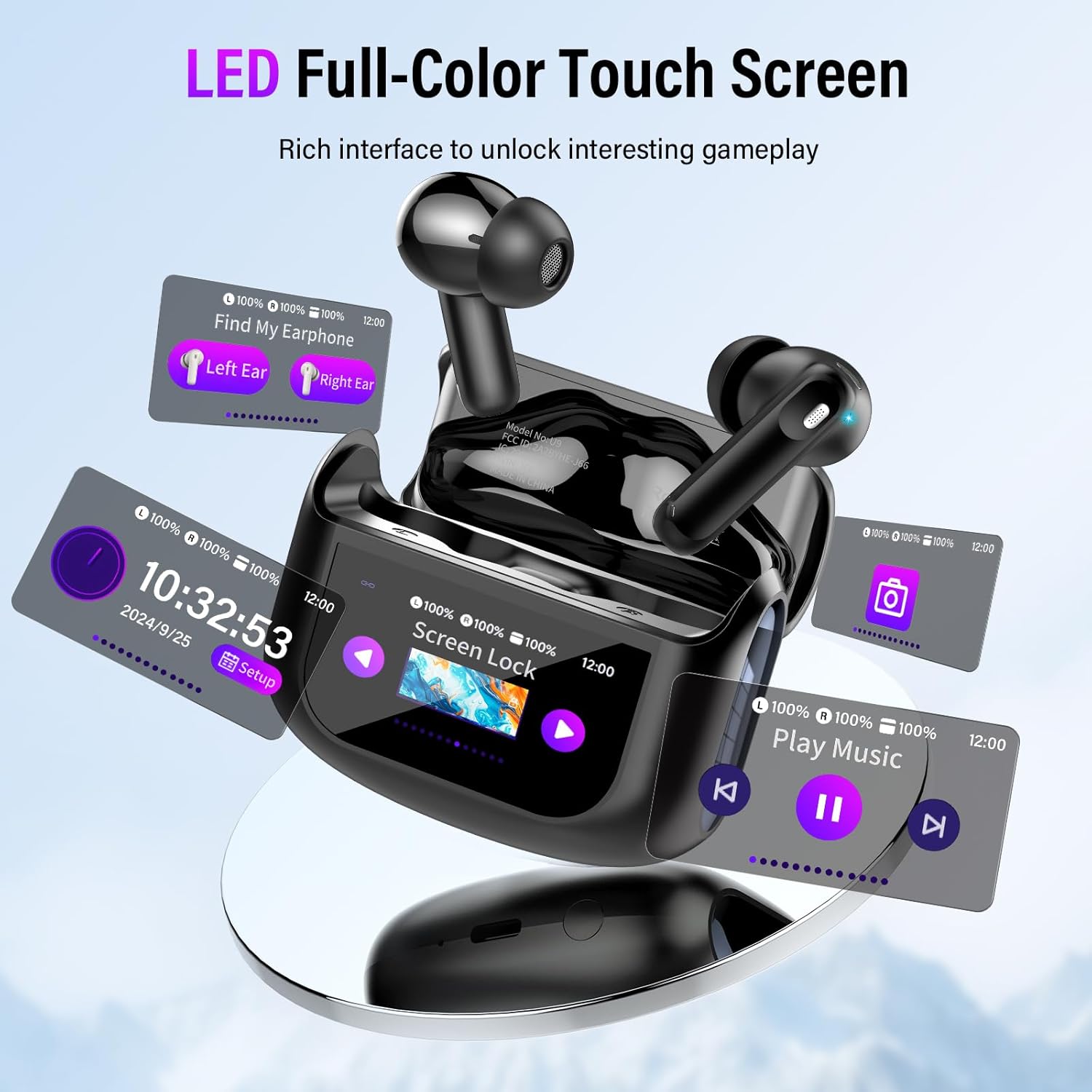
Image: The LED full-color touch screen on the charging case displaying various functions like music playback, time, screen lock, and earbud search.
Video: A demonstration of the Thunelec U9 Wireless Earbuds, highlighting the touch screen functionality and various features.
3.6. IPX7 Waterproof & Comfortable Fit
The earbuds feature a sealed design and nano-waterproof coating, meeting IPX7 standards for protection against rain and sweat. Their ergonomic design ensures stability and comfort for extended wear, making them suitable for various activities.
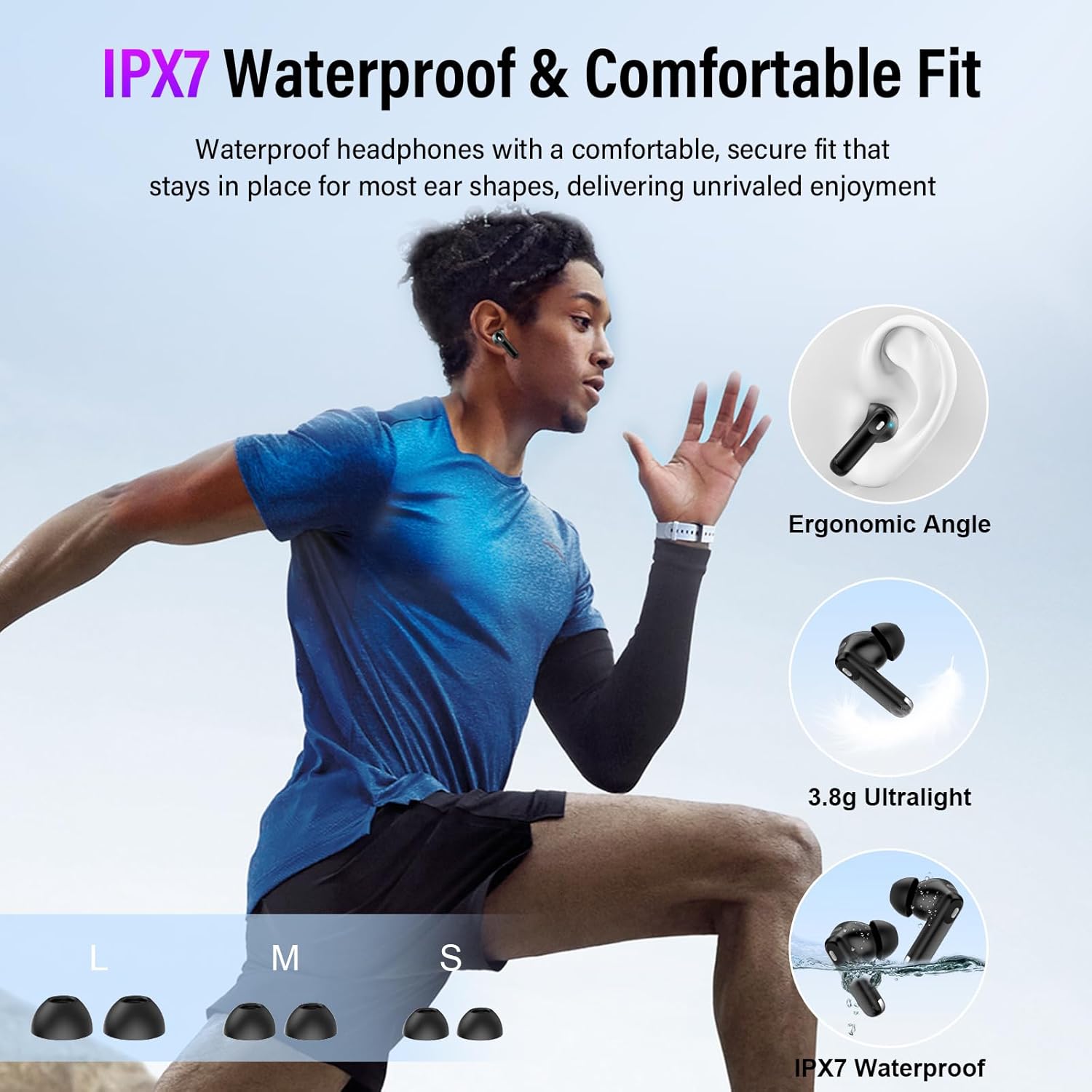
Image: A person running while wearing the earbuds, emphasizing the IPX7 waterproof rating, ergonomic angle, ultralight design (3.8g), and different ear tip sizes (S, M, L).
3.7. Super Compatibility
The U9 earbuds offer broad compatibility with almost any Bluetooth-enabled device, including smartphones (iOS and Android), tablets, and laptops, ensuring effortless connectivity across your devices.
4. Setup
4.1. Initial Charge
- Before first use, place both earbuds into the charging case.
- Connect the provided USB-C charging cable to the charging port on the case and a power source.
- Allow the case to fully charge. This typically takes about 1.5 hours. The touch screen display will indicate the charging status.
4.2. Pairing with a Device
- Ensure the earbuds are in the charging case and the case has sufficient charge.
- Open the charging case lid. The earbuds will automatically enter pairing mode.
- On your device (smartphone, tablet, laptop), navigate to the Bluetooth settings.
- Search for available devices and select "U9" from the list.
- Once connected, the touch screen on the case will confirm the connection, and the earbuds are ready for use.
4.3. Fitting the Earbuds
Select the ear tips (S/M/L) that provide the most comfortable and secure fit for your ears. A proper fit is crucial for optimal sound quality and noise cancellation. Gently insert the earbuds into your ear canal and twist slightly to ensure a snug seal.
5. Operating Instructions
5.1. Earbud Touch Controls
The earbuds feature touch-sensitive areas for basic controls:
- Answer/End Call: Single tap on either earbud.
- Play/Pause Music: Double tap on either earbud.
- Next Song: Long press the right earbud for 2 seconds.
- Previous Song: Long press the left earbud for 2 seconds.
- Activate Voice Assistant (Siri): Triple tap the left earbud.
- Switch ANC Mode: Triple tap the right earbud.
5.2. Touch Screen Controls (Charging Case)
The color touch screen on the charging case provides extensive control options:
- Music Playback: Play, pause, skip tracks directly from the screen.
- Volume Control: Adjust audio volume using the on-screen slider.
- Noise Control Modes: Switch between Normal Mode, Noise Cancellation Mode, and Transparency Mode.
- Equalizer (EQ) Modes: Select from Standard, Classic, Jazz, Rock, or Pop presets to optimize audio for different music genres.
- Call Management: Answer or end calls.
- Camera Control: Use the case screen to remotely trigger your device's camera.
- Language Switching: Change the display language.
- Wallpaper Switching: Customize the screen background.
- Screen Brightness: Adjust the display's luminosity.
- Headphone Search: Locate misplaced earbuds.
- Timer: Set a timer directly from the case.
6. Maintenance
6.1. Cleaning
Regularly clean your earbuds and charging case to ensure optimal performance and hygiene. Use a soft, dry, lint-free cloth. For stubborn dirt, slightly dampen the cloth with water. Do not use abrasive cleaners or immerse the case in water.
6.2. Storage
When not in use, store the earbuds in their charging case to protect them from dust, damage, and to keep them charged. Avoid storing in extreme temperatures or high humidity.
7. Troubleshooting
- No Sound: Ensure earbuds are paired correctly and volume is up on both the earbuds/case and your device. Check battery levels.
- Cannot Pair: Make sure Bluetooth is enabled on your device and the earbuds are in pairing mode (open case lid). Try forgetting the device on your phone and re-pairing.
- Intermittent Connection: Ensure no obstacles are between the earbuds and your device. Move closer to your device. Check for interference from other wireless devices.
- Charging Issues: Verify the charging cable is securely connected to both the case and power source. Ensure the charging contacts on the earbuds and inside the case are clean.
- Touch Screen Unresponsive: Ensure the screen is not locked. Try restarting the case by closing and reopening the lid, or by fully discharging and recharging it.
8. Specifications
| Model Name | U9 |
| Brand | Thunelec |
| Connectivity Technology | Wireless (Bluetooth 5.4) |
| Water Resistance Level | IPX7 Waterproof |
| Noise Control | Active Noise Cancellation, Environmental Noise Cancellation, Transparency Mode |
| Playback Time | 6-8 hours (earbuds), 48 hours (with charging case) |
| Charging Time (Case) | Approx. 1.5 hours |
| Control Type | Touch Control (earbuds), Touch Screen (case) |
| Ear Placement | In Ear |
| Item Weight | 3.52 ounces |
9. Warranty and Support
For warranty information and customer support, please refer to the documentation included with your purchase or visit the official Thunelec website. Keep your proof of purchase for any warranty claims.