
Thunelec U9
Thunelec U9 Wireless Earbuds User Manual
Model: U9
1. Introduction
Thank you for choosing the Thunelec U9 Wireless Earbuds. These earbuds are designed to provide a superior audio experience with advanced features such as Active Noise Cancellation (ANC), Environmental Noise Cancellation (ENC), Bluetooth 5.4 connectivity, a multifunctional touch screen charging case, and IPX7 waterproof rating. This manual will guide you through the setup, operation, and maintenance of your new earbuds to ensure optimal performance and longevity.

Image: The Thunelec U9 Wireless Earbuds in their dark blue charging case, showcasing the intuitive touch screen interface with battery levels and noise cancellation mode options.
2. What's in the Box
Please verify that all components are present in your package:
- U9 Wireless Earbuds (2 units)
- Multifunctional Touch Charging Case (1 unit)
- Charging Cable (1 unit)
- User Manual (1 unit)
- Ear Tips (3 pairs: S/M/L)

Image: A visual representation of the Thunelec U9 package contents, neatly arranged to show the earbuds, charging case, USB-C cable, user manual, and three sizes of ear tips.
3. Product Overview
3.1 Earbuds
The U9 earbuds are designed for comfort and high-fidelity audio. Each earbud features a 14.2mm bio-carbon fiber dynamic coil driver for powerful bass and clear mid-high frequencies. They are lightweight (3.8g each) and ergonomically shaped for a secure in-ear fit.

Image: An exploded diagram illustrating the internal structure of a Thunelec U9 earbud, highlighting the 14.2mm drivers and composite dynamic coil horn responsible for superior Hi-Fi stereo sound quality.
3.2 Charging Case
The charging case serves as both a protective storage unit and a portable power bank for your earbuds. Its most distinctive feature is the full-color LED touch screen, which allows direct control over various earbud functions and settings without needing to access your connected device.
4. Setup
4.1 Initial Charging
Before first use, fully charge the charging case and earbuds. Place the earbuds into the charging case and connect the provided USB-C cable to the charging port on the case. Connect the other end to a USB power adapter (not included) or a computer's USB port.
- Charging case full charge time: Approximately 1.5 hours.
- Earbud playtime on a single charge: 6-8 hours.
- Total playtime with charging case: Up to 48 hours.
The touch screen on the charging case will display the battery levels of both earbuds and the case in real-time.

Image: The Thunelec U9 charging case being charged via a USB-C cable, with icons indicating 6-8 hours of single charge playtime and 48 hours total playtime with the case.
4.2 Pairing with Your Device
The U9 earbuds feature one-step auto-pairing for convenience.
- Ensure your device's Bluetooth is turned on.
- Open the lid of the charging case. The earbuds will automatically enter pairing mode.
- On your device, search for Bluetooth devices and select "U9" from the list.
- Once connected, the earbuds will indicate successful pairing, and the connection status will be shown on the charging case screen.
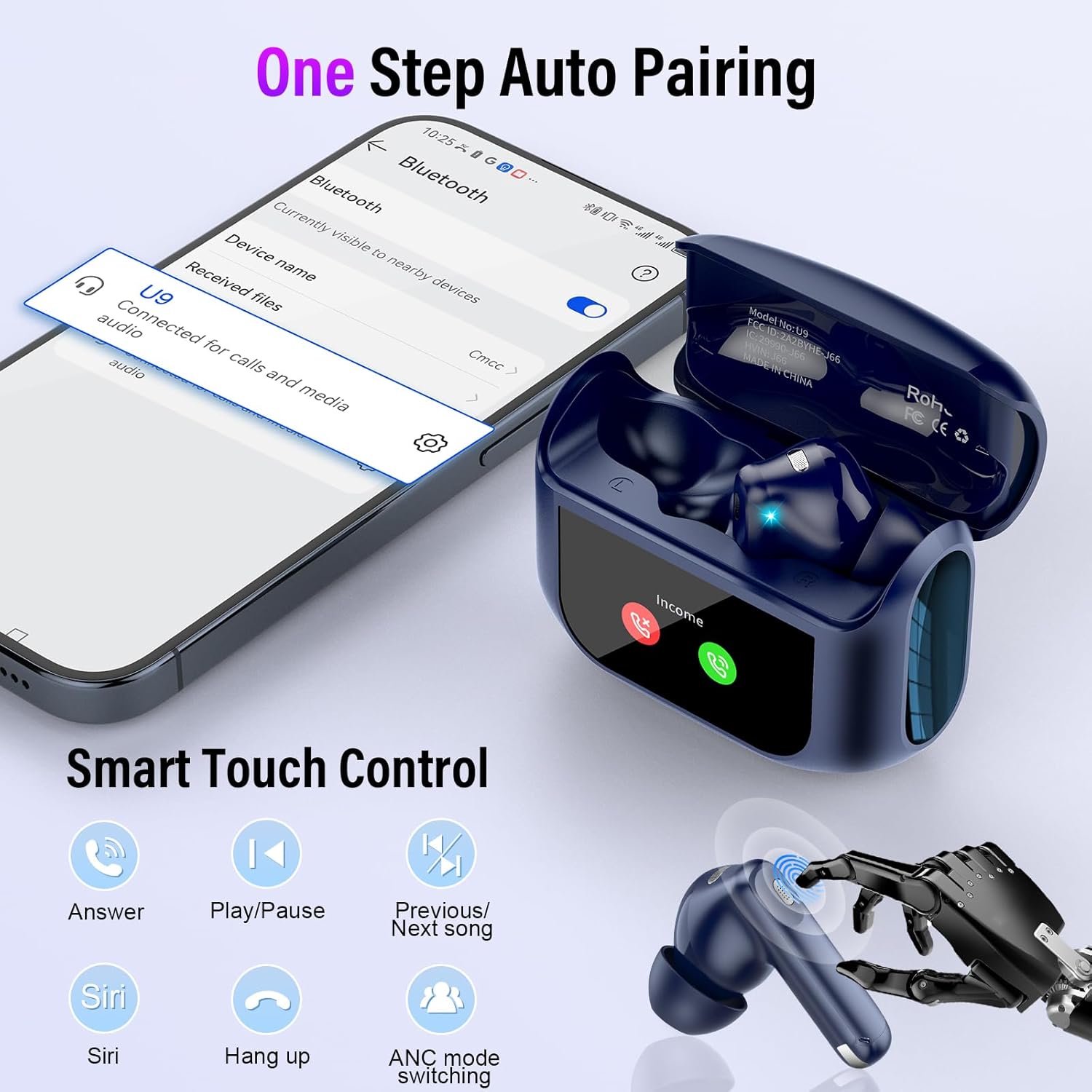
Image: A smartphone screen showing the Bluetooth pairing process with 'U9' selected, alongside the Thunelec U9 earbuds and charging case, illustrating the one-step auto-pairing feature.
5. Operating Instructions
5.1 Earbud Touch Controls
The earbuds feature intuitive touch controls for managing audio playback and calls. The touch sensor is located on the outer surface of each earbud.
| Action | Function |
|---|---|
| Single Tap (L/R) | Answer/End Call |
| Double Tap (L/R) | Play/Pause Music |
| Triple Tap (L/R) | ANC Mode Switching (Normal/ANC/Transparency) |
| Long Press 2s (Left Earbud) | Previous Song |
| Long Press 2s (Right Earbud) | Next Song |
| Long Press 3s (L/R) | Activate Voice Assistant (Siri, Google Assistant, etc.) |

Image: A detailed graphic illustrating the various touch control gestures on the Thunelec U9 earbuds, including single tap for calls, double tap for play/pause, triple tap for ANC mode, and long presses for track navigation and voice assistant.
5.2 Charging Case Touch Screen Functions
The smart touch screen on the charging case provides direct access to a wide range of functions:
- Music Playback Control: Play, pause, skip tracks directly from the screen.
- Volume Adjustment: Precisely control the audio volume.
- Camera Control: Use the case as a remote shutter for your phone's camera.
- Language Switching: Select from seven supported languages.
- Wallpaper Switching: Customize the screen background.
- Screen Brightness Adjustment: Optimize screen visibility.
- Headphone Search: Locate misplaced earbuds (within Bluetooth range).
- Timer: Set a timer for various activities.
- Noise Control Mode Selection: Switch between Normal, ANC, and Transparency modes.
- EQ Mode Selection: Choose from 5 equalization modes.
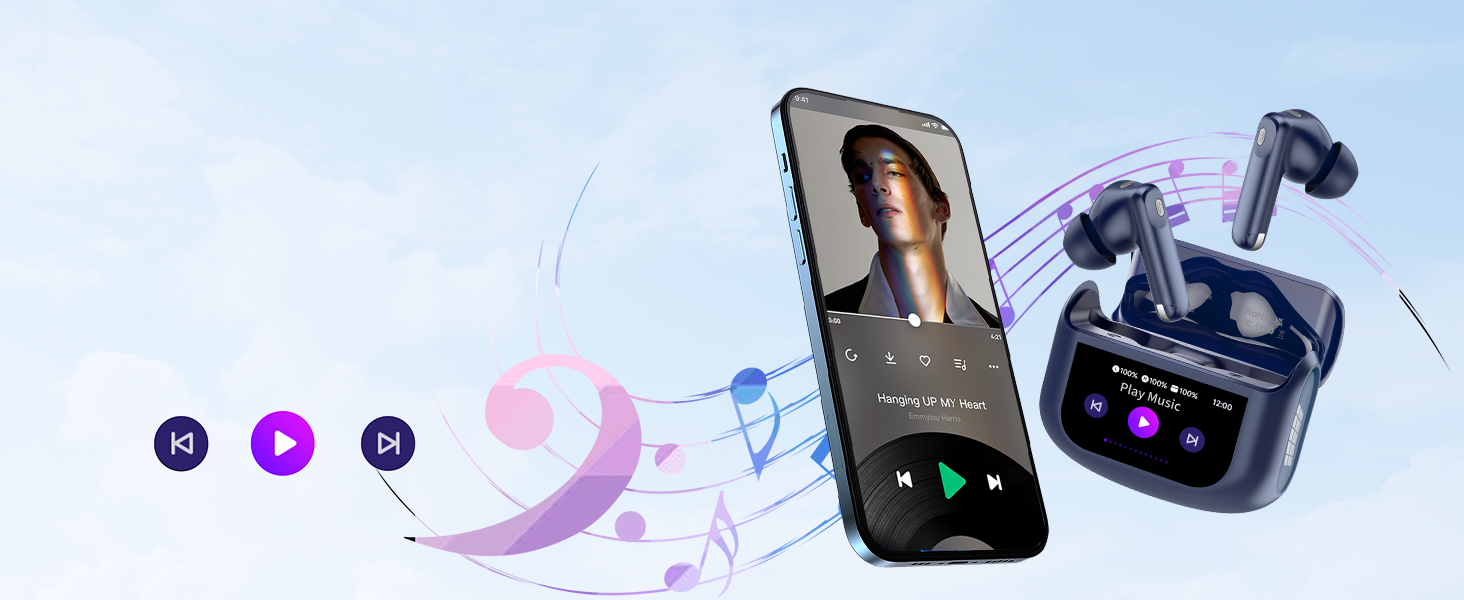
Image: A collage of different interface screens from the Thunelec U9 charging case's intelligent touch screen, demonstrating functions like music playback, volume control, timer, screen lock, and earbud finding.
5.3 Noise Control Modes
The U9 earbuds offer three distinct noise control modes:
- Active Noise Cancellation (ANC): Reduces external noise by up to 45dB, ideal for noisy environments like public transport or offices.
- Environmental Noise Cancellation (ENC): Enhances call clarity by filtering out ambient noise during phone conversations.
- Transparency Mode: Allows you to hear your surroundings clearly without removing the earbuds, enhancing safety during outdoor activities.
Switch between these modes using the earbud touch controls (triple tap) or via the charging case touch screen.
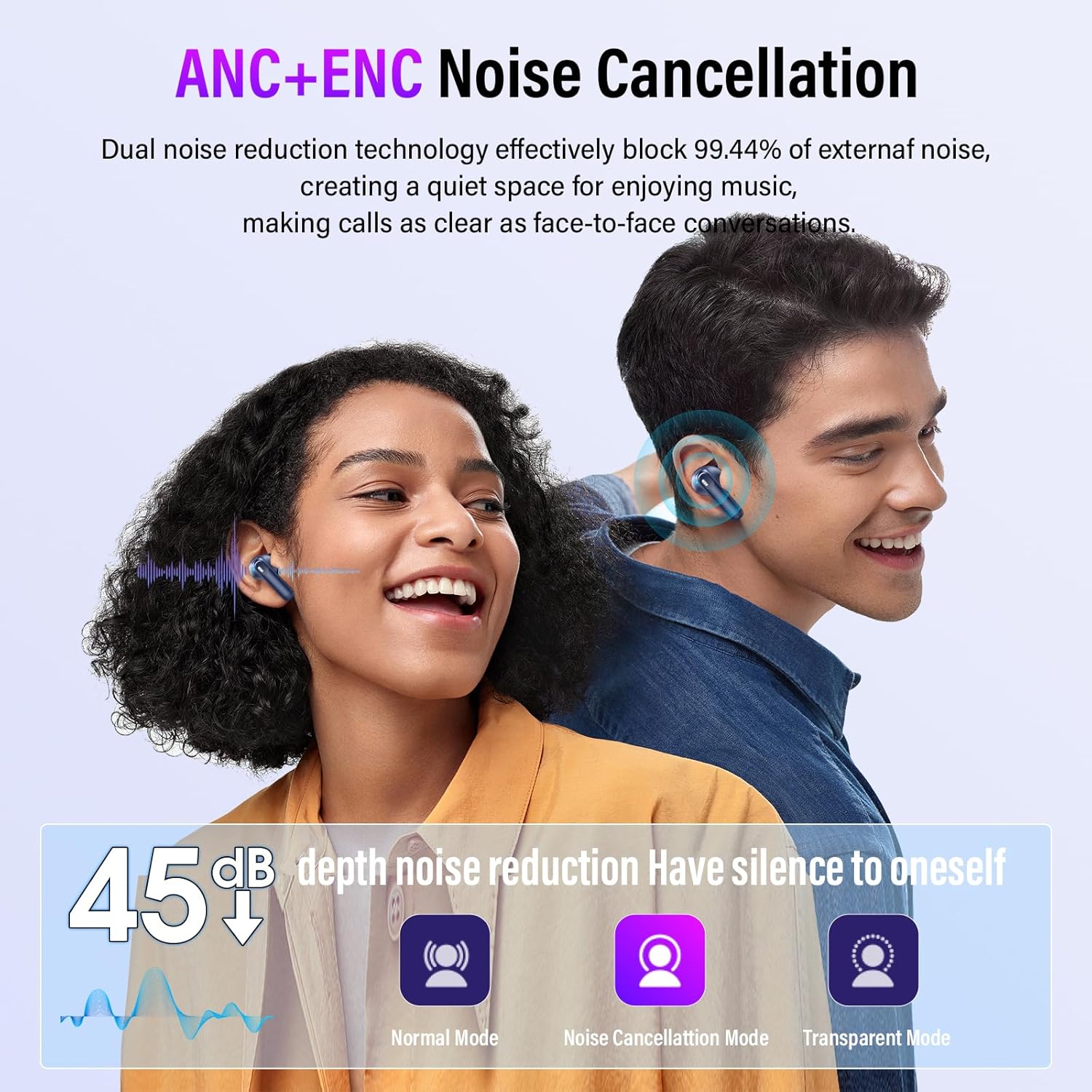
Image: A graphic demonstrating the effectiveness of ANC+ENC noise cancellation, showing a 45dB depth noise reduction and icons for Normal Mode, Noise Cancellation Mode, and Transparent Mode.
5.4 Equalization (EQ) Modes
Customize your listening experience with five built-in EQ modes:
- Standard
- Classic
- Jazz
- Rock
- Pop
These modes can be selected directly from the charging case touch screen to match your preferred music genre or audio content.

Image: The Thunelec U9 charging case screen showing options for various 3D Spatial Audio EQ modes, including Normal, Jazz, Rock, Pop, and Classics, allowing users to customize their listening experience.
6. Maintenance
6.1 Cleaning
Regular cleaning helps maintain the performance and hygiene of your earbuds:
- Gently wipe the earbuds and charging case with a soft, dry, lint-free cloth.
- Remove ear tips and clean them with mild soap and water, then dry thoroughly before reattaching.
- Use a dry cotton swab to carefully clean the charging contacts on both the earbuds and inside the case.
- Avoid using abrasive materials, solvents, or harsh chemicals.
6.2 Water Resistance (IPX7)
The Thunelec U9 earbuds are IPX7 waterproof, meaning they can withstand immersion in water up to 1 meter for 30 minutes. This makes them suitable for workouts and use in rainy conditions. However, the charging case is not waterproof. Do not expose the charging case to water.
- Do not intentionally submerge the earbuds for extended periods or in depths greater than 1 meter.
- Ensure earbuds are completely dry before placing them back into the charging case to prevent damage.
- IPX7 rating applies to the earbuds only, not the charging case.
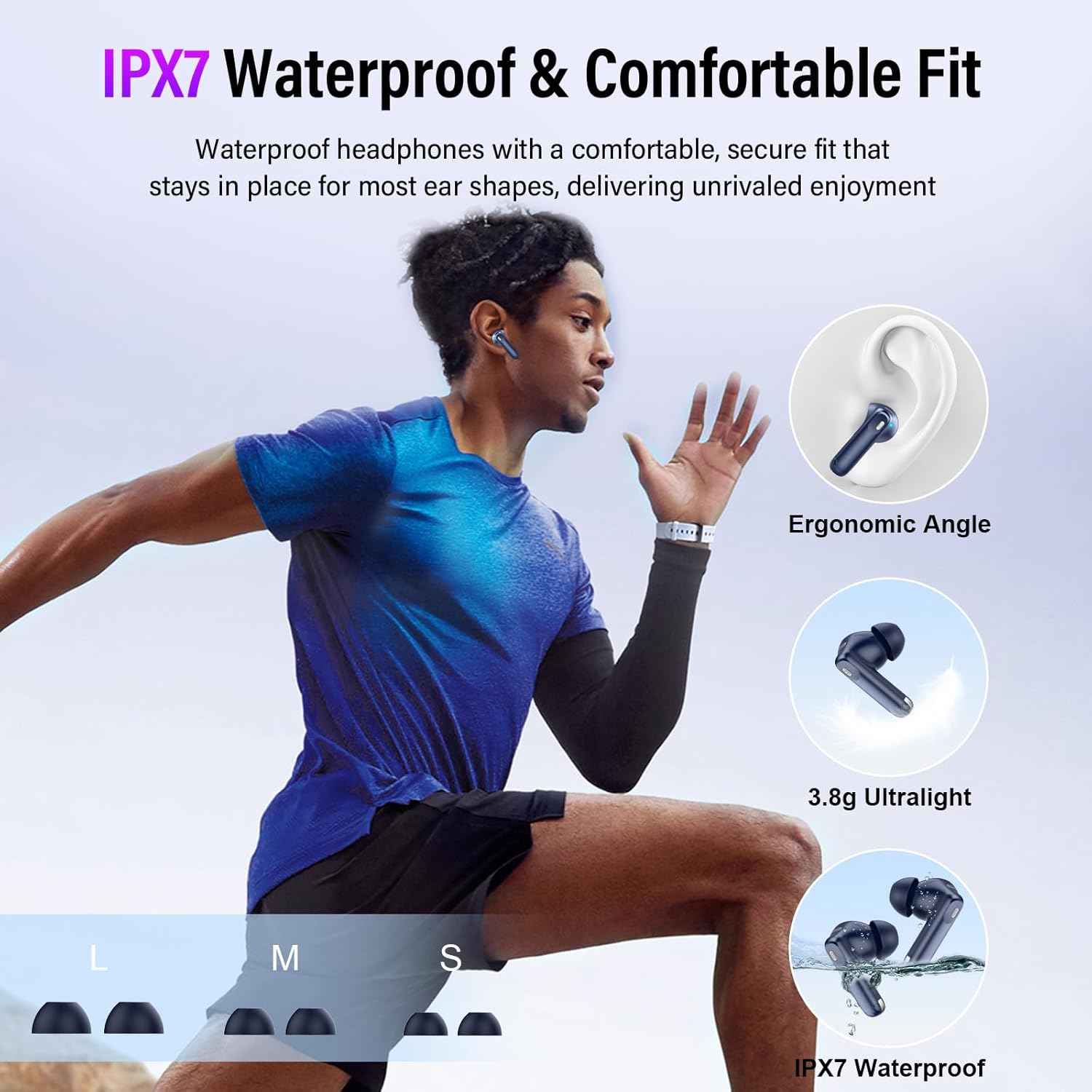
Image: A person running outdoors while wearing the Thunelec U9 earbuds, emphasizing their IPX7 waterproof rating and comfortable, secure fit for active use.
6.3 Battery Care
To prolong battery life:
- Avoid exposing the device to extreme temperatures (hot or cold).
- Store the earbuds and case in a cool, dry place when not in use.
- Charge the device regularly, even if not used frequently, to prevent deep discharge.
7. Troubleshooting
If you encounter issues with your Thunelec U9 Wireless Earbuds, refer to the following common problems and solutions:
| Problem | Possible Solution |
|---|---|
| Earbuds not pairing or connecting. |
|
| No sound from one or both earbuds. |
|
| Charging case screen unresponsive. |
|
| Poor call quality. |
|
| Battery drains quickly. |
|
8. Specifications
| Feature | Detail |
|---|---|
| Model Name | U9 |
| Connectivity Technology | Wireless |
| Wireless Communication Technology | Bluetooth 5.4 |
| Control Type | Touch Control |
| Water Resistance Level | IPX7 (Earbuds only) |
| Manufacturer | Thunelec |
| Item Weight | 3.52 ounces |
| Batteries | 1 A batteries required (included) |
| Noise Control | Active Noise Cancellation, Environmental Noise Cancellation, Sound Isolation |
| Earbud Playtime (Single Charge) | 6-8 hours |
| Total Playtime (with Charging Case) | Up to 48 hours |
| Charging Case Charge Time | Approx. 1.5 hours |
| Driver Size | 14.2mm |
| EQ Modes | Standard, Classic, Jazz, Rock, Pop |
9. Warranty and Support
For any product-related inquiries, technical support, or warranty information, please contact the manufacturer, Thunelec. Refer to the product packaging or the official Thunelec website for specific contact details and warranty terms applicable to your region.
Ask a question about this manual
Ask about setup, troubleshooting, compatibility, parts, safety, or missing instructions. Manuals+ will review the question and use this page’s manual context to help answer it.