
Important Safety Instructions
Please read all instructions carefully before using the shredder. Keep this manual for future reference.
- Keep children and pets away from the shredder.
- Keep loose clothing, jewelry, hair, and hands away from the paper entry slot.
- Do not spray any flammable products onto the shredder.
- Do not shred metal objects, wet paper, or adhesive labels.
- Unplug the shredder when not in use or before cleaning.
- Do not operate the shredder if the power cord is damaged.
Product Overview
The Staples 12-Sheet Micro-Cut Personal Shredder (ST62153) is designed for secure disposal of personal and office documents. It features micro-cut shredding for enhanced security (P-4 rating), reducing documents to 4mm x 12mm pieces.
Key features include:
- Shredding Capacity: Up to 12 sheets of paper per pass.
- Material Compatibility: Shreds paper, credit cards, standard staples, small paper clips, and CDs/DVDs.
- Security Level: P-4 micro-cut for high security.
- Run Time: 20 minutes continuous operation, followed by a 40-minute cool-down period.
- Waste Bin: 5-gallon (18.9L) pull-out bin for easy emptying.
- Safety Features: Auto Start/Stop, Auto Reverse, Overload Protection, blue ready LED indicator, red flash for bin full indicator.
- Mobility: Equipped with casters for easy movement.

Image: The shredder in operation, feeding a document into the micro-cut slot.
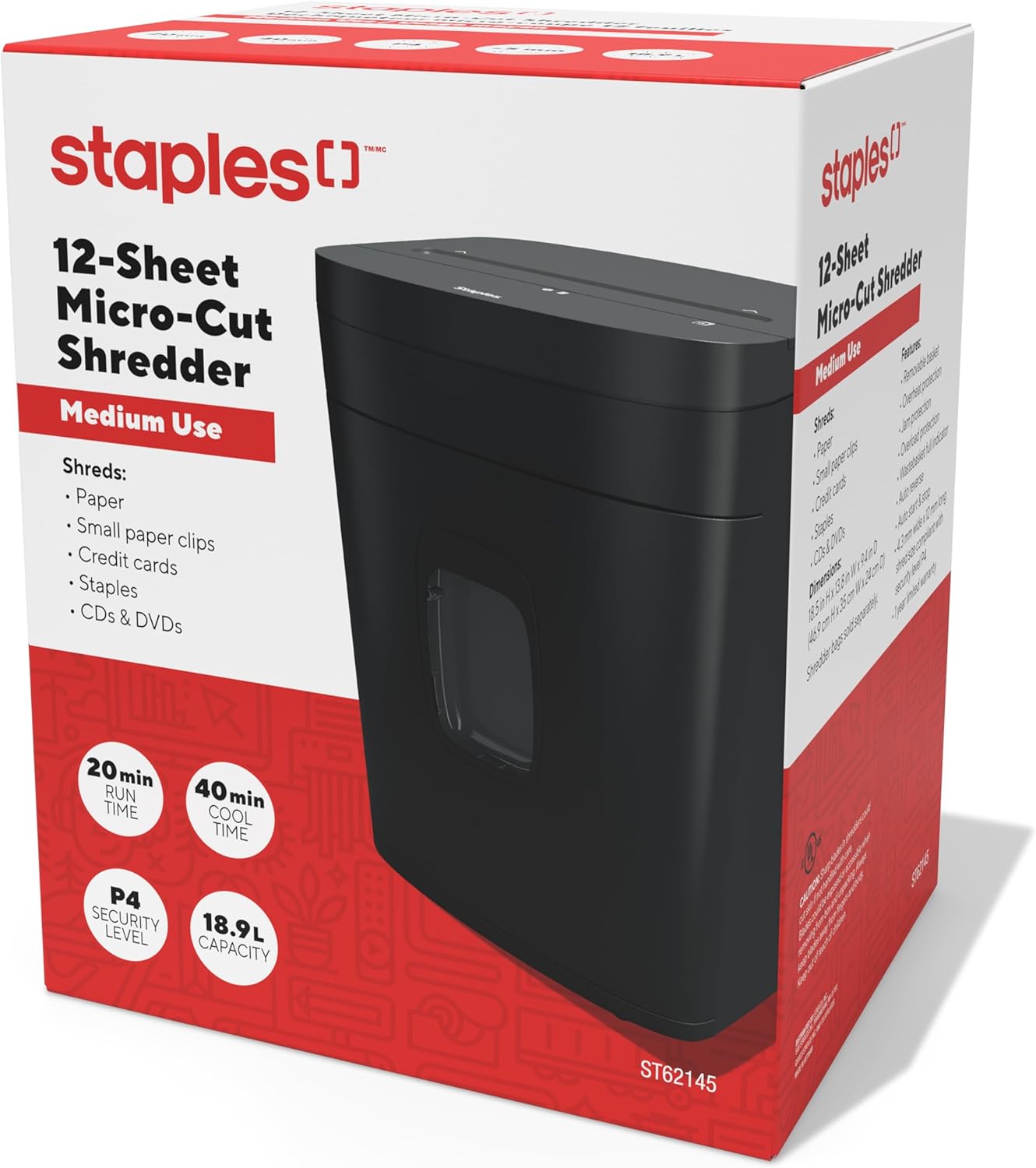
Image: The retail packaging for the Staples 12-Sheet Micro-Cut Personal Shredder.
Package Contents
Verify that all items are present in the package:
- Staples 12-Sheet Micro-Cut Personal Shredder Unit
- Instruction Manual (this document)
Setup
- Unpacking: Carefully remove the shredder from its packaging. Remove any protective materials or plastic bags.
- Placement: Position the shredder on a flat, stable surface. Ensure there is adequate space around the unit for ventilation and to access the waste bin. The shredder is equipped with casters for easy mobility.
- Power Connection: Plug the power cord into a standard electrical outlet.

Image: The shredder positioned in an office setting, demonstrating its compact size.

Image: A detailed view of the shredder's base, highlighting the integrated casters for easy movement.
Operation
- Power On: Ensure the shredder is plugged in. The blue LED indicator should illuminate, indicating the shredder is ready for operation.
- Shredding Paper: Insert up to 12 sheets of paper into the paper entry slot. The shredder will automatically start when paper is detected and stop once shredding is complete.
- Shredding Other Materials: The shredder can also process credit cards, CDs/DVDs, standard staples, and small paper clips. Insert these items one at a time into the designated entry slot (if separate) or the main paper entry slot.
- Continuous Operation: The shredder is designed for 20 minutes of continuous use. After this period, allow the unit to cool down for 40 minutes to prevent overheating and ensure longevity.
- Auto Reverse: If too much paper is inserted, the Auto Reverse feature will attempt to clear the jam by reversing the shredding action.

Image: A close-up view of the paper entry slot on the shredder's top panel.
Maintenance
- Emptying the Waste Bin: When the waste bin is full, a red indicator light will flash. Pull out the 5-gallon capacity bin from the front of the shredder and empty the shredded material. Reinsert the bin securely.
- Cleaning: Unplug the shredder before cleaning. Use a soft, dry cloth to wipe the exterior. Do not use abrasive cleaners or solvents. For optimal performance, periodically oil the shredder blades with shredder oil (sold separately).
- Cool-Down Periods: Adhere to the 40-minute cool-down period after 20 minutes of continuous use to prevent motor strain and extend the life of the shredder.
Troubleshooting
| Problem | Possible Cause | Solution |
|---|---|---|
| Shredder does not start | Not plugged in; waste bin not fully inserted; power switch off. | Ensure power cord is securely plugged in. Push waste bin completely into place. Check power switch position. |
| Paper jam | Too much paper inserted; paper folded or crumpled. | Utilize the Auto Reverse function. If jam persists, unplug, carefully remove paper from the entry slot. Reduce paper quantity for future shredding. |
| Shredder stops during operation (overheating) | Exceeded continuous run time (20 minutes); motor overload. | Allow the shredder to cool down for 40 minutes. The Overload Protection feature will reset automatically. |
| Red bin full indicator flashing | Waste bin is full. | Empty the waste bin and reinsert it securely. |
Specifications
| Feature | Detail |
|---|---|
| Model Number | ST62153 |
| Shred Type | Micro Cut |
| Security Level | P-4 |
| Shred Size | 4mm x 12mm |
| Sheet Capacity | 12 sheets |
| Bin Capacity | 5 Gallons (18.9 Liters) |
| Continuous Run Time | 20 minutes |
| Cool Down Time | 40 minutes |
| Noise Level | 65 decibels |
| Dimensions (L x W x H) | 38.4D x 30W x 47H Centimetres (13.8"L x 9.4"W x 18.5"H) |
| Item Weight | 10.16 kg (22.4 Pounds) |
| Manufacturer | Staples |
| UPC | 718103440509 |
Warranty Information
This Staples 12-Sheet Micro-Cut Personal Shredder (ST62153) is covered by a 1-year limited manufacturer warranty from the date of purchase. This warranty covers defects in materials and workmanship under normal use. For warranty claims or further details, please contact customer support.
Customer Support
For technical assistance, troubleshooting, or warranty inquiries, please contact Staples customer support.
Manufacturer Contact Information:
500 STAPLES DR
FRAMINGHAM MA 01702-4474
United States of America
Please visit the official Staples website or your local Staples store for additional support resources.