
1. Safety Information
The ACMER S2 Laser Engraver is a Class 4 laser product. Proper safety precautions are essential during operation to prevent injury.
- Eye Protection: Always wear the provided laser safety goggles when the laser is active. Never look directly at the laser beam.
- Ventilation: Operate the engraver in a well-ventilated area to dissipate smoke and fumes produced during engraving and cutting.
- Material Safety: Avoid engraving or cutting highly reflective materials, PVC, or any materials that produce toxic fumes when burned.
- Supervision: Never leave the machine unattended during operation.
- Emergency Stop: Familiarize yourself with the location of the emergency stop button (if applicable) or the power switch to quickly shut down the machine in case of an emergency.
2. Package Contents
Verify that all components are present in the package:
- ACMER S2 Laser Engraver Machine (main frame and laser module)
- Power Adapter (AC/DC)
- USB Cable
- Laser Safety Goggles
- Material Samples (e.g., wood, acrylic)
- Assembly Tools and Screws (labeled by step)
- User Manual
3. Setup Instructions
Follow these steps to assemble and prepare your ACMER S2 Laser Engraver for first use.
- Assembly: Carefully assemble the machine frame according to the detailed instructions provided in the included user manual. Ensure all screws are tightened securely. The screw bags are conveniently labeled by step for ease of assembly.
- Connect Cables: Connect the USB cable from the engraver to your computer and the power adapter to the machine and a power outlet.
- Software Installation: Install the necessary drivers and engraving software (e.g., LaserGRBL or LightBurn) on your computer. These are typically available for download from the manufacturer's website.
- Focusing the Laser: Use the provided gauge block to set the correct focal length for the laser module. Loosen the laser module's adjustment screw, place the gauge block under the laser, lower the module until it touches the block, then tighten the screw. This ensures optimal engraving and cutting precision.
- Workspace Preparation: Place the material to be engraved or cut on the honeycomb workbed. It is recommended to use a protective pad underneath to prevent damage to your work surface.
Video: Demonstrating the assembly and initial setup of the ACMER S2 Laser Engraver, including focusing the laser module.

Image: The POM pulley and dovetail slide system ensures stable and quiet operation, with vibration and noise levels below 45dB.

Image: The dual-axis limit switch helps keep your work within bounds and allows for instant machine reset with the 'Go Home' button.
4. Operating Instructions
Operating your ACMER S2 Laser Engraver involves preparing your design, setting parameters, and initiating the process.
- Design Preparation: Use compatible software like LightBurn or LaserGRBL to create or import your design. The software allows you to adjust the size, position, and other parameters of your engraving or cutting job.
- Parameter Settings: Adjust laser power, speed, and number of passes based on the material and desired effect. Refer to the material compatibility section for general guidelines.
- Framing: Use the software's framing function to preview the laser's path on your material, ensuring the design is correctly positioned.
- Start Operation: Once all settings are confirmed and safety goggles are worn, initiate the engraving or cutting process through the software.

Image: The ACMER S2 Laser Engraver precisely working on different materials, showcasing its versatility.

Image: Achieve hair-thin precision with the ultra-fine 0.06x0.06mm laser spot, capturing every detail from photo portraits to metal textures.
5. Material Compatibility and Settings
The ACMER S2 Laser Engraver is capable of engraving and cutting a wide range of materials. Optimal settings vary by material thickness and type.
- Engraving Materials: Wood, acrylic, leather, glass, ceramics, coated metals, paper, bamboo, plastic, PCB board, aluminum oxide.
- Cutting Capabilities: The 12000mW laser module offers significant cutting power. For example, it can cut 12mm plywood, 8mm acrylic, 5mm MDF, and 15mm wood.
- Precision: Achieve 0.01mm ultra-thin engraving precision with a 0.08 x 0.08mm laser spot.
- Speed: Engraving speeds up to 10000mm/min.
Tip: Always perform a small test pattern on a scrap piece of your material to determine the ideal power and speed settings before starting your main project.

Image: Illustrates the cutting depth on different materials with single and multiple passes.
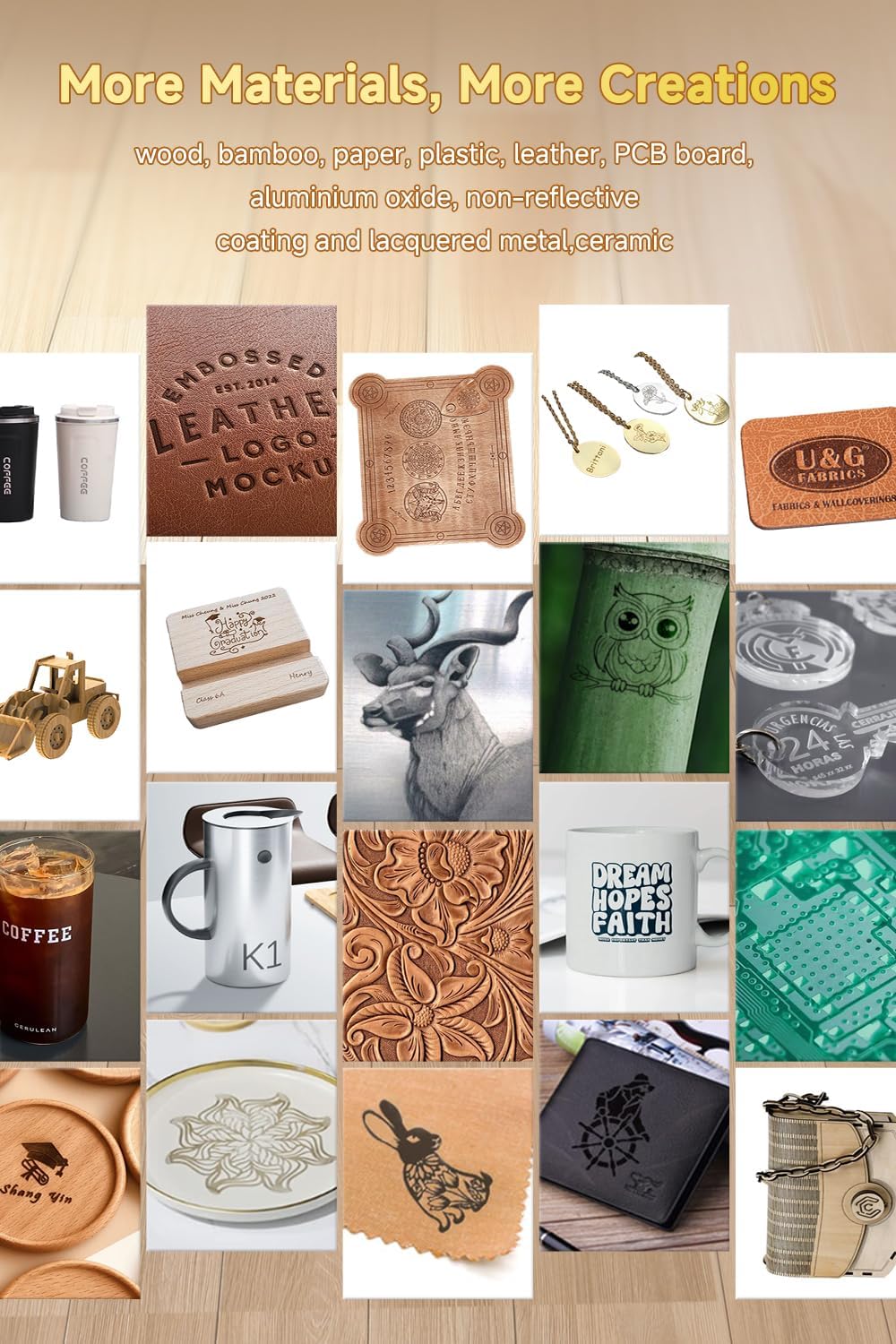
Image: Examples of creations possible with the ACMER S2, including intricate designs on wood, leather, and metal.
6. Maintenance
Regular maintenance ensures the longevity and optimal performance of your laser engraver.
- Cleaning: Regularly clean the laser lens and the work area to remove dust, debris, and residue from engraved materials. Use a soft, lint-free cloth and appropriate cleaning solutions for the lens.
- Lubrication: Periodically lubricate the guide rails and moving parts as recommended by the manufacturer to ensure smooth operation.
- Firmware Updates: Check for and install any available firmware updates for the laser module and control board.
7. Troubleshooting
If you encounter issues, refer to these common troubleshooting tips:
- Laser Not Firing: Check power connections, USB connection, and ensure the laser module is properly seated. Verify software settings for laser power.
- Poor Engraving/Cutting Quality: Re-check laser focus, adjust power/speed settings, and ensure the material is flat and securely placed. Clean the laser lens.
- Machine Not Responding: Restart the software and the machine. Check USB cable connection. Ensure drivers are correctly installed.
- Smoke/Fumes: Ensure proper ventilation. Reduce laser power or increase speed if excessive smoke is produced.
8. Specifications
| Feature | Specification |
|---|---|
| Model Number | S2KB-orange-12000mW |
| Laser Output Power | 12000mW (also available in 7000mW) |
| Laser Class | Class 4 |
| Engraving Area | 300 x 300 mm (11.81 x 11.81 inches) |
| Laser Spot Size | 0.08 x 0.08mm (Ultra-Thin) |
| Engraving Speed | Up to 10000mm/min |
| Material | Metal |
| Item Weight | 7.7 pounds |
| Power Source | AC/DC |

Image: The generous 300x300mm working area allows for larger projects and higher productivity.
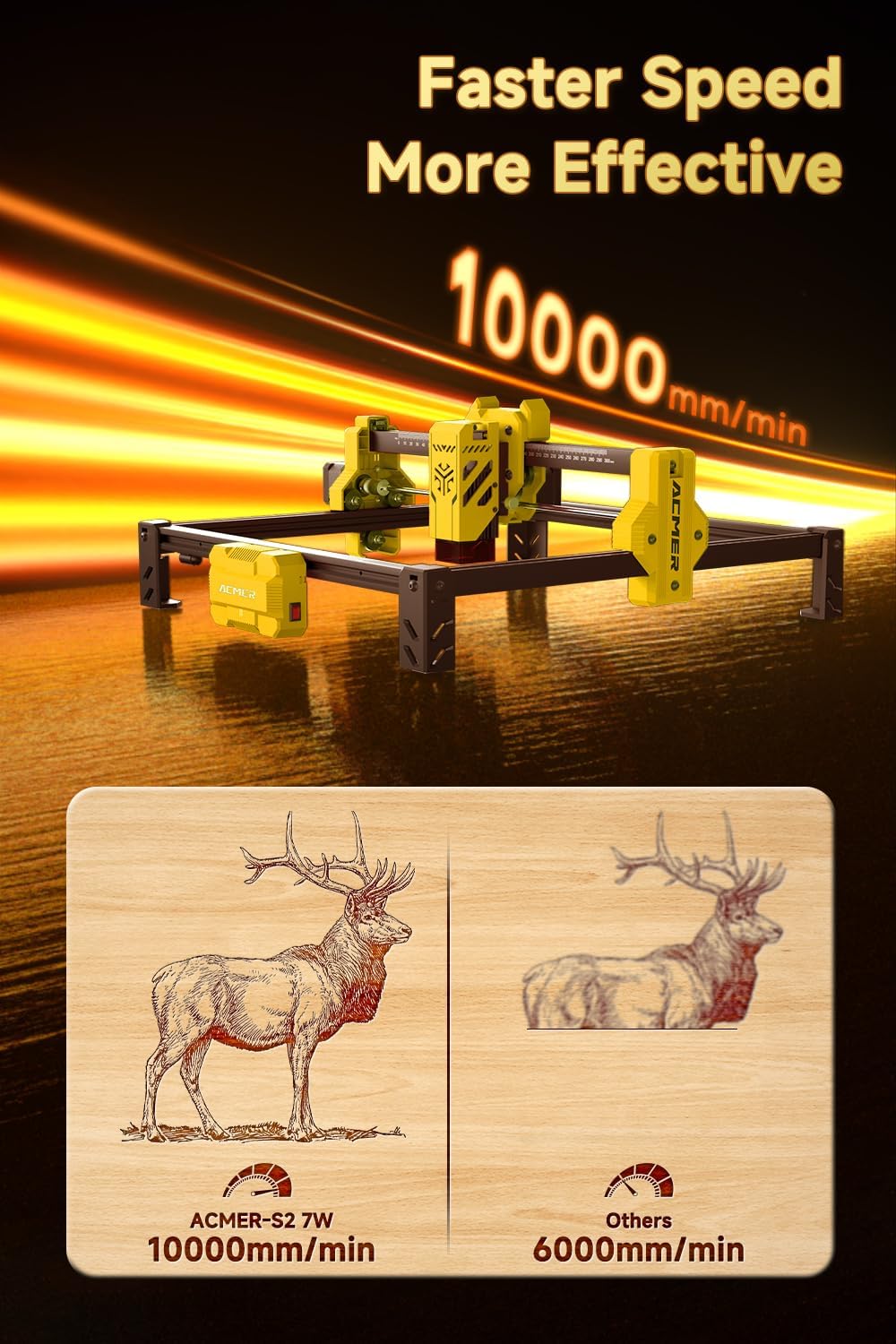
Image: Experience faster and more effective engraving with speeds up to 10000mm/min.
9. Warranty and Support
ACMER is committed to providing excellent after-sales service. If you encounter any problems during use, please contact us for a satisfactory solution.
For further assistance, please refer to the contact information provided in your product packaging or visit the official ACMER website.


