
Introduction
This manual provides essential instructions for the safe and effective operation, maintenance, and troubleshooting of your ACMER S1 2500mW Mini Laser Engraving Machine. Please read this manual thoroughly before using the device to ensure optimal performance and safety.
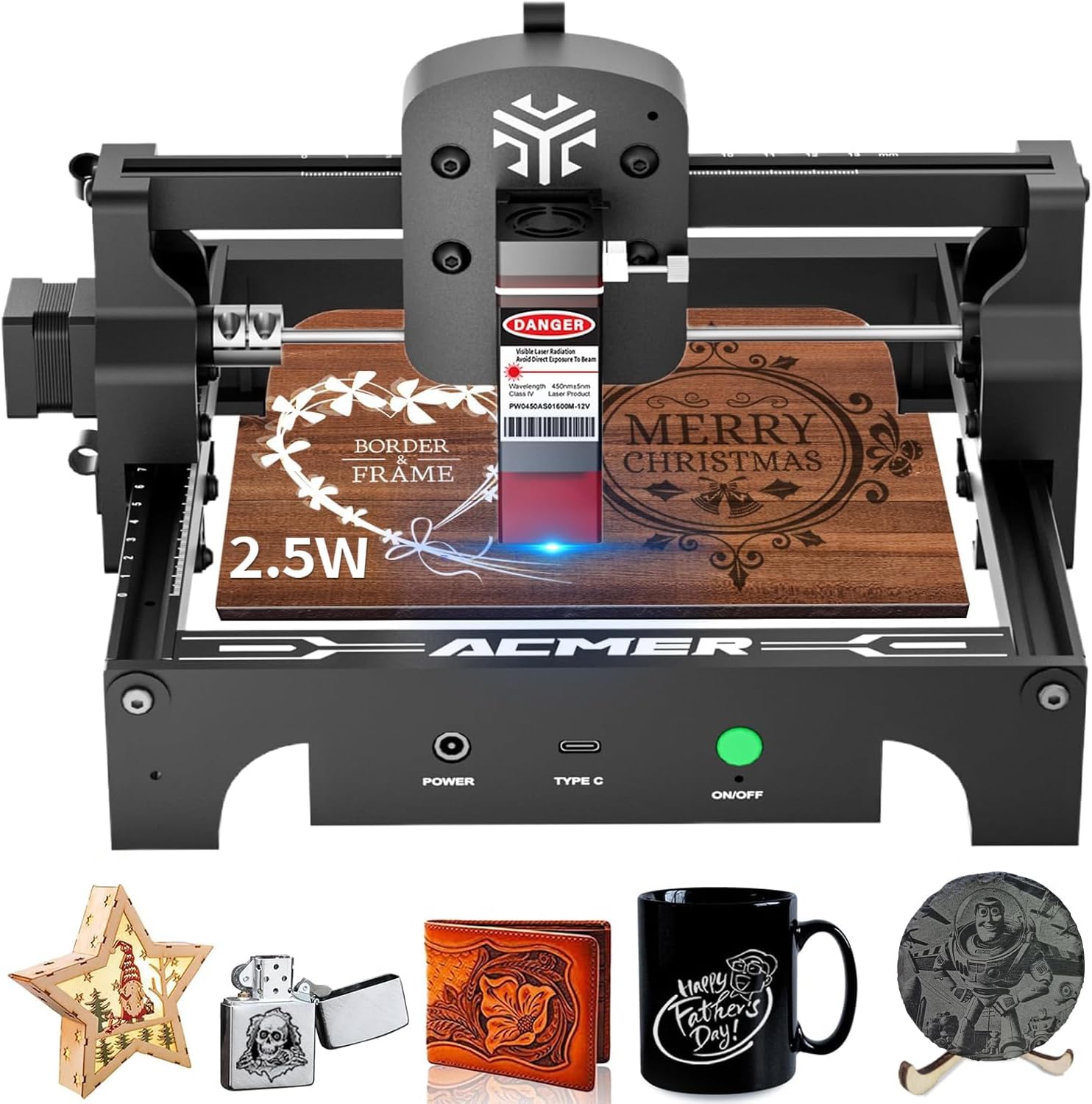
Image: The ACMER S1 Laser Engraver, showcasing its compact design and examples of engraved items like wood, leather, and ceramic.
Safety Information
WARNING: This product contains a Class 4 laser. Direct exposure to the laser beam can cause severe eye injury and skin burns. Always wear protective eyewear during operation. Never look directly into the laser beam or at its reflection.
- Eye Protection: Always wear the provided professional safety goggles when the laser is active.
- Ventilation: Operate the engraver in a well-ventilated area to dissipate fumes and smoke produced during engraving.
- Flammable Materials: Keep flammable materials away from the engraving area. The laser can ignite certain materials.
- Supervision: Never leave the machine unattended during operation.
- Children and Pets: Keep children and pets away from the device during operation.
- Emergency Stop: Familiarize yourself with the location of the ON/OFF button for immediate shutdown in emergencies.
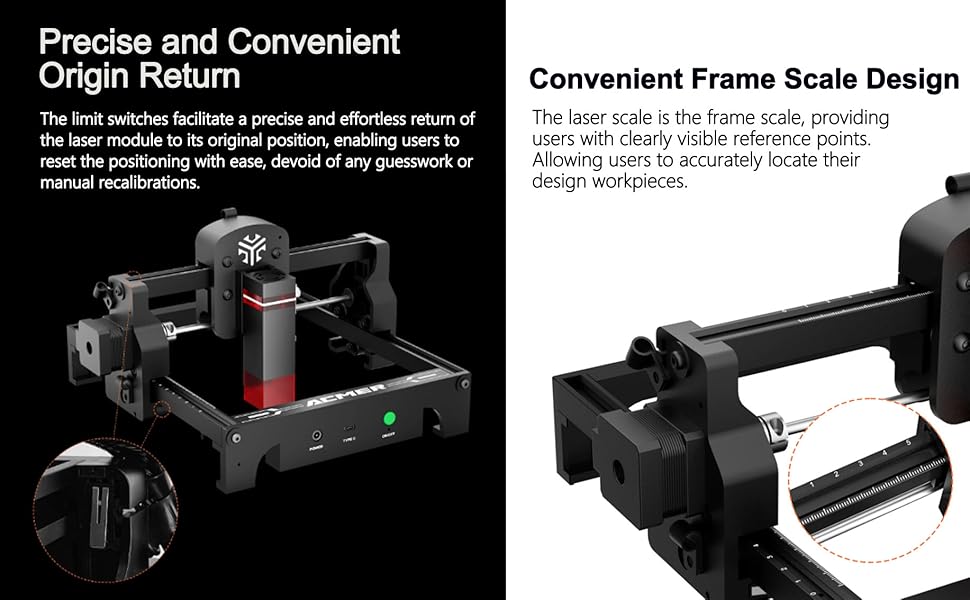
Image: Close-up of the ACMER S1 laser module showing safety labels and the device's precise origin return and frame scale design features.
Setup
- Unboxing and Inspection: Carefully remove all components from the packaging. Verify that all parts are present and undamaged.
- Placement: Place the engraver on a stable, level surface in a well-ventilated area.
- Power Connection: Connect the power adapter to the "POWER" port on the machine and then to a suitable power outlet.
- Computer Connection: Connect the engraver to your computer using the provided USB Type-C cable.
- Software Installation:
- The ACMER S1 is compatible with professional engraving software such as LightBurn and LaserGRBL.
- Download and install your preferred software from the official websites. Refer to the software's documentation for installation instructions.
- Initial Focus Adjustment:
- Place a test material (e.g., a piece of wood or cardboard) on the engraving platform.
- Adjust the laser module's height until the laser spot is at its smallest and most focused point on the material surface. This is crucial for engraving precision.

Image: A user operating the ACMER S1 Laser Engraver, demonstrating its use with a laptop and various crafting projects.
Operating Instructions
- Prepare Your Design: Create or import your design into your chosen engraving software (LightBurn, LaserGRBL).
- Material Placement: Place the material to be engraved or cut onto the machine's working area (5.1" x 5.1"). Ensure it is stable and flat.
- Software Settings:
- Adjust engraving parameters (speed, power, passes) based on the material type and desired effect. Refer to the software's guidelines or the recommended parameters provided by ACMER for common materials.
- The S1 offers an ultra-fine 0.04×0.04mm laser spot and high-speed 10000mm/min operation.
- Preview and Position: Use the software's preview function to confirm the design's position on the material. The convenient frame scale design on the machine helps with accurate placement.
- Start Engraving/Cutting: Initiate the engraving or cutting process from the software. The machine will begin operation.
- Monitoring: Continuously monitor the engraving process. Be prepared to stop the machine immediately if any issues arise.

Image: Infographic highlighting key features of the ACMER S1: 10,000mm/min engraving speed, 0.04x0.04mm finest laser spot size, 130x130mm working area, and compatibility with over 100 materials.
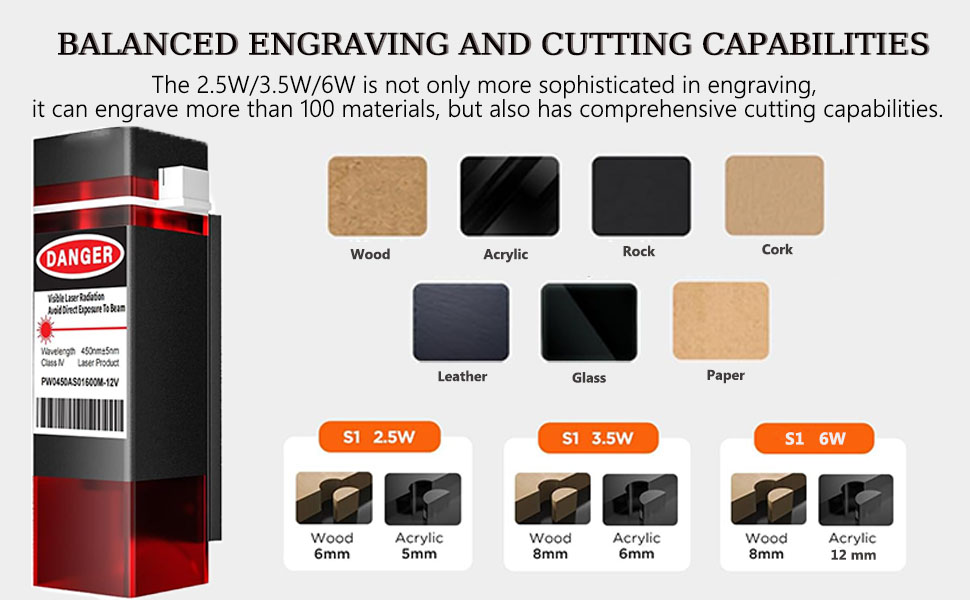
Image: Diagram illustrating the balanced engraving and cutting capabilities of the ACMER S1, showing various materials like wood, acrylic, leather, glass, and paper, along with cutting depths for different laser powers.
Video: Demonstration of the ACMER S1 Laser Engraver in action, highlighting its ease of use and portability for various engraving tasks.
Video: An overview of the ACMER S1 Mini Laser Engraver, showcasing its features and suitability for beginners in laser engraving.
Maintenance
- Laser Lens Cleaning: Regularly inspect the laser lens for dust or debris. Use a soft, lint-free cloth and lens cleaning solution (if recommended by the manufacturer) to gently clean the lens.
- General Cleaning: Keep the engraving platform and machine frame clean from debris and residue. A soft brush or compressed air can be used.
- Lubrication: Periodically check the guide rails and moving parts for smooth operation. Apply a small amount of appropriate lubricant if necessary, following manufacturer guidelines.
- Storage: When not in use, store the engraver in a clean, dry environment, protected from dust and direct sunlight.
Troubleshooting
| Problem | Possible Cause | Solution |
|---|---|---|
| Laser not firing or weak output | Incorrect focus, low power setting, dirty lens, loose connection. | Adjust laser focus. Increase power setting in software. Clean the laser lens. Check all cable connections. |
| Engraving quality is poor or inconsistent | Incorrect speed/power settings, material not flat, unstable machine, dirty lens. | Adjust speed and power settings. Ensure material is flat and secured. Place machine on a stable surface. Clean the laser lens. |
| Machine not connecting to computer | USB cable issue, driver not installed, software not recognizing device. | Try a different USB port or cable. Ensure correct drivers are installed. Restart software and machine. |
| Machine stops mid-engraving | Loose connection, software error, power interruption. | Check all connections. Restart software and machine. Ensure stable power supply. |
Specifications
- Brand: ACMER
- Model: S1
- Laser Power: 2500mW (This specific variant)
- Engraving Area: 5.1"L x 5.1"W (130mm x 130mm)
- Laser Spot Size: 0.04mm x 0.04mm
- Engraving Speed: Up to 10000mm/min
- Operation Mode: Automatic
- Item Weight: 1.84 Kilograms (approx. 4.05 pounds)
- Compatibility: LightBurn, LaserGRBL (Software)
- Materials: Wood, Acrylic, Leather, Plastic, Rock, Glass, Paper, and over 100 other materials.
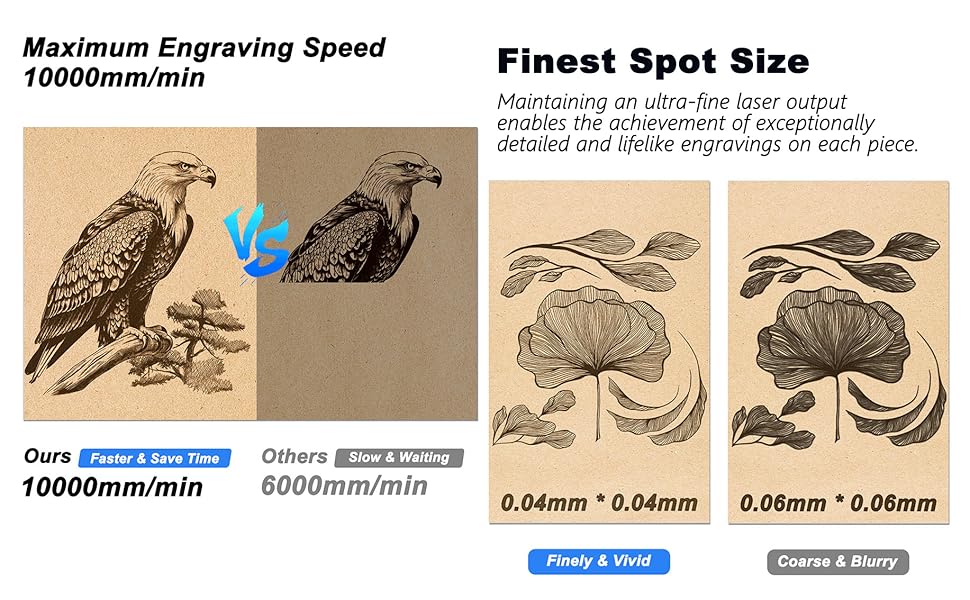
Image: Comparison graphic illustrating the ACMER S1's maximum engraving speed of 10,000mm/min and finest spot size of 0.04x0.04mm, highlighting its precision over other models.
Warranty and Support
ACMER provides comprehensive after-sales support. If you encounter any issues during the use of your ACMER S1 Laser Engraver, please contact the manufacturer's customer service for professional assistance and satisfactory solutions.
For specific warranty details, please refer to the warranty card included with your product or visit the official ACMER website.


