
Introduction
This manual provides detailed instructions for the installation, operation, and maintenance of your DINGLILIGHTING Socket Ceiling Fan Light, Model 5900928. This compact unit combines an LED light with a fan, designed for easy installation into standard E26 bulb sockets. Please read this manual thoroughly before use to ensure proper function and safety.
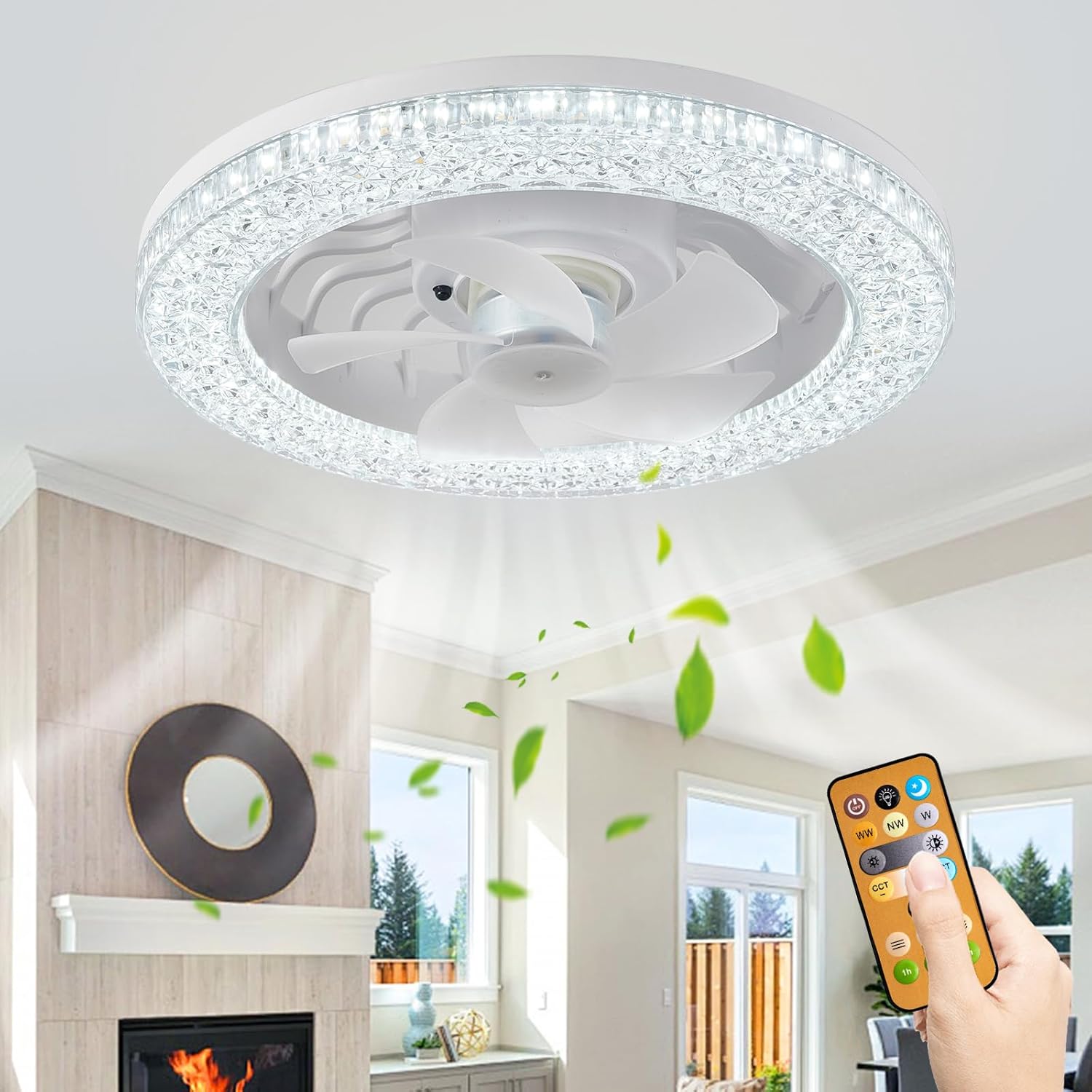
Image: The DINGLILIGHTING Socket Ceiling Fan Light in a living room setting, demonstrating its air circulation capabilities.
Safety Information
- Power Disconnection: Always ensure the power supply is turned off at the circuit breaker before installing, cleaning, or performing any maintenance on the device.
- Indoor Use Only: This product is designed for indoor use. It is not water resistant and should not be used in environments where it may be exposed to water or high humidity.
- Secure Installation: Ensure the device is securely screwed into a compatible E26 bulb socket.
- Remote Control: Keep the remote control away from children to prevent accidental operation.
- Ventilation: Do not obstruct the fan blades or ventilation openings during operation.
Package Contents
Verify that all items are present in the package:
- DINGLILIGHTING Socket Ceiling Fan Light (1 unit)
- Remote Control (1 unit)
- User Manual (This document)
Setup and Installation
Installing the DINGLILIGHTING Socket Ceiling Fan Light is as simple as replacing a standard light bulb.
1. Preparing for Installation
- Locate an existing E26 bulb socket where you wish to install the fan light.
- Turn off the power to the light fixture at the main circuit breaker to prevent electrical shock.
- Carefully unscrew and remove any existing light bulb from the socket.
2. Installation Steps
- Take the DINGLILIGHTING Socket Ceiling Fan Light and align its E26 base with the socket.
- Gently screw the fan light into the socket until it is firmly seated. Do not overtighten.

Image: A detailed view of the E26 screw-in base, highlighting the simple installation method.
The following video demonstrates the quick and easy installation process:
Video: A demonstration of installing the DINGLILIGHTING Socket Ceiling Fan Light into an existing light fixture.
- Once installed, restore power at the circuit breaker.
- The fan light is now ready for operation using the remote control.
Operating Instructions
Your DINGLILIGHTING Socket Ceiling Fan Light comes with a remote control for convenient operation of both the light and fan functions.
Remote Control Functions
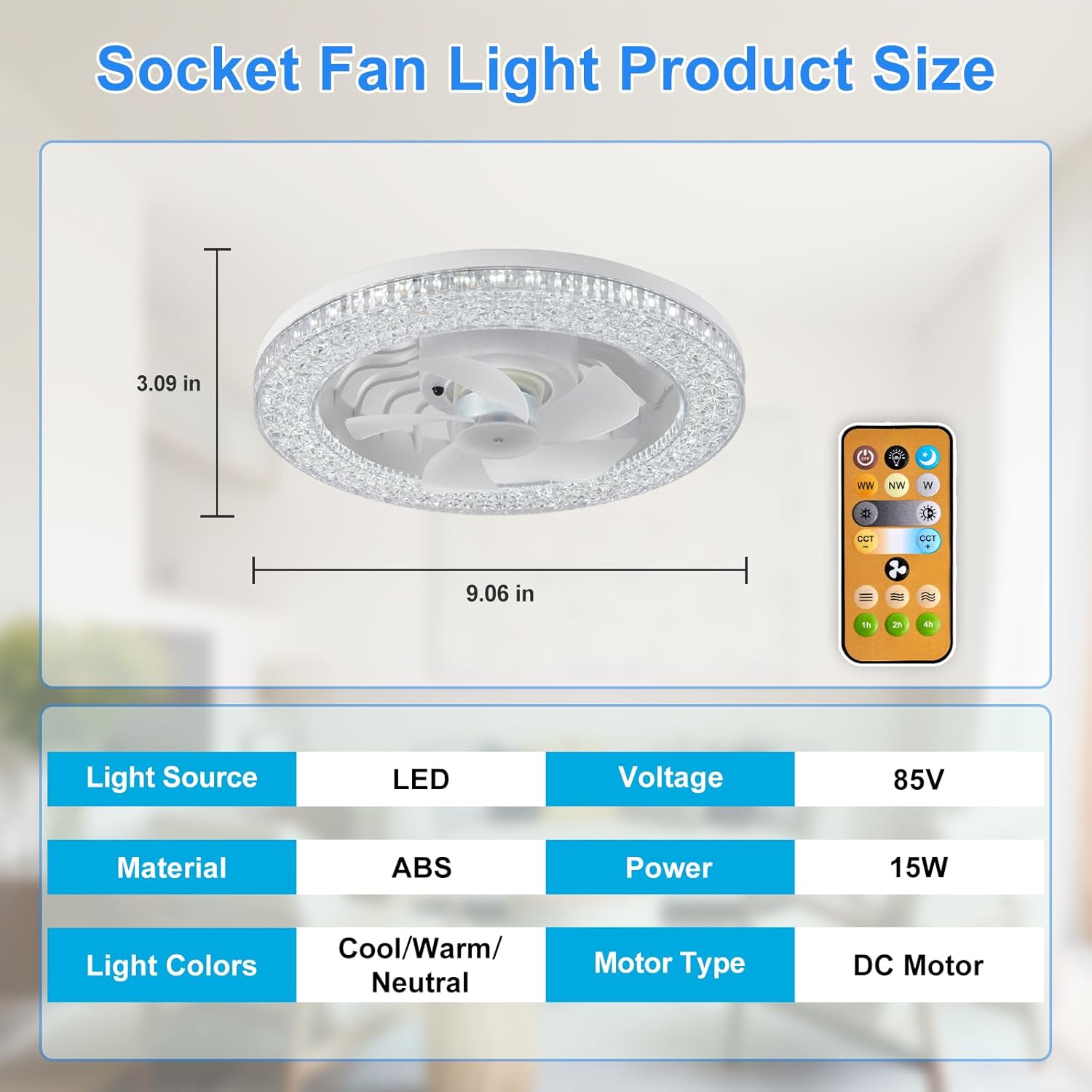
Image: The remote control unit, illustrating buttons for various light and fan settings.
- Power On/Off: Press the power button to turn the entire unit (light and fan) on or off.
- Light On/Off: Press the light button to control the light independently.
- Fan On/Off: Press the fan button to control the fan independently.
- Light Color Temperature Adjustment: Cycle through 3000K Warm White, 4000K Natural Light, and 6500K Cold White settings.
- Brightness Dimming: Adjust the light brightness from 10% to 100% using the dimming buttons.
- Fan Speed Selection: Choose from 3 fan speeds: Soft (low), Medium, and Strong (high).
- Timer Function: Set a timer for automatic shutdown (e.g., 1 hour, 2 hours, 4 hours).
Light Settings
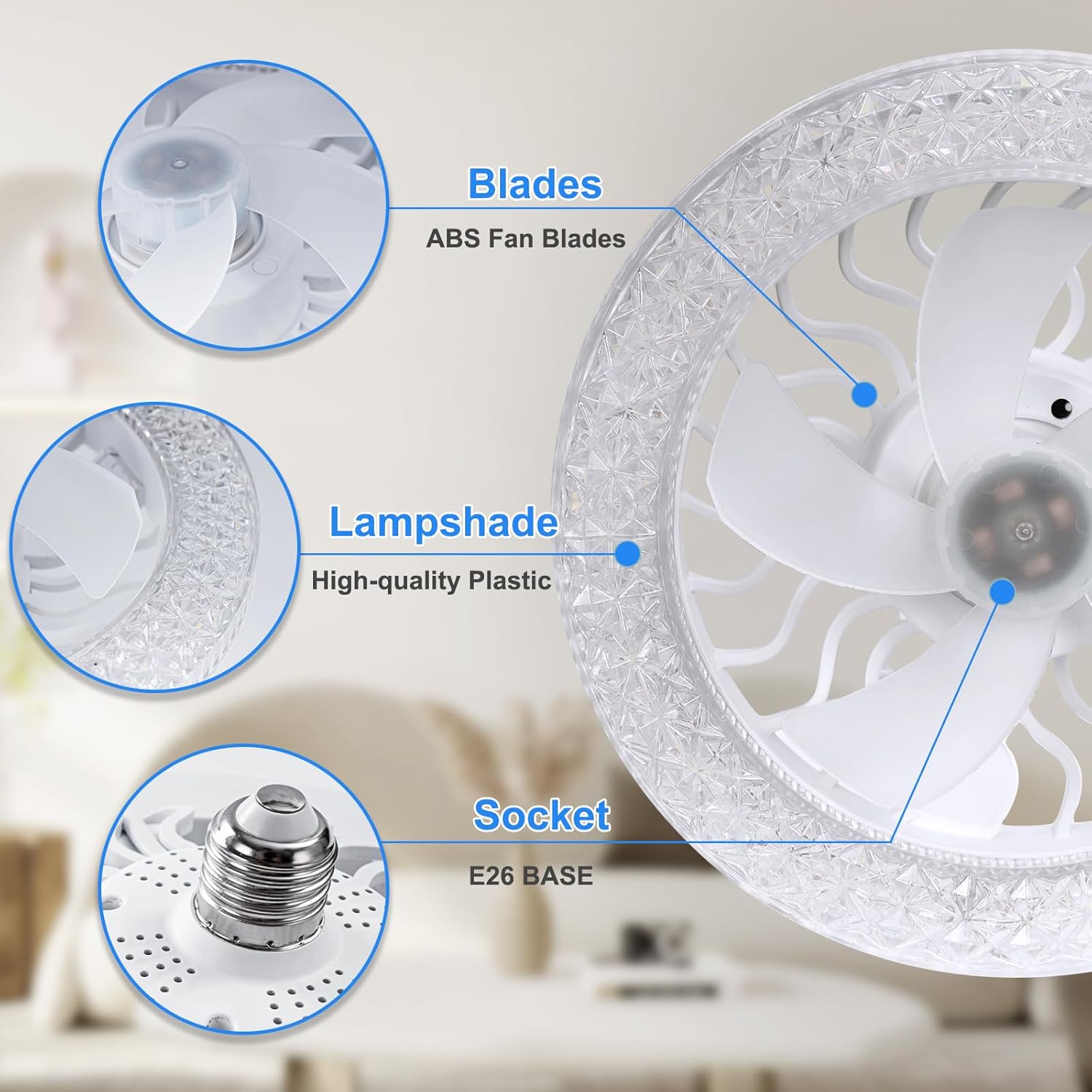
Image: Visual representation of the adjustable light color temperatures (Warm White, Natural Light, Cool White) and smooth dimming capability.
Fan Speed Settings

Image: Depiction of the three wind speed settings and their recommended uses.
Memory Function
The fan light features a memory function that retains the last used light color temperature, brightness, and fan speed settings when the unit is turned off and then back on.
Manual Operation (Light Only)
In the event the remote control is unavailable, you can cycle through the light color temperature modes by quickly turning the wall switch off and on. The fan function requires the remote control for operation.
Maintenance
Regular cleaning helps maintain the performance and appearance of your fan light.
Cleaning the Fan Blades
- Power Off: Always turn off the power at the circuit breaker before cleaning.
- Disassembly: The fan blades are fixed by a knob and can be easily disassembled for cleaning. Gently twist or pull the knob to release the blades.
- Cleaning: Use a soft, dry cloth to wipe dust and debris from the fan blades and the lampshade. Do not use abrasive cleaners or solvents.
- Reassembly: After cleaning, reattach the fan blades by aligning them and securing the knob.

Image: Detailed view of the fan blades, lampshade, and E26 socket, showing the design for easy cleaning.
Troubleshooting
If you encounter any issues with your DINGLILIGHTING Socket Ceiling Fan Light, refer to the table below for common problems and solutions.
| Problem | Possible Cause | Solution |
|---|---|---|
| Light or fan does not turn on. | No power supply; remote control battery depleted; unit not screwed in properly. | Check circuit breaker; replace remote battery; ensure unit is securely screwed into the E26 socket. |
| Remote control is unresponsive. | Remote battery depleted or incorrectly inserted. | Replace the remote control battery, ensuring correct polarity. |
| Fan is noisy at high speeds. | Normal operation at higher speeds; fan blades obstructed. | Some airflow noise is normal at higher fan speeds. Check for any obstructions around the fan blades. |
| Light flickers or displays incorrect color. | Temporary electrical fluctuation or setting error. | Turn the power off at the wall switch for 10 seconds, then turn it back on to reset the unit. |
Specifications
Key technical specifications for the DINGLILIGHTING Socket Ceiling Fan Light, Model 5900928:
| Feature | Specification |
|---|---|
| Brand | DINGLILIGHTING |
| Model Number | 5900928 |
| Dimensions | 9.06 x 9.06 x 3.94 inches (Product); 0.39 x 0.39 x 0.39 inches (Packaging) |
| Item Weight | 1.1 pounds |
| Color | White |
| Power Source | AC/DC |
| Wattage | 22 watts |
| Bulb Base | E26 |
| Light Source Type | LED |
| Light Color | Warm White (3000K), Natural Light (4000K), Cool White (6500K) |
| Brightness | 10%-100% Dimmable, up to 2000 Lumens |
| Fan Speeds | 3 speeds (Soft, Medium, Strong) |
| Control Method | Remote Control |
| Motor Type | DC Motor |
| Indoor/Outdoor Usage | Indoor |
| Water Resistance Level | Not Water Resistant |
| Assembly Required | No |
Warranty and Support
DINGLILIGHTING is committed to providing high-quality products and customer satisfaction. If you have any questions, concerns, or require assistance with your Socket Ceiling Fan Light (Model 5900928), please do not hesitate to contact DINGLILIGHTING customer service. We will endeavor to provide a satisfactory solution as quickly as possible.
Please refer to your purchase documentation or the DINGLILIGHTING official website for specific warranty details and contact information.