
Jasion Thunder
Jasion Thunder Electric Bike User Manual
Model: Thunder | Brand: Jasion
Introduction
This manual provides essential information for the safe and efficient operation, assembly, and maintenance of your Jasion Thunder Electric Bike. Please read this manual thoroughly before your first ride and keep it for future reference.
The Jasion Thunder Electric Bike is designed for adults, featuring a powerful motor and long-range battery for various terrains and commuting needs. It combines robust construction with smart features and a comprehensive safety suite.
Safety Guidelines
- Always wear a helmet and appropriate safety gear when riding.
- Familiarize yourself with local traffic laws and regulations for electric bikes.
- Perform a pre-ride inspection before each use, checking brakes, tires, and battery.
- Do not ride under the influence of alcohol or drugs.
- Be aware of your surroundings and ride defensively.
- Ensure all components are securely fastened before riding.
Setup and Assembly
Your Jasion Thunder Electric Bike comes partially assembled. Follow these steps carefully to complete the assembly.
Unboxing and Component Identification
Carefully remove the bike and all components from the packaging. Ensure all parts are present before proceeding.

Image: All components of the Jasion Thunder Electric Bike laid out after unboxing, including the main frame, front wheel, handlebars, pedals, and accessories.
The assembly video below provides a visual guide for the unboxing and assembly process.
Video: A detailed guide on unboxing and assembling the Jasion Thunder Electric Bike. This video covers each step from removing the bike from its packaging to final adjustments.
Handlebar Installation
Attach the handlebars to the stem. Ensure they are centered and tightened securely using the provided tools.
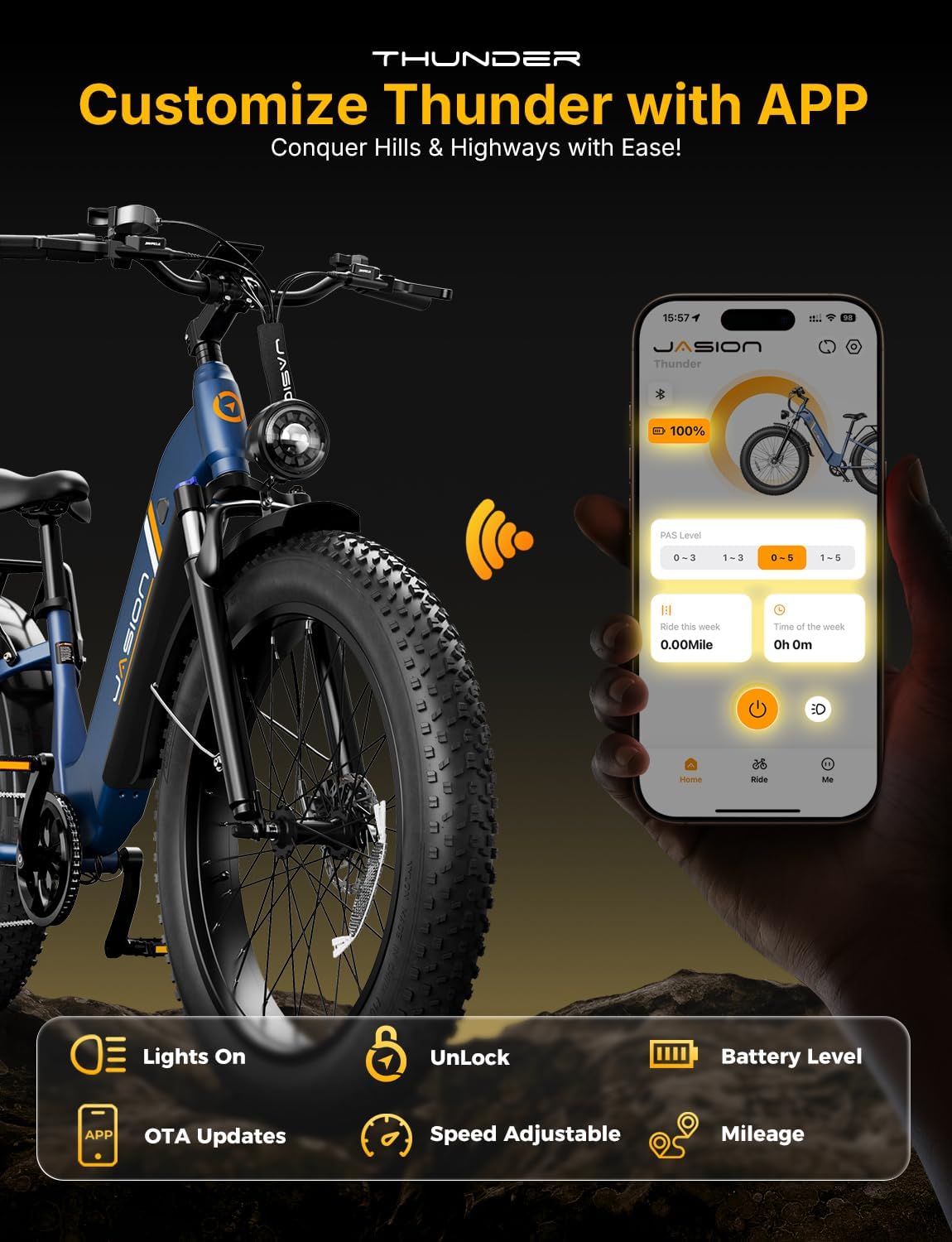
Image: A person installing the handlebars onto the bike's stem, showing the use of an Allen wrench to tighten the bolts.
Front Wheel and Fender Installation
Install the front wheel, ensuring the brake rotor aligns correctly with the caliper. Attach the front fender and headlight.

Image: A person installing the front wheel and fender on the Jasion Thunder Electric Bike, highlighting the brake caliper and quick-release mechanism.
Rear Rack and Taillight Installation
Secure the rear rack to the frame using the provided screws. Connect and mount the taillight to the rear rack.

Image: A person installing the rear rack and connecting the taillight to the Jasion Thunder Electric Bike.
Pedal Installation
Attach the pedals to the crank arms. Remember that the left pedal is reverse-threaded.

Image: A person installing the pedals on the Jasion Thunder Electric Bike, showing the correct orientation and tightening method.
Battery Insertion and Charging
Insert the battery into the frame and lock it securely. Charge the battery fully before your first ride.
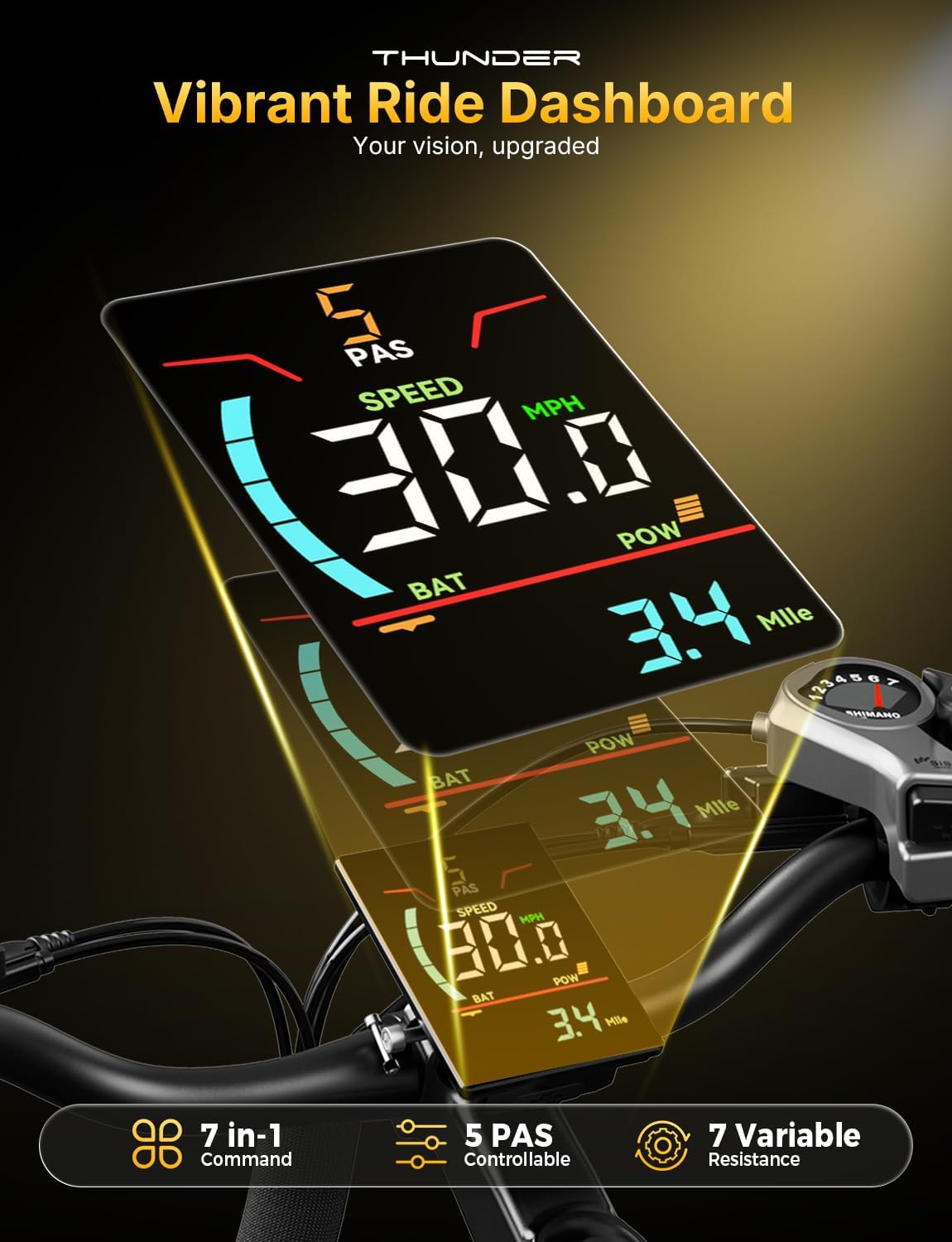
Image: A person inserting the battery into the frame of the Jasion Thunder Electric Bike and connecting the charger.
Operating Your Jasion Thunder Electric Bike
Powering On and Display
Press and hold the power button on the handlebar display to turn on the bike. The display will show speed, battery level, and pedal assist (PAS) level.

Image: Close-up of the Jasion Thunder Electric Bike's vibrant handlebar display, showing current speed, battery level, and pedal assist level.
Pedal Assist System (PAS) and Throttle
The bike features 5 levels of pedal assist. Use the controls on the handlebar to adjust the assist level. A higher level provides more motor assistance. The throttle can be used for instant acceleration without pedaling.
- PAS Levels: Adjust motor assistance from minimal (Level 1) to maximum (Level 5).
- Throttle: Provides power on demand, independent of pedaling.
Gear Shifting
The 7-speed Shimano drivetrain allows you to select appropriate gears for different terrains and speeds. Shift gears smoothly to maintain an efficient pedaling cadence.

Image: Close-up of the Jasion Thunder Electric Bike's 7-speed gear system and chain, illustrating the drivetrain components.
Braking System
The Jasion Thunder is equipped with dual hydraulic disc brakes for reliable stopping power. Apply both brakes simultaneously for optimal control and shorter stopping distances.

Image: Illustration of the Jasion Thunder Electric Bike's dual hydraulic disc brakes and integrated lighting system, emphasizing safety features.
Smart Features and App Control
Utilize the dedicated Jasion app to monitor battery status, track rides, and activate remote security features. This enhances convenience and security.

Image: A smartphone screen displaying the Jasion app interface, showing controls for lights, unlocking, battery level, OTA updates, speed adjustment, and mileage tracking.
Maintenance
Regular maintenance ensures the longevity and safe operation of your electric bike.
- Battery Care: Charge the battery regularly, even when not in use, to maintain its health. Avoid fully discharging the battery. Store in a cool, dry place.
- Tire Pressure: Check tire pressure before each ride. Maintain recommended pressure for optimal performance and safety.
- Brakes: Inspect brake pads and rotors for wear. Adjust or replace as needed. Ensure brake levers provide firm and responsive braking.
- Chain and Drivetrain: Keep the chain clean and lubricated. Regularly check for wear and proper tension.
- Fasteners: Periodically check all bolts, nuts, and quick releases for tightness.
- Cleaning: Clean your bike with a damp cloth. Avoid high-pressure washing directly on electrical components.
Troubleshooting
Here are some common issues and their potential solutions:
| Problem | Possible Cause | Solution |
|---|---|---|
| Bike not powering on | Battery not charged or not properly inserted. | Ensure battery is fully charged and securely locked into the frame. Check connections. |
| Motor not assisting | PAS level set to 0, loose motor cable, or brake lever sensor engaged. | Increase PAS level. Check all motor cable connections. Ensure brake levers are not partially engaged. |
| Brakes feel weak | Worn brake pads, air in hydraulic lines, or misaligned calipers. | Inspect brake pads and replace if worn. Consult a professional for hydraulic bleeding or caliper adjustment. |
| Unusual noises during ride | Loose components, dry chain, or debris in drivetrain. | Check all fasteners. Clean and lubricate the chain. Inspect drivetrain for foreign objects. |
Specifications
- Model: Jasion Thunder
- Peak Power: 1800W (Motor)
- Battery: 48V 18Ah (864Wh)
- Max Speed: 30+ MPH
- Range: Up to 80 miles per charge
- Tires: 26" x 4" Fat Tires
- Load Capacity: Up to 400 lbs
- Drivetrain: 7-Speed Shimano
- Brakes: Dual Hydraulic Disc Brakes
- Safety Features: Integrated Headlight, Brake Light, Turn Signals, UL Certified
- Smart Features: App Control for battery monitoring, ride tracking, remote security lock.

Image: Diagram illustrating the frame dimensions and recommended rider height for the Jasion Thunder Electric Bike.
Warranty and Support
Your Jasion Thunder Electric Bike is backed by a 24-month warranty on the motor, battery, and controller. Lifetime technical support is also provided.
- Warranty: 24 months on motor, battery, and controller.
- Technical Support: Lifetime technical support available.
- For assistance, please contact Jasion customer service via email or phone.

Image: Jasion customer support representatives ready to assist with product inquiries and technical guidance.
Related documentsThunder


Ask a question about this manual
Ask about setup, troubleshooting, compatibility, parts, safety, or missing instructions. Manuals+ will review the question and use this page’s manual context to help answer it.