1. Introduction
The UGREEN FineTrack Slim Wallet Tracker is a compact, card-shaped device designed to help you locate your valuable items using Apple's Find My network. This tracker is specifically compatible with iOS devices and offers features such as a long-lasting battery, high alarm volume, and robust water resistance. It is ideal for keeping track of items like wallets, passports, and suitcases.
2. Key Features
- Apple Find My Network Compatibility: Seamlessly integrates with the Apple Find My app on iOS devices (iOS 14.5+ required).
- 7-Year Ultra-Long Battery Life: Equipped with a non-rechargeable lithium polymer battery designed for extended use without frequent replacement.
- 100dB Alarm Sound: A loud built-in buzzer helps pinpoint the tracker's location when it is nearby.
- IP68 Dust and Water Resistance: Provides protection against dust ingress and immersion in water, ensuring durability in various conditions.
- Left-Behind Notification: Receive automatic alerts on your iPhone when you leave your tracked item behind.
- Global High-Precision Positioning: Utilize the vast Apple Find My network to locate your items worldwide.

Image: UGREEN FineTrack Slim Wallet Tracker showcasing its compatibility with Apple Find My and its appearance alongside an iPhone displaying a map location.
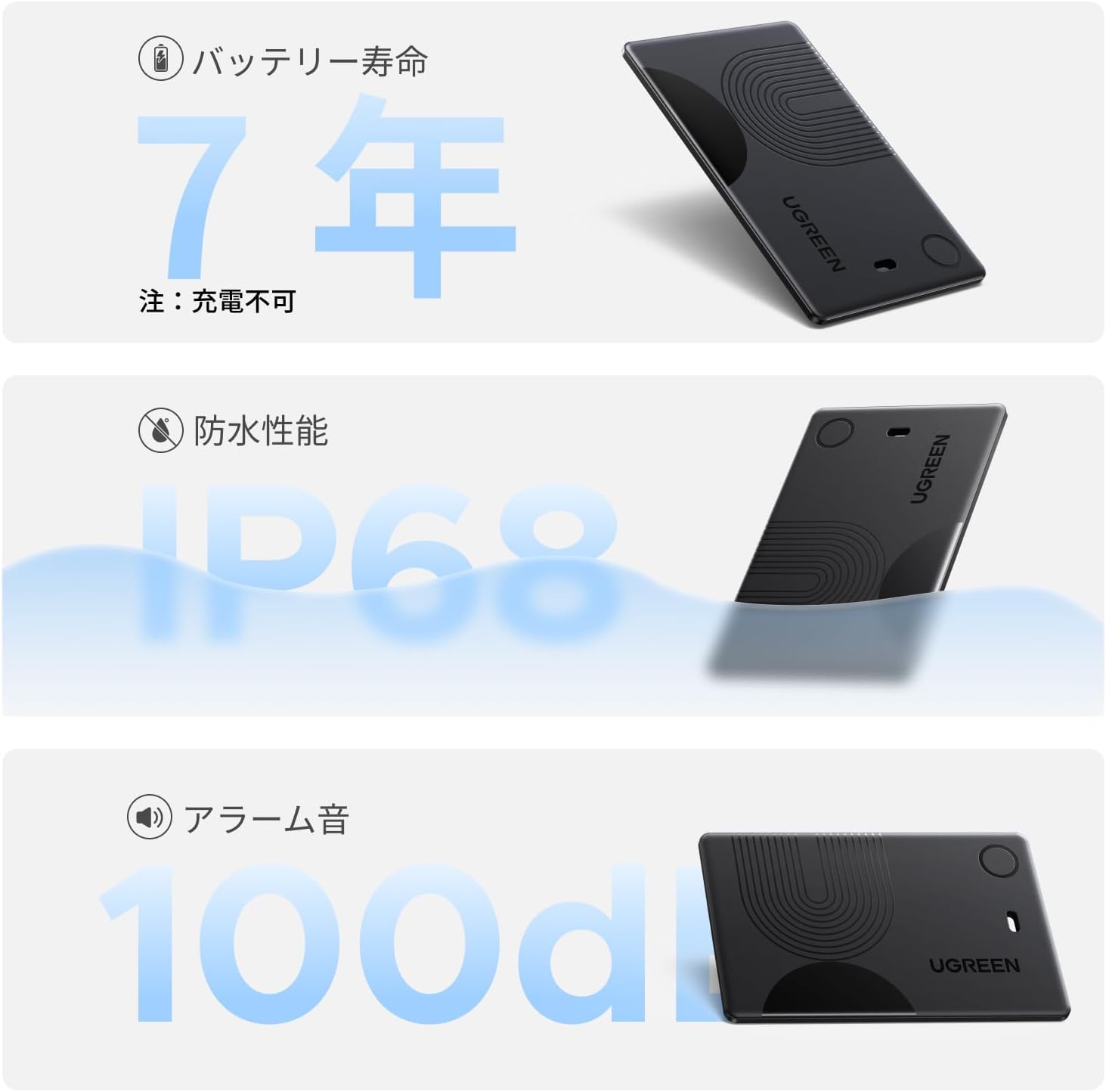
Image: Visual representation of the tracker's key features: 7-year battery life, IP68 waterproof rating, and 100dB alarm capability.
3. Setup
Follow these steps to pair your UGREEN FineTrack Slim with your iOS device:
- Step 1: Power On
Press the button on the tracker briefly to power it on. - Step 2: Prepare for Pairing
Place the tracker near your iPhone or iPad and ensure Bluetooth is enabled on your device. - Step 3: Open Find My App
Open the pre-installed Apple Find My app on your iOS device. - Step 4: Add Item
In the Find My app, navigate to the 'Items' tab. Tap 'Add Item', then select 'Other Supported Items'. Follow the on-screen prompts to connect and name your UGREEN FineTrack Slim.

Image: Step 1 - Powering on the tracker by pressing its button.

Image: Step 2 - Placing the tracker near a phone with Bluetooth enabled.

Image: Step 3 - Opening the Apple Find My application on an iPhone.

Image: Step 4a - Screenshot showing the process of adding a new item in the Find My app for first-time users.

Image: Step 4b - Screenshot showing the process of adding an item for existing users in the Find My app.
4. Operating Instructions
4.1 Locating Nearby Items
If your item is nearby, open the Find My app, select your UGREEN FineTrack Slim from the 'Items' tab, and tap 'Play Sound'. The tracker will emit a 100dB alarm, helping you quickly find it, even if it's hidden under cushions or in another room.
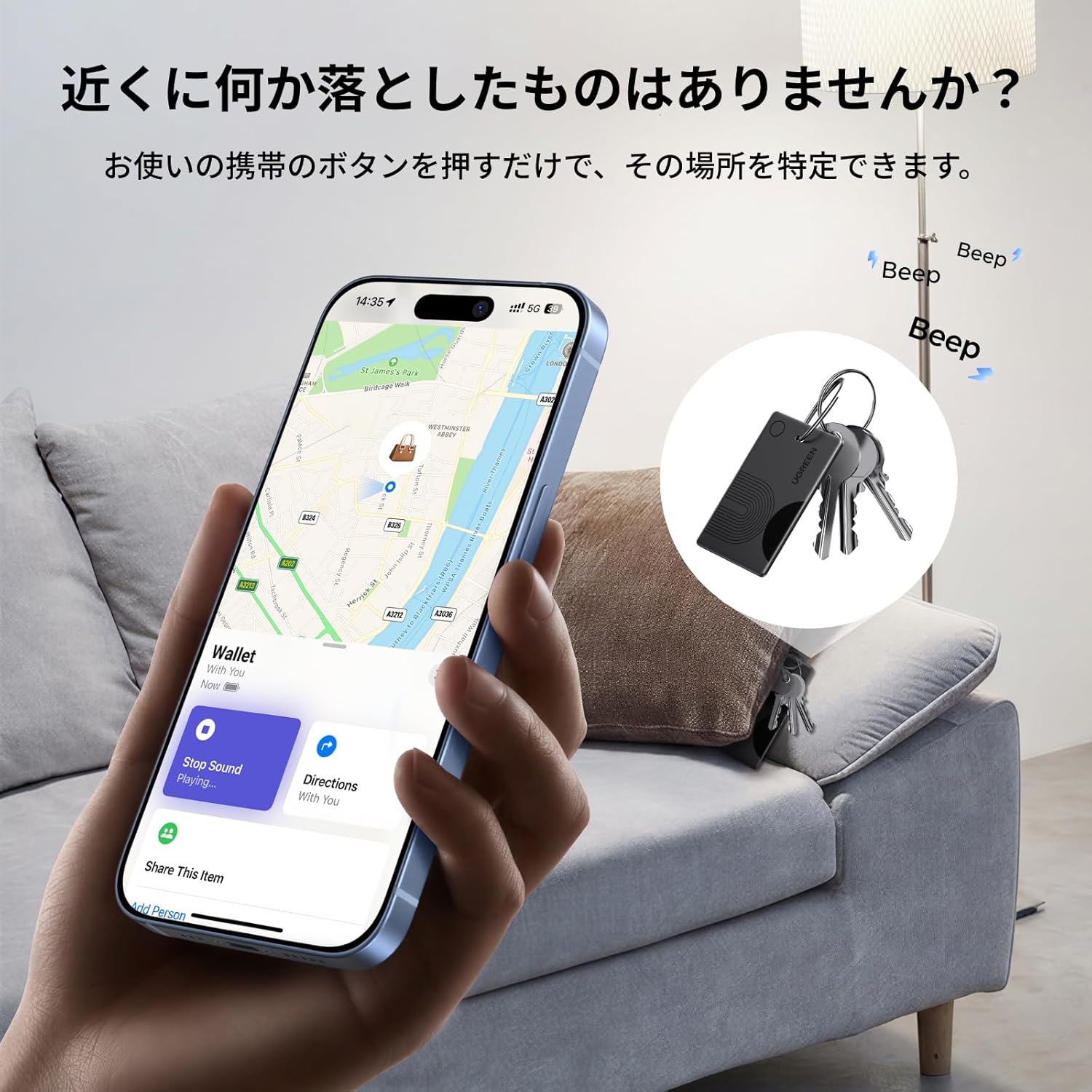
Image: An iPhone screen showing the 'Play Sound' option in the Find My app, with the tracker attached to keys hidden under a sofa cushion, indicating the sound helps locate it.
4.2 Locating Distant Items
For items that are further away, the Find My app will display the tracker's last known location on a map. You can tap 'Directions' to get navigation assistance to the item's location. The Apple Find My network utilizes nearby Apple devices to anonymously update the tracker's position, providing global coverage.

Image: An iPhone displaying the Find My app with map directions to a distant item, illustrating the remote tracking capability.
4.3 Left-Behind Notifications
Enable 'Notify When Left Behind' in the Find My app settings for your tracker. Your iPhone will then send an instant alert if you move a certain distance away from your item, helping prevent loss.

Image: An iPhone screen showing a notification indicating that the tracked item has been left behind, with the tracker visible next to a wallet.
4.4 Sharing Location
You can share the location of your UGREEN FineTrack Slim with up to five other Apple users (family or friends) through the Find My app. This allows multiple individuals to help locate the item if needed.

Image: An iPhone screen showing the Find My app interface for sharing the tracker's location with family and friends.
5. Maintenance
5.1 Battery Information
The UGREEN FineTrack Slim is powered by a non-rechargeable lithium polymer battery with an estimated lifespan of up to 7 years. No charging is required. When the battery is depleted, the device will need to be replaced.
5.2 Water and Dust Resistance
The tracker features an IP68 rating, meaning it is fully protected against dust and can withstand immersion in water up to 1.5 meters for 30 minutes. While durable, avoid prolonged submersion or exposure to high-pressure water jets.
5.3 Cleaning
To clean the device, wipe it gently with a soft, dry cloth. Avoid using harsh chemicals or abrasive materials that could damage the surface.
6. Troubleshooting
- Device Not Found/Pairing Issues:
Ensure the tracker is powered on and within Bluetooth range of your iOS device. Verify that Bluetooth is enabled on your iPhone/iPad and that you are running iOS 14.5 or later. If issues persist, try restarting both the tracker and your iOS device. - Alarm Not Loud Enough:
The 100dB alarm is designed to be audible in most indoor environments. If you find it difficult to hear, ensure there are no significant obstructions muffling the sound. - Location Accuracy:
The UGREEN FineTrack Slim relies on the Apple Find My network. While highly effective, precise directional finding (like UWB on some AirTag models) is not supported. Location accuracy depends on the density of nearby Apple devices. - Android Device Compatibility:
This tracker is designed exclusively for Apple's Find My network and is not compatible with Android devices.
7. Specifications
| Brand | UGREEN |
| Model | FineTrack Slim |
| Battery Type | 1 Lithium Polymer Battery (included, non-rechargeable) |
| Battery Life | Up to 7 years |
| Alarm Sound Level | 100 dB |
| Waterproof Rating | IP68 |
| Compatibility | iOS 14.5+ (iPhone/iPad), macOS 11+ (Mac) |
| Manufacturer | Ugreen Group Limited |
8. Warranty and Support
8.1 Manufacturer's Warranty
The UGREEN FineTrack Slim Wallet Tracker comes with a 2-year manufacturer's warranty. Please retain your proof of purchase for warranty claims.
8.2 Customer Support
For any questions, technical assistance, or warranty inquiries, please contact UGREEN customer support through their official website or the retailer where you purchased the product.