
Masajoy Spark 06
Masajoy Spark 06 Wireless Headset User Manual
Model: Spark 06
1. Introduction
Thank you for choosing the Masajoy Spark 06 Wireless Headset. This manual provides detailed instructions for setting up, operating, and maintaining your headset to ensure optimal performance. The Spark 06 offers versatile connectivity, advanced audio features, and comfortable design for various communication needs.
2. What's in the Box
- Masajoy Spark 06 Wireless Headset
- USB A / C Dongle
- USB C to 3.5MM Audio Cable
- Type C Charging Cable
- User Manual (this document)

The Masajoy Spark 06 Wireless Headset, shown with its included USB A/C dongle and 3.5mm audio cable, offering versatile connectivity options.
3. Product Overview
The Masajoy Spark 06 headset is designed for comfort and functionality. Familiarize yourself with its key components:

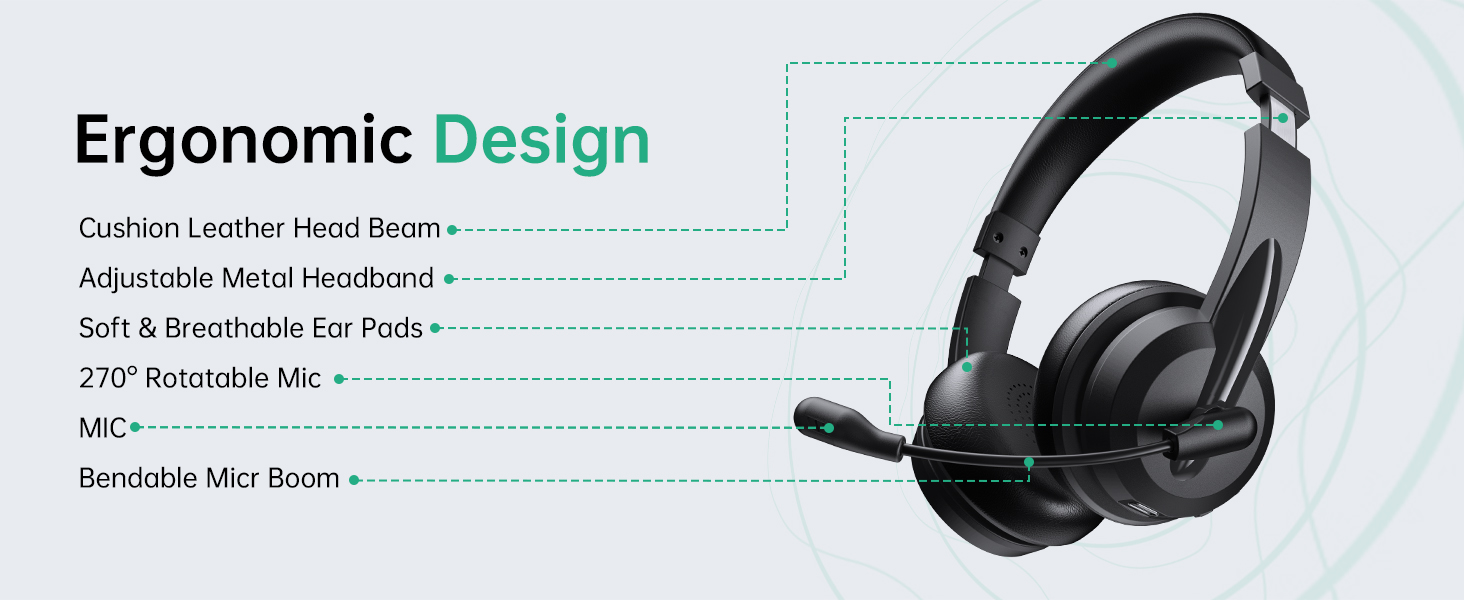
This diagram illustrates the ergonomic design of the Masajoy Spark 06 headset, highlighting features such as the cushion leather head beam, adjustable metal headband, soft and breathable ear pads, 270° rotatable microphone, and bendable mic boom.
Key Features:
- Cushion Leather Head Beam: Provides comfort during extended use.
- Adjustable Metal Headband: Ensures a secure and personalized fit.
- Soft & Breathable Ear Pads: Made from protein memory foam for comfort and to prevent overheating.
- 270° Rotatable Mic: Allows for flexible positioning and mute function activation.
- Bendable Mic Boom: For precise microphone placement.
4. Charging the Headset
Before first use, fully charge your headset. Use the provided Type C charging cable to connect the headset to a USB power source.
- Charging Time: Approximately 2.5 hours for a full charge.
- Battery Life: Up to 30 hours of talk time or 25 hours of music playback. Standby time is approximately 400 hours.

A user wearing the Masajoy Spark 06 headset while working on a laptop, with icons detailing its battery performance: approximately 30 hours of talk time, 25 hours of music playback, and 400 hours of standby time on a single charge.
5. Setup and Connection
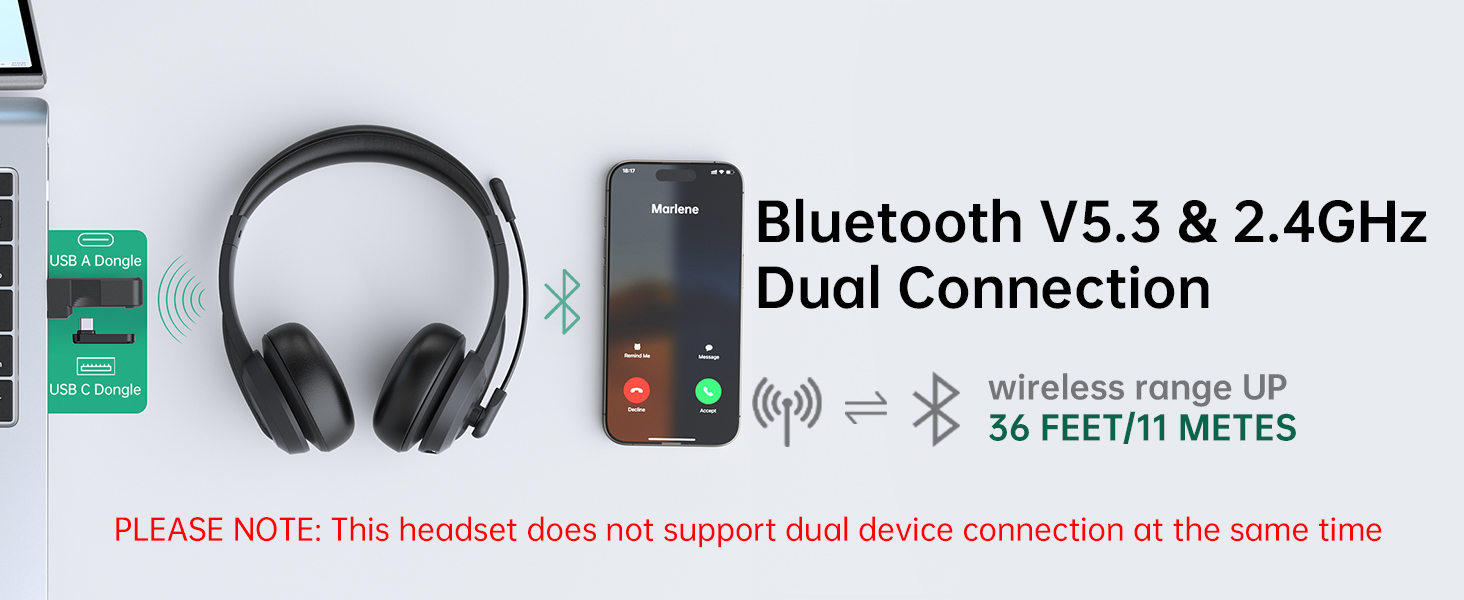
The Masajoy Spark 06 offers three connection modes: Bluetooth V5.3, 2.4G wireless via USB dongle, and wired via 3.5mm audio cable.
This image illustrates the dual connectivity options of the Masajoy Spark 06 headset, allowing connection via Bluetooth V5.3 to a smartphone and via a 2.4GHz USB A or USB C dongle to a laptop. The wireless range is up to 36 feet (11 meters). Note: Simultaneous dual device connection is not supported.
5.1. Bluetooth V5.3 Connection
- Ensure the headset is charged and powered off.
- Press and hold the Power button until the LED indicator flashes blue and red, indicating pairing mode.
- On your device (smartphone, laptop, etc.), enable Bluetooth and search for "Spark 06".
- Select "Spark 06" from the list of available devices to connect. The LED will turn solid blue when connected.
5.2. 2.4G Wireless Connection (USB Dongle)
- Ensure the headset is charged and powered on.
- Plug the appropriate USB A or USB C dongle into your computer's USB port.
- The headset will automatically connect to the dongle. The LED indicator on the headset will turn solid blue.
- On your computer, select "Spark 06" as the audio input and output device in your sound settings.
5.3. Wired 3.5mm Audio Connection
- Connect one end of the USB C to 3.5mm audio cable to the headset's USB-C port.
- Connect the other end of the 3.5mm audio cable to your device's 3.5mm audio jack.
- The headset will function as a wired headset. No power is required for wired mode.
6. Operating Instructions
6.1. Power On/Off
- Power On: Press and hold the Power button for 3 seconds.
- Power Off: Press and hold the Power button for 5 seconds.
6.2. Volume Control
- Volume Up: Press the '+' button.
- Volume Down: Press the '-' button.
6.3. Call Management
- Answer/End Call: Press the Multi-function button once.
- Reject Call: Press and hold the Multi-function button for 2 seconds.
6.4. Microphone Mute Function
The headset features a convenient mute function by rotating the microphone boom.
A diagram illustrating the microphone mute function of the Masajoy Spark 06 headset. Rotating the microphone boom to the upright position (270 degrees) activates the mute feature, indicated by a voice prompt 'MIC mute' (available only during calls).
- To mute the microphone, rotate the microphone boom to the upright (vertical) position. You will hear a voice prompt: "MIC mute".
- To unmute the microphone, rotate the microphone boom back down to the speaking position.
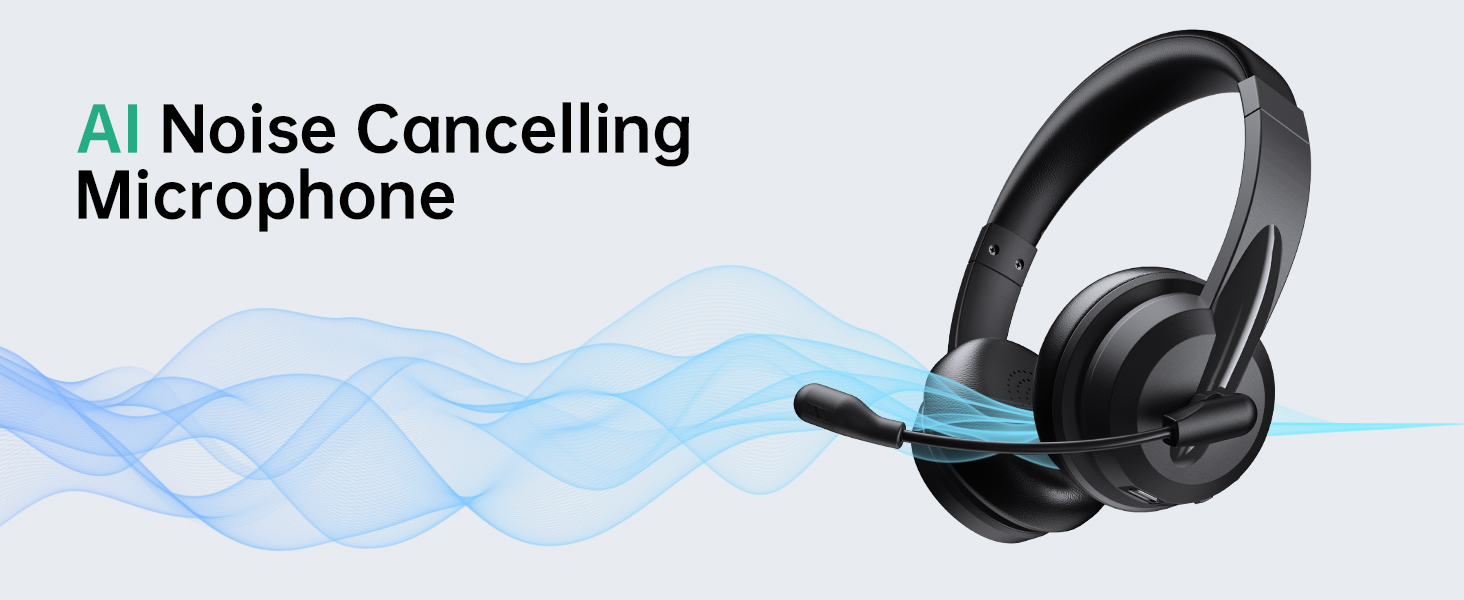
7. AI Noise Cancellation
The Masajoy Spark 06 headset incorporates advanced AI noise cancellation technology to minimize background noise during calls, ensuring your voice is heard clearly.
The Masajoy Spark 06 headset features an AI Noise Cancelling Microphone, designed to reduce background noise for clearer communication. This feature is active only when connected via Bluetooth. The image shows users experiencing clear calls despite ambient office sounds.
NOTE: The AI Noise Cancellation feature is only available when the headset is connected via Bluetooth.
8. Maintenance and Care
- Clean the headset regularly with a soft, dry cloth. Do not use harsh chemicals or abrasive materials.
- Avoid exposing the headset to extreme temperatures, humidity, or direct sunlight.
- Store the headset in a cool, dry place when not in use.
- Do not attempt to disassemble or repair the headset yourself, as this will void the warranty.
9. Troubleshooting
If you encounter issues with your Masajoy Spark 06 headset, refer to the table below for common problems and solutions.
| Problem | Possible Cause | Solution |
|---|---|---|
| Headset does not power on | Low battery | Charge the headset for at least 30 minutes. |
| Cannot connect via Bluetooth | Headset not in pairing mode; Bluetooth disabled on device; Device too far | Ensure headset is in pairing mode (flashing blue/red). Enable Bluetooth on your device. Move device closer to headset (within 36 feet/11 meters). |
| No sound or poor sound quality | Incorrect audio output selected; Volume too low; Loose connection | Check your device's audio settings and select "Spark 06" as output. Increase volume. Ensure cables/dongle are securely connected. |
| Microphone not working | Microphone muted; Incorrect audio input selected | Rotate the microphone boom down to unmute. Check your device's audio settings and select "Spark 06" as input. |
| AI Noise Cancellation not working | Headset not connected via Bluetooth | Ensure the headset is connected to your device using Bluetooth, as this feature is only available in Bluetooth mode. |
10. Specifications
| Feature | Detail |
|---|---|
| Model Name | Spark 06 |
| Brand | Masajoy |
| Connectivity Technology | Wireless (Bluetooth V5.3, 2.4G via USB Dongle), Wired (3.5mm Jack) |
| Bluetooth Version | 5.3 |
| Bluetooth Range | Up to 11 meters (36 feet) |
| Noise Control | AI Noise Cancellation (Mic, Bluetooth mode only), Passive Noise Cancellation (Earcups) |
| Audio Driver Type | Dynamic Driver (40mm) |
| Frequency Range | 20 Hz - 20,000 Hz |
| Impedance | 40 Ohm |
| Battery Life | Approx. 30 hours talk time, 25 hours music time |
| Charging Time | Approx. 2.5 hours |
| Item Weight | 10.5 ounces (approximately 0.3 kg) |
| Ear Placement | On Ear |
| Compatible Devices | Computers, Smartphones, USB Devices (PC, Laptop, iPhone, Mac) |
11. Warranty and Support
Masajoy products are designed for reliability and performance. For specific warranty information, please refer to the warranty card included with your purchase or contact Masajoy customer support.
If you require further assistance or have questions not covered in this manual, please visit the official Masajoy store or contact their customer service department.
Related documentsSpark 06


Ask a question about this manual
Ask about setup, troubleshooting, compatibility, parts, safety, or missing instructions. Manuals+ will review the question and use this page’s manual context to help answer it.