
Eonon UX7
Eonon UX7 Android 14 Double Din Car Stereo User Manual
Model: UX7
Introduction
This manual provides detailed instructions for the installation, operation, and maintenance of your Eonon UX7 Android 14 Double Din Car Stereo. Please read this manual thoroughly before using the product to ensure proper functionality and to maximize your user experience. Keep this manual for future reference.

Front view of the Eonon UX7 car stereo, showcasing its 7-inch touchscreen display with a vibrant interface for Apple CarPlay and Android Auto. The unit features physical buttons and a volume knob on the left side.
What's in the Box
Verify that all items listed below are included in your package:
- Eonon UX7 Car Stereo Unit
- Backup Camera (A0125)
- Power Cord
- GPS Antenna
- USB Adapter Cable (x2)
- Audio and Video Adapter Cable (x2)
- Reverse Video Input Cable
- 15A Fuse
- External Microphone
- Instruction Manual (this document)
- Screws (x8)
- Small Knob (Rotary Knob)

A visual representation of all items included in the Eonon UX7 package.
Setup and Installation
1. Applicable Models and Dimensions
The Eonon UX7 is a double din car stereo. Its panel is removable and can be directly installed on the dashboard within the specified size range. It will not fit if your factory car radio is single din.
- Panel Dimensions: 170-178 mm (length) x 96-100 mm (height)

Diagram showing the removable panel and dimensions for direct installation. It also clarifies that the UX7 is a double din unit and not compatible with single din factory radios.
2. Installation Kit and Wiring Harness
If your car dashboard size does NOT fall within the range of 170-178 mm (length) and 96-100 mm (height), an extra installation kit (not included) is needed to install the unit.
Please note that the power cable of your factory car radio must have an ISO standard interface. If not, you will need to purchase a compatible ISO wiring harness for installation. Use keywords like "Car make & model & year + ISO harness" or "Car make & model & year + 2 din kit" to find proper mounting kits or wire harnesses online.

Instructions for installing the Eonon UX7, indicating that an extra installation kit (not included) is needed if the car dashboard size is outside the specified range. It also provides guidance on checking for an ISO standard power cable and finding compatible wiring harnesses.
3. Wiring Diagram
Refer to the following diagram for proper wiring connections. Ensure all connections are secure before powering on the unit.

A comprehensive wiring diagram for the Eonon UX7 car stereo, labeling all ports and connections including ISO Port, SWC Wires, Audio Outputs, USB Ports, GPS Antenna, and more, to assist with proper installation.
Key Connections:
- ISO Port: Main power and speaker connections.
- Illumination Wire: Connects to your car's illumination circuit.
- SWC Wires (1 & 2): For steering wheel control integration (analog signal supported).
- Reverse Trigger Wire: Connects to your car's reverse light circuit for automatic backup camera display.
- GND Wire: Ground connection.
- AMP: Amplifier remote turn-on.
- USB Ports: For data transfer, media playback, and charging.
- GPS Antenna: For navigation functionality.
- External Microphone: For hands-free calling and voice commands.
- RCA Audio Outputs (FR/FL/RR/RL + Subwoofer): For external amplifier connections.
- Backup Camera Input: Dedicated input for the included backup camera.
Operating Instructions
1. Basic Controls and User Interface
The Eonon UX7 features a user-friendly panel design with essential physical controls and a customizable digital interface.
- Volume Knob: Easily and intuitively adjust the volume.
- USB Ports: Charge your phone or transfer music, movies, etc.
- AUX Input: Connect external audio devices.

An illustration of the Eonon UX7's front panel, highlighting the easily adjustable volume knob, USB port for charging and data transfer, and AUX input for connecting external audio devices.
2. Android 14 Operating System
The UX7 runs on Real Android 14 OS, offering extensive app compatibility and a familiar smartphone-like experience.

An image emphasizing the benefits of the Android 14 operating system on the Eonon UX7, including smartphone integration, app flexibility, and ease of use for an enhanced in-car entertainment system.
3. Smartphone Connectivity (CarPlay, Android Auto, Screen Mirroring)
The UX7 supports both wired and wireless Apple CarPlay and Android Auto, along with screen mirroring for iOS and Android devices.

The Eonon UX7 unit integrated into a car dashboard, demonstrating Apple CarPlay with navigation and media playback. Voice commands like 'Siri, play music' and 'Hey Google, navigate home' are shown.
Wireless Apple CarPlay Connection:
- Click the Zlink5 app on the car stereo.
- Turn on Wi-Fi and Bluetooth on your iPhone.
- Find 'EONON' in your phone's Bluetooth device list and enter '0000' to pair. Once connected, tap 'Use CarPlay'.
- Wait a few seconds to complete the connection.
A step-by-step guide for connecting an iPhone wirelessly to Apple CarPlay on the Eonon UX7.
Wireless Android Auto Connection:
- Click the Zlink5 app on the car stereo.
- Turn on Wi-Fi and Bluetooth on your Android phone.
- Find 'EONON' in your phone's Bluetooth device list, enter '0000' and click 'OK'.
- Wait a few seconds to complete the connection.

A step-by-step guide for connecting an Android phone wirelessly to Android Auto on the Eonon UX7.
Screen Mirroring for iOS:
- Click the Zlink5 app on the car stereo, set the car stereo to iPhone wireless screen mirroring mode.
- Turn on the iPhone hotspot, and connect to the car stereo.
- Turn on the iPhone screen mirroring function and select "zj-airplay".

Instructions for screen mirroring an iOS device to the Eonon UX7.
Screen Mirroring for Android:
- Click the Zlink5 app on the car stereo, set the car stereo to Android wireless screen mirroring mode.
- Turn on your phone's Bluetooth. Find 'EONON' in your phone's Bluetooth device list, enter '0000' to pair.
- Turn on the phone's hotspot, and connect to the car stereo.
- Install the Zplus app on your phone. Turn on the app and select "wireless connection".

Instructions for screen mirroring an Android device to the Eonon UX7.
4. Bluetooth Connectivity
The UX7 features an independent Bluetooth module and an extra Bluetooth antenna for quick, stable connections, noise reduction, and high-quality audio streaming.
- Bluetooth 5.4: Ensures fast and stable connections for hands-free calls and audio streaming.

This image highlights the independent Bluetooth module and extra Bluetooth antenna, ensuring quick, stable, noise-reduced connections and high-quality Bluetooth music streaming.
5. Audio Features
Experience immersive audio with the built-in Digital Sound Processor (DSP) and powerful amplifier.
- Professional 32-bit DSP: Delivers ultra-precise, dynamic sound with FFT acceleration.
- 48-band EQ: Shape your ideal soundstage with 3D surround and virtual bass.
- ST TDA7388 Amplifier: Delivers 4x45W surround sound output.
- RCA Audio Outputs: Includes 4-Channel FR/FL/RR/RL outputs + 1 Subwoofer output for professional-grade audio setups.
- EQ Modes: Choose from Custom, Standard, Popular, Rock, Classical, and Jazz.

Diagram detailing the audio processing capabilities of the Eonon UX7, including a professional 32-bit DSP with FFT acceleration, 48-band EQ with 3D surround and virtual bass, and optimization for car acoustics.
6. Customization and Display
- 7-Inch IPS Display: Vibrant colors and sharp details with 1280x720 resolution and 178° viewing angle.
- Customizable Button Lights: Personalize the button backlight colors.
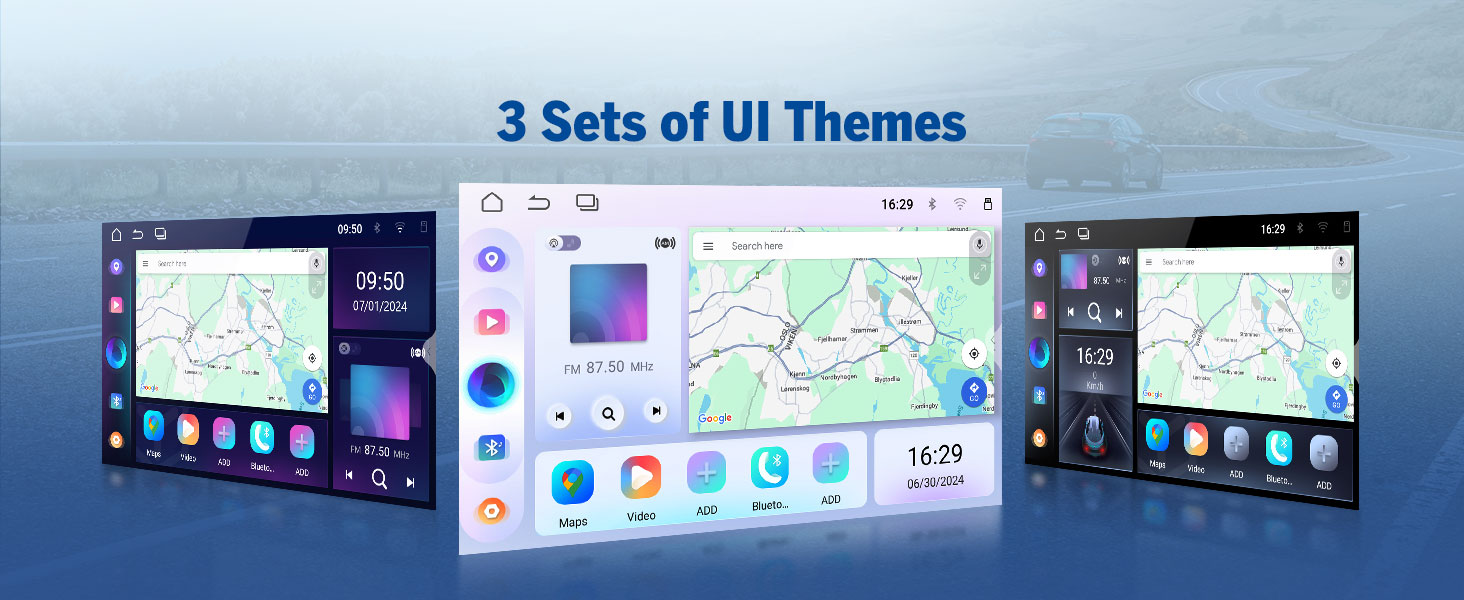
- 3 Preloaded UI Themes: Choose from stylish interfaces to suit your preference.
- Custom Boot Logo & Wallpaper: Further personalize the unit's appearance.

A display of the three preloaded UI themes available on the Eonon UX7, allowing users to choose a stylish interface that matches their preference.

Visuals demonstrating the customization options available on the Eonon UX7, including setting a custom boot logo, changing button backlight colors, and selecting personalized wallpapers.
7. Steering Wheel Controls (SWC)
Control your Eonon UX7 while keeping your hands on the steering wheel. The head unit supports analog SWC signals. If your car is controlled by a digital signal, a SWC adapter cable (not included) is needed to transfer the digital signal to an analog signal.
A closer look at the steering wheel control learning interface, demonstrating how users can program various functions (GPS, Mode, Volume, etc.) to their car's steering wheel buttons. Note: Supports analog SWC signal.
8. Accessory Integration
The Eonon UX7 is compatible with various Eonon accessories to enhance your driving experience.
- Backup Camera (A0125): Included with the unit, provides a clear 720P AHD view with 140° rear viewing angle and reversing guidelines. It is IP68 waterproof.
- Dash Cam (A100 - not included): Compatible for recording with 120° viewing angle and video playback.
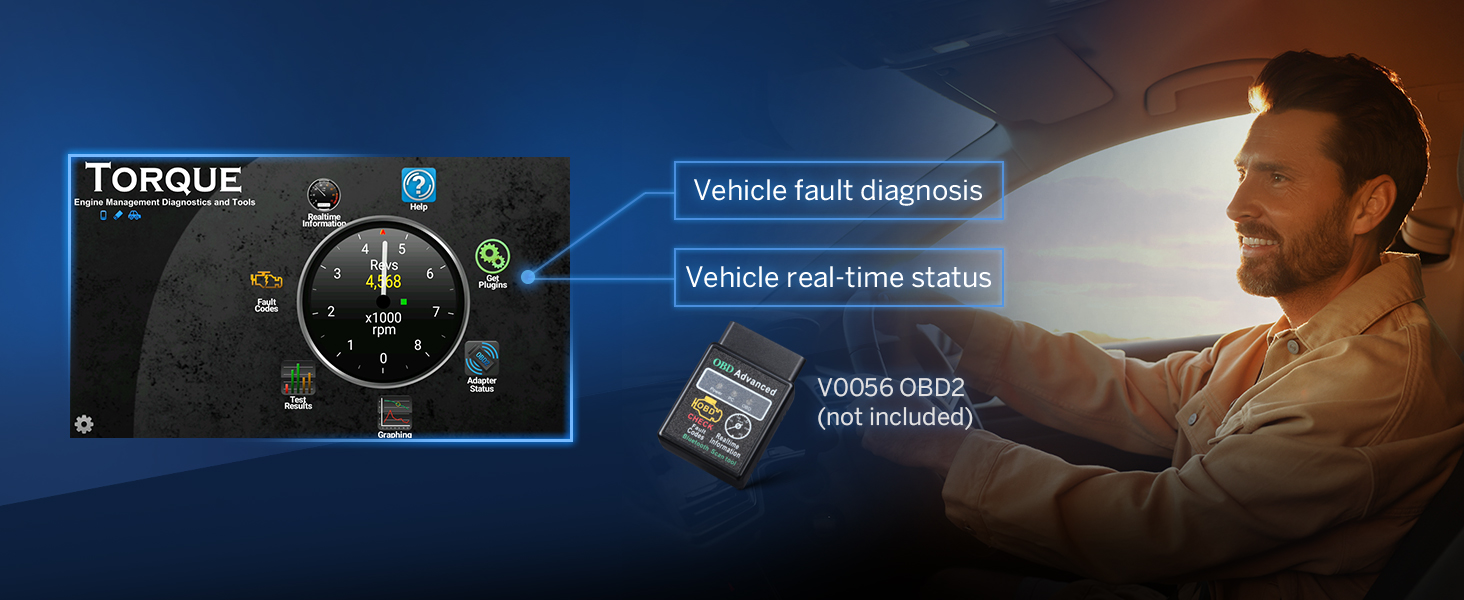
- OBD2 Diagnostic Tool (V0056 - not included): Connects to the unit for vehicle fault diagnosis and real-time status monitoring.

An illustration of the A0125 backup camera (included) integrated with the Eonon UX7, providing reversing guidelines, 720P AHD resolution, 140° rear viewing angle, and IP68 waterproof rating for safe parking.

This image shows the compatibility of the Eonon UX7 with an optional A100 dash cam (not included), featuring a 120° viewing angle, 360° adjustable mount, 1280x720 resolution, and video playback capabilities.
An image demonstrating the Eonon UX7's ability to connect with an optional V0056 OBD2 diagnostic tool (not included) to provide vehicle fault diagnosis and real-time status information.
9. Fast Charging
The UX7 is equipped with a high-speed Type-C port that supports PD 3.0 and PPS fast charging, ensuring your devices power up faster and more efficiently on the go.
This image showcases the fast-charging capability of the Eonon UX7, equipped with a high-speed Type-C port supporting PD 3.0, PPS, QC3.0/QC2.0, FCP/SCP, and AFC protocols for efficient device charging.
Maintenance
- Cleaning the Screen: Use a soft, lint-free cloth to gently wipe the touchscreen. For stubborn smudges, slightly dampen the cloth with water or a screen cleaner designed for electronics. Avoid abrasive materials or harsh chemicals.
- General Cleaning: Keep the unit free from dust and debris. Use a soft brush or compressed air to clean around buttons and ports.
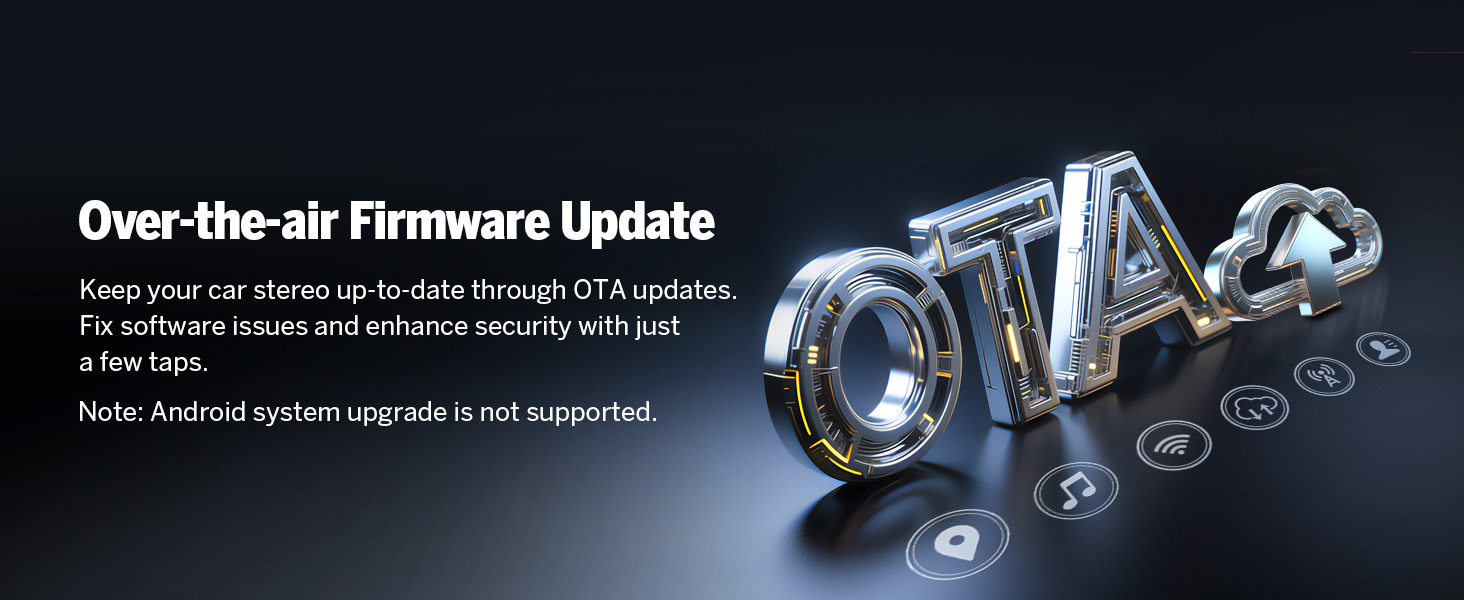
- Software Updates: Keep your car stereo up-to-date through Over-the-Air (OTA) firmware updates. These updates fix software issues and enhance security. Note: Android system upgrade is not supported via OTA.

An image explaining the over-the-air (OTA) firmware update feature for the Eonon UX7, which allows users to fix software issues and enhance security with simple taps. Note: Android system upgrade is not supported via OTA.
Troubleshooting
If you encounter issues with your Eonon UX7, refer to the following common problems and solutions:
| Problem | Possible Cause / Solution |
|---|---|
| Unit does not power on. | Check power connections and fuse. Ensure the car's ignition is on. |
| No sound. | Check speaker wiring, volume level, and audio output settings. Ensure external amplifiers (if used) are powered on. |
| Bluetooth connection issues. | Ensure Bluetooth is enabled on both devices. Delete previous pairings and try re-pairing. Restart both devices. |
| CarPlay/Android Auto not connecting. | Ensure Wi-Fi and Bluetooth are on. Check Zlink5 app settings. Try a different USB cable for wired connection. Restart phone and stereo. |
| Steering Wheel Controls not working. | Ensure SWC wires are correctly connected. If your car uses digital signals, an analog adapter is required. Re-program the SWC functions in the unit's settings. |
| Screen is unresponsive or frozen. | Perform a soft reset by pressing the RST button (usually a small pinhole). If the issue persists, disconnect power for a few minutes. |
| GPS signal weak or inaccurate. | Ensure the GPS antenna is properly installed and has a clear view of the sky. Avoid placing it under metal objects. |
Verifying Product Specifications: To ensure you have genuine specifications, you can use a "Fake Device Test" app to verify the Android version, processor, RAM, and ROM.

An image advising users to verify product specifications like Android version, processor, RAM, and ROM using a 'Fake Device Test' app to avoid misleading information.
Specifications
| Feature | Detail |
|---|---|
| Brand | Eonon |
| Model | UX7 |
| Operating System | Android 14 |
| CPU | RK3562 Quad-core ARM Cortex-A53 @ 2.0GHz |
| RAM | 3GB |
| ROM | 32GB |
| Display Size | 7 Inch IPS |
| Display Resolution | 1280*720 |
| Viewing Angle | 178° |
| CarPlay/Android Auto | Wired & Wireless |
| Bluetooth | Bluetooth 5.4 |
| Wi-Fi | Yes (5GHz supported) |
| DSP | Built-in 32-bit DSP with 48-band EQ |
| Amplifier | ST TDA7388 (4x45W) |
| Audio Output Type | RCA (4-Channel FR/FL/RR/RL + 1 Subwoofer) |
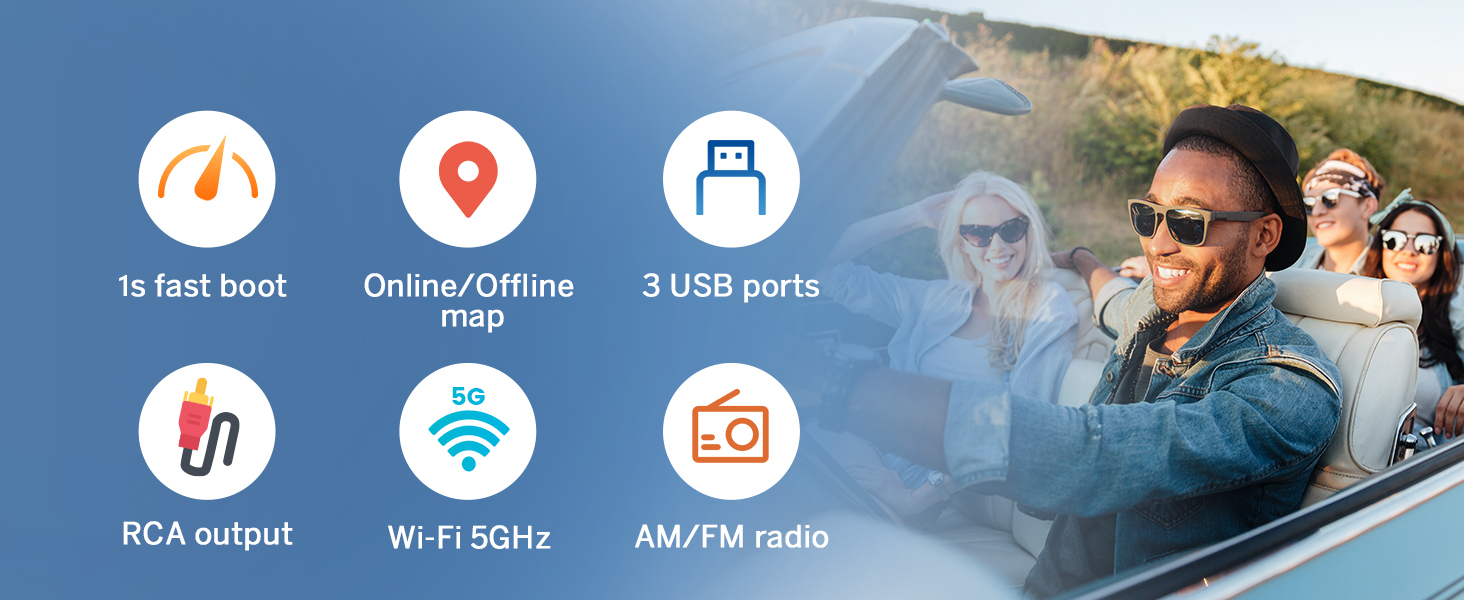
| USB Ports | 3 (including Type-C with PD 3.0/PPS fast charging) |
| Compatible Devices | Amplifier, Smartphone, Speaker |
| Special Features | Android Auto, Apple CarPlay, GPS Navigation, Hands-Free Calling, Voice Control, Screen Mirroring, Customizable UI Themes, OTA Firmware Update |
| Parcel Dimensions | 29 x 24 x 17 cm; 2 kg |
| Video Encoding Support | MPG, DAT, TS, AVI, MP4, MOV, 3GP, ASF, VOB, MKV, FLV, RM, RMVB |
Warranty and Support
Warranty Information
Eonon provides the following warranty and support for your product:
- 30 Days: Free Returns.
- 90 Days: Replacement available.
- 2 Years: Warranty available within 2 years of purchase.
- Lifetime: Lifelong after-sales service.
Customer Support
For technical assistance, troubleshooting, or warranty claims, please contact Eonon customer support. You can find detailed support information and FAQs on the official Eonon website or through your purchase platform.
- Quick Reply: Expect a reply within 24 hours (except weekends).
- Online Resources: Visit Eonon's Amazon Store for additional information and support.
Related documentsUX7


Ask a question about this manual
Ask about setup, troubleshooting, compatibility, parts, safety, or missing instructions. Manuals+ will review the question and use this page’s manual context to help answer it.