
NEWYES AR0101
NEWYES Ailog AI Voice Recorder User Manual
Model: AR0101
1. Introduction
The NEWYES Ailog AI Voice Recorder is a smart digital audio recording device designed for efficient transcription, summarization, and multilingual translation. With its compact design and advanced AI capabilities, it is ideal for meetings, lectures, calls, and business use, ensuring important information is captured and processed effectively.
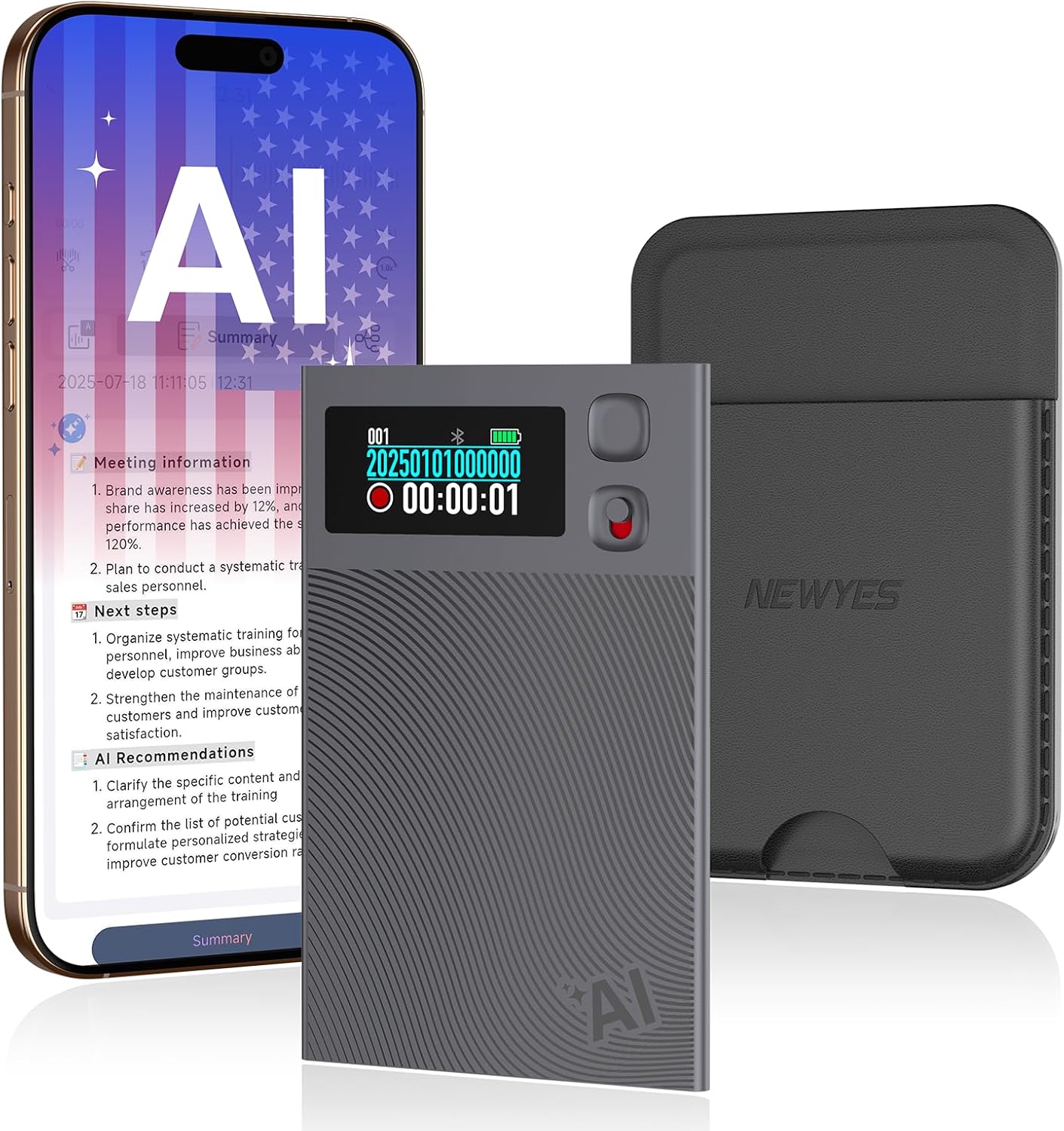
Figure 1: NEWYES Ailog AI Voice Recorder and its companion app interface.
2. What's in the Box
Upon opening your NEWYES Ailog AI Voice Recorder package, you should find the following items:
- AI Voice Recorder (Main Unit)
- Magnetic Case
- Magnetic Ring
- Charging Cable
- User Manual
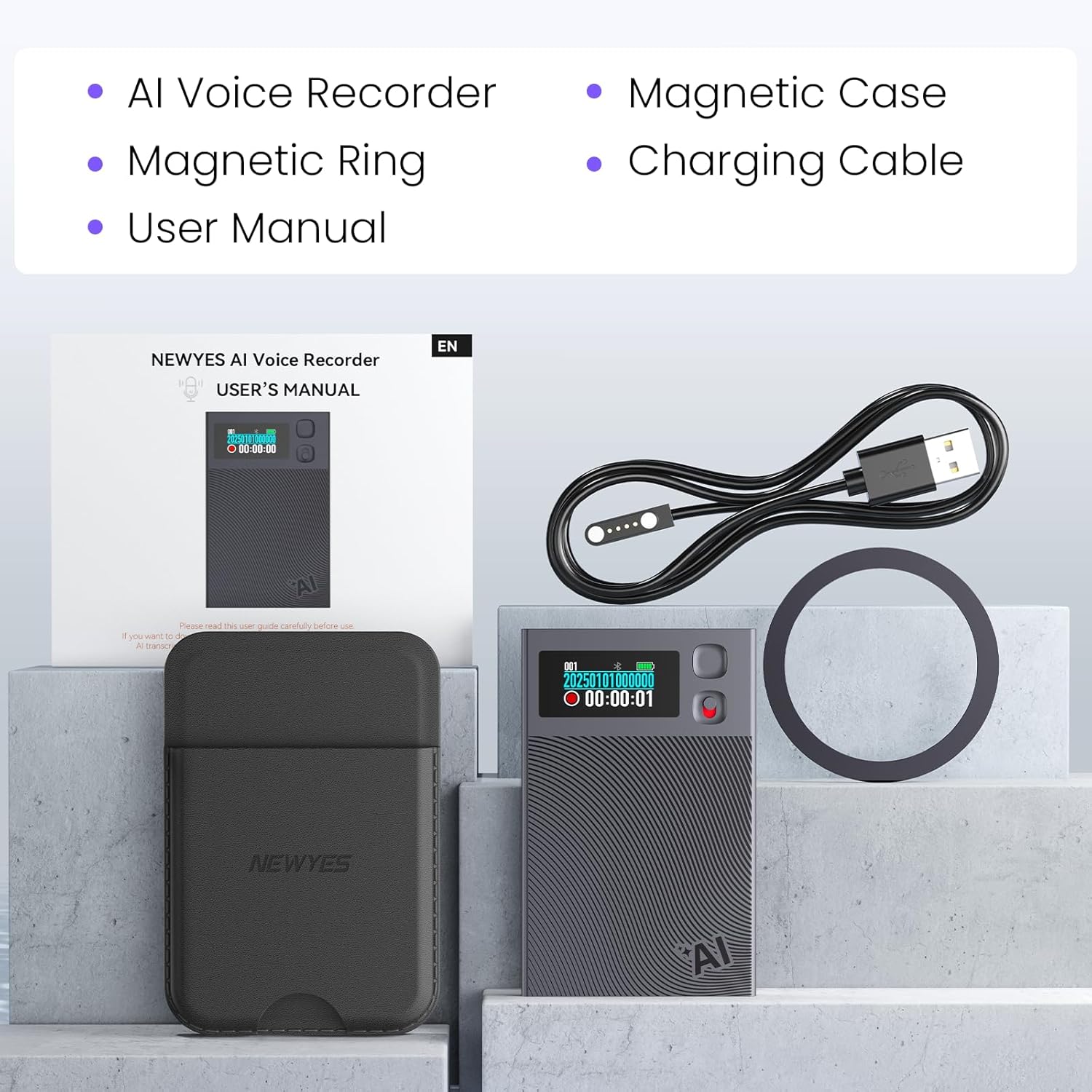
Figure 2: Package contents of the AI Voice Recorder.
3. Product Features
The NEWYES Ailog AI Voice Recorder offers a range of advanced features to enhance your recording and information management experience:
3.1 Accurate Transcription & Efficient Recording
Integrated with advanced transcription capabilities, it can quickly and accurately convert audio content into text, supporting real-time recording in various scenarios. This allows important information from meetings, speeches, etc., to be easily retained without worrying about missing key content.

Figure 3: Transcription and summarization interface within the AIREC app.
3.2 Multilingual Translation
Equipped with advanced AI voice technology, it supports real-time recording translation for 188+ voices and simultaneous interpretation for 93 languages. Whether it's international meetings or foreign-related communications, it enables accurate and instant language conversion, breaking down language barriers.
3.3 AI Intelligent Summarization
Based on multi-model technologies such as GPT-4.1, it can intelligently process transcribed content and automatically generate summaries such as meeting minutes and mind maps. 600 minutes of ultra-long free recording and AI service time are provided monthly to meet high-frequency usage needs.

Figure 4: AI-powered summarization and recommendation features.
3.4 Large Storage & Long-Lasting Battery
Built-in 64GB large storage capacity, which can hold up to 512 hours of high-definition recordings, allowing you to save important content freely. Combined with intelligent battery life design, it supports 28 hours of continuous recording on a single charge, coping with outdoor work and long business trips.
3.5 Intuitive Interaction & Dual-Mode Recording
Equipped with a clear LED display, it shows key information such as battery level, recording status, Bluetooth connection and duration in real time, with operational status at a glance. It features a dual recording engine: the air conduction sensor captures high-quality ambient sounds (suitable for meetings and speeches), while the Vibration Conduction Sensor (VCS) ensures clear call recordings without noise.

Figure 5: Device dimensions and component overview.
3.6 Integrated Design & Privacy Protection
The body is made of simple and practical aluminum alloy, balancing portability and durability. It supports quick Bluetooth connection, syncing to mobile APP for audio trimming, external file import and multi-device sharing. Adhering to the principle of privacy first, local data is encrypted, cloud files are exclusively private, and data processing is only performed with authorization. Unlimited cloud storage is also provided for secure management.
4. Setup Guide
4.1 Charging the Device
Before first use, fully charge your NEWYES Ailog AI Voice Recorder using the provided magnetic charging cable. Connect the cable to a compatible USB power source. The device's display will indicate charging status.
Video 1: Demonstrates the magnetic charging process and initial setup of the AI Voice Recorder.
4.2 App Download and Installation
To unlock the full potential of your AI Voice Recorder, download the AIREC APP from your device's app store. Search for "AIREC" on the Apple App Store or Google Play Store.
4.3 Binding & Connection
Once the app is installed, open it and follow the on-screen instructions to bind your AI Voice Recorder via Bluetooth. Ensure Bluetooth is enabled on both the recorder and your smartphone. Once the connection is successful, the Bluetooth icon on the display screen of the device will change from a blinking state to a static state, and the app will show "Connected".
Video 2: Illustrates the Bluetooth binding and connection process between the recorder and the AIREC app.
5. Operating Instructions
5.1 One-Press Recording
The device features a simple one-press recording button for instant audio capture. Press the record button to start recording. Press it again to stop. The device supports both phone call recording (via Vibration Conduction Sensor) and general note recording (via air conduction sensor).

Figure 6: Demonstrates one-press recording for phone calls and notes.
5.2 Transcription and Summarization
After recording, connect the device to the AIREC app. The audio files will be synchronized to your mobile phone. Within the app, you can select a recording to transcribe it into text with up to 98% accuracy. You can then use the AI summarization feature to generate meeting minutes, mind maps, or other summary templates based on the transcribed content.
5.3 Language Translation
The AIREC app supports translation of transcribed content into 188+ languages and simultaneous interpretation for 93 languages. This feature is particularly useful for international communication and understanding diverse content.
5.4 File Management and Sharing
The app allows for comprehensive management of your recordings. You can trim audio, import external files, and share recordings across multiple devices. All local data is encrypted, and cloud files are exclusively private, ensuring data security.
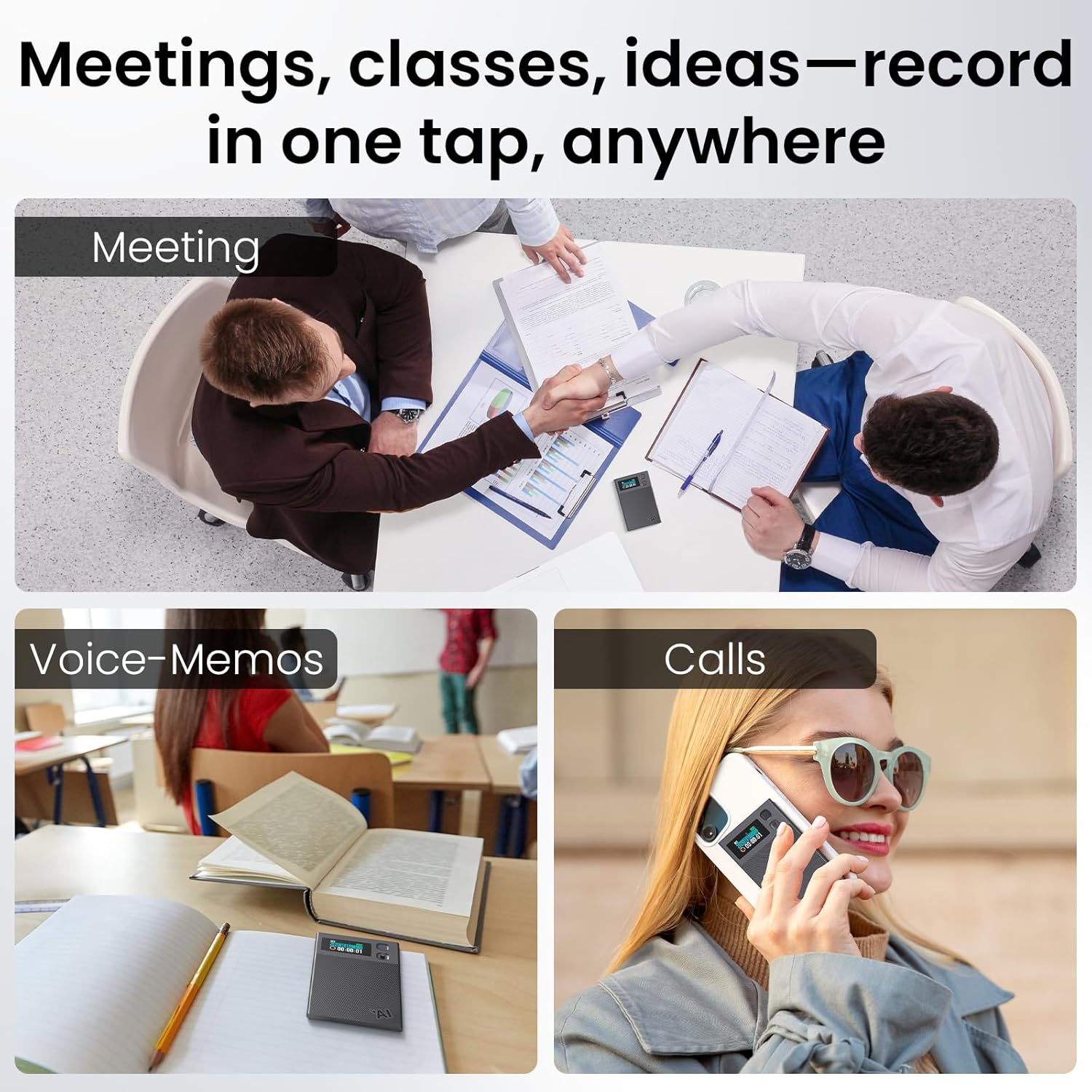
Figure 7: Versatile use cases for the AI Voice Recorder.
6. Specifications
| Attribute | Detail |
|---|---|
| Model Number | AR0101 |
| Dimensions | 3.94 x 1.97 x 1.57 inches (Package) |
| Item Weight | 3.53 ounces |
| Battery Type | 1 9V battery required |
| Memory Storage Capacity | 64 GB |
| Continuous Recording Time | 28 hours |
| Standby Time | 90 days |
| Hardware Interface | Bluetooth 5 |
| Microphone Form Factor | Built-In |
| Compatible Devices | Smartphone, Tablet |
7. Maintenance
- Cleaning: Use a soft, dry cloth to clean the device. Avoid using liquid cleaners or aerosols.
- Storage: Store the device in a cool, dry place away from direct sunlight and extreme temperatures.
- Battery Care: For optimal battery life, avoid fully discharging the battery frequently. Charge the device regularly, even if not in use for extended periods.
- Software Updates: Regularly check the AIREC app for firmware updates for your device to ensure optimal performance and access to new features.
8. Troubleshooting
- Device not turning on: Ensure the device is fully charged. Connect it to the charging cable and allow it to charge for at least 30 minutes before attempting to power on again.
- Unable to connect via Bluetooth:
- Ensure Bluetooth is enabled on both the recorder and your smartphone.
- Make sure the device is within the Bluetooth range (typically 10 meters).
- Restart both the recorder and your smartphone.
- Forget the device in your phone's Bluetooth settings and try pairing again.
- Poor recording quality:
- Ensure the microphone is not obstructed.
- Record in a quiet environment to minimize background noise.
- Check the microphone gain settings in the AIREC app.
- Transcription errors:
- Ensure clear audio input.
- Verify the selected language in the app matches the spoken language.
- Transcription accuracy can be affected by accents, multiple speakers, and background noise.
- App not responding: Close and reopen the AIREC app. If the issue persists, restart your smartphone.
9. Warranty and Support
Your NEWYES Ailog AI Voice Recorder comes with a standard manufacturer's warranty. Please refer to the warranty card included in your package for specific terms and conditions. For technical support, troubleshooting assistance, or warranty claims, please contact NEWYES customer service through their official website or the contact information provided in the product packaging.
For the latest information and support resources, visit the official NEWYES website: www.newyes.com
Related documentsAR0101


Ask a question about this manual
Ask about setup, troubleshooting, compatibility, parts, safety, or missing instructions. Manuals+ will review the question and use this page’s manual context to help answer it.