
1. Introduction
Thank you for choosing the Spigen ArcPack 5000mAh Power Bank. This manual provides essential information for the safe and efficient use of your device. Please read it thoroughly before operation and retain it for future reference.
The Spigen ArcPack PA2400 is a compact and portable power bank designed for on-the-go charging. It features a built-in foldable Type-C connector, an additional USB-C port, and an integrated stand for convenient media viewing while charging.
2. Product Overview
Key Features
- 5000mAh Capacity: Provides reliable power for your devices.
- Built-in Foldable USB-C Connector: Eliminates the need for extra cables and protects the connector when not in use.
- 22.5W Fast Charging: Supports rapid charging for compatible devices.
- Integrated Stand: Allows for hands-free viewing of media while charging.
- Compact and Lightweight: Designed for easy portability.
- LED Indicator Lights: Display remaining battery level.
Package Contents
- Spigen ArcPack 5000mAh Power Bank (PA2400)
- User Manual

An overview of the Spigen ArcPack power bank, highlighting its 5000mAh capacity, 22.5W maximum output, and integrated foldable USB-C connector.
3. Setup
Initial Charging of the Power Bank
- For optimal performance, fully charge your Spigen ArcPack power bank before first use.
- Connect a USB-C charging cable (not included) to the power bank's USB-C port.
- Connect the other end of the cable to a compatible USB wall adapter (18W recommended for fast recharge).
- The LED indicator lights will illuminate to show the charging progress. All four lights will be solid when fully charged.

This image illustrates the power bank's two-way fast charging capability, showing it being recharged at 18W and providing 22.5W output to a device.
4. Operating Instructions
Charging Your Devices
The Spigen ArcPack offers two methods for charging your devices:
Using the Built-in Foldable USB-C Connector:
- Gently unfold the built-in USB-C connector from the power bank.
- Plug the connector directly into your USB-C compatible device.
- Charging will begin automatically. The LED indicators on the power bank will show its remaining battery level.
Using the USB-C Port:
- Connect a USB-C charging cable (not included) to the power bank's USB-C port.
- Connect the other end of the cable to your device. This port supports various devices, including those requiring a USB-C to Lightning cable.
- Charging will commence automatically.
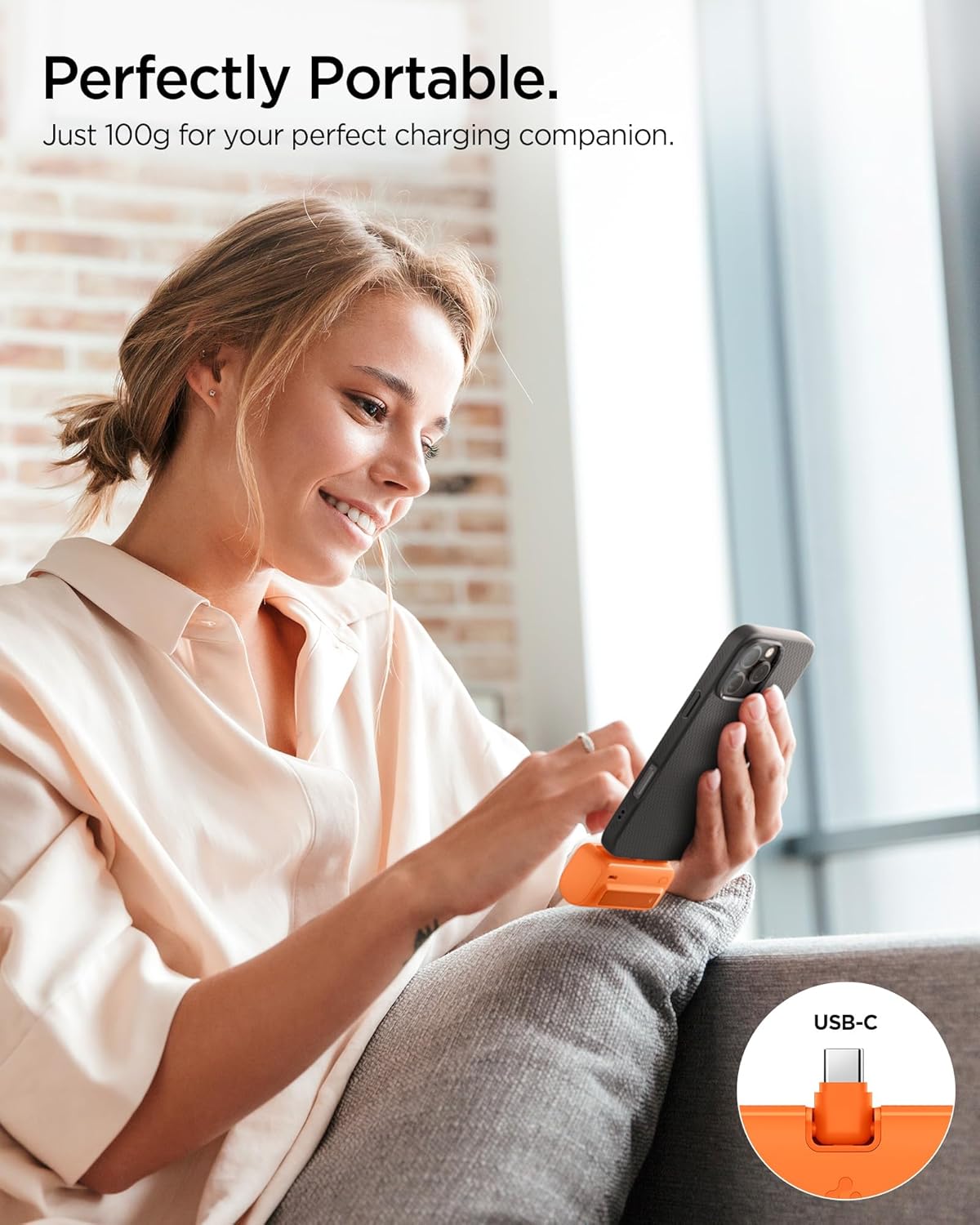
A user demonstrates the compact and portable nature of the Spigen ArcPack power bank while charging a smartphone.
Using the Integrated Stand
The Spigen ArcPack features a built-in stand for hands-free viewing:
- Locate the foldable stand on the side of the power bank.
- Gently pull out the stand until it locks into position.
- Place your smartphone or small tablet onto the stand. The stand supports both horizontal and vertical orientations.
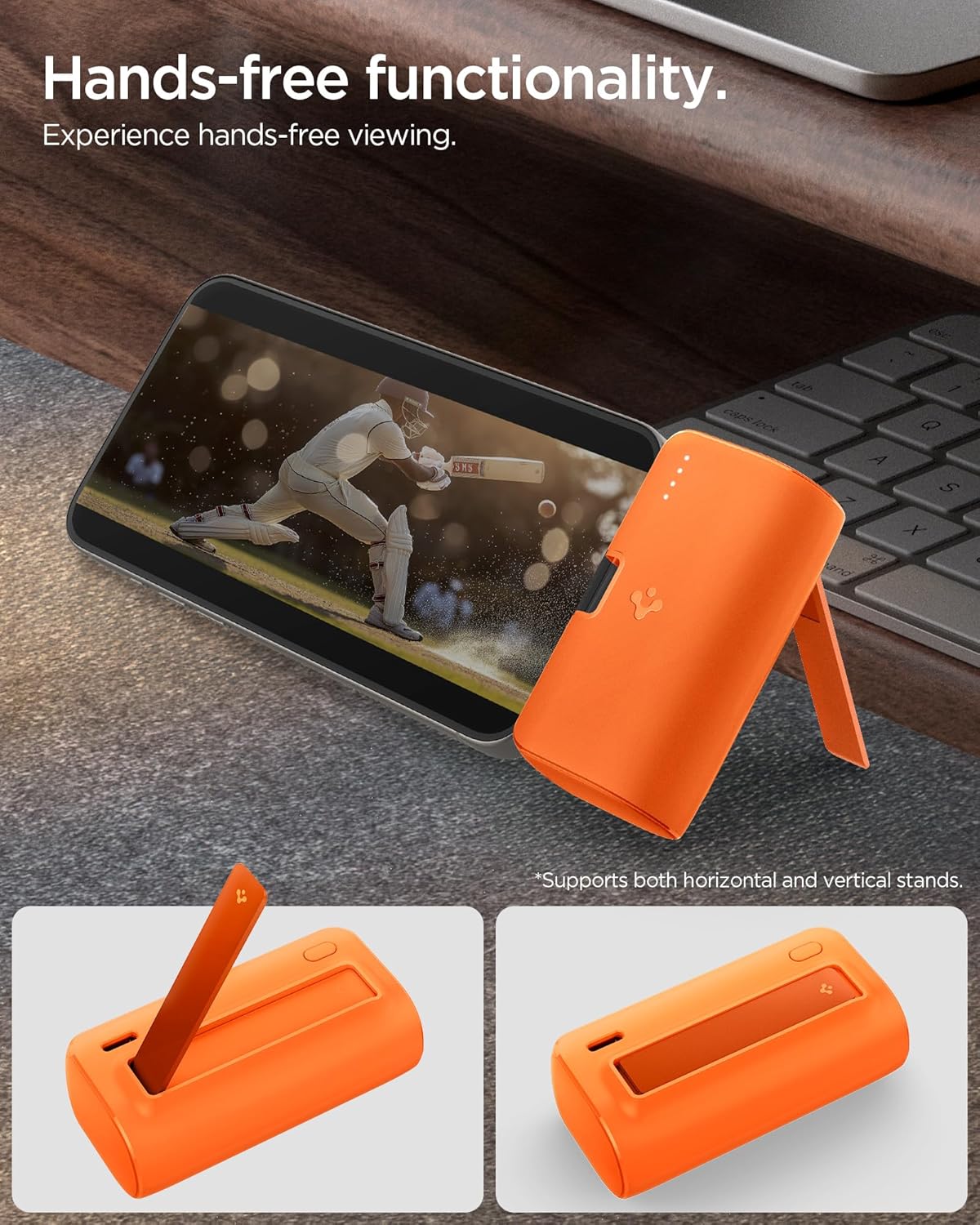
The image shows the power bank's built-in kickstand in use, supporting a smartphone in landscape orientation for convenient hands-free viewing.
Portability and Compatibility

This image highlights the pocket-sized design of the Spigen ArcPack, showing it easily fitting into a pocket, with its dimensions (76.4 x 38 x 28.8mm) indicated.
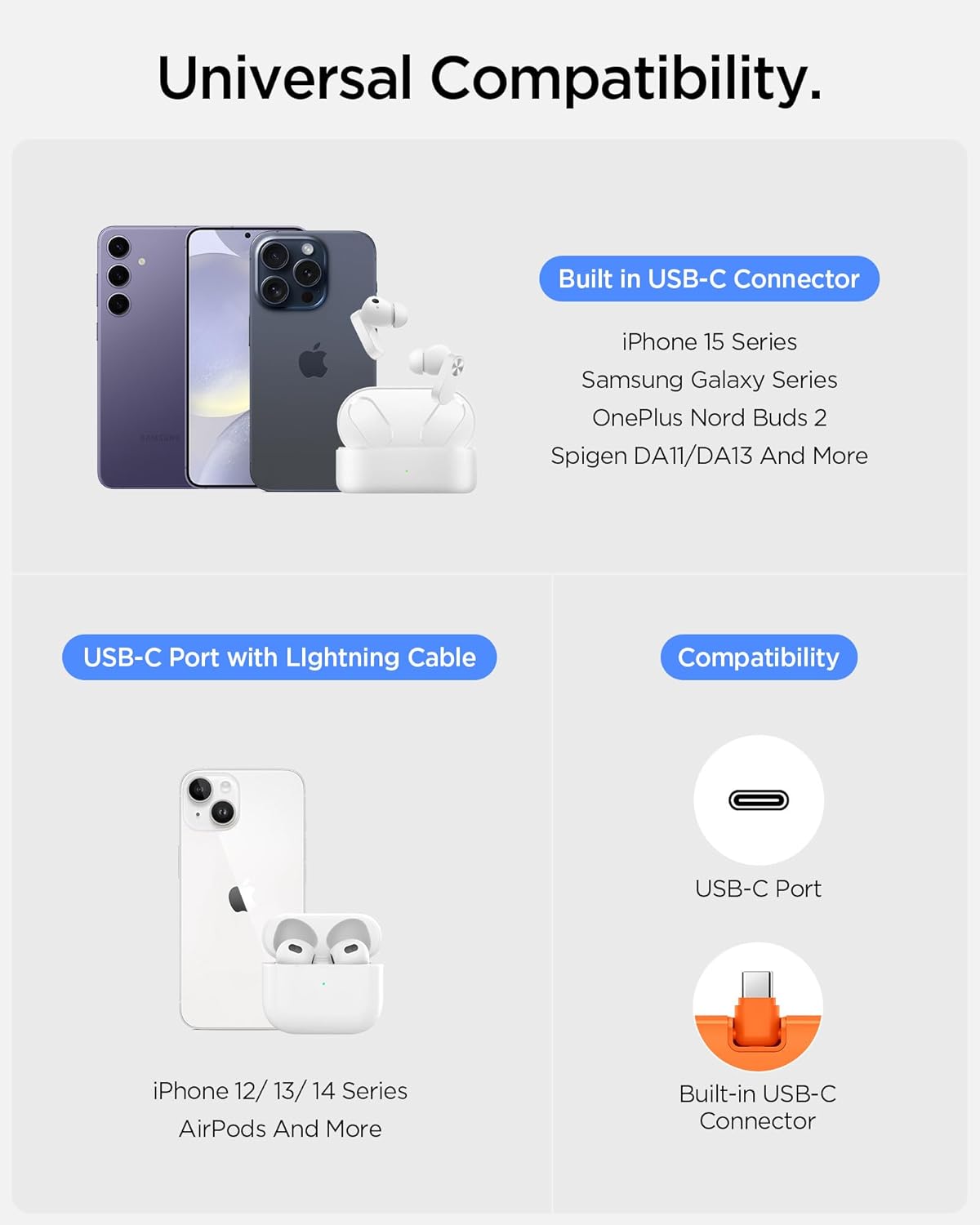
An illustration detailing the universal compatibility of the Spigen ArcPack, showing it works with devices like iPhone 15 series, Samsung Galaxy, OnePlus Nord Buds, and other USB-C devices, as well as older iPhones via a USB-C to Lightning cable.
Product Demonstration Video
This video demonstrates the key features and usage of the Spigen ArcPack 5000mAh Power Bank, including its foldable connector, integrated stand, and charging capabilities.
5. Maintenance
- Cleaning: Wipe the power bank with a soft, dry cloth. Do not use harsh chemicals or abrasive materials.
- Storage: Store the power bank in a cool, dry place away from direct sunlight and extreme temperatures.
- Battery Care: To prolong battery life, fully charge the power bank at least once every three months if not in regular use. Avoid fully discharging the battery frequently.
- Avoid Impact: Do not drop or subject the power bank to strong impacts, as this may damage internal components.
6. Troubleshooting
Common Issues and Solutions
| Problem | Possible Cause | Solution |
|---|---|---|
| Power bank not charging | Charging cable or adapter faulty; power bank fully discharged; loose connection. | Try a different cable/adapter; ensure connections are secure; allow more time for charging if fully discharged. |
| Device not charging from power bank | Power bank battery empty; device cable faulty; incompatible device; loose connection. | Recharge power bank; try a different cable; ensure device is USB-C compatible; check connections. |
| Slow charging | Non-fast charging cable/adapter; device not supporting fast charging; high device usage during charging. | Use a fast-charging compatible cable/adapter; ensure device supports 22.5W fast charging; reduce device usage during charging. |
| LED indicators not working | Power bank faulty. | Contact customer support. |
7. Specifications
| Feature | Detail |
|---|---|
| Model Number | PA2400 |
| Battery Capacity | 5000 Milliamp Hours (Lithium Ion) |
| Max Charging Output | 22.5W |
| Connector Type | Built-in USB Type-C, 1 x USB Type-C Port |
| Special Features | Built-in Connector, Built-in Stand, Fast Charging, LED Indicator Lights, Pocket Size |
| Item Weight | 105 g |
| Package Dimensions | 13.4 x 9.2 x 4 cm |
| Manufacturer | Spigen |
| Country of Origin | India |
8. Warranty and Support
Warranty Information
The Spigen ArcPack 5000mAh Power Bank PA2400 comes with a 12 Months Warranty from the date of purchase. This warranty covers manufacturing defects and malfunctions under normal use. It does not cover damage caused by misuse, accidents, unauthorized modifications, or normal wear and tear.
Customer Support
For warranty claims, technical assistance, or any questions regarding your Spigen ArcPack Power Bank, please contact Spigen customer support. Refer to the official Spigen website or your purchase documentation for the most current contact information.
Manufacturer: Spigen India Private Limited
Address: NO.295 - 296, Ecotech-1, Extension, Greater Noida, Uttar Pradesh 201310, India

