
1. Product Overview
The FENNIO Vanity Mirror with Lights is designed to provide optimal illumination for makeup application and grooming. It features adjustable LED lighting with multiple color modes, a large reflective surface, and versatile mounting options.
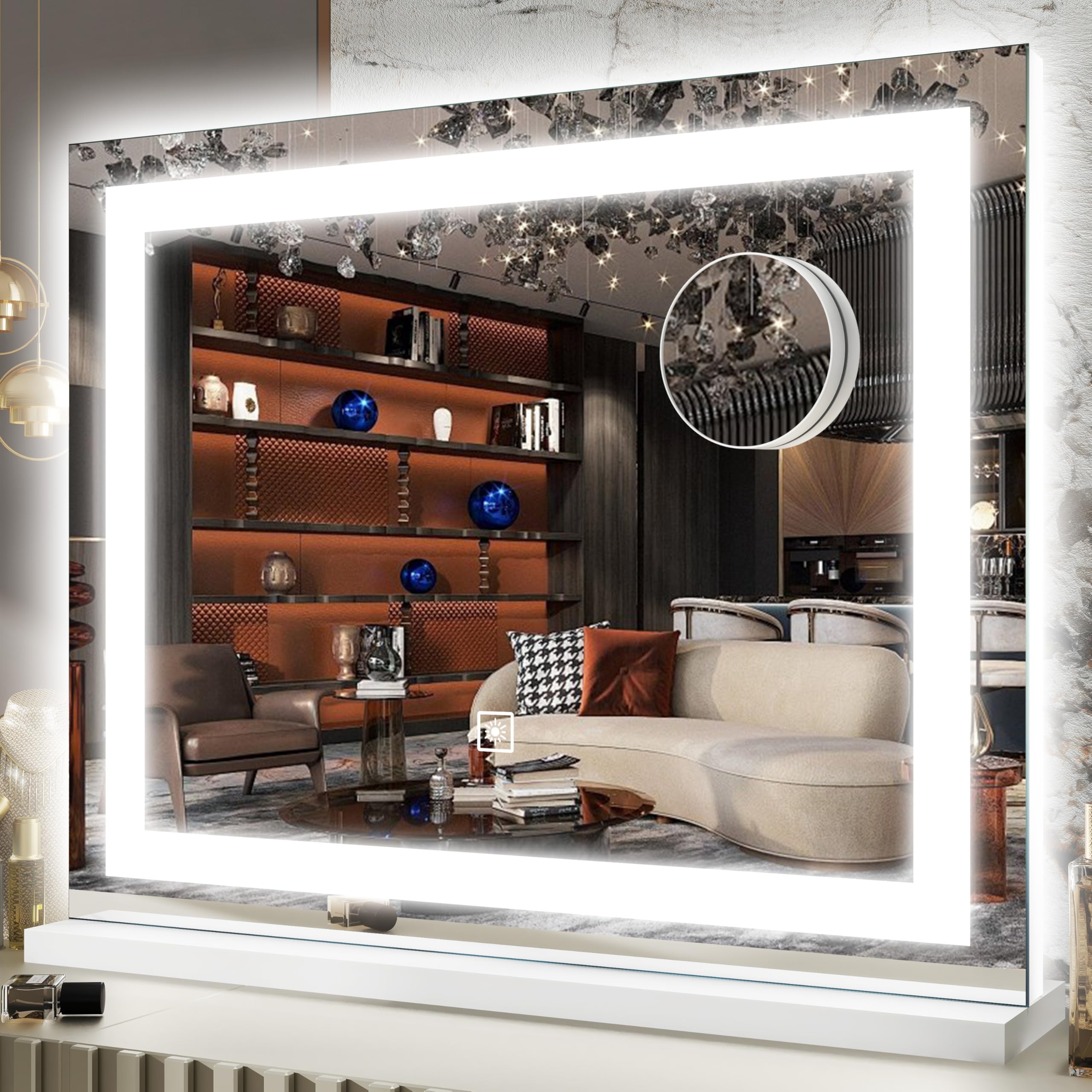
Image: The FENNIO Vanity Mirror with Lights, showcasing its sleek design and illuminated frame.
2. Package Contents
- FENNIO Vanity Mirror with Lights
- Detachable Base (for tabletop use)
- Wall Mounting Accessories (screws, anchors)
- Power Adapter
- 10X Magnifying Mirror (with suction cups)
3. Setup Instructions
3.1 Tabletop Setup
- Carefully unbox the mirror and all accessories.
- Attach the detachable base to the bottom of the mirror using the provided screws. Ensure it is securely fastened for stability.
- Place the mirror on a flat, stable surface.
- Connect the power adapter to the mirror's power port and then plug it into a suitable electrical outlet.

Image: Close-up of the mirror's stable base, highlighting its design for tabletop use.
3.2 Wall-Mounted Setup
- Ensure the detachable base is removed if previously installed.
- Choose a suitable location on the wall, considering the mirror's dimensions (23"L x 18"W) and proximity to a power outlet.
- Use the provided wall mounting accessories (screws and anchors) to securely fasten the mirror to the wall. It can be mounted vertically or horizontally.
- Connect the power adapter to the mirror's power port and then plug it into a suitable electrical outlet.

Image: The FENNIO Vanity Mirror displayed in both vertical and horizontal wall-mounted configurations.
3.3 Assembly Video
Video: An official seller video demonstrating the assembly process and showcasing the mirror's features, including its lighting modes.
4. Operating Instructions
4.1 Power On/Off and Brightness Adjustment
- To turn the mirror ON/OFF, lightly touch the power button icon on the mirror surface.
- To adjust brightness, long-press the power button icon. The brightness will cycle through its levels. Release when the desired brightness is reached.

Image: Illustration demonstrating the long-touch dimming brightness feature, showing light levels from 100% to 10%.
4.2 Color Mode Selection
- Tap the 'M' (Mode) button icon to cycle through the three available color modes: Warm, Natural, and Cool White.
- The mirror will remember your last used brightness and color mode settings.

Image: Visual guide to the three color temperature modes: Warm, Natural, and Cool White, adjustable from 3000K to 6000K.
4.3 Using the 10X Magnifying Mirror
- The included 10X magnifying mirror can be attached to the main mirror surface using its suction cups.
- Use this for detailed tasks such as eyeliner application, eyebrow plucking, or close-up skincare routines.

Image: A woman using the 10X magnifying mirror for detailed makeup application, demonstrating its utility.
5. Maintenance and Care
- Cleaning: Use a soft, damp cloth to clean the mirror surface. Avoid abrasive cleaners or harsh chemicals that may damage the mirror or its frame.
- Safety: The mirror features tempered glass with enhanced impact resistance and a shatter-resistant coating. However, handle with care to prevent damage.
- Power: Always unplug the mirror when not in use or during cleaning. Do not touch the mirror with wet hands when plugged in.
- Environment: Keep the mirror away from heat sources and sharp objects.
Image: Detailed view of mirror features, including the stable base, side ambient light, COB LED strip, and tempered glass for safety.
6. Troubleshooting
6.1 Lights Not Turning On or Flickering
- Check Power Connection: Ensure the power adapter is securely plugged into both the mirror and a working electrical outlet.
- Test Outlet: Try plugging another device into the outlet to confirm it is functional.
- Restart: Unplug the mirror for 30 seconds, then plug it back in and try turning it on again.
- Contact Support: If the issue persists, refer to the Warranty and Support section.
7. Specifications
| Feature | Detail |
|---|---|
| Brand | FENNIO |
| Model Number | B0FG357TTN |
| Product Dimensions | 23"L x 18"W |
| Color | White |
| Frame Material | Glass |
| Mounting Type | Dresser Mount / Wall Mounted |
| Lighting Modes | 3 Color Modes (Warm, Natural, Cool White) |
| Brightness | Adjustable |
| Special Features | Touch Screen Controls, Memory Function, 10X Magnifying Mirror, Tempered Glass |
8. Warranty and Support
FENNIO guarantees the quality and lifespan of this vanity mirror. If you encounter any issues or are not satisfied with your purchase for any reason, please contact our customer support team. We are available 24 hours online to assist you.
For support, please visit the FENNIO Store on Amazon or contact us directly through the Amazon platform.
