
Introduction
This manual provides essential information for the safe and efficient operation, installation, and maintenance of your Midea WQP15W7633DSS Dishwasher. Please read it thoroughly before using the appliance and keep it for future reference.
Safety Information
General Safety:
- Always ensure the dishwasher is properly grounded.
- Do not operate the dishwasher if it is damaged or malfunctioning.
- Keep children away from the dishwasher, especially when it is operating or when the door is open. This model includes a Child Lock feature for added safety.
- Use only detergents and rinse aids specifically designed for automatic dishwashers.
- Do not touch the heating element during or immediately after a wash cycle.
- Sharp items should be loaded with points and sharp edges down to prevent injury.
Electrical Safety:
- Ensure the power supply matches the voltage and frequency specified on the rating plate.
- Do not use extension cords or adapter plugs with this appliance.
- Unplug the dishwasher before cleaning or performing any maintenance.
Product Overview
Key Features
- Capacity: 15 Place Settings, accommodating a large volume of dishes.
- Programs: 9 distinct wash programs for various cleaning needs.
- Noise Level: Operates quietly at 44 dB.
- Child Lock: Prevents accidental operation by children.
- Smart Wi-Fi Connection: Allows for remote control and monitoring via a smart device.
Dishwasher Components
The Midea WQP15W7633DSS Dishwasher is a freestanding unit designed for convenient placement. It includes a Wi-Fi antenna/adapter for smart connectivity. For a visual reference of the appliance, please see the image below.
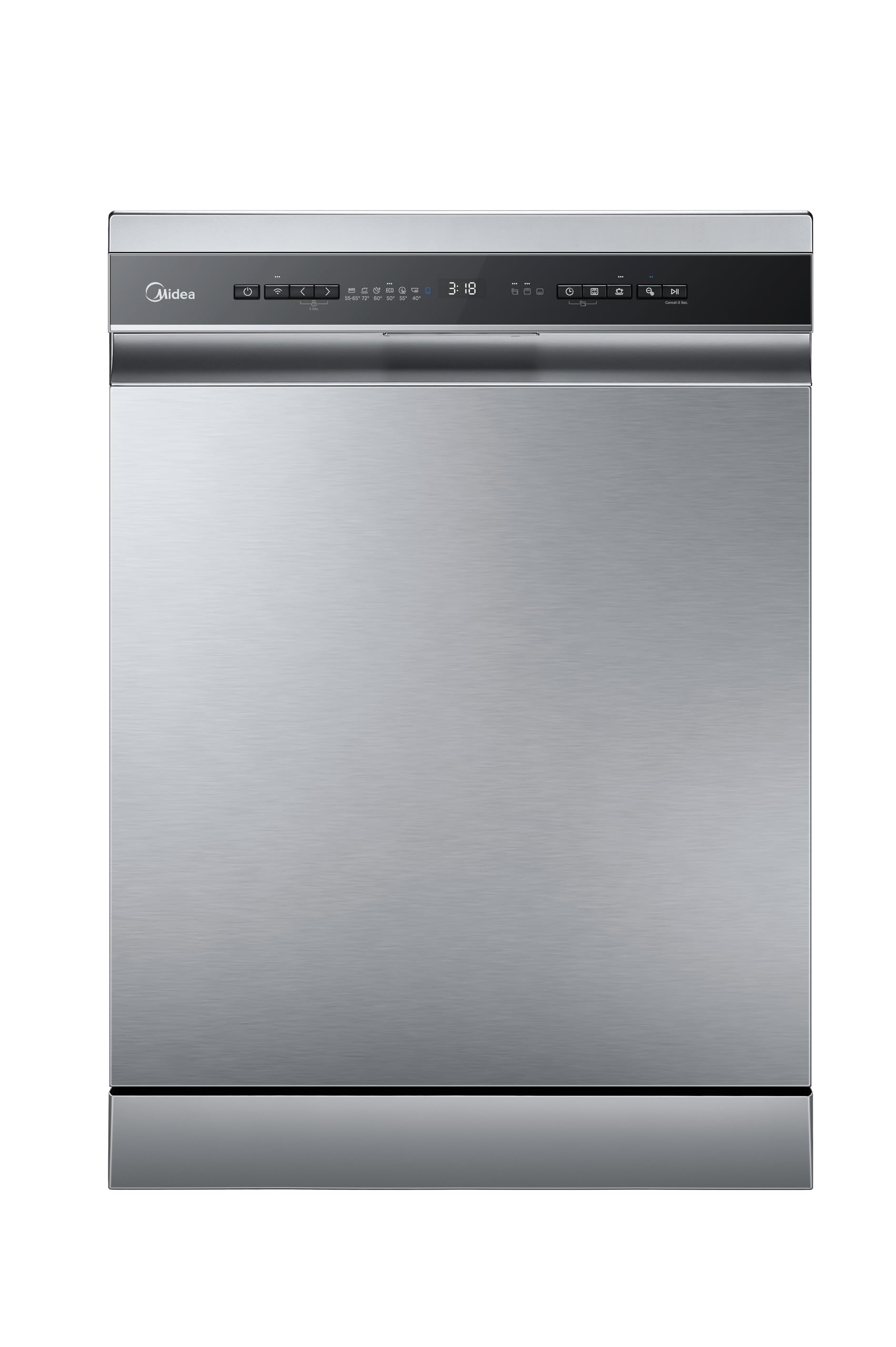
Image: Front view of the Midea WQP15W7633DSS Freestanding Dishwasher.
Setup
Unpacking: Carefully remove all packaging materials. Inspect the dishwasher for any shipping damage. Report any damage to your retailer immediately.
Placement: As a freestanding model, position the dishwasher on a level, stable surface near a water supply, drain, and electrical outlet. Ensure adequate clearance for the door to open fully.
Water Connection: Connect the water inlet hose to a cold water supply and the drain hose to a suitable drain. Ensure all connections are secure to prevent leaks.
Electrical Connection: Plug the dishwasher into a grounded electrical outlet. Do not use extension cords.
Wi-Fi Setup: Install the Midea smart home application on your mobile device. Follow the in-app instructions to connect your dishwasher to your home Wi-Fi network using the included Wi-Fi antenna/adapter. This enables smart control features.
Operating Instructions
Loading the Dishwasher
- Scrape off large food particles from dishes before loading.
- Place larger items in the lower rack and smaller, delicate items in the upper rack.
- Ensure dishes do not block the spray arms.
- Load cutlery into the cutlery basket with handles down for forks and spoons, and handles up for knives.
- This dishwasher is designed for 15 place settings, allowing for efficient cleaning of a full meal's worth of dishes.
Adding Detergent and Rinse Aid
- Fill the detergent dispenser with the appropriate amount of dishwasher detergent.
- Check the rinse aid indicator and refill the rinse aid dispenser if necessary.
Selecting a Wash Program
Your Midea dishwasher offers 9 wash programs to suit various cleaning needs. Select the program that best matches the soil level and type of dishes:
- Normal: For regularly soiled dishes.
- Intensive: For heavily soiled dishes, pots, and pans.
- Quick: For lightly soiled dishes that need a fast wash.
- Rinse: For rinsing dishes that will be washed later.
- Eco: An energy-efficient program for normal soil levels.
- (Additional programs may be available depending on the specific model and smart app features.)
Starting a Wash Cycle
- Close the dishwasher door securely.
- Select your desired wash program using the control panel or the smart app.
- Press the Start button.
- To activate the Child Lock, refer to the specific instructions in the full user manual or the smart app.
Maintenance
Regular maintenance ensures optimal performance and longevity of your dishwasher.
- Cleaning the Filters: Regularly clean the coarse filter, fine filter, and main filter to prevent food particle buildup and ensure efficient draining.
- Cleaning the Spray Arms: Check the spray arm nozzles for blockages and clean them if necessary.
- Exterior Cleaning: Wipe the exterior surfaces with a soft, damp cloth. Do not use abrasive cleaners.
- Interior Cleaning: Periodically run a dishwasher cleaning cycle with a specialized dishwasher cleaner to remove grease and limescale buildup.
- Salt Reservoir: If your water is hard, ensure the salt reservoir is filled with dishwasher salt to prevent limescale deposits.
Troubleshooting
Before contacting service, refer to the following common issues and solutions:
| Problem | Possible Cause | Solution |
|---|---|---|
| Dishwasher does not start | Power cord not plugged in; door not closed properly; program not selected. | Check power connection; ensure door is latched; select a program and press Start. |
| Dishes are not clean | Improper loading; clogged spray arms; insufficient detergent; incorrect program. | Reload dishes correctly; clean spray arms; add more detergent; select a more intensive program. |
| Water not draining | Clogged filter; kinked drain hose. | Clean the filters; check and straighten the drain hose. |
| Excessive noise | Dishes rattling; foreign object in pump. | Rearrange dishes; inspect pump area for obstructions. |
If the problem persists after attempting these solutions, please contact customer support.
Specifications
| Feature | Detail |
|---|---|
| Model Number | WQP15W7633DSS |
| Brand | Midea |
| Installation Type | Freestanding |
| Place Settings | 15 |
| Number of Programs | 9 (Normal, Intensive, Quick, Rinse, Eco, etc.) |
| Noise Level | 44 dB |
| Dimensions (D x W x H) | 59.5 cm x 53.5 cm x 85 cm |
| Product Weight | 66 kg |
| Color | Silver |
| Material | Plastic |
| Special Features | Child Protection Lock, Smart Wi-Fi Connectivity |
| Included Components | Wi-Fi antenna/adapter |
| Recommended Uses | Daily dishes, glassware, pots, pans, delicate china |
Warranty and Support
Warranty: This Midea dishwasher comes with a manufacturer's warranty of two years from the date of purchase. Please retain your proof of purchase for warranty claims.
Customer Support: For technical assistance, troubleshooting beyond this manual, or warranty service, please contact Midea customer support. Refer to the Midea website or your purchase documentation for contact details specific to your region.
You can also visit the official Midea store for more information: Midea Official Store


