
NAVEE GT3 MAX-U
NAVEE GT3 MAX Electric Scooter User Manual
Model: GT3 MAX-U | Brand: NAVEE
Introduction
Thank you for choosing the NAVEE GT3 MAX Electric Scooter. This manual provides essential information for the safe operation, maintenance, and troubleshooting of your new electric scooter. Please read this manual thoroughly before your first ride to ensure optimal performance and safety.

Image: The NAVEE GT3 MAX Electric Scooter with its accompanying mobile app interface.
Safety Guidelines
Your safety is paramount. Always wear a helmet and appropriate protective gear when riding. Adhere to local traffic laws and regulations. Avoid riding in adverse weather conditions or on slippery surfaces.
- Familiarize yourself with all controls before riding.
- Perform a pre-ride check: ensure brakes are functional, tires are in good condition, and all parts are secure.
- Maintain a safe speed and distance from other vehicles and pedestrians.
- Do not ride under the influence of alcohol or drugs.
- The scooter is designed for one rider only. Do not carry passengers.
Setup
Unboxing and Initial Assembly
Upon receiving your NAVEE GT3 MAX, carefully remove all components from the packaging. The package includes the GT3 MAX Electric Scooter, a Power Adapter, a User Manual, a T-Shaped Lever, and 4 Screws for assembly.
- Unfold the scooter stem until it locks into place.
- Attach the handlebars to the stem using the provided screws and T-shaped lever. Ensure they are securely fastened.
- Check all connections and ensure no cables are pinched.
Initial Charging
Before your first ride, fully charge the scooter's battery. The charging time is approximately 10 hours.
- Locate the charging port on the scooter.
- Connect the power adapter to the charging port, then plug it into a power outlet.
- The LED display will indicate charging status. Disconnect once fully charged.

Image: Illustration of the scooter's premium 597Wh Lithium Battery with multiple protection features.
Operating Your Scooter
Power On/Off and Riding Modes
To power on the scooter, press and hold the power button. The clear LED display will show real-time speed, battery level, and current mode. The scooter offers three optimized riding modes:
- Walk Mode (3 MPH): For safe pedestrian zones.
- Daily Mode (12 MPH): For efficient commuting.
- Sport Mode (20 MPH): For thrilling speed and maximum performance.
Switch between modes by pressing the power button once while the scooter is on.
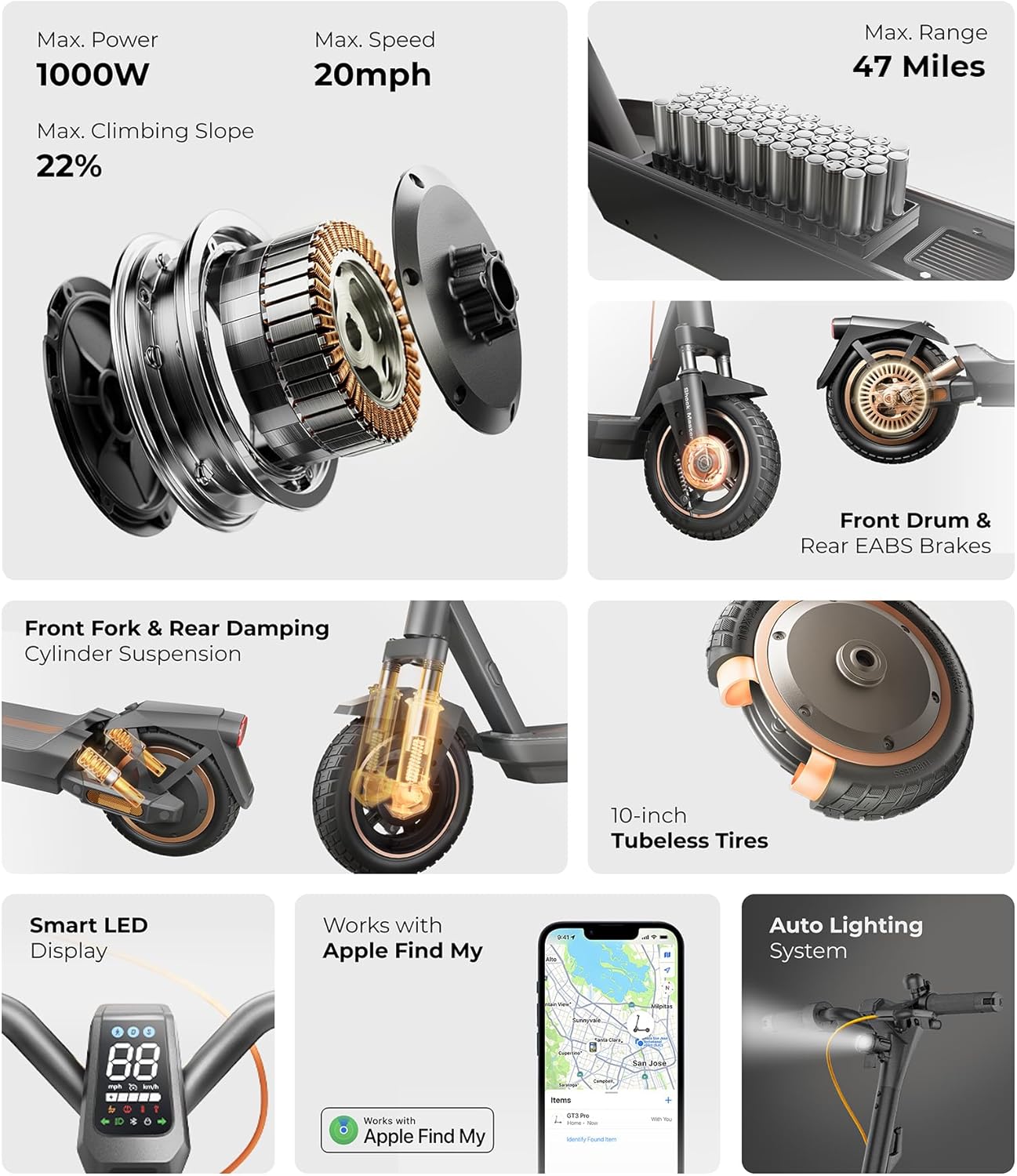
Image: Overview of the scooter's features including LED display, Apple Find My compatibility, and auto lighting system.
Braking System
The NAVEE GT3 MAX is equipped with a professional dual braking system (front drum + rear EABS) for confident stopping power. The integrated Traction Control System (TCS) prevents wheel spin on wet roads, enhancing stability and safety. TCS functionality can be activated through the NAVEE APP.

Image: Close-up view of the front drum and rear EABS braking system.
Lighting and Indicators
Integrated auto-sensing headlights and turn signals enhance night visibility and safety. Use the turn signals to indicate your direction to others.
NAVEE Smart APP & Apple Find My
Stay fully connected with the NAVEE electric scooter Bluetooth App for ride diagnostics and customization. The app allows for hands-free unlocking via Bluetooth and automatic locking when you're not around. With the Apple Find My network, you can quickly locate your scooter even when it's offline.
Video: An overview of the NAVEE GT3 MAX, highlighting its features and capabilities, including its smart connectivity.
Maintenance
Tire Care
The scooter is built with 10-inch tubeless tires that are designed to be puncture-proof and offer a 2x longer lifespan. While they require zero maintenance, regularly inspect them for any signs of wear or damage.
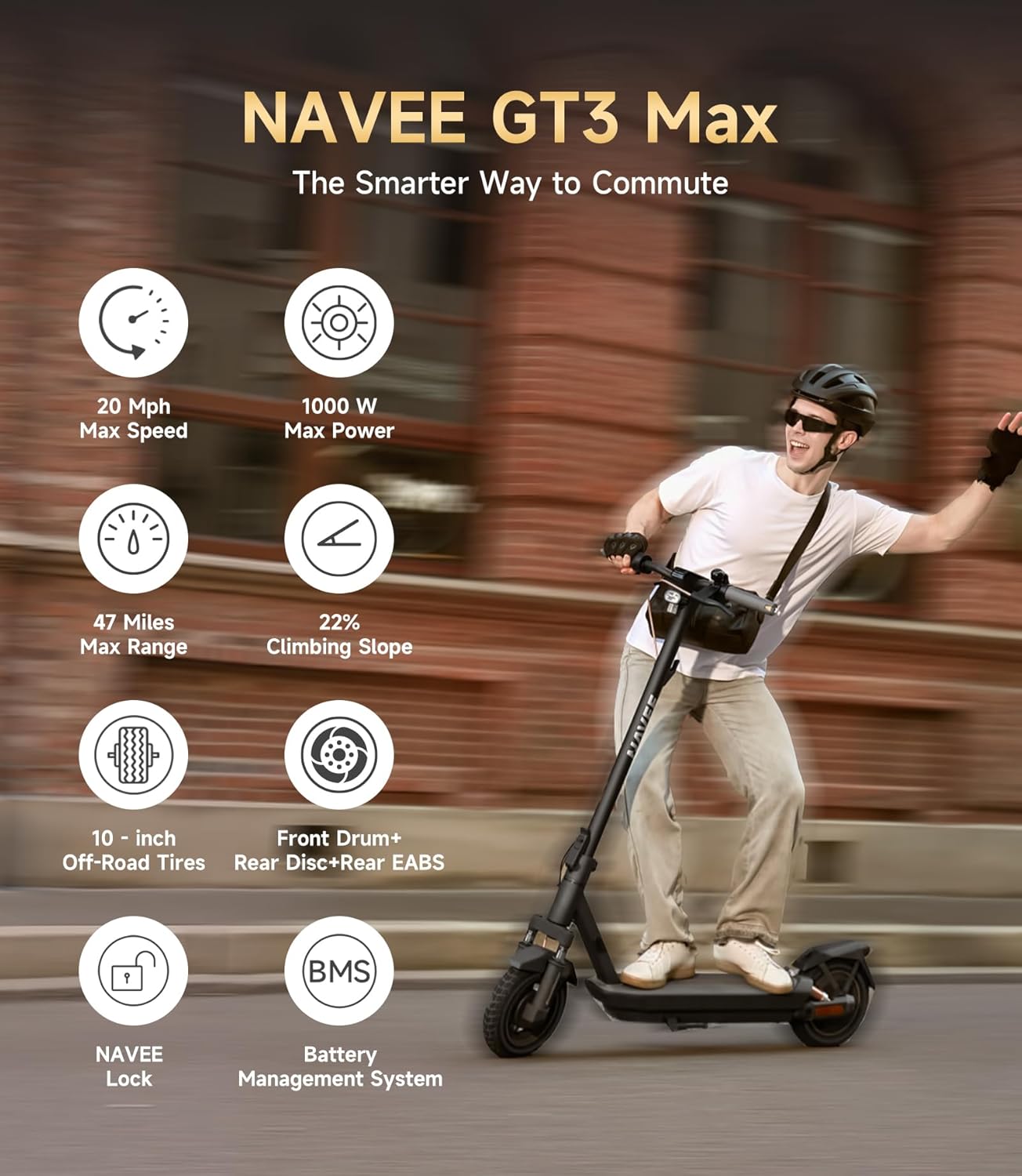
Image: The NAVEE GT3 Max showcasing its 10-inch off-road tires, designed for various terrains.
Cleaning and Storage
- Clean the scooter with a damp cloth. Do not use high-pressure water or corrosive cleaners.
- Store the scooter in a cool, dry place away from direct sunlight and extreme temperatures.
- The scooter features a smart 1-step folding design for easy storage and portability.
Troubleshooting
If you encounter any issues with your NAVEE GT3 MAX, please refer to the following common solutions:
| Problem | Possible Cause | Solution |
|---|---|---|
| Scooter not powering on | Low battery; loose connection | Charge the battery; check all cable connections. |
| Reduced range/speed | Under-inflated tires; heavy load; uphill riding | Check tire pressure; reduce load; use appropriate riding mode. |
| Brakes not responsive | Brake cable adjustment needed | Consult the full manual or contact customer support for brake adjustment. |
For more complex issues, please contact NAVEE customer support.
Specifications
| Feature | Detail |
|---|---|
| Motor Power | 1000W |
| Max Speed | 25 MPH (40 km/h) |
| Max Range | 47 Miles (75 km) |
| Tire Size | 10 Inches (Tubeless) |
| Max Load | 265 Pounds (120 kg) |
| Item Weight | 23 Kilograms |
| Charging Time | 10 Hours |
| Suspension Type | Dual Suspension (Front Fork & Rear Damping Cylinder) |
| Brake Style | Front Drum + Rear EABS |
| Product Dimensions | 49"L x 8"W x 23"H |
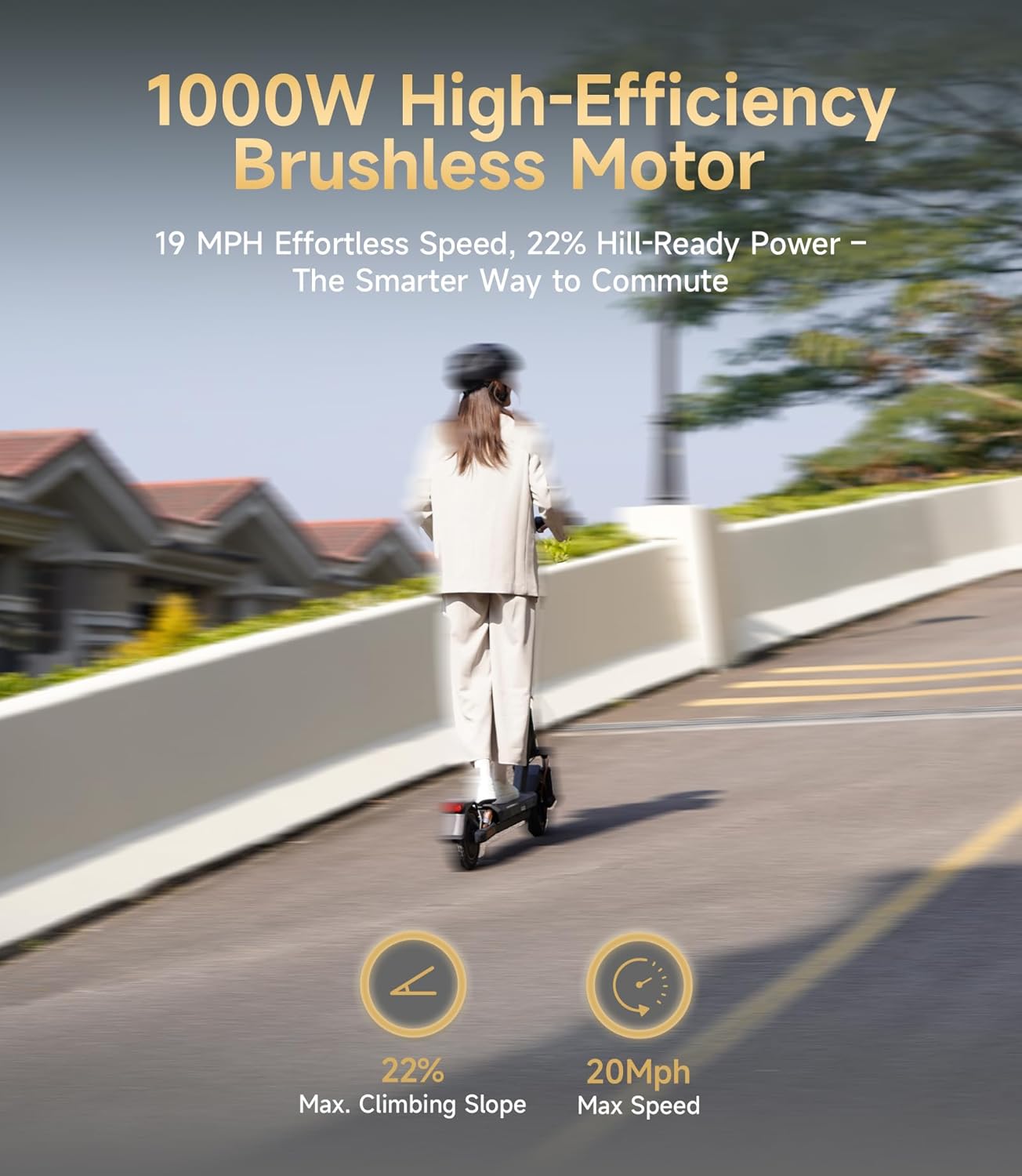
Image: The scooter demonstrating its 1000W high-efficiency brushless motor and hill-climbing capability.
Warranty & Support
The NAVEE GT3 MAX Electric Scooter comes with a 24-month warranty (battery 12 months). For any questions, technical assistance, or warranty claims, our dedicated support team is available to respond within 24 hours.
- Service Center: Refer to your purchase documentation for local service center information.
- Phone Support: Contact details can be found on the official NAVEE website or your product packaging.
- Email Support: Our team responds to email inquiries within 24 hours.
Please retain your proof of purchase for warranty validation.
Related documentsGT3 MAX-U


Ask a question about this manual
Ask about setup, troubleshooting, compatibility, parts, safety, or missing instructions. Manuals+ will review the question and use this page’s manual context to help answer it.