
Introduction
This manual provides comprehensive instructions for the installation, operation, maintenance, and troubleshooting of your Vipbear OPT01 Smart Toilet. Please read this manual thoroughly before installation and use to ensure proper function and safety.
1. Setup and Installation
1.1 Unboxing
Carefully unpack the smart toilet and all accessories from the double-layer carton and foam pads. Ensure all components listed in the accessory display are present.
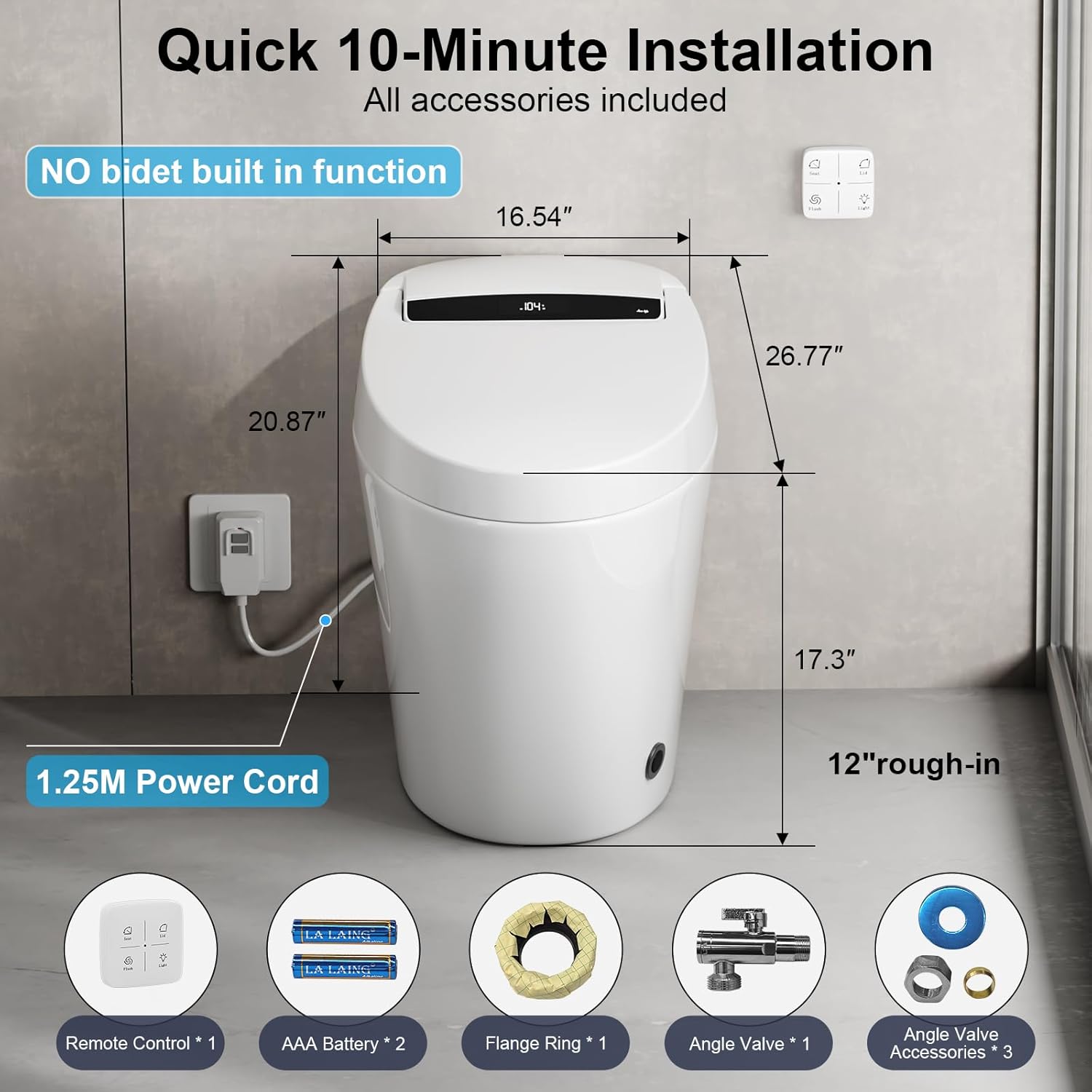
Image: Vipbear OPT01 Smart Toilet with key dimensions for installation. The toilet measures 26.77 inches in depth, 16.54 inches in width, and 20.87 inches in height. The power cord is 1.25 meters long.
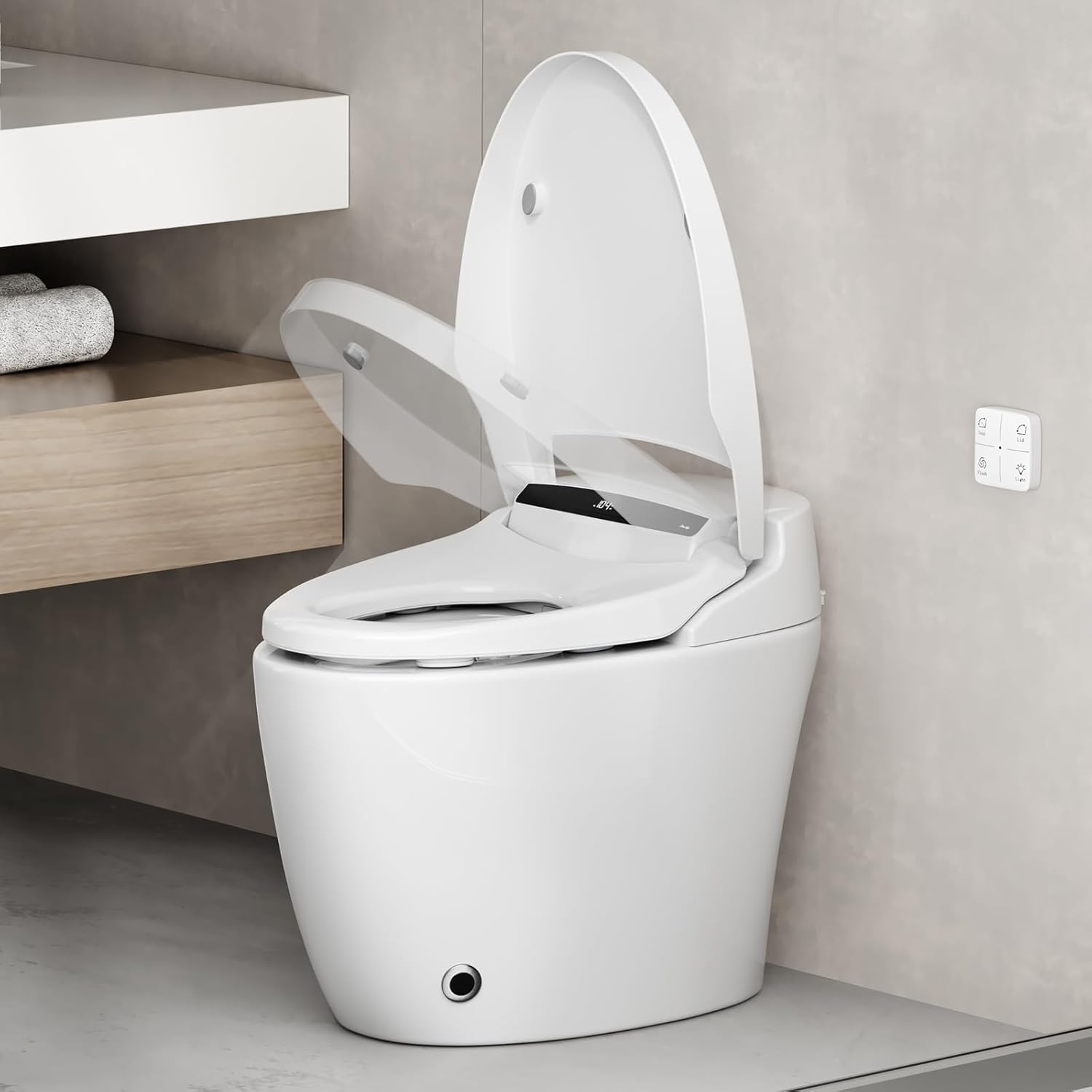
Image: The Vipbear OPT01 Smart Toilet with its lid automatically opening, showcasing the sleek design and integrated controls.
1.2 Site Preparation
Before installation, verify the following distances:
- Wall socket: 16-20 inches above the ground.
- Angle valve: 10-16 inches above the ground.
- Center of sewage outlet: 11.81 inches away from the wall.
- Sewage outlet diameter: 3.94 inches.
1.3 Flange Ring and Toilet Placement
- Slip the PVC flange ring over the floor drain outlet.
- Mark the four positions for drilling, then drill holes at the marked spots.
- Drive four expansion anchors into the holes.
- Align the PVC flange ring with the four small holes and tighten the four screws to fix it.
- Insert two large screws into the gaps of the flange ring and put plastic gaskets over them.
- Unpack the flange ring, align it with the sewage outlet, and press it tightly.
- Apply installation adhesive along the bottom edge of the toilet.
- Align the two pre-reserved small holes at the bottom of the toilet with the two screws.
- Put on the gaskets and tighten the screws.
1.4 Water and Power Connections
- Install the decorative cover, adapter, and sealing ring into the copper pipe reserved on the wall.
- Tighten the angle valve.
- Connect the toilet's water inlet hose to the angle valve, then open the angle valve.
- Connect the power supply.
- Test the flushing function to ensure normal operation.
- Apply a circle of installation adhesive to secure the toilet to the floor.
1.5 Remote Control Setup
Tear off the adhesive tape, install the battery in the remote control, and attach it to a convenient wall location.
Video: A detailed demonstration of the 10-minute bolt-down installation process for the Vipbear OPT01 Smart Toilet, covering unboxing, floor preparation, and connections.
2. Operating Instructions
2.1 Smart Hands-Free Operation
- Auto Open/Close Lid/Seat: Smart sensors detect your approach, automatically lifting the lid and seat. The lid/seat will close automatically after 3 minutes of inactivity.
- Auto Flush: The toilet flushes automatically after use, providing a contactless experience.
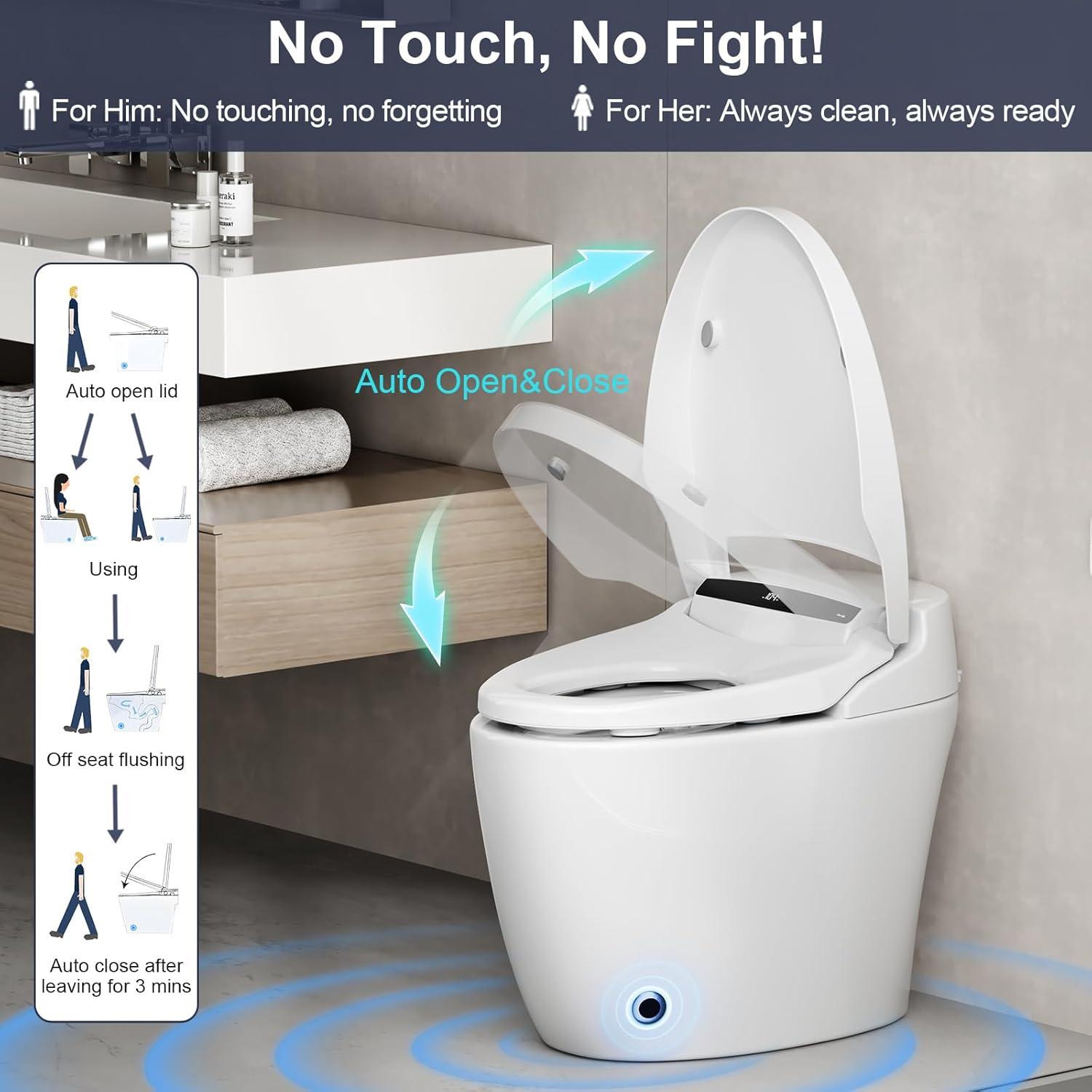
Image: The Vipbear OPT01 Smart Toilet demonstrating its auto open and close lid feature, enhancing hygiene and convenience.
2.2 Heated Seat
The heated seat offers 4 adjustable warmth levels for comfort. Adjust the temperature using the remote control or side panel buttons.
2.3 Night Light
A soft, built-in night light guides you in the dark without causing disturbance. This feature can be controlled via the remote or side panel.
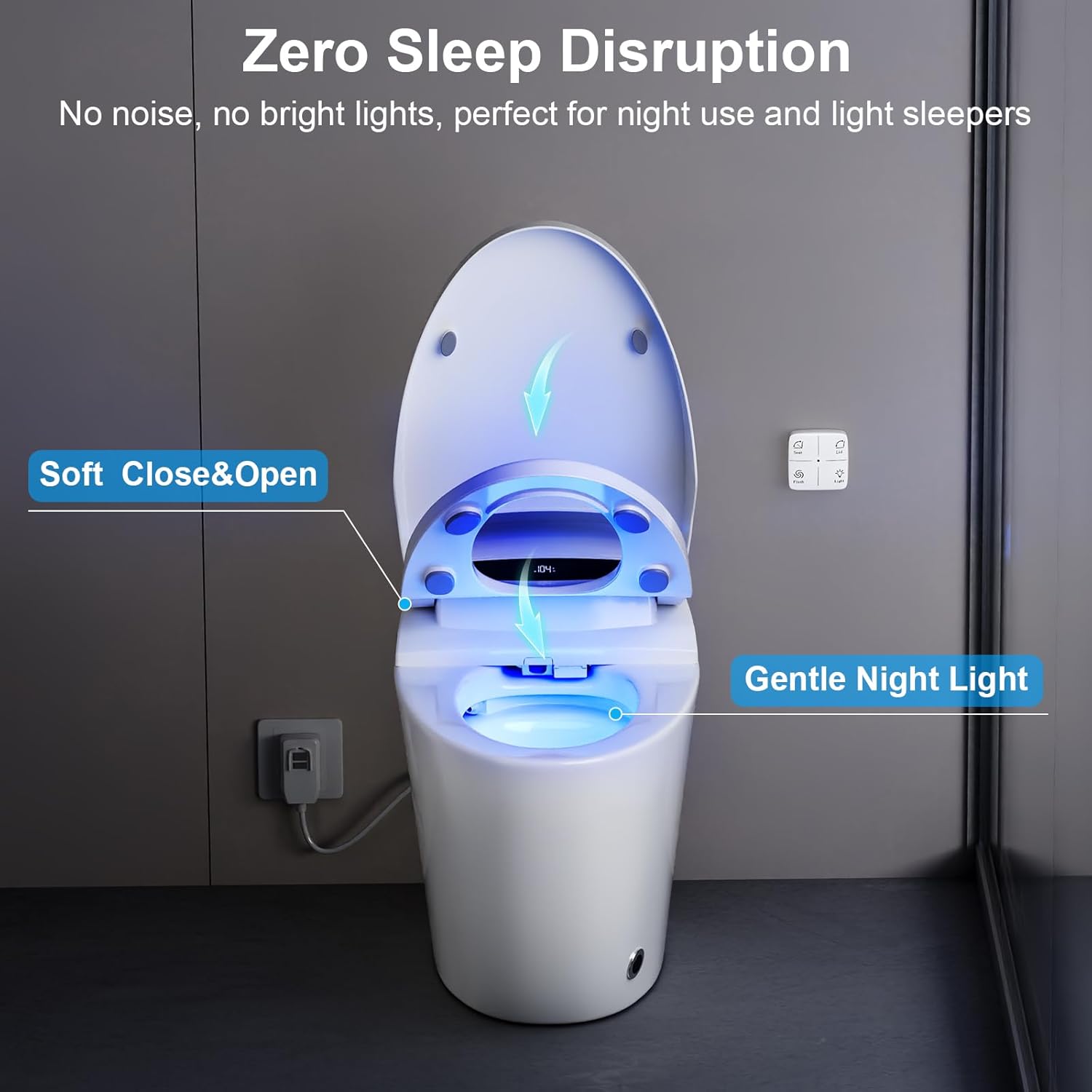
Image: The Vipbear OPT01 Smart Toilet with its gentle blue night light illuminated, providing subtle guidance in low-light conditions.
2.4 Flushing Modes
The toilet features multiple flushing modes for convenience:
- Remote Flush: Activate flush using the remote control.
- Side Button Flush: Manual flush option on the side panel.
- Off-Seat Auto Flush: Automatic flush when you leave the seat.
- Foot Sensor Flush: Activate flush by tapping your foot near the sensor at the base.
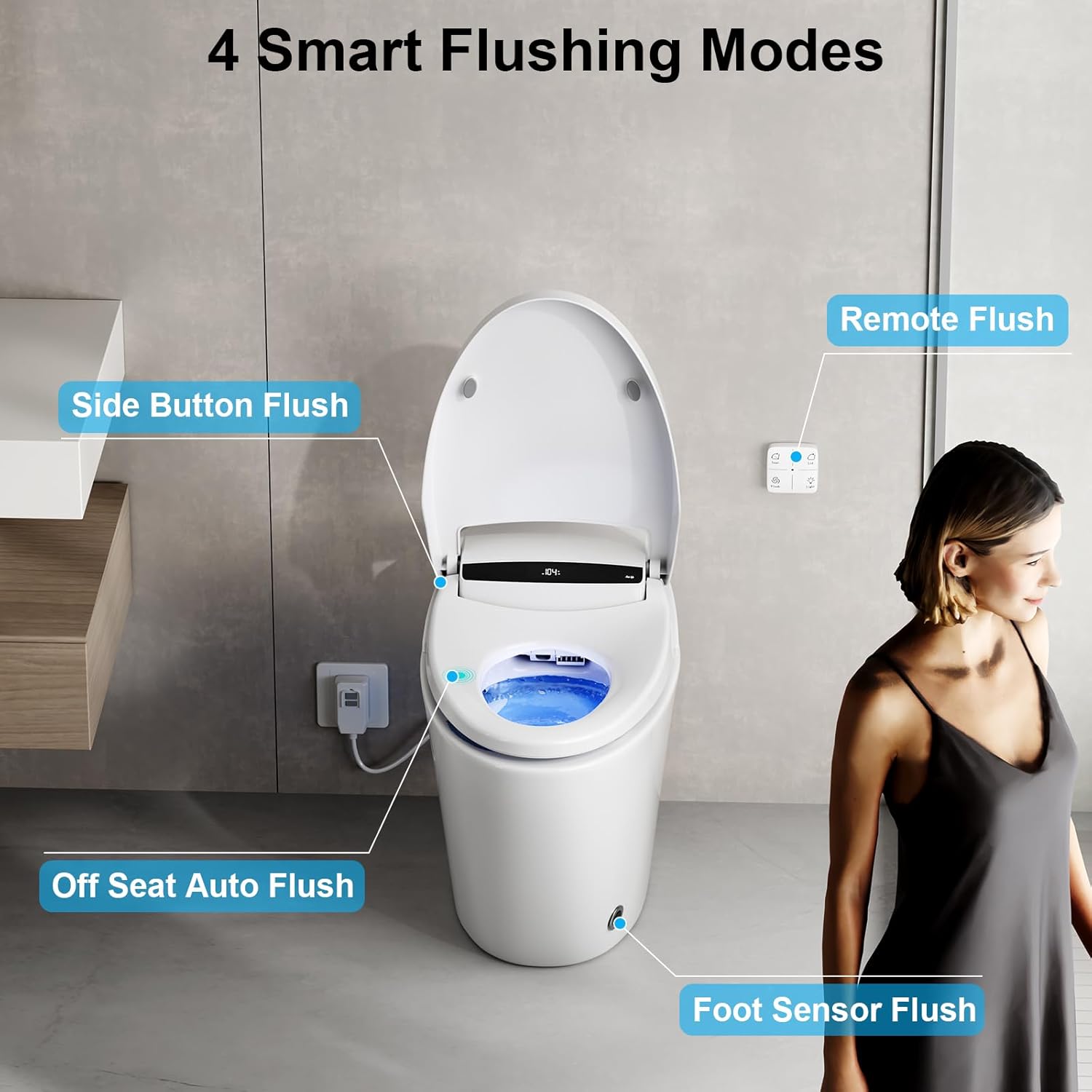
Image: The Vipbear OPT01 Smart Toilet highlighting its four smart flushing modes: Remote Flush, Side Button Flush, Off-Seat Auto Flush, and Foot Sensor Flush.
2.5 Powerful and Efficient Flushing
- Pre-wetting: Automatically wets the ceramic bowl when you sit, preventing stains and reducing cleaning times.
- 360° Vortex Flush: Clears waste thoroughly with minimal water, ensuring efficiency and eco-friendliness.
- Blackout Flushing: Equipped with a built-in backup battery box, allowing flushing even during power outages.

Image: Diagram illustrating the powerful and efficient flushing system of the Vipbear OPT01 Smart Toilet, featuring pre-moisten function and 360° vortex flush for thorough cleaning.
Video: Overview of the Vipbear OPT01 Smart Toilet's key features, including auto open/close, heated seat, night light, and powerful flushing capabilities.
3. Maintenance
Regular cleaning and maintenance will ensure the longevity and optimal performance of your smart toilet.
- Exterior Cleaning: Use a soft, damp cloth and mild, non-abrasive cleaner to wipe down the exterior surfaces. Avoid harsh chemicals that may damage the finish.
- Bowl Cleaning: Clean the toilet bowl regularly with a toilet brush and standard toilet bowl cleaner. The pre-wetting function helps reduce residue buildup.
- Sensor Cleaning: Keep the motion sensors and seat sensors clean and free from obstructions to ensure proper automatic operation.
- Water Inlet Filter: Periodically check and clean the water inlet filter to prevent blockages and maintain water flow.
4. Troubleshooting
If you encounter any issues with your Vipbear OPT01 Smart Toilet, please refer to the following common troubleshooting tips:
- No Power/Display Off: Ensure the power cord is securely plugged into a functional electrical outlet. Check the circuit breaker if necessary.
- Auto Open/Close Not Working: Verify that the sensors are clean and unobstructed. Ensure there is no interference from nearby objects.
- Flushing Issues: Check if the water supply valve is fully open. If using auto-flush, ensure the seat sensor is functioning correctly.
- Heated Seat Not Working: Confirm the heated seat function is activated via the remote or side panel and the temperature setting is appropriate.
- Unusual Noises: If you hear unusual noises, turn off the water supply and power, then contact customer support.
For persistent issues, please contact Vipbear customer support.
5. Specifications
| Feature | Detail |
|---|---|
| Model Number | OPT01 |
| Color | OPT01-white |
| Product Dimensions | 27"D x 16.5"W x 20.5"H |
| Material | Ceramic (Bowl), Plastic (Seat) |
| Item Weight | 85 Pounds |
| Installation Type | Floor Mounted |
| Shape | Oval |
| UPC | 199581010567 |
| Included Components | All installation tools, remote control |
| Power Requirement | Requires electrical outlet (power cord 1.25M) |

Image: The Vipbear OPT01 Smart Toilet displaying its safety certifications, including IPX4 Waterproof, UL Certified, UPC/cUPC Listed, and CEC Compliant.
6. Warranty and Support
The Vipbear OPT01 Smart Toilet is backed by a 1-year warranty. Our dedicated support team is available to assist with any questions or issues you may encounter.
For customer support, please refer to the contact information provided in your product packaging or visit the official Vipbear website.
