
1. Introduction
Thank you for choosing the Blukar Rechargeable LED Flashlight K9186. This manual provides detailed instructions for the safe and efficient use of your new flashlight. Please read it thoroughly before operation and retain it for future reference.
The Blukar K9186 is a versatile and durable LED flashlight featuring dual color temperatures (warm and cool white), 10 lighting modes, a zoomable beam, and USB-C recharging. Its robust aluminum body and IPX6 waterproof rating make it suitable for various outdoor and emergency situations.
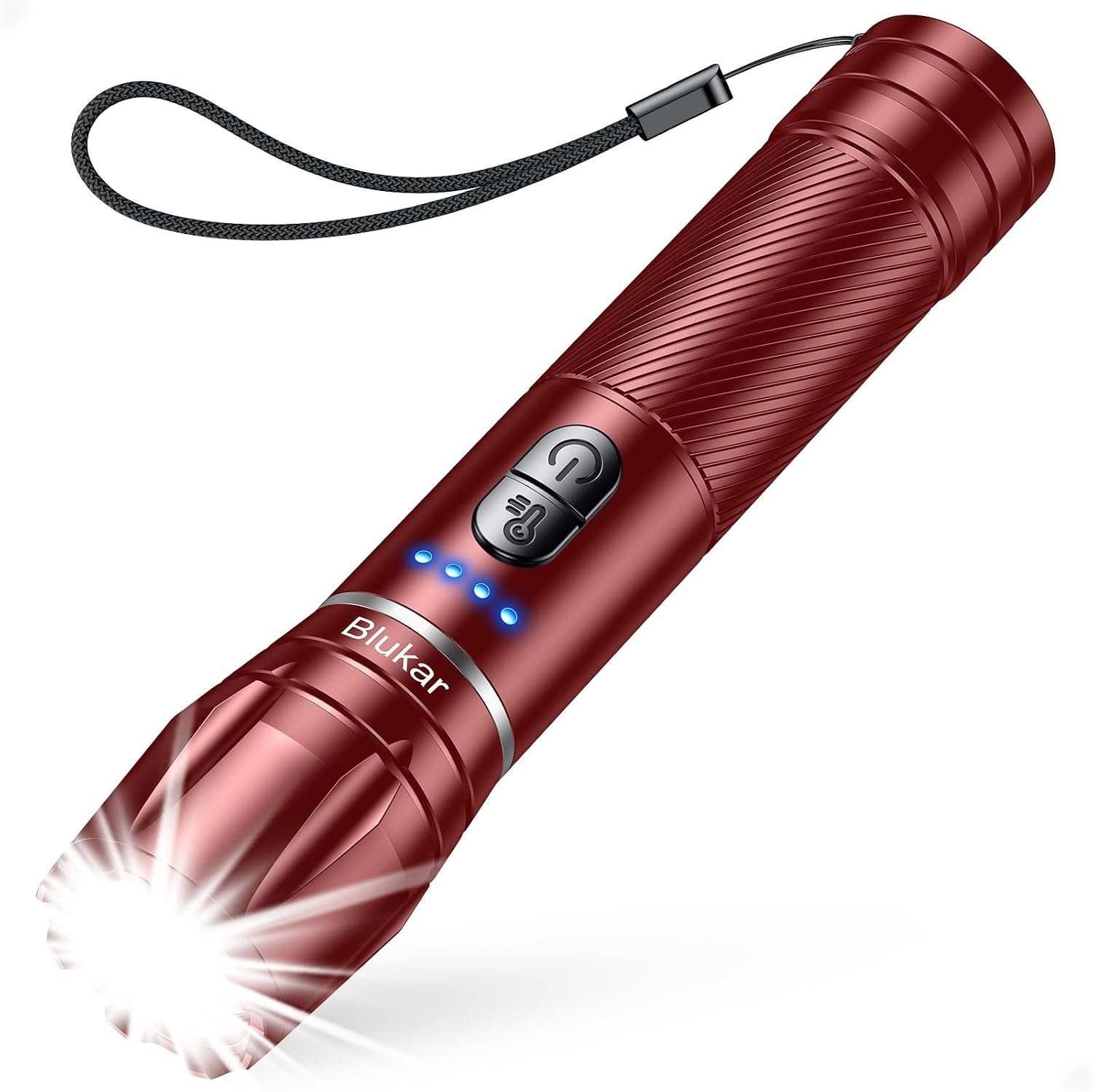
Image 1.1: Blukar K9186 Rechargeable LED Flashlight with wrist strap and illuminated power indicators.
2. Setup and Initial Use
2.1 Package Contents
- Blukar K9186 Rechargeable LED Flashlight
- USB-C Charging Cable
- User Manual

Image 2.1: The retail packaging for the Blukar K9186 flashlight, showing the product and model number.
2.2 Initial Charging
Before first use, fully charge the flashlight. The device comes with a built-in 1800mAh Lithium-Ion battery.
- Locate the USB-C charging port on the side of the flashlight. It is typically covered by a rubber flap for water resistance.
- Open the rubber flap and insert the provided USB-C cable into the port.
- Connect the other end of the USB-C cable to a standard USB power adapter (not included) or a computer USB port.
- The 4 LED indicators on the flashlight body will illuminate to show the charging progress. Each LED represents approximately 25% of the battery capacity. All four LEDs will be solid blue when fully charged.
- Charging typically takes 2-3 hours. Once fully charged, disconnect the cable and securely close the rubber flap to maintain water resistance.

Image 2.2: The Blukar K9186 flashlight connected to a USB-C charger, illustrating the 4-LED battery indicator showing charge levels.
3. Operating Instructions
3.1 Controls Overview
The Blukar K9186 features two control buttons:
- Power Button (⏻): Controls power ON/OFF and cycles through brightness modes.
- Color Temperature Button (☻): Switches between warm white and cool white light.
3.2 Power ON/OFF and Mode Selection
- To Turn On: Press the Power Button (⏻). The flashlight will turn on in the last used mode and color temperature (memory function).
- To Cycle Modes: While the flashlight is ON, short press the Power Button (⏻) to cycle through the 5 brightness modes: High → Medium → Low → Strobe → SOS.
- To Turn Off:
- Long press the Power Button (⏻) for 3 seconds in any mode.
- Alternatively, if the flashlight has been ON for more than 8 seconds in a specific mode, a single short press of the Power Button (⏻) will turn it off.

Image 3.1: Illustration of the 10 lighting modes (5 white, 5 warm) available on the Blukar K9186 flashlight, including High, Medium, Low, Strobe, and SOS.
3.3 Color Temperature Selection
The Blukar K9186 offers two distinct color temperatures: Cool White (approx. 12000K) and Warm White (approx. 3000K).
- While the flashlight is ON, short press the Color Temperature Button (☻) to switch between Cool White and Warm White light.
- The selected color temperature will be retained by the memory function when the flashlight is turned off and on again.

Image 3.2: Comparison of the two color temperatures: Cool White (12000K) and Warm White (3000K), demonstrating their different visual effects.
3.4 Adjustable Focus (Zoom Function)
The flashlight features an adjustable focus mechanism to switch between a wide floodlight and a concentrated spotlight beam.
- To Zoom Out (Floodlight): Gently pull the head of the flashlight forward to widen the beam, illuminating a larger area.
- To Zoom In (Spotlight): Gently push the head of the flashlight backward to narrow the beam, concentrating light for longer distances.

Image 3.3: Demonstration of the adjustable focus feature, showing the flashlight's ability to switch between a wide floodlight and a narrow spotlight beam.
3.5 Battery Indicator
The 4 blue LED indicators on the flashlight body display the remaining battery power:
- 4 LEDs: 75% - 100% charge
- 3 LEDs: 50% - 75% charge
- 2 LEDs: 25% - 50% charge
- 1 LED: Below 25% charge (recharge soon)
4. Maintenance
4.1 Cleaning
To clean the flashlight, wipe it with a soft, damp cloth. Do not use abrasive cleaners or solvents, as these may damage the finish or internal components. Ensure the USB-C port cover is securely closed before cleaning with moisture.
4.2 Battery Care
- The Blukar K9186 has a non-replaceable internal Lithium-Ion battery. Do not attempt to open the flashlight to replace the battery.
- For optimal battery life, avoid completely draining the battery frequently. Recharge when the battery indicator shows low power.
- If storing the flashlight for an extended period, charge it to approximately 50-75% every 3-6 months to prevent deep discharge.
4.3 Storage
Store the flashlight in a cool, dry place away from direct sunlight and extreme temperatures. Ensure the USB-C port cover is sealed to prevent dust and moisture ingress.
4.4 Water Resistance
The Blukar K9186 is rated IPX6 waterproof, meaning it is protected against powerful water jets. It can withstand rain and splashes but should not be submerged in water.

Image 4.1: The Blukar K9186 flashlight being exposed to water, illustrating its IPX6 waterproof rating against rain and snow.
5. Troubleshooting
| Problem | Possible Cause | Solution |
|---|---|---|
| Flashlight does not turn on. | Low battery or no charge. | Charge the flashlight fully using the provided USB-C cable. |
| Flashlight does not charge. | Faulty cable or power adapter. | Try a different USB-C cable or power adapter. Ensure the cable is fully inserted. |
| Light output is dim or flickers. | Low battery. | Recharge the flashlight. |
| Cannot switch color temperature. | Flashlight is off. | Ensure the flashlight is ON before attempting to change color temperature. |
If you encounter issues not listed here or if the suggested solutions do not resolve the problem, please contact customer support.
6. Specifications
| Feature | Detail |
|---|---|
| Model | K9186 |
| Brand | Blukar |
| Light Source | LED |
| Color Temperatures | Cool White (approx. 12000K), Warm White (approx. 3000K) |
| Lighting Modes | 10 (5 White Light Modes: High, Medium, Low, Strobe, SOS; 5 Warm Light Modes: High, Medium, Low, Strobe, SOS) |
| Focus | Zoomable (Floodlight to Spotlight) |
| Battery Type | Built-in 1800mAh Lithium-Ion (non-replaceable) |
| Charging Port | USB-C |
| Charging Time | Approx. 2-3 hours |
| Runtime | Up to 17 hours (Low Brightness Mode) |
| Waterproof Rating | IPX6 |
| Material | Aluminum Alloy |
| Dimensions | 15.29 x 3.2 x 2.79 cm (6.02 x 1.26 x 1.1 inches) |
| Weight | 146 g (5.15 oz) |

Image 6.1: Size comparison of the Blukar K9186 flashlight next to a smartphone, highlighting its compact and pocket-friendly dimensions.
7. Warranty Information
The Blukar K9186 Rechargeable LED Flashlight comes with a 3-year warranty from the date of purchase. This warranty covers manufacturing defects and issues arising from normal use.
The warranty does not cover damage caused by misuse, unauthorized modification, accidents, or normal wear and tear. Please retain your proof of purchase for warranty claims.

Image 7.1: Packaging detail indicating a 3-year warranty for the product.
8. Customer Support
For any questions, concerns, or support regarding your Blukar K9186 Rechargeable LED Flashlight, please contact our customer service team:
- Email: support@blukar.com
- Website: www.blukar.com
Our service is friendly and hassle-free. We are committed to providing assistance for any issues with your product.

Image 8.1: Packaging detail showing customer support contact information, including email and website.
9. Safety Information
- Do not look directly into the light source to avoid eye damage.
- Keep away from fire, flammable gas, corrosive liquids, or extreme temperatures.
- Avoid dropping or subjecting the flashlight to severe impact.
- Do not disassemble or modify the flashlight.
- Keep out of reach of children.

Image 9.1: Packaging detail displaying important safety warnings and product specifications.


