
1. Introduction
The ODSD Steam Cleaner (Model TC-SC-006) is a versatile and powerful cleaning device designed for both home and car use. It utilizes high-temperature steam and 3 BAR pressure to effectively dissolve stubborn grease, grime, and dirt without the need for harsh chemicals. Featuring a 1.6L large water tank and 3-level adjustable steam control, this handheld steamer offers extended cleaning time and adaptability for various surfaces.
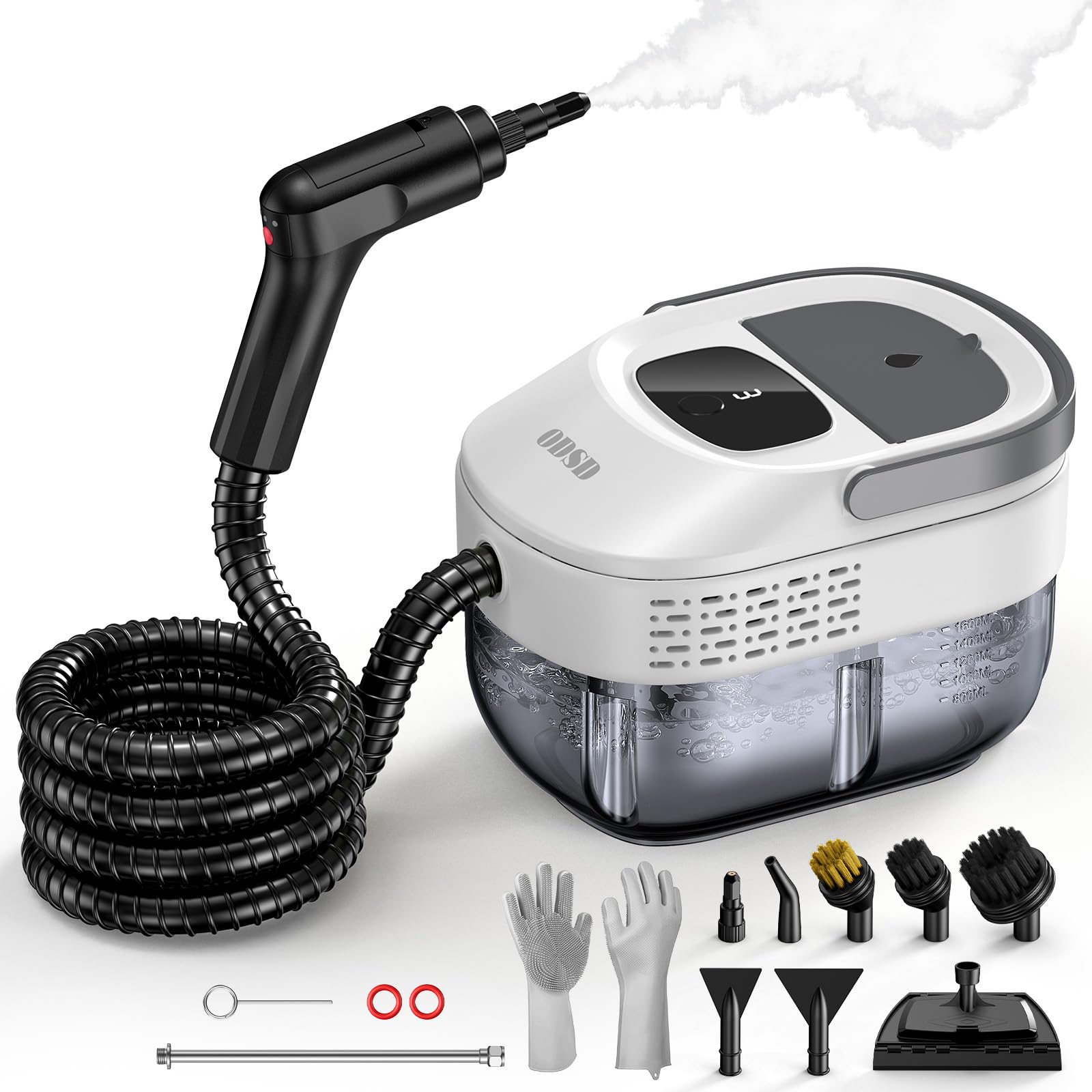
Image 1: The ODSD Steam Cleaner main unit with its flexible hose and nozzle attachment.
2. Safety Information & Precautions
Please read and understand all safety instructions before operating the ODSD Steam Cleaner. Failure to follow these instructions may result in electric shock, fire, or serious injury.
- Do not direct steam towards people, pets, or electrical appliances. Steam is extremely hot and can cause severe burns.
- Always wear protective gloves when changing accessories to avoid burns from hot steam or surfaces.
- Do not tip over or invert the machine during use to prevent hot water spillage.
- After use, drain water by pulling the tank stopper underneath the unit. Do not invert the machine to empty the tank from the top opening.
- Only use clean water in the tank. Do not add any cleaning agents, detergents, or chemicals to the water tank, as this can damage the unit and pose a safety risk.
- Ensure the tank cap is fully tightened before use to prevent leaks.
- Do not add water while the unit is plugged in and heating. Always unplug the device before refilling.
- Keep the steam nozzle 1-2 inches from the surface for optimal cleaning and to prevent damage to delicate materials.
Video 1: Official ODSD Steam Cleaner Precautions. This video demonstrates important safety guidelines for operating the steam cleaner, including proper handling, accessory changes, and water tank management.
3. Package Contents
Your ODSD Steam Cleaner package includes the following items:
- Main Unit
- Steam Hose with Handle
- Water Tank (1.6 Liters capacity)
- Power Cord
- Brush Attachments (various types, e.g., Brass Brush, Nylon Brush)
- Detail Nozzles
- Window Squeegee
- Scraper
- Extendable Straight Rod
- Gloves
- Cleaning Cloth
- Cloth Cover
- Cleaning Pin
- User Manual
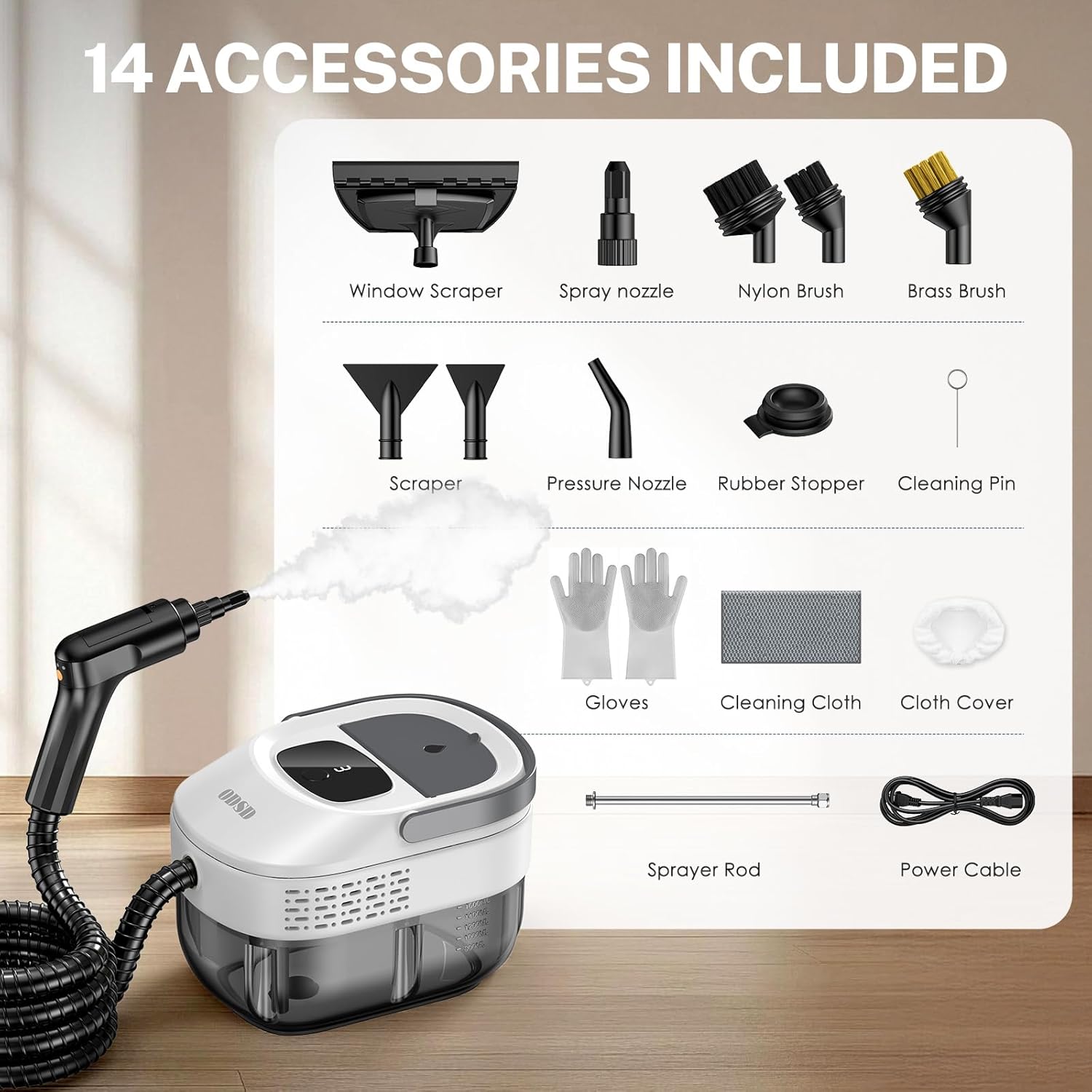
Image 2: A visual representation of the 14 accessories that come with the ODSD Steam Cleaner, including various brushes, nozzles, and cleaning tools.
4. Setup
- Install Batteries: Insert 2 AAA batteries (not included) into the handle for steam control. Ensure correct polarity.
- Fill Water Tank: Open the water tank cap on the main unit. Fill the 1.6L transparent tank with clean water. Do not overfill. Securely close the cap.
- Attach Nozzle: Ensure the red rubber ring is installed on the nozzle before attaching it to the steam hose. Twist the desired nozzle or accessory onto the end of the steam hose until secure.
- Connect Power: Plug the power cord into a suitable electrical outlet.

Image 3: Visual guide for initial setup and operation, including battery insertion, water tank filling, attaching the nozzle, plugging in the power, and turning on the device.
5. Operating Instructions
- Power On: Long press the yellow button on the handle for 3-5 seconds to turn on the unit. The display on the main unit will show '0' and begin cycling.
- Preheating: The steam cleaner heats up in approximately 15 seconds. The red light on the main unit will turn blue when preheating is complete and steam is ready.
- Adjust Steam Intensity: Briefly press the yellow button on the handle to cycle through the 3 adjustable steam levels (1, 2, or 3) displayed on the main unit. Level 1 is for delicate surfaces, while Level 3 provides maximum steam for tough grime.
- Begin Cleaning: Direct the steam nozzle towards the surface to be cleaned. For best results, hold the nozzle 1-2 inches from the surface.
- Power Off: Long press the yellow button on the handle for 3-5 seconds to turn off the unit.

Image 4: The handle of the steam cleaner with buttons for power and steam level adjustment (1-3), indicating its ease of use.
Using Attachments
The ODSD Steam Cleaner comes with 16 attachments for various cleaning tasks:
- Brass Brush: Ideal for heavy-duty scrubbing on durable surfaces like oven racks or BBQ grills.
- Nylon Brush: Suitable for general cleaning on surfaces like tile grout, sinks, and car wheels.
- Window Squeegee: For streak-free cleaning of windows, mirrors, and glass surfaces.
- Pressure Nozzle: Provides concentrated steam for hard-to-reach areas and stubborn spots.
- Scraper: Helps remove baked-on grime or sticky residues.
- Ironing Brush/Cloth Cover: For steaming fabrics, upholstery, and refreshing clothes.
- Extendable Straight Rod: Use to extend reach for high ceilings, under furniture, or deep car interiors.
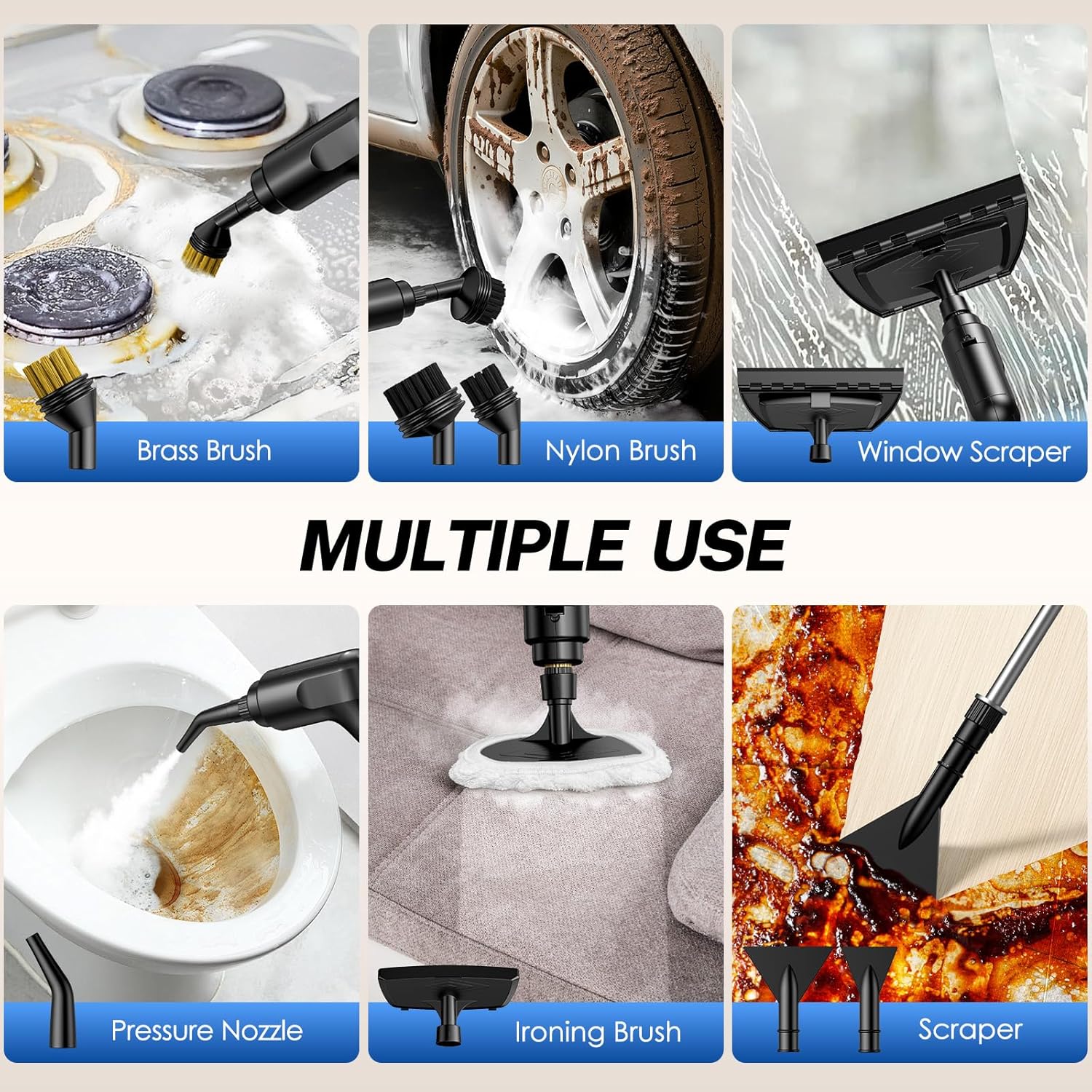
Image 5: A display of the diverse attachments, such as brushes, nozzles, and scrapers, highlighting their application for different cleaning needs around the home and car.
6. Maintenance
- Draining Water: After each use, ensure the unit is unplugged and cooled. Pull the tank stopper located underneath the main unit to drain any remaining water.
- Cleaning: Wipe the exterior of the unit with a damp cloth. For stubborn stains, use a mild cleaner. Do not immerse the main unit in water.
- Accessory Care: Clean attachments after use. Brushes can be rinsed with water. Ensure all accessories are dry before storing.
- Storage: Store the steam cleaner and its accessories in a cool, dry place, away from direct sunlight and out of reach of children.
7. Troubleshooting
- Q1: Why won't the machine turn on?
Answer: Check battery installation in the handle and ensure the handle is properly connected to the hose. Long press the handle switch for 3-5 seconds to power on. - Q2: Why is there no steam?
Answer: Ensure the nozzle is properly connected and allow 15 seconds for heating. If the unit has been running for a long time, the water tank might be empty. Refill with water after unplugging and cooling. - Q3: How to adjust the steam intensity?
Answer: Briefly press the handle switch to cycle through settings 1, 2, and 3, which are displayed on the unit. - Q4: What should I do if the steam is not hot enough?
Answer: Wait for the unit to fully preheat and check the gear setting. Ensure the nozzle is held close to the surface (1-2 inches) for maximum effectiveness.
8. Specifications
| Brand | ODSD |
| Model Name | TC-SC-006 |
| Wattage | 1300 watts |
| Tank Volume | 1.6 Liters |
| Heat Time | 15 seconds (for initial heat-up) |
| Continuous Steam Time | Up to 48 minutes |
| Maximum Temperature | 221 Degrees Fahrenheit |
| Steam Pressure | 3 BAR |
| Item Weight | 2.53 Kilograms |
| Steam Hose Length | 78.72 inches (approx. 6.56 ft) |
| Power Cord Length | 59.76 inches (approx. 4.98 ft) |
9. Warranty & Support
The ODSD Steam Cleaner (Model TC-SC-006) comes with a 1-year warranty from the date of purchase. For warranty claims, technical support, or any inquiries, please contact ODSD customer service through the retailer where the product was purchased or visit the official ODSD website.