
1. Introduction
The bunoju AI Smart Glasses are designed to keep you connected and hands-free, integrating advanced technology into a stylish eyewear form factor. These smart glasses feature an 8MP Full HD camera, Bluetooth connectivity for music and calls, voice control, and anti-blue light and UV protection. They are suitable for various daily activities, from recording moments to managing communications.

Image 1.1: Front view of the bunoju AI Smart Glasses, highlighting their sleek design and integrated technology.
2. Package Contents
Please verify that all items are present in your package:
- 1 x bunoju AI Smart Glasses
- 1 x USB-C Charging Cable
- 1 x Instruction Manual (this document)
3. Setup
3.1. Initial Charging
Before first use, fully charge your AI Smart Glasses. Connect the provided USB-C charging cable to the charging port on the glasses and to a compatible USB power source. A full charge typically takes approximately 40 minutes. The glasses can be used while charging.

Image 3.1: The smart glasses connected to a power bank via a USB-C cable for charging, illustrating the long-lasting battery life feature.
3.2. Bluetooth Pairing
- Ensure your smart glasses are powered on.
- Activate Bluetooth on your smartphone or other device.
- Search for available Bluetooth devices and select "bunoju Smart Glasses" (or similar name) from the list.
- Confirm the pairing on your device if prompted.
3.3. App Installation and WiFi Transfer
For advanced features like direct photo/video viewing and transfer, download the dedicated bunoju app from your device's app store. Once installed and connected via WiFi, you can view recorded content directly on your phone without needing an SD card or physical cables.
4. Operating Instructions
4.1. Power On/Off
To power on the glasses, press and hold the power button (location may vary, typically on the temple arm) for a few seconds until an indicator light appears. To power off, repeat the process until the indicator light extinguishes.
4.2. Music and Call Features
The integrated microphone and speaker allow for music playback and hands-free phone calls. Once paired via Bluetooth, audio will automatically route through the glasses.
- Answering/Ending Calls: Use the touch controls on the temple (refer to section 4.4).
- Music Playback: Control music directly from your paired device or via the touch controls.
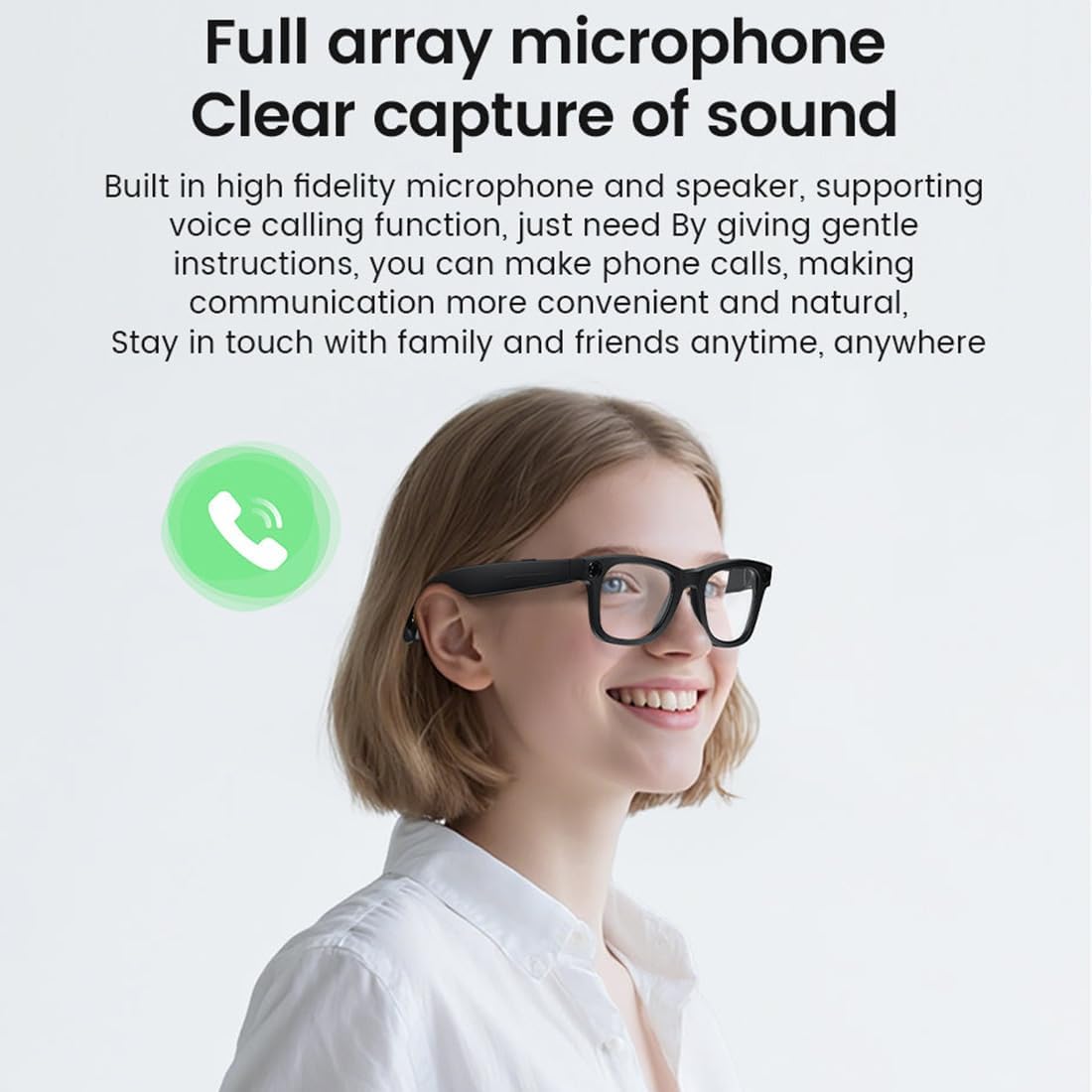
Image 4.1: A person wearing the smart glasses, demonstrating the clear sound capture and call functionality provided by the full array microphone and speaker.
4.3. Camera and Video Recording
The glasses are equipped with an 8MP Full HD camera capable of recording 1080P video at 30 frames per second and capturing 32MP photos. Built-in storage allows for recording photos, videos, and audio.
- Photo Capture: Use the designated button or voice command to take photos.
- Video Recording: Initiate video recording via button press or voice command. Continuous recording is supported for up to 12 minutes per segment, with a maximum total recording time of 3 hours.
- Anti-Shake Technology: The professional-grade optical sensor and anti-shake technology help to stabilize recordings, reducing blur and shake.

Image 4.2: An exploded view illustrating the components of the 8MP high-definition camera integrated into the smart glasses.

Image 4.3: A cyclist wearing the smart glasses, with an overlay indicating 4K 25FPS recording, demonstrating the anti-shake technology in action.
4.4. Touch Controls
The temple arms of the glasses feature touch-sensitive areas for quick control:
- Double Click: Play/Pause music.
- Three Strikes: Skip to the next song.
- Slide: Adjust the volume.

Image 4.4: Visual guide demonstrating the touch control gestures on the temple of the smart glasses for music playback and volume adjustment.
4.5. AI Voice Assistant and Functions
The built-in AI voice assistant supports various functions, including AI dialogue, AI recognition, and AI translation, enhancing hands-free interaction.
4.6. Lens Information
The glasses come with both sunglass and plano (clear) lenses. They are also designed to be prescription lens ready, allowing you to replace the standard lenses with your prescription lenses if needed.

Image 4.5: Two individuals wearing the smart glasses, showcasing both the clear and sunglass lens options, highlighting the ergonomic and portable design.
5. Maintenance
- Cleaning: Use a soft, lint-free cloth to clean the lenses and frame. For stubborn smudges, a specialized lens cleaning solution can be used. Avoid harsh chemicals or abrasive materials.
- Storage: When not in use, store the smart glasses in their protective case to prevent scratches and damage.
- Battery Care: To prolong battery life, avoid fully discharging the battery frequently. Charge the glasses regularly, even if not in constant use.
- Water Resistance: The glasses are not waterproof. Avoid exposure to heavy rain, submersion in water, or high humidity.
6. Troubleshooting
- Glasses not powering on: Ensure the battery is charged. Connect to the USB-C charger and wait a few minutes before attempting to power on again.
- Unable to pair via Bluetooth: Make sure Bluetooth is enabled on your device and the glasses are in pairing mode. Try restarting both the glasses and your device. Ensure the glasses are not already connected to another device.
- Camera not recording: Check if the internal storage is full. Transfer existing files to your phone or computer to free up space. Ensure the glasses have sufficient battery charge.
- Audio quality issues: Ensure the glasses are within Bluetooth range of your paired device. Check for any obstructions between the glasses and your device.
7. Specifications
| Model Name | AI Smart Glasses |
| Model Number | SF20250713B0FG2VZ4CM |
| Dimensions | 17 x 7 x 5 cm (6.7 x 2.8 x 2 inches) |
| Weight | 42g (0.09 lb) |
| Material | TR90 |
| Camera | 8MP Full HD |
| Video Resolution | 1080P @ 30fps |
| Photo Resolution | 32MP |
| Continuous Video Recording | Up to 12 minutes per segment |
| Maximum Recording Time | 3 hours |
| Continuous Music Listening | 30 hours |
| Standby Time | 120 hours |
| WLAN | Wifi 5/6 (for photo transfer) |
| Battery Capacity | 390mAh (supports fast charging) |
| Connectivity | Bluetooth |
| Battery Type | Lithium Ion |
| GPS | No GPS |

Image 7.1: Detailed dimensions of the smart glasses, including leg length (139mm) and overall length (158mm).
8. Warranty and Support
For any questions regarding your bunoju AI Smart Glasses, including product inquiries or order support, please contact us through Amazon. We aim to respond to all inquiries within 24 hours.
Please note that specific warranty details may be provided at the point of purchase or within your Amazon order details. Keep your proof of purchase for any warranty claims.